Travel connectivity guide
XFONE eSIM in Israel: activation and visitor checks
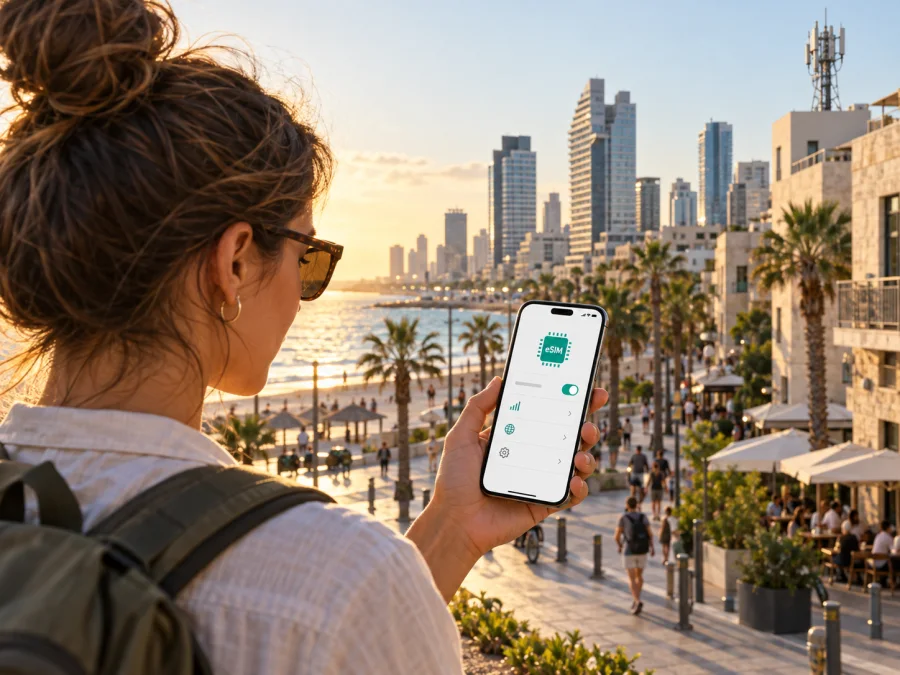
XFONE eSIM in Israel: setup, eligibility and travel connectivity
If you are considering an XFONE eSIM for a trip to Israel, first decide whether you need a local mobile subscription or only data for the visit. Current public pages from Xphone, the Israeli consumer-facing service associated with Xfone, describe eSIM support and an activation route. The published steps focus on customers opening a line or transferring a number, so travelers should confirm their eligibility directly before relying on the service.
The requested operator name in this article is XFONE. Its current consumer pages use the Xphone name and the Hebrew name אקספון. Corporate records use several related legal names: Cellcom Israel’s 2023 annual report describes Wecom as previously Marathon (018) Xfone and discusses shared network arrangements. Such records explain why searches may show different names, but they do not mean the reader should substitute another brand or assume historical offers remain available.
What current public information confirms
Xphone’s current mobile pages mention eSIM and 5G. Its knowledge base includes a guide for eSIM activation for a new line or a number transfer. The guide asks the customer to check device compatibility, request activation online, receive a QR code by email and follow instructions for iOS or Android. It also describes manual installation if QR scanning does not work. This confirms that eSIM is part of the operator’s documented subscriber process.
That confirmation has a clear limit: the public guide is written for subscribers, not specifically for short-term visitors. It refers to account details supplied at signup, including a phone number, payment information and an Israeli identity number. The public material reviewed for this article did not confirm a generally available tourist eSIM or prepaid route for non-residents. Ask XFONE whether your passport, payment method and visitor status qualify before beginning the process. Do not assume an offer intended for residents can be opened by a tourist.
“eSIM available” can refer to different services. An operator might allow a current customer to replace a physical SIM, let a new subscriber select eSIM at signup, or provide a separate visitor profile. The Xphone guide confirms new-line or number-transfer activation, but does not establish that every traveler can buy a profile independently, activate without local identity checks, or keep an existing foreign number on it. Ask which case applies to your plans.
XFONE and Israel’s mobile market
The operator pages present Xphone mobile service in Israel and mention eSIM and 5G. Cellcom Israel’s 2023 annual report identifies Wecom Mobile as previously Marathon (018) Xfone and describes a shared 4G and 5G network arrangement for the period covered by the report. This provides market and technology background, not a current promise about service at an individual address. Corporate names and network arrangements can change, so ask XFONE for current details when they affect your decision.
Xphone’s current public pages refer to 5G, while the Cellcom report describes 4G/5G sharing in the period it covers. These statements do not mean that 5G is present everywhere or that a compatible phone will always use it. Actual service depends on location, device bands, building materials, network load, account settings and temporary conditions. A 4G/LTE-capable phone may connect where 5G is not available, but confirm the operator’s current device requirements for your model.
The public pages reviewed do not provide enough current, location-specific evidence to promise coverage in every city, settlement, road or remote area. Ask for the current coverage map or guidance for places on your itinerary, including airports, accommodation, transit routes and rural stops. A coverage map is an estimate, not a promise of indoor reception. Save offline maps and important travel details if your plans include less populated areas.
Questions to ask before choosing XFONE
The setup guide is useful because it confirms an eSIM subscriber flow and shows that compatibility is checked before activation. It also explains why that should not be read as a promise to every visitor: the process references personal details connected to signup. If you are arriving with a foreign passport and card, ask whether XFONE can open the type of account you need. If the answer is unclear, get current guidance from an official support channel before changing your existing SIM or transferring a number.
Use this short checklist when contacting support:
- Can a non-resident open a new XFONE mobile line while visiting Israel?
- Is there a prepaid or tourist eSIM for visitors, or is eSIM limited to standard subscriptions?
- Which identity document is accepted, and is an Israeli identity number required?
- Can signup and activation be completed remotely, or must you visit a service point?
- Which payment methods and phone models are supported?
- What should you do if the QR code cannot be scanned or has already been used?
- Does the service include a local number or voice and messaging, if you need those functions?
These questions are more reliable than an old forum post or a search result that may refer to an expired campaign, earlier brand or different customer group. As of 25 September 2026, the public operator sources reviewed confirm general eSIM support but do not confirm a visitor-specific prepaid product for non-residents.
Explore eSIM options for Israel with Kaspersky eSIM Store
Activation: prepare your phone before travel
The Xphone guide describes checking compatibility, requesting eSIM activation through the operator’s site, then receiving a QR code by email. On the phone, open cellular or mobile settings and choose the option to add an eSIM or mobile plan. Scan the code and follow the device prompts. Menu labels differ across manufacturers, software versions and languages, so use the current instructions for your exact phone rather than relying on a generic sequence.
A stable internet connection is generally needed to download a profile. If possible, prepare over Wi-Fi before travel, but do not start a number transfer until the operator confirms timing and when the old SIM will stop working. Treat the QR code as private account information. Do not share it publicly or repeatedly scan it if the process appears stuck; codes may be single-use. Xphone’s guide describes manual activation as a fallback. Use it only through the phone’s settings and the official operator process.
After installation, give the line a recognizable label, such as “XFONE Israel.” If your phone supports more than one SIM, check which line is selected for data, calls and texts. Keeping a home SIM active can help with incoming calls or verification messages, but its roaming rules still apply. Review those rules and disable mobile data on the home line if you do not intend to use it. The phone’s dual-SIM controls and each subscription determine what can be active at once.
On arrival, enable the intended line and select it for data. Enable roaming only if XFONE’s instructions require it for that profile. Follow current guidance for APN or network settings. If data does not work, restart the phone; do not delete the profile unless support advises it, as the QR code may not be reusable.
Device and account compatibility
An eSIM-compatible phone is necessary, but the model name alone may not be enough. Regional versions can differ, and a device locked to another carrier may block activation. Check the exact model number, confirm the phone is unlocked, and look in cellular settings for an option to add an eSIM. Then check the model against XFONE’s current supported-device information. Do not assume that every version of a popular phone has the same eSIM hardware.
Make sure you can access the signup email, where the guide says the QR code and instructions are sent. For a number transfer, confirm account-holder details and ask when the old SIM will stop working.
For device installation, follow the phone maker’s current iOS or Android instructions together with XFONE’s profile-specific guide. Kaspersky eSIM Store installation instructions apply to a separate travel eSIM, not an XFONE subscriber QR code. Never enter one provider’s activation details in another provider’s flow. For a travel eSIM, see the Kaspersky eSIM Store compatibility guide.
Coverage and technology around Israel
Mobile reception can vary between urban streets, buildings, underground spaces, border areas and rural routes. A phone can move between technologies as conditions change. Even a 5G-ready handset may use 4G/LTE when that is the available connection, and it may not support every local radio band. Operator references to a technology indicate a service capability, not a guarantee for every individual connection.
The current Xphone pages mention 5G. Cellcom Israel’s 2023 annual report describes a 4G/5G sharing arrangement connected with Wecom, formerly Marathon (018) Xfone. Those sources provide market context, not a fresh neighborhood-by-neighborhood coverage audit. Check a current map or contact the operator about the places that matter to you. If your itinerary covers several regions, ask about the route, not only one city.
Check that your handset supports the relevant local bands and leave network selection on automatic unless XFONE instructs otherwise. Manual selection may leave the phone disconnected as you move. Near an international border, the device could detect a neighboring country’s network. If that matters to your account, ask XFONE how to configure roaming and network selection. An eSIM does not prevent a handset from registering on an unintended network.
Local service or travel eSIM?
A local operator subscription and a travel eSIM serve related but different needs. XFONE may suit someone who qualifies for a local account, needs a local mobile number or wants service managed directly by an Israeli operator. The exact features depend on current terms and eligibility. The sources reviewed do not confirm a generally available visitor prepaid option, so confirm that first rather than leaving it until arrival.
A travel eSIM may suit a short trip where the main need is mobile data and you want to arrange connectivity before departure. Kaspersky eSIM Store is an app and website that helps users choose, purchase and activate an eSIM with a mobile-data plan for an international trip. It is not a mobile operator, network owner or provider of mobile internet service. Its Israel destination page shows an eSIM option and outlines an online setup flow; check the current page because availability and conditions may change.
Kaspersky eSIM Store travel eSIMs are designed around mobile data. Do not treat one as a replacement for a local voice line, ordinary number or SMS service unless the specific current offer says otherwise. Messaging and internet-calling apps can work over data when the other person uses the same service, but that does not replace every call or verification text. If a local number matters, confirm that an eligible local subscription includes what you need.
Compare service types, not just the word “eSIM.” Decide whether you need local calls, SMS, data-only access, a particular support language or continued use after the trip. Check destination coverage, installation steps, phone compatibility and whether roaming must be enabled. Read current conditions before purchase because offers and technical requirements can change.
Common questions
Does XFONE support eSIM?
Current Xphone pages mention eSIM, and its knowledge base describes activation for a new line or number transfer. The pages were checked on 25 September 2026. Confirm that your account type and handset qualify before starting.
Can a tourist buy an XFONE eSIM in Israel?
The reviewed public operator material did not confirm a generally available tourist eSIM or visitor prepaid route. The activation guide references signup details including an Israeli identity number. Ask XFONE whether your documents are accepted; do not assume either eligibility or refusal.
Before departure
- Confirm that the phone supports eSIM and is unlocked.
- Ask XFONE whether a visitor can open the specific account you need.
- Verify accepted documents, payment methods and any in-person signup requirement.
- Check current activation steps and access to the signup email.
- Do not start number transfer before confirming its timing.
- Check coverage and supported technology for the places on your itinerary.
- Select which line handles data, calls and messages; review roaming settings.
- Keep activation details private, and save support information and offline travel details.
- If you need data only, review the current Israel option and setup instructions in Kaspersky eSIM Store.
Sources checked
Prepared on 25 September 2026. XFONE eSIM and activation details were checked against Xphone’s current mobile page and eSIM guide. Network background was checked against Cellcom Israel’s 2023 annual report, and licensing information against the Israeli Ministry of Communications. Kaspersky eSIM Store’s role and setup flow were checked against Kaspersky’s official explainer and Israel destination page. Pages were accessed on the verification date. Confirm current eligibility, coverage and conditions with the relevant provider.
Kaspersky eSIM Store is not affiliated with, endorsed by or operated by XFONE. The operator name is used only to identify the service discussed. This guide is general travel information and does not replace current terms from either provider. Availability, device support, coverage and activation requirements can change; check them before purchase or travel.


