Travel connectivity guide
Xiaomi 12T Pro 256GB eSIM Compatibility
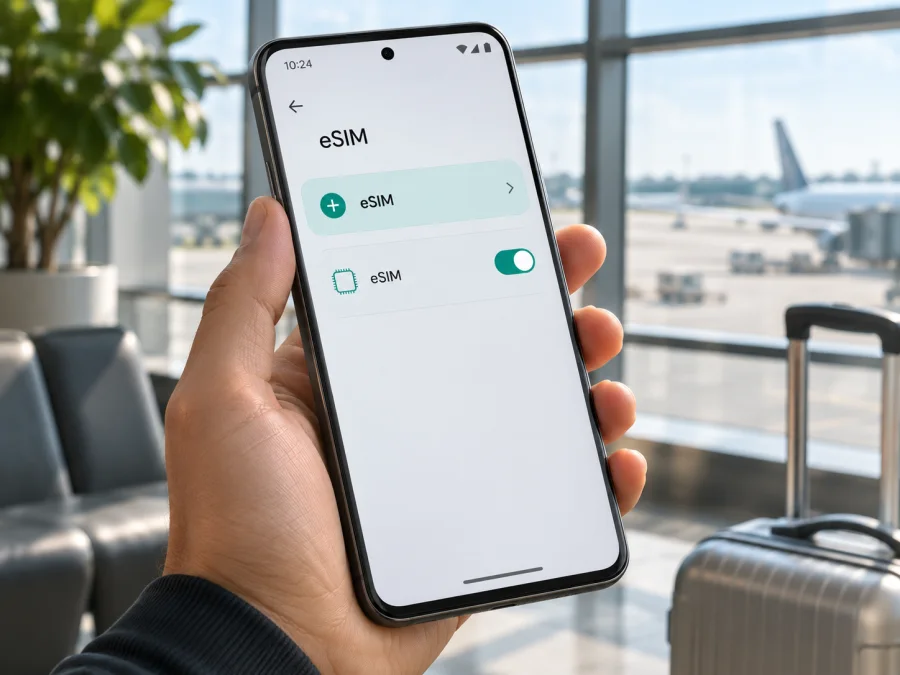
Xiaomi 12T Pro 256GB eSIM: compatibility and setup guide
Short answer: eSIM support on the Xiaomi 12T Pro is confirmed for some regional versions, but you should not assume that every phone sold as “Xiaomi 12T Pro 256GB” has the same SIM configuration. Xiaomi's UK specifications list dual SIM as either nano-SIM + eSIM or nano-SIM + nano-SIM. Xiaomi's Malaysia support FAQ also says the model supports eSIM, while noting that availability can vary by country, region, and carrier. Since “256GB” describes storage and does not identify the market version, check the exact handset before buying a travel plan.
That distinction matters in practice. A phone can have the same model name and storage capacity yet ship with different regional firmware, SIM hardware configuration, or carrier restrictions. The reliable answer is the one shown by your own device settings and confirmed by the seller or Xiaomi support for its exact market version. If an eSIM profile can be added and the phone is unlocked, you can use a compatible travel data plan; if those checks fail, do not purchase on the assumption that an update will add eSIM capability.
Does Xiaomi 12T Pro 256GB support eSIM?
The model family has official eSIM-capable versions. Xiaomi's specifications for the UK describe two SIM arrangements: one nano-SIM together with an eSIM, or two nano-SIM cards. Xiaomi's Malaysian FAQ likewise identifies eSIM support for Xiaomi 12T Pro, but explicitly says eSIM availability may vary by country or region and carrier. These statements establish that eSIM exists in at least some versions; they do not prove that every 256GB handset has the feature enabled.
The storage figure does not settle the question. Xiaomi lists 256GB configurations in its product specifications, but it does not make “256GB” a universal eSIM identifier. Memory, country of sale, the phone's exact model number, software build, and carrier lock status all matter. A retailer listing that only says “Xiaomi 12T Pro 256GB” is therefore not enough to verify eSIM.
| Item | What to know |
|---|---|
| Device named in this guide | Xiaomi 12T Pro 256GB |
| Storage | 256GB; this alone does not identify the regional SIM version |
| eSIM status | Available on some officially documented regional versions; check the individual handset |
| SIM arrangement | May be nano-SIM + eSIM or nano-SIM + nano-SIM, depending on version and availability |
| Mobile operating system | Android with Xiaomi's MIUI software on the original model; menu labels can vary by software version |
| Travel eSIM use | Possible only if the handset has eSIM capability, is not restricted by a carrier, and supports the plan's network bands and service conditions |
Regional Xiaomi materials do not describe every version the same way: the UK specification and Malaysia FAQ include eSIM, while the global quick-start guide describes two physical nano-SIM slots. The guide alone cannot identify the SIM setup in every market. Check the phone's own eSIM controls and get confirmation tied to its model number and country of sale.
A carrier lock or regional firmware may also prevent use of another provider's profile. Ask the seller to confirm both eSIM support and unlock status for the exact device; do not try to bypass a missing menu with an unofficial profile.
Check the exact handset before you buy
Start with the phone itself if it is already in your hands. Use the Settings search field and try terms such as eSIM, Add eSIM, Manage eSIM, or Download a SIM. Depending on the MIUI release and region, the path may be under Settings → SIM cards & mobile networks, Mobile networks, or a similarly named network section. Menu wording and placement can change after software updates. Look for an option to add or download a mobile plan, not merely a screen that manages physical SIM cards.
If the phone displays an EID, that is a strong sign that it contains an eSIM component. EID means Embedded Identity Document: a device identifier used by eSIM systems. Check the phone's detailed status or SIM information pages; on some Android builds, an EID appears under Settings → About phone → Detailed info and specs → Status or under SIM status. The precise path varies. You can also open the dialer and try *#06#; if the device supports the feature, its identifier screen may show an EID alongside IMEI numbers. Do not post or send the EID publicly: it is device information that should only be shared through a trusted provider's setup process when requested.
If neither EID nor “Add eSIM” appears, restart, install available official updates, and search again. If still missing, record the model number and software version from About phone and ask Xiaomi support or the seller to verify the market version. A factory reset may erase data without changing hardware or carrier restrictions.
Use this pre-purchase checklist:
- [ ] The seller confirms eSIM support for the exact model number and country or region of sale, not just for the Xiaomi 12T Pro family generally.
- [ ] The device shows an EID or an eSIM-add option in its own settings, or Xiaomi support has confirmed that the exact version supports eSIM.
- [ ] The phone is unlocked for use with another provider's eSIM profile. Ask for an explicit confirmation if the phone was originally sold by a mobile operator.
- [ ] The system is up to date and the phone can connect to Wi-Fi or another working internet connection for installation.
- [ ] The destination plan's coverage, validity period, data allowance, activation timing, and device/network requirements fit your trip.
- [ ] You understand whether the plan is data-only and whether its instructions require data roaming to be enabled for the travel line.
For a quick second check before choosing a plan, check whether your device is compatible. Treat a general compatibility result as a starting point; the regional version and lock status of the Xiaomi 12T Pro 256GB still need to match your actual phone.
What eSIM means for a trip
An eSIM is a digital SIM profile stored in a compatible phone. A travel plan uses that profile to provide data in the destinations and period described in its terms. The profile is installed on the device; the plan defines where it works, its data allowance, and when it is valid.
You can often keep a physical SIM for calls or messages while selecting the travel eSIM for data. Data-only travel plans normally do not include a regular phone number or ordinary SMS and voice service, though internet calling and messaging apps can use data.
Check when the plan starts: validity may begin at purchase, first connection to a supported network, or a scheduled date. Installing a profile, enabling its line, and starting plan validity can be separate events.
Kaspersky eSIM Store is an app and website where you can choose, arrange, and activate an eSIM with a data plan for an overseas trip. Browse Kaspersky eSIM Store to review current destinations and plan conditions, including coverage, data, duration, activation requirements, and price.
How to install and activate an eSIM
The settings path can differ by region and software release, so follow the labels on your phone. Use reliable Wi-Fi and keep the activation email or QR code accessible on another screen. Do not delete a profile to retry a scan unless the provider confirms it can be reinstalled.
- Confirm that the phone can add eSIM. Check for an EID and an eSIM or add-mobile-plan control. If neither is present, stop and confirm the exact variant with Xiaomi or the seller.
- Check the phone's lock status. A carrier lock can prevent the profile from registering, even when the phone contains eSIM hardware. Ask the original operator to unlock the phone if necessary.
- Choose a plan for the right destination. Review the destination or regional coverage, the data amount, validity, activation trigger, supported networks, and any tethering conditions. Make sure it suits every country on your itinerary.
- Open the purchase or account instructions. After arranging a plan, use the installation method supplied for that profile. It may be a QR code or an in-app installation flow. QR codes are usually single-use, so keep the original message until setup succeeds.
- Open mobile network settings. Search Settings for “eSIM” or “Add eSIM.” Select the option to add or download a mobile plan. If prompted, scan the provider's QR code using the phone's camera or system scanner, or enter activation details manually only when they were supplied by the provider.
- Wait for the profile to download. Keep Wi-Fi connected and avoid closing the setup screen during download. Name the line something recognizable, such as “Travel,” if the phone offers that option.
- Enable the new line when appropriate. Follow the plan's activation timing. If the plan is intended to start on arrival, you can leave the profile installed but disabled until then if the provider's instructions allow it.
- Choose the data line. In SIM or mobile-network settings, select the travel eSIM for mobile data. Keep calls and texts on your usual SIM if desired, and review its roaming settings to avoid unexpected charges from your home operator.
- At your destination, check registration. Turn on the eSIM line, enable mobile data for it, and select a supported network automatically first. If the provider's instructions require data roaming for this eSIM, enable roaming on the travel line only and verify the plan conditions.
- Test a simple connection. With Wi-Fi turned off, open a trusted page or messaging app. Check that the travel eSIM is selected for data and that the phone shows a network connection before relying on it for navigation or transport.
For more device-specific help, use the Android eSIM installation instructions. If you are helping someone install a profile on an iPhone instead, see the iOS eSIM installation instructions. The iOS guide is for an iPhone; it does not change the Android steps for Xiaomi 12T Pro 256GB.
Choose the right line for mobile data
In SIM management, select the travel eSIM for mobile data. A dual-SIM phone may let you keep the usual SIM for calls and messages, but controls vary. Confirm the selected data line after restarts or SIM changes.
Whether to enable data roaming depends on the eSIM plan's instructions. Some travel profiles need roaming enabled to connect to a partner network. This setting does not by itself determine the price; the selected plan and the line using data determine which service is charged. To reduce the chance of home-network roaming charges, turn off data roaming for your regular SIM, or disable that line's mobile data, if you do not intend to use it abroad. Keep calls or SMS enabled only if you need them and understand your home operator's terms.
For a multi-country trip, check that the same plan covers each stop rather than assuming that a plan for one country works across a region. If you cross a border, the phone may take a few minutes to register on a newly supported network. A plan can also have different network partners or service conditions from one destination to another. Use the coverage information attached to the selected plan, not the phone's 5G label, as the guide to where that plan can connect.
Practical travel scenarios
Before departure: verify eSIM and unlock status, install over Wi-Fi if the plan permits advance setup, and label the profile “Travel.” Check when the plan validity begins so a short-duration plan does not start earlier than intended. Keep the original QR code until installation is confirmed.
After landing: turn off Wi-Fi briefly, enable the travel line, select it for mobile data, and follow the plan's roaming instructions. Allow time for network registration before changing several settings at once.
Keeping your usual number: if the phone and home operator allow it, keep the physical SIM enabled for calls or messages while the travel eSIM handles data. Disable automatic data switching if available. Home-operator charges for calls, SMS, or voicemail may still apply.
Multi-country route or hotspot: confirm every stop is included in the plan. Tethering depends on phone settings and plan conditions; check before relying on it for a laptop, where background activity can use data quickly.
Common problems and how to check them
There is no “Add eSIM” setting
Search Settings for “eSIM,” “SIM,” and “mobile plan,” and check for an EID. Install available official updates and restart once. If the controls remain missing, the regional version may not support eSIM or a carrier configuration may restrict it. Ask Xiaomi support or the seller to verify the model number and market. Do not buy a profile until this is clear.
The QR code will not scan
Use a stable internet connection and make sure the QR code is complete and displayed on another screen. Increase that screen's brightness or use the provider's manual entry option if supplied. Activation codes may be single-use: if a scan partially installed the profile, do not repeatedly retry or delete it before asking whether it can be reissued.
The profile downloads but will not connect
Make sure the eSIM line is enabled and selected for mobile data, airplane mode is off, and the destination is covered. Enable roaming for the travel line only if the provider's instructions require it. Restart the phone and try automatic network selection. Use manual selection only for a network named in the plan instructions.
Signal appears, but apps have no internet
Confirm which SIM handles data and that the plan has started under its validity rules. Turn Wi-Fi off for a cellular test, check remaining data, and temporarily review VPN, private DNS, or data-saving settings if the issue continues. If only one app fails, check its network permissions before changing the eSIM profile.
The home SIM incurs unexpected charges
Keep the travel eSIM selected for data, disable automatic data switching if available, and turn off data roaming for the home SIM unless you intend to use it. Calls, SMS, and voicemail on the home line follow that operator's terms even when the travel eSIM carries data.
The phone is locked or goes offline at a border
Ask the original carrier to confirm unlock status. Also check that the plan covers the destination and is within its activation period. After crossing a border, allow time for registration, toggle airplane mode once, and check the travel line's data selection. Contact the seller, provider, or carrier with the exact error and location if the issue remains. Avoid a network reset until you have saved Wi-Fi or VPN details you may need to restore.
Frequently asked questions
Does every Xiaomi 12T Pro 256GB include eSIM?
No. Xiaomi documents eSIM on some regional Xiaomi 12T Pro versions and warns that availability varies by country, region, and carrier. Storage capacity does not identify the SIM configuration. Check the phone's EID or eSIM controls and verify the exact version with its seller or Xiaomi support.
Can an Android update add eSIM?
An official update may fix software issues or change menu wording, so it is a reasonable check when controls are missing. Do not assume it can add capability to hardware or a regional configuration that does not support eSIM. Confirm by model number instead of relying on unofficial firmware.
Can I use a physical SIM and travel eSIM together?
A compatible version may support both, but available combinations vary. Check the SIM management screen and choose which line handles data, calls, and messages. A data-only travel eSIM generally does not provide a regular phone number; internet calls and messaging apps can use its data connection.
Is 5G guaranteed, and can I move the profile later?
No. 5G depends on the plan, local network, coverage, supported bands, and device version. Also, do not assume an installed eSIM can be transferred: many activation codes are single-use or tied to the original device. Check the plan's terms before deleting a working profile or changing phones.
Should I remove the profile after the trip?
You may leave it installed if you expect to use it again and its terms allow this. Before deleting it, check whether remaining data or future installation would be affected. Removing an eSIM is not a safe troubleshooting shortcut unless the provider confirms that it can be restored.
Final check before your trip
For Xiaomi 12T Pro 256GB, eSIM is a real capability in some regional versions, but the “256GB” name is not enough to identify whether your particular phone has it. Confirm the EID or add-eSIM control on the handset, check its market version and carrier-unlock status, and resolve any uncertainty with Xiaomi or the seller before paying for a plan.
Once compatibility is clear, compare the destination, route, data amount, validity, activation timing, network requirements, and roaming instructions of the travel plan. You can browse current eSIM options in Kaspersky eSIM Store, then install the selected profile on the verified compatible phone and choose it for mobile data when the plan is ready to use. A short check before departure can help avoid arriving with a plan that the specific handset cannot install.


