Travel connectivity guide
Xiaomi 12T Pro 8GB RAM eSIM: Setup Guide
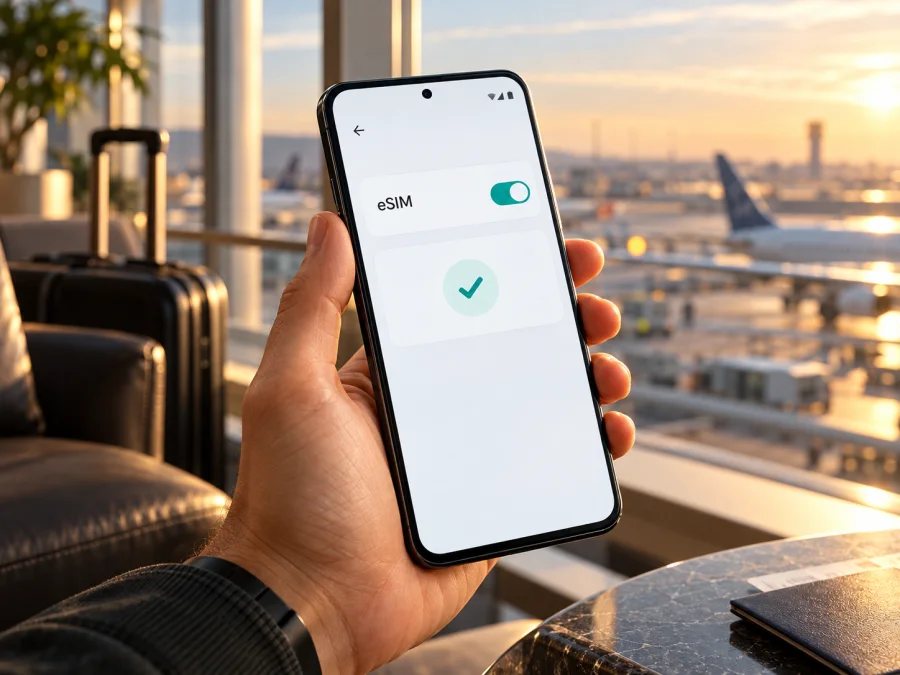
Xiaomi 12T Pro 8GB RAM eSIM: compatibility and setup guide
Short answer: Xiaomi’s global product specifications identify eSIM as an option for the Xiaomi 12T Pro, including a dual-SIM configuration of one nano-SIM plus eSIM. The same official specifications list 8GB RAM versions. Xiaomi’s support page also says that the Xiaomi 12T Pro supports eSIM. This confirms model-level support for the device family; it does not prove that every handset sold under the name Xiaomi 12T Pro 8GB RAM has the same regional hardware, software menu, or carrier eligibility. Before buying a travel plan, check the exact phone in Settings and confirm that its eSIM is available and unlocked for your intended use.
An eSIM is a digital SIM profile stored in a phone’s built-in eSIM hardware. It can be added without inserting a second physical card. For a trip, a data eSIM can provide mobile internet in the destination while you keep a regular SIM available for calls or messages, subject to your home operator’s roaming settings and the plan’s terms.
Does Xiaomi 12T Pro 8GB RAM support eSIM?
The best-supported answer is yes at the Xiaomi 12T Pro model level. Xiaomi’s current global specifications list two possible SIM arrangements: nano-SIM plus eSIM, or two nano-SIMs. Xiaomi’s global support FAQ explicitly confirms that the Xiaomi 12T Pro supports eSIM. The specifications list 8GB+128GB and 8GB+256GB memory/storage options, alongside a 12GB option. Taken together, these official pages support eSIM for the model family and show that the 8GB RAM configuration is part of that family.
There is one important limit to that confirmation: Xiaomi does not publish a separate eSIM statement for every retail SKU, country code, carrier edition, or firmware build within the 8GB RAM group. The eSIM note on Xiaomi’s specifications page says availability may vary by country or region and carrier. Treat that as a real compatibility condition, not a formality. If you have not bought the phone yet, ask the seller to confirm eSIM support for the exact model number and country version. If you already own it, use the checks below before choosing or paying for a travel plan.
The RAM amount is not the control that turns eSIM on. “8GB RAM” describes memory capacity; it does not identify the phone’s market or guarantee that the eSIM menu is enabled. Storage capacity, sales region, carrier restrictions, software version, and the SIM configuration in use can matter more. A listing that says only “Xiaomi 12T Pro 8GB RAM” may not provide enough information to establish those details.
Xiaomi’s published specifications also distinguish the eSIM arrangement from the two-physical-SIM arrangement. The phone may support both configurations, but the SIM tray and eSIM may not be usable in every combination at the same time. Xiaomi’s general eSIM instructions say that on some supported phones, eSIM and SIM 2 cannot be active together. Follow what your own phone displays and check the manual or local Xiaomi support information for that exact version.
Model facts relevant to eSIM
| Item | What the official information says | What to check on your handset |
|---|---|---|
| Device family | Xiaomi’s support FAQ confirms eSIM for Xiaomi 12T Pro | Verify the exact retail model and region |
| RAM variants | Xiaomi lists 8GB+128GB and 8GB+256GB options | RAM alone does not confirm eSIM availability |
| SIM choices | Global specifications list nano-SIM + eSIM or nano-SIM + nano-SIM | Check whether the eSIM setting is present and which SIM slots can be active together |
| Region and carrier | Xiaomi says eSIM availability can vary by country/region and carrier | Ask the seller or local operator about this exact phone and intended network |
| Network use | The plan and device need to work with a supported local network | Check destination, coverage terms, network bands, and plan validity |
| Calls and texts | A travel data eSIM may be data-only | Read the plan details; keep your usual number active if needed |
These are compatibility facts, not a guarantee of service in every destination. Having an eSIM menu means the phone has an eSIM capability; it does not by itself confirm that every eSIM provider, local operator, or travel plan will work with the phone.
Regional versions and operator restrictions
Phones sharing a commercial name can differ by market, firmware, network bands, or available SIM functions. Xiaomi cautions that eSIM availability can depend on country or region and carrier. An operator-supplied phone may also be locked. Check three separate things: whether this handset exposes eSIM, whether it is allowed to install a profile from another provider, and whether the chosen plan works in the destination.
Do not infer eSIM support from the RAM amount or the Xiaomi 12T Pro name alone. Ask the seller for the exact model number and original sales region. For a refurbished or imported phone, request a demonstration of its EID and eSIM settings. If you already own it, check the phone itself before paying for a plan.
5G and eSIM are separate capabilities. A 5G-capable phone may still lack eSIM on a particular regional version, and an eSIM may use 4G where 5G is unavailable. Network bands, coverage and speed depend on the handset, local network and location; a band match alone does not guarantee service.
How to check eSIM compatibility before buying
Menu names vary by software version and region. Search Settings for “eSIM” if a label differs.
1. Look for an EID
Open Settings → SIM cards & mobile networks. If available, enable Use eSIM, then open Manage eSIM and look for View device EID. You can also enter *#06# in the dialler; some compatible phones show an EID with the IMEI numbers. An IMEI is not an EID, and the code may not display an EID on every software version. Keep the EID private and share it only with a provider or support team that needs it.
2. Look for eSIM controls
Search Settings for Use eSIM, Manage eSIM, or Add mobile plan. A menu to enable or add an eSIM is a useful sign that the feature is exposed. Do not scan a real activation QR code just to test the menu: the code may be single-use or may start activation.
3. Confirm the phone is unlocked
Ask the original seller or carrier whether the device can install another provider’s eSIM profile. An EID does not override a carrier lock or account restriction.
4. Check the plan
Confirm that the plan includes every destination, suits your travel dates, and supports the phone. Check whether it is data-only, when validity begins, whether roaming is required for the eSIM, and whether tethering is allowed if you need a hotspot.
Check your device before buying. If EID and eSIM controls are missing, ask Xiaomi support or the seller using the exact model number and sales region.
Compatibility checklist
- [ ] This is Xiaomi 12T Pro, not a similarly named Xiaomi 12 model.
- [ ] The exact model number, sales region, and software version are known.
- [ ] An EID or eSIM option appears in Settings.
- [ ] The phone is not locked against the intended profile.
- [ ] The plan covers the route and its activation terms fit the trip.
- [ ] Wi-Fi is available for installation, and data-line/roaming settings are understood.
Prepare before installing
Install the profile over a reliable internet connection and keep the provider’s instructions available. If a QR code arrives by email on the Xiaomi itself, display it on another screen or use manual details if offered; a phone cannot normally scan a code shown only on its own screen. Treat activation details as private.
Check when the plan starts. Installation and the start of validity are separate events: a plan may start on installation, on a chosen date, or on first connection. If you keep your home SIM for calls or messages, check its roaming terms and make sure you know which line is selected for mobile data.
How to install an eSIM on Xiaomi 12T Pro 8GB RAM
The route can vary by MIUI/Android version. Xiaomi’s general instructions use Settings → SIM cards & mobile networks → Use eSIM → Manage eSIM → Add mobile plan. Search Settings for “eSIM” if needed and follow the prompts on your phone.
- Connect to Wi-Fi. Stay online until the profile downloads.
- Open eSIM settings. Enable Use eSIM if shown. The phone may ask you to disable a second physical SIM before using eSIM; read its prompt before changing your setup.
- Choose Add mobile plan. In Manage eSIM, select Add mobile plan, Add eSIM, or the equivalent label.
- Scan or enter the activation details. Use the provider’s QR code or manual details, if offered. Avoid sharing the code; it may be one-time use.
- Download and label the profile. A name such as “Trip data” can help distinguish it from your home line. Do not delete the profile unless the provider explains how to restore it.
- Choose the data line. Select the travel eSIM for mobile data when ready. Keep your regular number for calls or messages only if that suits your operator’s roaming terms.
- Follow activation instructions. Enable data roaming for the eSIM only if the plan requires it. Check when the plan’s validity starts.
- Test at the destination. Turn off Wi-Fi briefly and see whether mobile data connects. If not, check the troubleshooting steps below before deleting the profile.
For visual steps, see the Android eSIM installation instructions. The iOS installation instructions apply if you are preparing an Apple device for the same trip; Xiaomi setup uses Android settings.
Use the eSIM for mobile internet while travelling
Choose a plan that covers each destination on your itinerary. Compare its data allowance and validity with your expected use, including maps, navigation, messaging, video calls, backups, and streaming. Keep large downloads on Wi-Fi if you want to conserve a limited allowance.
After landing, go to Settings → SIM cards & mobile networks and select the travel eSIM for mobile data. Check that the home SIM is not selected for data if you want to avoid unintended roaming. Enable data roaming for the eSIM only when its instructions require it. Give the phone time to register with a local network; follow the provider’s guidance if manual network selection is needed.
A travel eSIM may provide data without a regular phone number, voice calls, or SMS. Messaging and calling apps can use the data connection. If you need verification texts or calls on your usual number, keep your home SIM as needed and check your home operator’s roaming conditions.
Kaspersky eSIM Store is an app and website where travellers can choose, arrange, and activate an eSIM plan for mobile internet abroad. Once compatibility is confirmed, browse available destinations and plans and review the specific route’s terms. The homepage is a starting point, not a guarantee that a particular plan or local network will suit every phone.
Common problems and what to check
“Use eSIM” is missing
Search Settings for “eSIM” and “SIM cards & mobile networks,” restart, and check for a normal system update. Confirm the exact model and sales region with Xiaomi or the seller. If EID is missing too, the regional hardware or software may not expose eSIM. Do not assume a firmware change will add support.
EID appears, but there is no add-plan option
Check whether eSIM is enabled and whether an active second SIM is blocking it. Xiaomi’s general guidance says eSIM and SIM 2 may not work together on some phones. Region, carrier, or software restrictions may also affect the menu. Confirm the lock status and plan eligibility.
QR code will not scan
Show the code on another screen, increase its brightness, reduce glare, and hold the phone steady. Use manual details only if the provider offers them. Avoid repeated scans if the code is single-use.
Profile installs but does not connect
Make sure it is enabled and selected for data, the destination is covered, and the plan is active. Toggle airplane mode briefly, wait for registration, and enable roaming on the eSIM if required. Restart once if needed. Do not delete the profile as an early fix; the activation code may not work again.
Connected, but there is no internet
Verify the data line, plan validity, remaining allowance, and any provider-specified roaming or APN settings. Enter an APN only if the provider supplies it. If the issue continues, note the network name and error and contact plan support.
Home SIM is using roaming data
Check which line is selected for mobile data and disable data roaming on the home SIM if appropriate. Check its operator’s terms for calls and texts. Selecting the travel eSIM does not change the home plan.
Slow or changing network
Reception and speed vary by location and congestion. Try a place with stronger signal and keep automatic network selection unless the provider advises otherwise. 5G depends on the local network and handset support; an eSIM does not guarantee 5G.
Practical travel scenarios
One-country holiday: Install over Wi-Fi if permitted, then activate according to the plan’s timing. Select it for data after arrival.
Multi-country trip: Check every border stop against the plan’s coverage and validity. A plan for the first country may not cover the rest.
Work trip with a home number: Use the travel profile for data and check your home operator’s costs for calls and incoming texts. Keep home-line data roaming off if you do not want it used.
Short stopover: Prepare the eSIM before departure when possible, but follow its start conditions. For hotspot use, check that both the phone and plan permit tethering.
Frequently asked questions
Is Xiaomi 12T Pro 8GB RAM eSIM-compatible?
Xiaomi confirms eSIM for Xiaomi 12T Pro and lists 8GB RAM versions. Because availability can vary by region and carrier, check EID and eSIM controls on your exact handset; RAM does not identify its regional configuration.
Does every Xiaomi 12T Pro have an EID?
The model is listed as eSIM-capable, but check your handset in Settings → SIM cards & mobile networks → Manage eSIM or dial *#06#. If EID and eSIM controls are absent, ask Xiaomi or the seller about that exact version.
Can I use a physical SIM and eSIM together?
Xiaomi lists nano-SIM plus eSIM as an arrangement. Whether another physical SIM can be active at the same time depends on configuration; Xiaomi warns that eSIM and SIM 2 may not work together on some phones.
Can I install before travel, and when does the plan start?
Often, but follow the profile’s instructions. Validity may begin on installation, a chosen date, or first network connection; do not assume these are the same event.
Does a travel eSIM include my regular number?
Not necessarily. Many travel plans provide data only. Check the offer details; internet messaging and calls may work through apps over data.
Can I move the profile to another phone?
Do not assume so. Transfer rules depend on the provider, and some activation codes are one-time. Check before deleting the profile or changing phones.
What if the phone is imported or refurbished?
Check the full model number, original region, software, carrier lock, EID, and add-plan menu on the device. A broad product listing or working physical SIM does not prove eSIM access.
Final check before your trip
For Xiaomi 12T Pro 8GB RAM, Xiaomi’s official model information supports eSIM, but the exact regional handset and carrier conditions still matter. Check for an EID or an eSIM management option, confirm that the device is unlocked, and make sure the plan covers every destination on your route. Set mobile data to the travel profile, understand whether roaming must be enabled for that profile, and keep your home SIM’s data settings under control.
Once the phone passes those checks, choose an eSIM plan that fits your trip’s destinations, data needs, and activation dates. Kaspersky eSIM Store’s app and website can help you browse available options, arrange a plan, and activate it for mobile internet abroad. Review the plan details before purchase, and use the Android setup guide while installing. Compatibility first, plan details second, and a quick settings check after arrival make for a more predictable start to your trip.


