Travel connectivity guide
Xiaomi 13 Pro 256GB eSIM Compatibility Guide
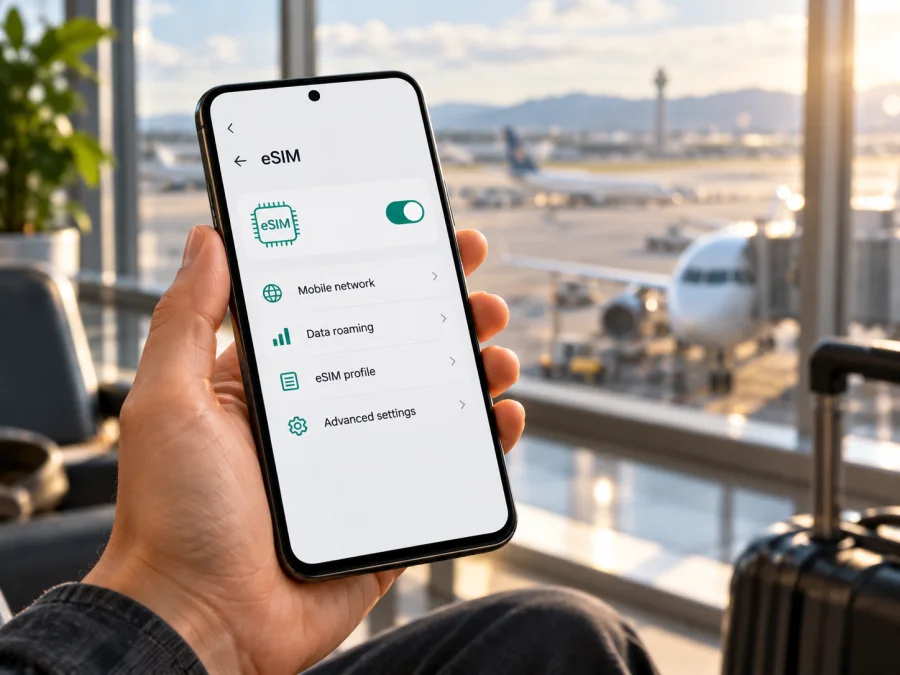
Xiaomi 13 Pro 256GB eSIM: compatibility and setup guide
Short answer: Xiaomi’s official Xiaomi 13 Pro FAQ lists dual SIM as either two nano-SIM cards or one nano-SIM plus one eSIM. However, Xiaomi also says eSIM availability depends on country or region and carrier. “256GB” identifies the storage capacity; by itself it does not tell you which regional hardware or software version you have. Before choosing a travel plan, check the actual phone for an EID and an eSIM setup menu, confirm the exact model and region, and make sure the handset is unlocked.
This guide explains how to make those checks, add an eSIM when supported, and use it for mobile data while travelling. It also covers what to do when the menu or connection is missing. The goal is to verify your own Xiaomi 13 Pro 256GB instead of assuming that every unit with the same retail name behaves identically.
Does Xiaomi 13 Pro 256GB support eSIM?
The Xiaomi 13 Pro model family supports an eSIM configuration in the official specifications, but support on a particular Xiaomi 13 Pro 256GB depends on its market variant, local carrier support and software configuration. Xiaomi describes the SIM arrangement as either nano-SIM + nano-SIM or nano-SIM + eSIM. The manufacturer’s caveat matters: eSIM availability varies by country or region and carrier, and the service plan may have restrictions when changing providers or roaming.
The “256GB” part refers to internal storage, not cellular capability. Xiaomi lists 256GB as one of the available storage sizes for Xiaomi 13 Pro, but the storage label does not establish whether the phone was made for a market where eSIM is enabled. A device imported from another country can carry the same product name and storage size while having a different model identifier, firmware, SIM configuration or carrier restriction. A listing that says “global version” is useful context but is not a substitute for checking the phone itself.
There are two separate questions to answer:
- Does this handset expose eSIM features? Check for an EID or an eSIM option on the device.
- Can your chosen plan activate on it in the destination market? Confirm that the eSIM provider and destination network accept the device and that the phone is not carrier-locked.
A visible eSIM menu is a strong practical sign that the phone can manage an eSIM profile, but it does not guarantee that every operator or travel plan will work. Conversely, if a menu is absent, first check the system version, the exact model and region, and whether the phone was purchased through a carrier. Do not buy a plan based only on the Xiaomi 13 Pro name or its 256GB capacity.
Quick compatibility summary
| Check | What to know for Xiaomi 13 Pro 256GB |
|---|---|
| eSIM in Xiaomi’s model-family information | Listed as an option alongside dual nano-SIM |
| Exact handset result | Confirm on the phone: look for an EID and “Use eSIM” or “Manage eSIM” |
| Storage variant | 256GB is storage capacity; it does not identify the regional SIM configuration |
| Regional and carrier conditions | Xiaomi says availability varies by country/region and carrier |
| Travel data plan | Confirm device eligibility, destination coverage, activation conditions and data roaming requirements before purchase |
| Calls and SMS | A travel data eSIM usually provides data only unless its plan terms explicitly say otherwise |
Check the handset before choosing a plan
Make these checks while you still have access to the seller, your home connection and the phone’s packaging. If you have not purchased the device yet, ask for the complete model number and country or region of sale, and request a view of its eSIM settings. A storage-capacity label alone is not enough to confirm compatibility.
1. Look for the EID
The EID is the identifier associated with the phone’s embedded SIM. On Xiaomi phones that support eSIM, Xiaomi’s support instructions describe a route similar to Settings → SIM cards & mobile networks → Use eSIM → Manage eSIM → View device EID. The precise labels can differ by MIUI or HyperOS release and by localization. You can also open Settings and search for “EID” or “eSIM.”
If an EID appears in the settings, note that the handset has an eSIM identifier. Keep the EID private and share it only with a provider when required for activation. Do not publish a screenshot that exposes it. If the expected path is missing, use the Settings search field and check that the phone has the latest official system update available for its region before concluding that eSIM is unavailable.
2. Look for the eSIM controls
Search Settings for Use eSIM, Manage eSIM, Add eSIM or a similar phrase under SIM cards and mobile networks. An option to add or manage a digital SIM is a useful compatibility check. You do not need to scan a QR code just to see whether the menu exists. If you open the menu, stop before installing a profile unless you are ready to use that activation code; many QR codes are single-use.
3. Identify the regional model
Find the model number in Settings → About phone and compare it with the box, receipt or seller information. Xiaomi’s official specifications page for Xiaomi 13 Pro describes the global product family; regional product pages and carrier-sold units can have different network and SIM availability. Record the market where the handset was originally sold, not only the country where you are using it now. If the phone was imported, ask Xiaomi support or the seller whether eSIM is enabled for that precise model code and original sales region.
The carrier market also matters. Your destination’s local eSIM rules, participating operators and the plan’s provisioning process affect whether activation is available. Network coverage and device compatibility are related but separate: a phone can have eSIM hardware and still be unable to register on a particular network or plan.
4. Check for a carrier lock
A SIM-locked device may reject an eSIM from another provider even if the hardware supports eSIM. Contact the original carrier or seller to confirm the phone is unlocked for use with another eSIM. Do this before travel, because unlocking often depends on the original account or purchase terms. A second SIM tray, a 5G icon or the ability to use two physical SIMs does not prove that the handset is unlocked or eSIM-ready.
5. Confirm the plan’s requirements
Before paying, verify that the plan covers the country or countries on your itinerary, when its validity period begins, how much data it includes, whether hotspot use is allowed, and whether installation requires a stable internet connection. Check if the provider requires QR installation, manual activation details or an app-based installation flow. Ask whether data roaming must be enabled for that eSIM in the destination. Never assume that a plan includes a phone number, voice calls or SMS; read its terms.
Check whether your device is compatible before selecting a plan. If the phone does not show an EID or eSIM controls, pause and confirm the exact regional model with Xiaomi or the seller. Do not rely on an online compatibility list that omits the variant or market.
Install an eSIM on Xiaomi 13 Pro 256GB
Menu names can vary between system versions and regional software. Keep the phone connected to Wi-Fi or another reliable internet connection during setup, and have the provider’s QR code or manual activation details ready. Install the profile at a time when you can troubleshoot calmly. If you are travelling soon, do not remove an existing profile unless the provider confirms it can be reissued.
Before you begin, confirm the eSIM menu and an unlocked handset, connect to Wi-Fi, and read when plan validity begins. Keep the activation information accessible. Avoid repeatedly scanning a QR code: some codes are single-use.
Step-by-step setup
- Connect to Wi-Fi. Keep a stable connection available until the profile downloads and setup completes.
- Open mobile network settings. Go to Settings → SIM cards & mobile networks. If the wording differs, search Settings for “eSIM.”
- Enable eSIM controls if prompted. Select Use eSIM or its equivalent, then open Manage eSIM.
- Choose the add option. Tap Add eSIM or the equivalent option to start adding a profile.
- Scan the provider’s QR code. Use the phone’s built-in setup flow and follow the on-screen instructions. If scanning is unavailable, select manual entry only when your provider has supplied the activation details.
- Wait for the profile to download. Keep the Settings screen open and the network connection stable. Follow any confirmation step from the provider.
- Name the profile. Choose a clear label such as “Travel data” so you can distinguish it from your home SIM.
- Choose the line for mobile data. Select the travel eSIM as the data line when you are ready to use it. Keep the home SIM available for calls or messages if you need it and its roaming charges are understood.
- Set data roaming if the provider requires it. Enable roaming for the travel eSIM only when the plan’s instructions say to do so. Verify that the home SIM is not selected for mobile data if you want to avoid unintended home-network data charges.
- Test the connection. When the plan is meant to start, turn off Wi-Fi briefly and check that mobile data works. Allow a few minutes for registration; restart the phone once if it remains disconnected.
For additional device-specific guidance, see the Android eSIM installation instructions and the iOS eSIM installation instructions. The Android guide is the relevant one for Xiaomi 13 Pro 256GB; the iOS page is included for readers comparing setup on another device.
Installing before departure can make setup easier while reliable Wi-Fi is available, if the provider allows it. Installation and data use may start at different times; check the plan’s validity rules first. If you wait until arrival, save the QR code and instructions offline. Do not delete an inactive profile unless the provider says it can be reinstalled.
Use the eSIM for mobile data while travelling
After installation, decide which SIM should handle each task. A common arrangement is to keep the regular SIM for calls or SMS and choose the travel eSIM for mobile data. The exact options depend on the plan and local network. Some data-only travel eSIMs do not include a phone number, so messaging and internet calls work through apps over data rather than through ordinary cellular voice or SMS.
Before leaving, open the SIM settings and confirm the travel profile is enabled. Set Mobile data to the travel eSIM when you want it to carry data abroad. If Xiaomi offers a setting that automatically switches data between SIMs, leave it off unless you understand its behavior; automatic switching could use the home SIM. The model’s official FAQ notes that Smart Dual SIM Switching is not supported, but settings and names can differ by software version. Check the active data line directly rather than assuming that the phone changes it for you.
For the home SIM, review roaming settings with your home carrier. If you want to avoid roaming charges, disable data roaming for that line or disable its mobile data while abroad. Keep voice and SMS available only if you need them and understand any charges. For the travel eSIM, enable data roaming only if its provider instructs you to. In some travel plans, roaming is part of how the eSIM connects to partner networks; it does not automatically mean that the phone will charge your home carrier, provided the correct data line is selected. Confirm the plan terms and current line selection carefully.
Use the provider’s app or account page to review the plan’s allowance and validity. Track data-intensive activity such as video streaming, cloud photo backups, app updates and hotspot use. Download maps, tickets and key travel details over Wi-Fi where practical. If you share a hotspot, check that tethering is permitted and remember that connected devices consume the same data allowance.
One-country holiday: confirm the destination, install when convenient, then choose the travel eSIM for data after landing. Multi-country itinerary: check every country and stopover; a single-country plan may not work across borders. Work trip: keep the home line for calls or verification only if desired and review its roaming charges; use the travel eSIM for data. For a longer stay, compare validity, allowance and top-up terms, not only the headline data amount.
Common problems and checks
No “Use eSIM” menu or EID
Search Settings for “eSIM” and “EID,” then check for an official system update and confirm the exact model code and original market. If both controls remain absent, ask Xiaomi or the seller whether eSIM is enabled for that variant. Do not buy a plan until confirmed.
The QR code will not scan or the profile will not download
Check Wi-Fi, finish any Wi-Fi sign-in page, clean the camera lens and make sure the entire code is visible. Use manual entry only with provider-supplied details. Restart once if necessary, but avoid repeated scans because activation codes may be single-use. Check whether the profile already appears before retrying; ask the provider to verify or reissue it if needed.
The profile is installed but there is no signal
Make sure the profile is enabled, the plan is valid in the current country, and the travel eSIM is selected for mobile data. Toggle airplane mode, wait for registration, and restart once. If instructed by the provider, enable data roaming for the travel profile. Check plan status and remaining data in the provider account.
Signal appears but apps have no internet
Enable mobile data and assign it to the travel eSIM. Check that the plan has started, has data remaining, and that provider-supplied APN settings are correct if required. Disable Wi-Fi briefly to test. If the problem remains, contact the plan provider with the error details; keep EID and IMEI private.
The phone is carrier-locked
Ask the original seller or carrier to confirm and, if possible, officially remove the lock. A travel plan provider cannot remove a lock imposed by another carrier. Do not attempt unofficial firmware changes as a workaround.
Frequently asked questions
Does every Xiaomi 13 Pro 256GB support eSIM?
No blanket guarantee applies. Xiaomi lists eSIM for the model family, but availability varies by region and carrier. Check the exact handset for an EID and eSIM menu, then confirm plan eligibility.
Is 256GB the eSIM version?
No. 256GB is storage capacity; it does not establish region, firmware or carrier status.
Can I use two SIMs and keep my regular number?
Xiaomi lists nano-SIM + nano-SIM or nano-SIM + eSIM configurations. Your exact regional variant determines what is available. Where supported, a physical home SIM and travel eSIM may be used together. Check roaming charges and choose the travel profile for mobile data.
Does a travel eSIM need data roaming?
Sometimes. Follow the provider’s instructions and enable roaming only on the travel profile if required. Verify that the home SIM is not selected for mobile data.
Can I install it before travel, and does it include calls?
Often it can be installed in advance, but validity may start at installation, purchase, scheduled activation or first connection; check the plan terms. Calls and SMS are included only when the plan explicitly says so. Many travel eSIMs provide data only.
What if my settings differ?
Search Settings for “eSIM” or contact Xiaomi with the model code and software version. Menu wording can change. If there is no EID or eSIM control, confirm support with Xiaomi or the seller before purchase.
Check compatibility, then plan your trip
For Xiaomi 13 Pro 256GB, start with the handset: find the EID, locate Use eSIM or Manage eSIM, identify the model code and confirm that no carrier lock is present. Then check the plan’s destination, validity start, data allowance and roaming instructions. This two-part check avoids treating a family-level specification or the 256GB label as proof about one individual phone.
When compatibility is confirmed, Kaspersky eSIM Store is an app and website where you can choose, arrange and activate an eSIM plan for mobile data on a trip abroad. You can browse destinations and current travel plan options and check the terms for your itinerary before deciding. The homepage is a general destination selector; it is not a specific country tariff. Compare the plan with your travel dates and expected data use, then install it following the provider’s instructions.
If the EID or eSIM menu is missing, resolve that question with Xiaomi or the seller first. If the phone passes the device check but a profile does not connect, confirm the selected data line and roaming setting, then contact the provider for the plan. With the exact regional handset and trip details verified, Xiaomi 13 Pro 256GB can be set up with the appropriate eSIM when its local variant and chosen service support it.


