Travel connectivity guide
Xiaomi 13T 128GB eSIM Compatibility Guide
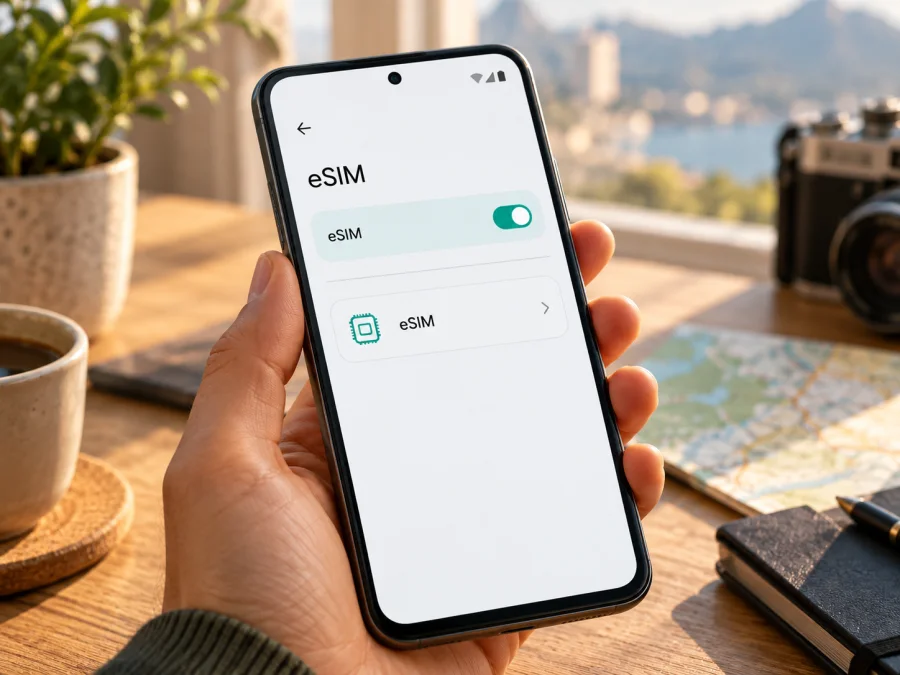
Does Xiaomi 13T 128GB support eSIM?
Short answer: Xiaomi’s official specifications for the Xiaomi 13T list dual SIM as either two nano-SIM cards or one nano-SIM card plus an eSIM. That supports a qualified yes for the model family, including a Xiaomi 13T sold as 128GB. However, storage capacity alone does not identify the phone’s sales region, firmware, carrier configuration, or lock status. Confirm that the exact handset has an EID or an eSIM option before you choose a travel plan.
Xiaomi 13T 128GB eSIM compatibility at a glance
| Check | What you can rely on | What still needs checking |
|---|---|---|
| Official Xiaomi 13T specification | Xiaomi lists dual SIM as nano-SIM + nano-SIM or nano-SIM + eSIM on its product specifications for this model. | Xiaomi notes that eSIM availability may vary by country or region and carrier. |
| 128GB storage variant | The “128GB” part identifies storage capacity; it does not, by itself, establish a different eSIM configuration. | Confirm the actual phone’s regional SKU and software configuration with the seller or Xiaomi support if the menu is absent. |
| EID and eSIM settings | A visible EID and a working “Use eSIM” or “Add eSIM” option are strong checks that the phone exposes eSIM functions. | A menu can be named differently after a system update, and a carrier may still restrict activation. |
| SIM arrangement | Xiaomi describes a physical SIM plus eSIM option for the 13T. | The second physical SIM slot may be unavailable while an eSIM is enabled; check the phone’s own SIM manager. |
| Travel data plan | An eSIM data plan may be used for mobile data abroad if the device and plan are compatible. | Check destination, supported network, validity, data allowance, activation timing, and any roaming setting in the plan terms. |
A product specification is not a guarantee that every handset sold under the same short model name has identical network settings. Xiaomi’s specifications themselves caution that eSIM availability depends on the country or region and carrier. The 128GB label does not remove that condition. For your particular phone, treat the eSIM setting and EID as the deciding checks, then confirm that the phone is not carrier-locked and that the travel eSIM can be used in your destination.
Why region and carrier details matter
Phone makers can sell regional versions that differ in supported network services, software, regulatory settings, or carrier arrangements. Import listings may use “global,” “European,” or “international” as shop descriptions; those labels are not a substitute for the exact product code and the menus on the handset. Firmware can also vary, and carrier-provided phones can have activation restrictions that do not appear in a general specification table.
For Xiaomi 13T, the official product specification is affirmative about an eSIM configuration, but it also says availability can vary by country/region and carrier. This is the verified model-level answer. Public information does not establish that every Xiaomi 13T 128GB unit in every market will expose the same setting or accept every eSIM plan. In particular, a network band list or a 5G symbol does not prove eSIM support: radio compatibility and embedded-SIM provisioning are separate questions.
Before buying, ask the seller to confirm the exact regional variant and whether the device is unlocked. If possible, inspect the phone itself rather than relying on a listing photo or a box label. If it is already yours, move through the checks below. A positive result on the handset is more useful than inferring compatibility from the amount of storage, the language of the interface, or the country where the phone is currently being used.
Check for an EID or an eSIM menu
An EID is the identifier associated with the embedded SIM hardware. Xiaomi’s support guidance explains that it can be viewed through the eSIM management settings on compatible phones. Menu wording can differ with the installed system version and region, so try the likely routes rather than looking for only one exact phrase.
- Connect the Xiaomi 13T 128GB to Wi-Fi and install any available official system update. Restart the phone after updating.
- Open Settings and look under Mobile networks, SIM cards & mobile networks, or SIM manager. Names may differ by software version.
- Look for Use eSIM, Manage eSIM, Add eSIM, Add mobile plan, or Download a SIM instead?. Do not scan a plan QR code yet; first establish that the phone has an add-eSIM option.
- If you find Manage eSIM, open it and look for View device EID or a similar information screen. You can also check Settings → About phone → Status or search Settings for “EID,” if your software offers that search.
- If the EID is displayed, save it privately if a mobile provider asks for it. Do not post the full number publicly. Then check that Add eSIM is available and that the handset is unlocked.
- If neither EID nor an eSIM option appears, verify the exact model code and sales region with Xiaomi or the seller. Ask whether the unit is carrier-restricted. A missing menu is a reason to pause before purchase, not a reason to buy a plan and hope it will work.
A visible EID is a useful sign, but complete the setup check too. The phone must be able to download the eSIM profile, the plan must accept that device and destination, and a carrier lock must not prevent use of another provider’s profile. If the phone has been modified, has nonstandard firmware, or is managed by an organization, ask the device administrator or manufacturer support before changing network settings.
What to check before choosing a travel eSIM
Think of compatibility as a short set of separate questions, rather than one model-name lookup:
- Does this exact phone expose eSIM? Find the EID and an add-eSIM control in Settings.
- Is the phone unlocked? An eSIM from a different provider may be rejected by a carrier-locked phone. Ask the original carrier or seller how to confirm unlock status.
- Does the plan cover the place you are visiting? Check the selected country or region and every stop on a multi-country trip. Do not assume that a regional plan includes every border crossing.
- What does the plan include? Review data allowance, validity, supported network, price, fair-use rules, and when the validity period begins. Conditions can differ between plans.
- When should you install it? Some plans allow advance installation but start validity only on connection; others may have different activation terms. Follow the instructions attached to the chosen plan.
- Will you have internet during setup? Keep Wi-Fi available until the eSIM profile has downloaded and the phone shows it in SIM settings.
- Do you need your usual number? A travel data eSIM is intended for mobile data. Voice calls and SMS are not included unless the specific plan says otherwise. Your existing SIM may remain available for calls, depending on the device configuration and your home carrier’s charges.
Once compatibility is confirmed, Kaspersky eSIM Store is an app and website where you can choose, arrange, and activate an eSIM with a mobile-data plan for an overseas trip. Browse the Kaspersky eSIM Store homepage to check current destinations and plan conditions. The available destinations and terms are shown during selection; review them for your route before proceeding.
Use this Check your device before selecting a travel plan. Compatibility should be confirmed before payment because a QR code cannot make an unsupported or locked handset compatible.
How to install and activate an eSIM on Xiaomi 13T 128GB
The names below follow Xiaomi’s general eSIM settings guidance. They may vary slightly by software build. Keep a reliable Wi-Fi connection, have the QR code or manual activation details ready, and avoid deleting a profile that you may need to reinstall.
- Choose the plan and read its activation terms. Confirm the destination, data amount, validity, activation window, and whether the plan requires data roaming. Keep the confirmation and QR code accessible on another screen or printed page; the phone cannot scan a QR code displayed on its own screen.
- Open the eSIM controls. On the phone, go to Settings → Mobile networks (or SIM cards & mobile networks) and turn on Use eSIM if prompted. Open Manage eSIM and choose Add eSIM or Add mobile plan.
- Add the profile. Scan the QR code supplied with your chosen plan. If scanning is unavailable, select manual entry only if the plan instructions provide activation details and the phone offers that option. Follow the prompts and wait for the profile to download.
- Give the line a clear name. Label it “Travel data” or with the destination so it is easy to distinguish from your regular SIM. Keep your original SIM enabled if you need its number, but check your home carrier’s roaming charges before allowing it to use data.
- Set the eSIM for mobile data. In SIM settings, select the travel eSIM as the mobile-data line. Leave calls and SMS on your regular line if that is your preference and the device allows it. The available dual-SIM choices depend on the phone’s current configuration.
- Set data roaming only as directed. Some travel plans require data roaming to be enabled on that eSIM. Turn it on for the travel profile if the plan’s instructions say to do so. Avoid enabling data roaming on your home SIM unless you understand its charges.
- Connect at the right time. If the plan starts on installation, install it close to departure. If it starts on first connection to a supported network, you may be able to install it earlier over Wi-Fi. The plan terms decide which timing is appropriate.
- Check service after arrival. Turn off airplane mode, confirm the travel eSIM is enabled and selected for mobile data, then allow the phone a short time to register. If it does not connect, use the troubleshooting checks below before deleting or reinstalling the profile.
For more detail, see the Android eSIM installation instructions. The store’s Android guide notes that steps vary by device and that its illustrated instructions are specific to Samsung, so use Xiaomi’s own menu names on this phone. The iOS installation instructions are for iPhone and are not the Xiaomi setup path; they are included as a reference for people preparing eSIMs across more than one device.
Using the eSIM for mobile data while travelling
A common setup is to keep your home SIM for calls or messages and select the travel eSIM for mobile data. Before departure, check which line the phone uses for data and whether the home carrier charges for roaming when its SIM remains active. If you need to avoid unexpected costs, review your home plan’s rules and consider disabling data roaming on that line. Keep in mind that some SIM combinations can affect which line is active for certain services.
When the phone reaches the destination, it may connect to a supported local network automatically. If it does not, confirm the selected data line, enable roaming on the travel eSIM if its instructions require it, and try the available network selection settings. Actual service depends on the plan’s coverage arrangements, compatible local network, radio conditions, and the area you are in. A model’s 5G capability does not guarantee 5G service on a particular travel plan; 4G may be the available option.
For maps, messaging, ride-hailing, email, and browsing, estimate how much data you will use and choose a plan with an allowance and validity suited to the trip. Video streaming, cloud photo backups, and app updates can use data quickly. You can reduce background consumption by disabling automatic downloads and large backups while travelling. Check the phone’s data-usage screen during the trip, while remembering that the plan provider’s usage record may update on a different schedule.
Three practical travel scenarios
A short city break. Install the profile over home Wi-Fi if the plan permits advance setup. On arrival, select it for mobile data and use it for maps, transport, reservations, and messaging. Keep the home SIM’s data setting under control if roaming is not part of your domestic plan.
A trip through several countries. Compare the route with the plan’s stated destination list before purchase. A plan that covers one country may not work in the next country. If you change plans, check whether you can add another profile and whether the existing one should remain installed; do not delete an active profile unless the plan instructions say it can be restored.
A work trip with a home number to keep reachable. Leave your regular SIM available for calls or verification messages if your carrier permits it, and select the travel profile for data. Check your home carrier’s international call, SMS, and roaming charges in advance. Internet-based calling apps can use data, but they do not turn a data-only eSIM into a regular phone number.
Troubleshooting: when setup or data does not work
Start with simple checks. Problems can come from compatibility, a carrier lock, activation timing, plan conditions, or network settings. Change one setting at a time.
| Symptom | Checks to try |
|---|---|
| No Add eSIM option | Search Settings for “eSIM”; check for an EID; install official updates; confirm the regional variant with Xiaomi or the seller. A reset cannot add unsupported hardware or services. |
| QR code will not scan | Raise the brightness on the other screen, clean the camera lens, and check that the code is valid and unused. Enter details manually only if the plan provides them. |
| Profile download fails | Keep Wi-Fi connected, confirm the code is for this device, and ask the plan provider whether it can be reused. Avoid repeated attempts if it is single-use. |
| Installed profile has no service | Confirm the eSIM is enabled and selected for data, airplane mode is off, the plan is valid, and its activation time has arrived. Restart and allow registration to finish. |
| Signal but no data | Check destination coverage and validity, select the eSIM for data, enable roaming for that profile if required, and follow any APN instructions. Do not guess APN values. |
| Phone requests an unlock code | Contact the original carrier or seller. An eSIM profile cannot remove a carrier lock. |
If service still fails, note the destination, selected data line, network name, and error. Contact the service named with the plan for plan-specific checks. For a missing EID or menu, ask Xiaomi support about the exact model code and market. Do not share your QR code, activation code, or full EID publicly.
Frequently asked questions
Does Xiaomi 13T 128GB support eSIM?
Xiaomi’s official Xiaomi 13T specifications list nano-SIM + eSIM as a supported arrangement. Check the individual phone’s EID and eSIM menu because availability may vary by country, region, and carrier. Storage size alone does not confirm compatibility.
Is the 128GB version different from the 256GB version for eSIM?
Xiaomi’s model-level specification does not define eSIM by storage capacity. Confirm the exact product code, sales region, software, and settings on the unit you will use.
If I see an EID, can I use any travel eSIM?
Not automatically. The phone must be unlocked, the plan must accept the device and destination, and its profile must be activated under the plan terms.
Can I keep my physical SIM and add an eSIM?
Xiaomi lists nano-SIM + eSIM for the Xiaomi 13T. Check SIM manager on your unit; some configurations may disable the second physical-SIM position while eSIM is active.
Will a travel eSIM give me a new phone number?
A travel data plan is for mobile internet. Voice calls and SMS are included only if the specific plan says so. Your existing number may remain available subject to your home provider’s terms and charges.
Should I install before travelling, and should roaming be on?
Follow the plan’s activation timing. If it starts on installation, wait until the appropriate time; if it starts on first connection, advance installation over Wi-Fi may be convenient. Enable data roaming for the travel profile only when its instructions require it, and check your home SIM separately.
What if Xiaomi 13T 128GB has no eSIM menu?
Search Settings and check for an EID after installing official updates. If neither is present, ask Xiaomi or the seller to confirm the exact region and hardware configuration. Wait to buy a plan until compatibility is established.
Final check before your trip
For Xiaomi 13T 128GB, Xiaomi’s published specification supports an eSIM configuration, with an important regional and carrier caveat. Verify the exact handset by checking for its EID and Add eSIM control, confirm that it is unlocked, and make sure the plan covers your destination and trip dates. Install over Wi-Fi when the plan’s terms allow it, select the travel profile for mobile data, and follow the plan’s guidance on roaming and activation timing.
Once those checks are complete, use the Kaspersky eSIM Store homepage to review current destinations and compare plan conditions for your trip. Choosing only after checking the phone, route, allowance, validity, and activation rules helps you prepare mobile data with fewer surprises.


