Travel connectivity guide
Xiaomi 13T eSIM: Compatibility and Setup
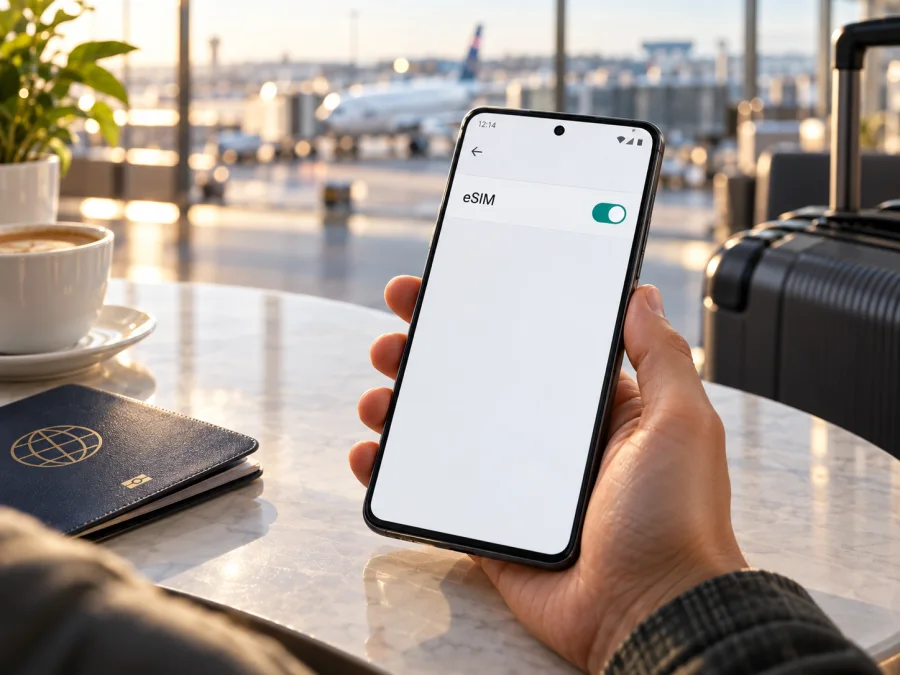
Xiaomi 13T eSIM: compatibility and setup
Short answer: Xiaomi lists the Xiaomi 13T as supporting dual SIM with either two physical nano-SIM cards or one nano-SIM and one eSIM. However, Xiaomi also says eSIM availability can vary by country or region and by carrier. That means the model name alone is not enough to confirm that a particular handset can add an eSIM. Check the phone itself for an EID or an eSIM setup option before you choose a travel plan, and confirm that the phone is not carrier-locked.
An eSIM is a digital SIM profile stored in the phone. It can provide mobile data without inserting another plastic SIM card. With a compatible Xiaomi 13T, you can keep your usual physical SIM in the phone and add a travel eSIM, then select which line uses mobile data. The exact options and menu names can vary with the software version and region.
Xiaomi 13T eSIM at a glance
| Item | What to know |
|---|---|
| Model covered | Xiaomi 13T only; this guide does not assume the same behavior for another Xiaomi model or a similarly named variant. |
| eSIM support | Listed by Xiaomi for a nano-SIM + eSIM dual-SIM configuration, subject to regional and carrier availability. |
| Other SIM configuration | Xiaomi also lists nano-SIM + nano-SIM. These are alternative configurations; on Xiaomi eSIM software, eSIM and the SIM 2 slot cannot be used at the same time, so a two-physical-SIM setup may need to be changed before adding the eSIM. |
| Mobile data | A compatible eSIM can be selected as the data line. Whether a travel plan connects depends on its destination, network arrangements, device configuration and local coverage. |
| Before purchase | Confirm EID or the add-eSIM menu on your phone, check for a carrier lock, and read the plan’s destination, data allowance, validity and activation terms. |
| Software | Menu wording can differ by MIUI/HyperOS release, language and region. Update the phone over a trusted connection if an update is offered. |
Does the Xiaomi 13T support eSIM?
The answer for Xiaomi 13T is yes, in supported markets and configurations. Xiaomi’s global specifications list “nano SIM + nano SIM or nano SIM + eSIM,” and its regional listing for Spain repeats this while stating that eSIM availability depends on country or region and carrier. A phone sold under the same name may not expose the same capability in every market; carrier or software configuration can also affect use.
Do not treat “5G,” the number of physical SIM slots, or the appearance of the SIM tray as proof of eSIM support. eSIM is a separate capability. Likewise, a listing that says “dual SIM” may refer to two physical SIMs and may not describe an eSIM option. If you bought the phone from a marketplace, imported it, or received it through a carrier, verify the exact handset rather than relying on a product title or a broad model-family specification.
The specific operator market matters as well. An eSIM profile must be issued for the market and plan you intend to use, and the device must be allowed to register with the partner network there. A travel eSIM may be designed for mobile data only. It does not automatically replace your regular number for calls or SMS. Some plans use roaming arrangements to connect, and the provider’s terms determine where the plan works and when its validity begins.
Check your exact phone before buying
Use the phone’s own settings as the first check. Menu labels can vary, so try both the settings search and the SIM management screen.
Check for an EID
An EID identifies the phone’s embedded SIM. On Xiaomi’s eSIM-enabled software, open Settings → SIM cards & mobile networks, enable Use eSIM if shown, then open Manage eSIM and look for View device EID. Menu wording can differ by software version. Keep the EID private; it is a device identifier.
An EID or active setup menu is a strong sign of eSIM capability, but does not confirm that the phone is unlocked or that a specific plan will work. If neither appears, check the regional model details with the seller or Xiaomi support; an older build or regional configuration can make one check inconclusive.
Look for the add-eSIM option
- Open Settings → SIM cards & mobile networks.
- Look for Use eSIM or Manage eSIM; enable Use eSIM if the setting is available.
- Look for Add mobile plan, Add eSIM, or a similar option. You do not need to scan a purchase QR code to check for the setup flow.
- Confirm that the menu lets you add a plan and select a line for mobile data.
An absent menu is a reason to pause, not to assume the handset is defective or compatible. Restart the phone, install any available official system update, and search Settings again. If the option remains absent or EID cannot be found, ask the seller or Xiaomi support to verify the regional SKU (the market-specific model code) and firmware. Share the exact model code and software version if requested, but avoid posting your IMEI or EID in a public forum.
For a confident decision, confirm both the handset’s built-in eSIM capability and carrier-unlock status. An eSIM menu does not remove a network lock, and an unlocked phone does not gain eSIM capability if that feature is absent from its configuration.
Compatibility checklist
- [ ] The phone is Xiaomi 13T, and the exact model code and sale region are known.
- [ ] Settings show an EID or an Add eSIM option.
- [ ] The phone is not restricted to the original operator. Ask the seller or carrier if you are unsure.
- [ ] The phone is updated and can connect to Wi-Fi or another working internet connection during installation.
- [ ] The selected plan covers the country or region on your itinerary.
- [ ] You understand the plan’s data amount, validity period, activation trigger, roaming requirements and any usage limits.
- [ ] You know which SIM will remain selected for calls and SMS, and which line will be used for mobile data.
Check your device before choosing a plan.
Install and activate an eSIM on Xiaomi 13T
Install the eSIM while you have stable Wi-Fi, before departure if convenient. Keep the QR code or activation details available on another screen or printed copy. Many QR codes can be used only once, so do not scan repeatedly or delete a successfully installed profile just to troubleshoot a connection problem. Follow the plan instructions if they specify a different process.
- Prepare the phone. Connect to Wi-Fi, charge the phone, and open the plan details. Check whether the plan should be installed before travel and when its validity starts. Installation, activation, first network connection and the start of the validity period can be separate events.
- Open SIM settings. Go to Settings → SIM cards & mobile networks (or the equivalent menu) → Add eSIM. You may be asked to confirm that the phone is connected to the internet.
- Scan or enter the details. Choose the QR-code option and scan the code supplied with your plan. If you cannot scan it from the same phone, display it on another device. If the plan provides manual activation details, use the manual option exactly as instructed.
- Download the profile. Confirm the on-screen prompts and wait for the eSIM profile to download. Do not close Settings or switch off the Wi-Fi connection during this step. A message that the profile was added means it is stored on the phone; it does not by itself prove that mobile data is already working.
- Name the line. Give it a clear label such as “Travel” so it is easy to distinguish from your everyday SIM. Keep your everyday number enabled if you still need it, while checking its roaming settings to avoid unwanted charges.
- Choose the data SIM. In SIM settings, select the new eSIM for Mobile data when you are ready to use the travel plan. Keep calls and SMS assigned to your preferred line. If the plan should only be used at the destination, leave it installed but switch its line off until then, if the plan’s instructions allow this.
- Set roaming when required. Some travel eSIMs connect through a partner network and require Data roaming to be enabled for that eSIM. Enable it only when the plan instructions call for it. Check the selected line carefully: roaming on your home SIM can create charges under your usual carrier’s terms.
- Check the connection. At the destination, turn on the travel eSIM, set it as the mobile-data line, and wait for network registration. If the plan requires manual network selection, choose a network named in its instructions. Open a webpage with Wi-Fi turned off to confirm data access.
For more detail, follow the Android eSIM installation instructions. The iOS eSIM installation instructions are for Apple devices and are not the steps for Xiaomi 13T; they are included as a reference for travellers who also prepare an iPhone.
Once the profile is installed, avoid deleting it unless the plan provider tells you to do so. Some eSIM profiles cannot be reinstalled after deletion or transferred to a new phone. If you need to change devices, check the plan’s transfer rules first.
Using Xiaomi 13T for travel data
A common setup is to keep your usual physical SIM available for your number and select the travel eSIM for mobile data. Decide whether you need calls or verification texts on the home line. Your carrier may charge for roaming calls, texts or data, so review its terms and disable roaming data on that line if needed.
A practical arrival routine is:
- Turn off airplane mode after landing.
- Turn on the travel eSIM and select it as the mobile-data SIM.
- Enable data roaming on that eSIM only if its instructions require it.
- Confirm the correct network selection setting and wait for registration.
- Turn off Wi-Fi briefly and load a page or map to test mobile data.
- Check the plan balance or usage display through the plan’s app or account, if available.
You may be able to install at home and use the profile later, but validity triggers differ. Check whether the plan starts at installation, first connection or another event before scanning the QR code.
Kaspersky eSIM Store is an app and website where you can choose, arrange and activate an eSIM plan for mobile data on an international trip. Compare the destination, data allowance, duration and activation terms with your itinerary before you select an option. The service does not change the Xiaomi 13T’s regional hardware or carrier restrictions; compatibility must be confirmed on the handset first. If you are ready to plan a trip, you can choose an eSIM plan for your destination.
Travel scenarios
A short stay in one country. Estimate your use of maps, messages and browsing. Video and hotspot use consume data faster; download offline maps over Wi-Fi and check whether tethering is allowed.
Several countries. Confirm that every destination and stopover is included. A regional plan name does not guarantee coverage everywhere in that region; check the included destinations and validity period.
Keeping a home number reachable. Keep the regular SIM for calls or texts and select the travel eSIM for data. Check home-carrier roaming charges and disable automatic data switching if you want data to stay on the travel line.
Work and travel. Label profiles and verify the data line before video calls or large downloads. Check whether tethering is permitted, and keep activation details secure.
Common problems and checks
The phone has no EID or Add eSIM menu
Confirm the model code and market of sale with the seller. Search Settings for “EID,” “eSIM” and “Add eSIM,” then check the SIM-management screen after installing available system updates and restarting. If both the EID and setup option remain unavailable, do not buy a plan on the assumption that the device supports eSIM. Ask Xiaomi support or the seller to confirm that exact regional configuration.
The QR code will not scan
Increase screen brightness on the device displaying the QR code, clean the Xiaomi 13T camera lens, and hold the phone steady at a comfortable distance. Make sure the code is complete and not cropped. If the code is shown on the Xiaomi 13T itself, use another display or the manual-entry route if the plan provider offers one. A QR code may be single-use; contact the plan provider before requesting a replacement or trying repeated scans.
The profile download fails
Check Wi-Fi, restart the phone, and confirm that the profile has not already been installed and its activation details are valid. If the error persists, note its wording and contact the plan provider. Keep the QR code and device identifiers private.
The eSIM is installed but there is no service
Check that the eSIM line is switched on, the destination is included in the plan, and the phone is not in airplane mode. Select the travel eSIM for mobile data and enable data roaming for that line if the plan requires it. Give the phone a few minutes to register. If automatic network selection does not connect, use manual selection only if the plan instructions identify a supported network. Coverage and connection quality depend on the local network and conditions at your location.
The phone shows signal, but apps have no internet
Verify that the eSIM is selected for Mobile data, mobile data is enabled and the plan remains valid. Enable roaming if required. Test with Wi-Fi off, then restart or briefly toggle airplane mode. Change APN only with values from the plan provider; return network selection to automatic after manual tests.
Data is being used by the wrong SIM
Reopen SIM settings and confirm the data SIM selection. Turn off automatic data switching if present, and check that the home SIM’s roaming data is disabled when you do not want it to carry internet traffic. App updates, cloud photo sync and backups can use data in the background, so review those settings if usage rises unexpectedly.
The phone is locked or the plan is incompatible
An eSIM-capable phone may still be restricted to one operator. Ask the original carrier whether it is unlocked, and separately check the plan’s destination and device requirements. Profile installation alone does not guarantee service.
Frequently asked questions
Can I use a physical SIM and eSIM at the same time?
Xiaomi lists the Xiaomi 13T with a nano-SIM plus eSIM configuration, as well as a two-nano-SIM configuration. Which option your specific unit exposes depends on its market configuration and software. Check the SIM settings on the handset. When two lines are active, choose the preferred line separately for mobile data, calls and messages where those controls are available.
Does 5G support mean that eSIM will work?
No. 5G describes supported mobile-network technology, while eSIM is a separate SIM capability. Check for an EID or eSIM setup option and verify your regional version. For a travel plan, the available network generation also depends on the plan and local operator; 5G should not be assumed in every destination.
Can I install the travel eSIM before my trip?
Usually you can install a profile while you have a reliable internet connection, but timing rules vary. Read the plan conditions to learn whether validity begins at installation, first connection or another event. If the start trigger is unclear, contact the plan provider before adding the profile.
Will the travel eSIM include a phone number?
Many travel eSIM plans are intended for mobile data and do not include a standard number for voice calls or SMS. Check the specific plan details. You can continue to use internet-based messaging and calling apps over the data connection, subject to their own requirements.
Should I turn on data roaming?
Only follow the setting required by your plan. Some eSIM plans need roaming enabled on the eSIM to connect to a partner network. That setting is specific to a line, so confirm that it is the travel eSIM and not your usual SIM. Your home operator’s roaming charges may still apply to use of its line.
Can I move the eSIM to another phone later?
Do not assume you can. Some profiles can be transferred or reissued; others are tied to the first device or cannot be reused after deletion. Check the plan’s transfer and reinstallation rules before changing phones or removing the profile.
Before your trip: verify, then choose
Xiaomi lists eSIM for Xiaomi 13T in the nano-SIM plus eSIM configuration, subject to region and carrier. Treat this as a model-level indication, not a guarantee for every unit. Confirm an EID or Add eSIM on your phone, check that it is unlocked and current, then choose a plan that fits your route.
Kaspersky eSIM Store’s app and website let you choose, arrange and activate an eSIM plan for mobile data during an international trip. Check the device first, compare the plan terms, and install the profile over a stable connection. A few minutes spent verifying the exact Xiaomi 13T version before purchase can prevent an incompatible plan or a rushed setup after arrival.


