Travel connectivity guide
Xiaomi 13T Pro 128GB eSIM: compatibility
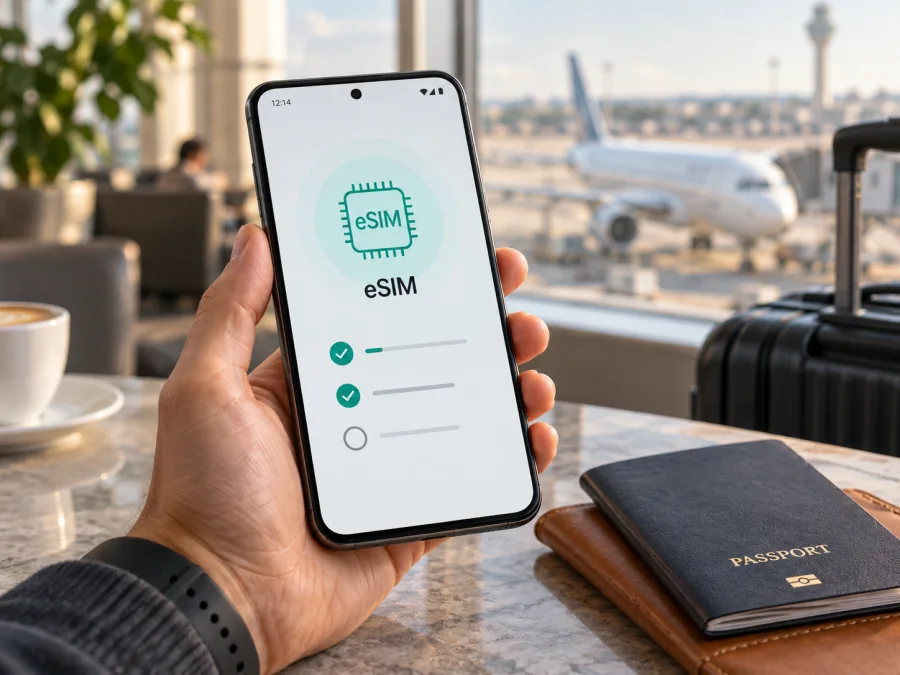
Xiaomi 13T Pro 128GB eSIM: compatibility, setup and travel use
For a listing named Xiaomi 13T Pro 128GB, the safe answer is: eSIM may be supported, but it is not a universal yes for every regional or carrier version. Xiaomi’s official information differs by market. Its Japan FAQ describes the Xiaomi 13T Pro as supporting two nano-SIM cards or one nano-SIM plus one eSIM. Xiaomi’s global product page does not promise eSIM for every market and does not list a 128GB configuration. The storage label alone therefore cannot prove that a particular phone has an eSIM radio.
Check the phone you actually have. If Android shows an EID and an option such as Add eSIM, that regional hardware and software combination is prepared for eSIM. If neither appears, do not buy a travel eSIM expecting it to work. The result can depend on the country of sale, the exact SKU, a carrier restriction and the installed software version.
Quick answer for Xiaomi 13T Pro 128GB
The exact device name is preserved here as supplied. It should not be merged with a 256GB, 512GB or 1TB version, even when the family name is the same.
| Item | What to expect |
|---|---|
| Exact device | Xiaomi 13T Pro 128GB |
| eSIM answer | Conditional: supported on some official regional versions; verify the individual phone |
| SIM arrangement | Two nano-SIM cards, or nano-SIM plus eSIM where that regional version enables it |
| 5G | Supported by the family, but bands and service depend on the region and operator |
| Storage | 128GB as supplied in the device name; capacity does not decide eSIM support |
| Software | Android-based Xiaomi software; menu names can change with HyperOS, MIUI and updates |
| Best proof | A visible EID and an eSIM/add-mobile-plan control in Settings |
| Before purchase | Confirm the phone is unlocked and the tariff covers the destination |
Then verify the model number and phone menus: a retailer may simplify the title or import a phone.
What Xiaomi’s official information means
The manufacturer’s information must be read at regional level. Xiaomi’s global page confirms the Xiaomi 13T Pro family, its 5G capability and regional variation in network features. It does not make every unit an eSIM model. The official Japan FAQ is more specific and lists nano-SIM + nano-SIM or nano-SIM + eSIM. This confirms that an eSIM-capable regional version exists, but it does not prove that every imported, locally sold or 128GB-labelled unit has the same implementation.
The global page highlights other storage capacities, while a Xiaomi 13T Pro 128GB listing may be market-specific or use a seller’s memory description. Do not infer eSIM from capacity, 5G branding, cameras or two physical-SIM contacts; it depends on hardware, firmware and carrier provisioning.
Different results usually come from the market version, carrier policy, software state or an incomplete seller listing. Xiaomi can change the SIM tray, radio combination and software feature set by country, while updates can rename a control or modified firmware can hide it.
So the correct conclusion is not “every Xiaomi 13T Pro 128GB supports eSIM” and not “none of them does”. The exact unit is compatible only when its EID and eSIM controls confirm it, and when the selected carrier or travel tariff accepts that device and market.
<a id="kesim-device-compatibility"></a>Check compatibility before buying a tariff
Use this checklist while the phone is in your hand before paying for a plan, especially if it was imported or purchased second-hand.
1. Look for an EID
An EID is the identifier of the embedded SIM component. On Xiaomi software it may appear in Settings → About phone → Detailed info and specs → Status, Settings → About phone → Status, or Settings → SIM cards & mobile networks. Some diallers also display it after *#06#.
Look for EID, not only IMEI 1 or IMEI 2. An IMEI identifies a cellular radio path and does not by itself prove that a downloadable eSIM profile is supported. If an EID is shown, record it privately; it is a device identifier and should not be posted publicly.
2. Look for Add eSIM
Open Settings → SIM cards & mobile networks and inspect the SIM options. Depending on region and software, the control may be called Add eSIM, Add mobile plan, Download a SIM instead, Use eSIM, or appear behind a plus sign. Xiaomi can place the control under the second SIM slot because eSIM is commonly assigned there on supported models.
A convincing indication includes both an eSIM-management page and a way to scan a QR code or enter activation details. A page that only renames physical SIMs is not enough, and “dual SIM” in a product description does not prove that one line is digital.
3. Check the regional model and lock
Record the model number, purchase country and software version. Do not flash another regional system simply to make a menu appear. If the phone was refurbished or sold with a contract, ask the seller or original carrier whether it is unlocked for another operator’s eSIM.
4. Check the plan
Confirm the destination, validity, data allowance, activation window, hotspot rules and supported networks. Kaspersky eSIM Store is an app and website where you can select, arrange and activate an eSIM tariff for mobile internet on an overseas trip. It does not make an incompatible phone compatible. If the EID and eSIM option are missing, pause the purchase and confirm the exact regional model or use a physical SIM.
For a quick check, check your device.
How to install and activate an eSIM
Use reliable Wi-Fi, charge the phone and keep the QR code or manual activation details available on another screen. If the code is shown on the same Xiaomi 13T Pro 128GB, use another device or manual entry if the provider allows it.
Before installation
- Confirm an EID and Add eSIM control are present.
- Confirm that the phone is unlocked and that the tariff covers the destination.
- Save the QR code and any SM-DP+ address or activation code securely.
- Decide which line will provide mobile data after landing.
- Keep the regular physical SIM active if you need its calls or SMS.
Android steps for the Xiaomi 13T Pro 128GB
- Connect to Wi-Fi and open Settings.
- Go to SIM cards & mobile networks or the equivalent SIM-management menu.
- Choose Add eSIM, Add mobile plan or the eSIM option under the second SIM slot.
- Scan the QR code, or choose manual entry and type the provider’s details exactly.
- Wait for the profile to download. Do not remove the physical SIM or leave Wi-Fi until installation is complete.
- Name the line Travel data or another clear label.
- Select the new eSIM as the mobile-data SIM if it is to be used abroad.
- Keep the primary line for calls and SMS if needed, and ask your home carrier about roaming charges.
- Follow the plan’s activation timing: some plans start on installation, others on first connection or a stated date.
- After arrival, test a small web page and check the eSIM’s data counter.
For platform-specific detail, use the Android installation instructions and the iOS installation instructions.
Activation settings for travel data
Installing a profile and getting online are separate steps. Enable the eSIM line, select it for mobile data and enable Data roaming for that line if the tariff instructions require it. A travel eSIM may use a partner network, so roaming can be necessary even though the plan is intended for travel.
Disable automatic data switching while testing. Otherwise the phone can silently return to the primary SIM and use the wrong connection. Turn Wi-Fi off briefly, confirm that the eSIM shows service and open a simple web page. Do not delete the profile because there is no signal inside an airport or on an aeroplane; wait for coverage and toggle airplane mode once.
Using the eSIM on a trip
Once the device check passes, you can use Kaspersky eSIM Store to choose and arrange a data eSIM tariff for the country, region or route you are visiting. Compare the allowance and validity with your plans: a city break, work trip with hotspot use and multi-country holiday can need different amounts of data. The app and website help you select and activate the travel eSIM; the connection still depends on the chosen tariff, local network availability, coverage and the phone’s regional capabilities.
Keeping your home number
Leave the primary nano-SIM enabled for calls or SMS if required. Set the travel eSIM as the data line and review the home carrier’s roaming settings. A travel data tariff does not automatically include a conventional number, voice service or SMS; use internet messengers when appropriate.
One-country holiday
Install over Wi-Fi before departure, but keep the travel line disabled if the plan starts on first connection. After landing, enable it, select it for data and allow data roaming when required. Check the activation message and allowance, then begin with a small web-page test rather than a large download.
Several countries
Confirm that every country on the route is covered. A regional plan may suit a multi-country trip, but its country list and fair-use rules still apply. Keep the expiry date in your notes and follow the profile limits shown on the phone.
Hotspot and return home
Check tethering rules before enabling Portable hotspot because laptops can consume data quickly. When you return, select the primary SIM for data, disable roaming on the travel line and archive it according to the plan’s terms; do not delete it while support or a reissue may be needed.
Troubleshooting common problems
No EID or Add eSIM option
Restart the phone and install official updates, then check again. If the EID and eSIM control remain absent, the hardware, regional software or carrier configuration may not support eSIM. Contact Xiaomi or the seller with the model number and country of purchase. A generic Xiaomi 13T Pro specification is not proof for the exact Xiaomi 13T Pro 128GB unit.
QR code is rejected
Check that the whole code is visible and that the profile has not already been installed or consumed. Use stable Wi-Fi, automatic date and time, and exact manual entry if offered. A provider may need to issue a replacement code after an interrupted activation.
Profile installs but shows no service
Enable the eSIM line, select it for data and verify the destination. Toggle airplane mode, restart and wait in an area with coverage. Enable roaming for the travel line if required. Check for a carrier lock and leave network selection on automatic unless the plan gives a specific network to choose.
Internet uses the wrong SIM
Select the travel eSIM as the data line and disable automatic data switching. Turn Wi-Fi off for a short test and observe which line’s counter increases. Disable data roaming on the primary SIM if you want to avoid accidental charges.
Signal is present but websites do not load
Check activation status, allowance and expiry. Change APN settings only when the plan instructions give exact values; never copy an unrelated operator’s APN. If a VPN or private DNS is the cause, test briefly without it on a trusted connection and restore protection afterwards.
Calls, SMS or transfer do not work
Calls and SMS may be outside a travel data tariff. Keep the primary SIM for those services or use internet messengers. Do not assume that a profile can be moved to another phone; some profiles are bound to the first installation and require a provider reissue.
FAQ
Does Xiaomi 13T Pro 128GB definitely support eSIM?
No universal guarantee can be made. Xiaomi documents the Xiaomi 13T Pro with nano-SIM + eSIM in at least one official regional FAQ, while its global information does not make eSIM universal and does not list the 128GB configuration. Check the exact unit’s EID and Add eSIM control.
Can storage decide whether eSIM works?
No. 128GB, 256GB or another capacity is not the proof. Regional hardware, firmware and carrier policy matter more.
Can a physical SIM and travel eSIM work together?
On a compatible regional version, Xiaomi documents nano-SIM + eSIM. Active lines, 5G behavior and data selection depend on the actual software and carrier.
Should roaming be enabled?
Often yes for a travel data profile that connects through a partner network, but follow the tariff instructions and enable it on the travel line only.
Is Kaspersky eSIM Store the mobile operator?
No. Kaspersky eSIM Store is the app and website used to choose, arrange and activate an eSIM tariff for mobile internet during an overseas trip. Network access depends on the selected tariff, supported local networks and the compatible device.
Final device check before your trip
Before choosing a travel eSIM for Xiaomi 13T Pro 128GB, confirm:
- the model number and country of purchase;
- an EID in the phone’s information or SIM settings;
- Add eSIM or an equivalent control;
- no carrier lock;
- official software for the relevant region;
- destination coverage, data allowance, validity and activation timing;
- the travel eSIM selected for data and the primary SIM configured for calls and SMS if needed;
- data roaming enabled only on the line that requires it;
- activation details and support information saved securely.
If the EID or eSIM menu is missing, stop before purchase and confirm the regional version with Xiaomi or the seller. If the checks pass, choose an eSIM tariff in Kaspersky eSIM Store for the destination and install it over Wi-Fi before departure or after arrival. This final device check is the reliable way to match the exact Xiaomi 13T Pro 128GB with an eSIM for your trip.


