Travel connectivity guide
Xiaomi 13T Pro 12GB RAM eSIM Compatibility
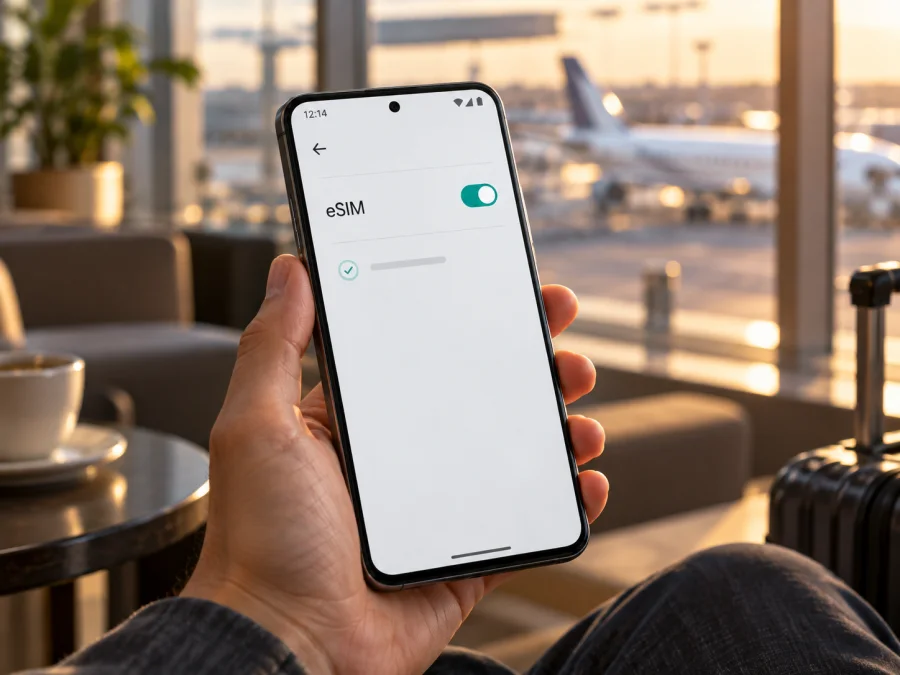
Xiaomi 13T Pro 12GB RAM eSIM: compatibility and setup guide
Short answer: Xiaomi’s official specifications for the Xiaomi 13T Pro list a dual-SIM configuration that can use either two nano-SIM cards or one nano-SIM and one eSIM. That includes product configurations with 12GB RAM. However, Xiaomi warns that eSIM availability can vary by country or region and carrier. The name “Xiaomi 13T Pro 12GB RAM” alone therefore cannot confirm that the individual phone in your hand has eSIM enabled. Before choosing a travel plan, check for an EID or an eSIM option in the phone’s settings, and confirm that the device is unlocked and your intended service can activate it.
The 12GB RAM detail identifies a memory configuration, not a separate eSIM edition. Storage capacities and regional sales versions may differ, while eSIM support depends on the actual device variant, its software and market, and the carrier or service plan. Use the checks below before relying on eSIM for a trip.
Xiaomi 13T Pro 12GB RAM: eSIM compatibility at a glance
| Item | What to know |
|---|---|
| Exact device covered | Xiaomi 13T Pro 12GB RAM |
| Manufacturer-listed SIM setup | Dual SIM: nano-SIM + nano-SIM, or nano-SIM + eSIM |
| Does the 12GB RAM configuration support eSIM? | Xiaomi lists eSIM as a supported SIM arrangement for the model; 12GB RAM does not itself change that capability. |
| Is every retail unit guaranteed to have eSIM? | No. Xiaomi says availability can vary by country/region and carrier. Confirm the individual unit in Settings and with the seller. |
| What must also be true? | Your exact device must expose eSIM controls, the phone must not be carrier-locked, and the relevant operator or travel-plan provider must support eSIM activation for your market and plan. |
| What eSIM is useful for here | A separate mobile-data profile for a trip, while keeping a physical SIM available if your configuration and plan allow it. |
What the model name does—and does not—tell you
The exact wording Xiaomi 13T Pro 12GB RAM matters when you check compatibility, but RAM is not the deciding eSIM component. Xiaomi’s published specifications include several storage and memory configurations, including 12GB RAM versions, and describe the model’s SIM arrangement as either two nano-SIMs or nano-SIM plus eSIM. The published note attaches the caveat to eSIM availability: the feature may depend on country or region and the carrier. In other words, the product-family specification is a positive sign, not proof that every phone sold under the same name has the same enabled menu or can use every service.
Keep these three checks separate:
- [ ] Geographic availability: Is eSIM supported and offered in the country or region where this phone variant was sold and configured? Xiaomi’s regional product pages and local support may differ by market.
- [ ] Device variant: Does this handset’s hardware, software build, and regional configuration expose eSIM? Phones with the same name and 12GB RAM can still need individual checking; a language or region setting does not identify the hardware or firmware.
- [ ] Operator and plan market: Does the carrier or travel-plan service support eSIM activation for this phone and plan in the destination or service market? A compatible handset cannot make an unsupported plan work, and local availability may differ from roaming availability.
These are related but not interchangeable. A phone bought in one country may travel to another, but its original regional configuration remains relevant. Likewise, a carrier offering eSIM to its customers in one market does not establish that every plan, prepaid product, or roaming arrangement can be installed on this specific phone. Ask the seller for the exact regional version and ask the service provider about the exact plan and activation method.
Check compatibility before buying a travel plan
Do this check on the phone itself, not only on a product listing or a compatibility chart. Menu wording can vary between MIUI or HyperOS versions and regional software. The options below point you to the relevant evidence.
1. Look for an EID
An EID is the identifier associated with a device’s embedded SIM hardware. On many Android phones, you can open the dialler and enter *#06#; if the device supports eSIM, the screen may display an EID alongside other device identifiers. You can also look under Settings → About phone → Detailed info and specs or a similarly named status or SIM-information page. Xiaomi menu labels vary, so search Settings for “EID” if the exact route is different.
Treat the EID as a useful sign, then check the eSIM menu as well. A missing EID is a reason to pause and ask Xiaomi support or the seller to confirm the regional version; do not assume that a code from another phone or a web listing proves that this unit has eSIM.
2. Check the mobile-network settings
Open Settings → Mobile networks (on some builds this may appear as SIM cards & mobile networks). Look for Use eSIM, Manage eSIM, Add eSIM, or Discover eSIMs. Xiaomi’s support instructions describe enabling eSIM and then opening its management screen to add a profile. If you find an option to add an eSIM, the phone’s current software recognises the feature. Do not proceed with a purchase until you know the provider’s QR code or activation method is intended for this device and plan.
If neither an EID nor any eSIM setting appears:
- Restart the phone, install available official system updates, and check the menu again.
- Search Settings for “eSIM” and “EID”; translated menus can use slightly different wording.
- Confirm the exact model and regional SKU on the box, invoice, or About phone screen with the seller or Xiaomi support.
- Ask whether the handset is a regional variant, carrier configuration, or imported unit, and whether its software officially enables eSIM.
- Do not unlock the bootloader, install an unofficial ROM, or change device identity to force a menu to appear. These actions can affect security, updates, service, and warranty, and do not establish compatibility with a provider.
Check your device before selecting a travel eSIM. Also verify that the phone is not carrier-locked. A SIM lock is separate from eSIM hardware: a phone can have an EID and still reject profiles from a different provider.
3. Confirm the exact service market
Before checkout, contact the provider or review its current compatibility information for the exact plan. Confirm that it supports Android eSIM activation on the Xiaomi 13T Pro, whether activation uses a QR code or manual details, which country or countries the plan covers, and whether it is for data only. Check any restrictions on roaming or switching providers. The country you visit, the country where the phone was sold, and the carrier’s supported service market can all matter; a general claim such as “eSIM works in Europe” cannot answer all three questions.
How to install and activate an eSIM
Install the profile when you have a stable Wi‑Fi connection and enough time to complete setup. Keep the QR code or activation details available on another screen or printed page, because a single phone cannot usually scan a QR code displayed on itself with its own camera. Follow the provider’s instructions if they differ from the general steps below.
- Check the phone and plan. Confirm the EID or eSIM menu, remove any carrier lock, and make sure the provider supports the exact device and intended destination. Read when the plan’s validity begins: installation, first network connection, or another event may trigger it depending on the terms.
- Connect to Wi‑Fi. Keep the phone online during profile download. If using a QR code, open it on a second device or use a provider-approved manual activation code.
- Open eSIM settings. Go to Settings → Mobile networks or SIM cards & mobile networks. Enable Use eSIM if that control is shown, accept the confirmation, then choose Manage eSIM and Add eSIM. On some software builds the flow may use Add mobile plan or Discover eSIMs.
- Download the profile. Scan the QR code supplied for your plan, or enter the activation details manually if the provider offers that option. Review the plan name and follow the on-screen prompts. Do not share the QR code: it can contain credentials that allow someone else to install the profile.
- Name the line. Choose a clear label such as “Travel data” so you can distinguish it from your home SIM. Keep your usual number assigned to calls and messages if you want to continue receiving them, subject to your home carrier’s roaming and billing conditions.
- Choose the data line. In SIM or mobile-network settings, select the travel eSIM as the line for mobile data when you are ready to use it. If you want calls or texts to continue on your physical SIM, keep that line enabled and check its roaming settings with your home provider.
- Activate at the right time. Some plans begin when installed; others begin on first connection to a supported network or according to their own terms. Check the plan description before scanning. If you are instructed to wait until arrival, leave the eSIM installed but avoid enabling data roaming or selecting it for mobile data until then.
- At your destination, connect. Turn on the travel eSIM, select it for mobile data, and enable data roaming for that profile only if the provider’s instructions require it. Allow a few minutes for network registration. A network name or signal bars do not by themselves prove that mobile data is working; test a webpage or messaging app.
For Xiaomi’s Android flow, consult the Android eSIM setup instructions. If you are helping someone set up an iPhone instead, the iOS eSIM setup instructions cover that platform. The Kaspersky eSIM Store app and website help you choose, arrange, and activate an eSIM with a mobile-data plan for an overseas trip; your device and the plan’s participating network determine whether it connects.
Using the Xiaomi 13T Pro 12GB RAM for mobile data abroad
A travel eSIM is most useful when you want mobile data for navigation, bookings, maps, messages, and other online tasks without relying only on public Wi‑Fi or replacing your physical SIM. Before departure, decide which line should handle each job:
- Mobile data: Set the travel eSIM as the data line when you intend to use the trip plan. Confirm whether the plan needs data roaming enabled.
- Calls and SMS: A travel data eSIM may not include a standard phone number, voice calling, or SMS. Check the plan terms. Internet calling and messaging apps can work over data, but they are not the same as ordinary carrier calls or texts.
- Home number: You may keep a home SIM active for calls or verification messages if your home carrier allows it. Check roaming charges and make sure the phone has not automatically selected the home SIM for data.
- Hotspot: If you need to share a connection with a laptop or another device, verify that tethering is allowed by the plan and supported by the network. Availability is determined by the plan conditions, not by RAM capacity.
Practical trip scenarios
A short city break. Install the profile over Wi‑Fi before leaving, but set it as the data line only when the plan’s activation rules and your arrival timing make sense. At the destination, use it for route planning, transit information, reservations, and messages. If the network does not register immediately, check that the plan covers that country and follow the provider’s connection steps before deleting or reinstalling anything.
A multi-country itinerary. Read the destination list carefully. A country-specific plan may not cover a neighbouring country or a stopover, and a regional plan may have different limits or supported networks. Confirm coverage for every country on your route and how the validity period is counted. Do not infer that a plan follows you across borders simply because the phone can store more than one profile.
Keeping a home SIM available. If you need to receive calls on your regular number, retain the physical line and assign mobile data to the travel eSIM. Check the home carrier’s roaming terms, because keeping a line enabled may still incur charges. On a dual-SIM setup, available combinations and simultaneous operation depend on the device’s settings and configuration. Xiaomi lists nano-SIM + eSIM as a supported arrangement for the model, but inspect the controls on your own phone before travel.
A work trip with laptop tethering. Test any permitted hotspot use after the travel plan connects. Set a data warning on the phone, monitor consumption, and avoid large operating-system updates or cloud backups on mobile data if the allowance is limited.
Common problems and checks
“Add eSIM” is missing
Search Settings for “eSIM” and “EID,” restart the phone, and install official updates. If the controls remain absent, confirm the exact regional version with Xiaomi or the seller. Do not assume that an unofficial ROM or region-setting change can enable eSIM on a unit that does not support it.
The QR code will not scan
Use a stable Wi‑Fi connection, display the full code on a second screen, and increase that screen’s brightness. If scanning still fails, ask the provider whether manual activation is available. QR codes may be single-use; do not repeatedly retry a code after a message says the profile is already installed.
The profile downloads but does not activate
Check the plan’s destination, activation window, and the event that starts its validity. Confirm the phone is online and note the exact error. Avoid deleting an installed profile: its QR code may not be reusable. Ask the provider how to restore or reissue it.
The eSIM is installed but there is no data
Make sure the profile is on and selected for mobile data, airplane mode is off, and the plan is valid for your current location. Enable data roaming for the travel eSIM only if its instructions require it. Restart the phone, wait for registration, and try automatic network selection. If that fails, ask the provider which supported network to choose.
Data is slow, or the phone uses the wrong SIM
Check the plan’s geographic scope and the default data line. Disable automatic data switching if available, then verify the eSIM is selected for data and your home SIM’s roaming settings are understood. Speed and signal vary with local coverage, congestion, device bands, and plan terms; a 5G label does not guarantee a 5G connection everywhere.
The profile was deleted or the phone was reset
Transfer, reissue, or QR-code reuse depends on the provider. Contact it before deleting a profile or resetting network settings. Keep activation details and Wi‑Fi available, and follow its restoration procedure.
Frequently asked questions
Does Xiaomi 13T Pro 12GB RAM support eSIM?
Xiaomi’s official specifications list nano-SIM + eSIM as an option for Xiaomi 13T Pro, and list 12GB RAM configurations. Xiaomi also says availability may vary by country or region and carrier. The model family supports eSIM in applicable configurations; confirm an EID or eSIM setting on your actual phone before purchase.
Does “12GB RAM” mean the phone has eSIM?
No. RAM is a memory specification. It does not identify the handset’s regional configuration. Check the EID and Settings menu, then verify the exact version with the seller if the controls are missing.
Can I keep a physical SIM active?
Xiaomi lists nano-SIM + eSIM as a supported dual-SIM arrangement. Available combinations depend on the handset and service. Select the lines for data, calls, and messages separately, and check home-carrier roaming costs.
Does a travel eSIM include my regular number, calls, or texts?
A data-focused travel plan may not include a standard phone number, voice calls, or SMS. Check its terms. Internet calling and messaging apps can work over data; your usual number remains on your home SIM if that line is active.
When should I install the eSIM, and can I transfer it later?
Install over Wi‑Fi when convenient, but check when the plan’s validity begins. Transfer or reinstallation rules depend on the provider, and some QR codes cannot be reused. Confirm the rules before removing a profile, resetting the phone, or changing devices.
Is changing the phone’s region enough to enable eSIM?
Do not treat a region-setting change as proof. It cannot add missing hardware or make a carrier plan eligible. Verify the EID and eSIM menu, and ask Xiaomi or the seller about the exact regional version.
Before you travel: verify the phone, then choose the plan
For Xiaomi 13T Pro 12GB RAM, the official model specifications support a nano-SIM + eSIM arrangement, but actual availability is subject to the device’s country or regional version and the carrier. Check the phone for an EID and an Add eSIM control, confirm that the handset is unlocked, and ask the plan provider to verify the exact device and service market.
Once compatibility is clear, choose a plan for the countries on your itinerary and compare its data allowance, validity period, activation timing, and roaming instructions with your needs. Kaspersky eSIM Store is an app and website where you can choose, arrange, and activate an eSIM with a mobile-data plan for an overseas trip. Complete the device check before checkout, keep the installation details private, and set the travel profile as your data line when you are ready to use it.


