Travel connectivity guide
Xiaomi 13T Pro 256GB eSIM compatibility
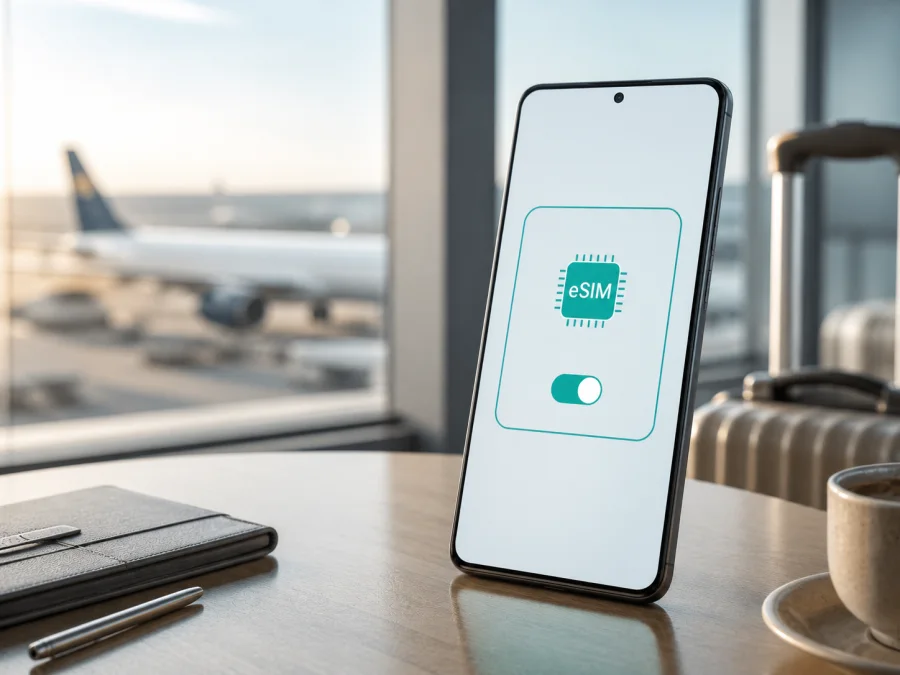
Xiaomi 13T Pro 256GB eSIM compatibility and travel setup
If you are preparing the Xiaomi 13T Pro 256GB for a trip, the short answer is encouraging but qualified: Xiaomi's current global specification lists this model family with dual-SIM support in the configuration “nano SIM + nano SIM or nano SIM + eSIM”. That means the Xiaomi 13T Pro 256GB can support an eSIM where the particular regional and carrier version exposes the feature. It is not a promise that every retail unit sold in every country has the same eSIM menu.
The storage label “256GB” identifies the requested variant, while eSIM access is controlled by the phone's modem configuration, regional software, sales market and carrier policy. Check the actual phone before buying a travel plan, even when the model name looks identical to one that supports eSIM elsewhere.
The direct answer for Xiaomi 13T Pro 256GB
For the Xiaomi 13T Pro 256GB, eSIM support is officially listed at the product-family level as a dual-SIM option alongside two nano-SIM cards. In practical terms, a compatible unit may use one physical nano-SIM and one eSIM. The phone is therefore a possible fit for a travel data eSIM, but the final answer for your handset is the presence of an EID and an available eSIM control in Settings.
Do not infer compatibility from 5G, the amount of storage, a SIM tray alone or the fact that another Xiaomi 13T Pro 256GB owner activated eSIM. 5G and eSIM are separate capabilities. A physical tray also does not prove that the embedded SIM profile is enabled. The safest sequence is: identify the exact unit, verify its eSIM menu and EID, confirm that it is unlocked, then select and activate a plan.
Key specifications that affect the check
| Item | Xiaomi 13T Pro 256GB detail | Why it matters for eSIM |
|---|---|---|
| Exact device variant | Xiaomi 13T Pro 256GB | Keep this full name when comparing listings and support replies. |
| Storage configuration | 256GB; Xiaomi's global specification pairs this capacity with 12GB RAM | Storage does not by itself determine eSIM access. |
| SIM combinations listed by Xiaomi | nano SIM + nano SIM or nano SIM + eSIM | This is the manufacturer's basis for possible eSIM use. |
| Mobile networks | 2G, 3G, 4G LTE and 5G NSA/SA bands are listed | Network compatibility still depends on the destination and local network. |
| Operating system reference | MIUI 14 based on Android 13 in the global specification | Menu names can change after updates or by region. |
| Travel data role | A compatible eSIM can be used as a mobile-data line | A data eSIM is not automatically a replacement for your normal number. |
What the official specification means in practice
Two phones with the same printed model name can differ because of market software, regional configuration or carrier policy. Xiaomi warns that eSIM availability may vary by country, region and carrier, and that using eSIM requires a wireless service plan. An imported phone may retain its original configuration after resale; a system update can also alter menu wording.
The responsible answer is qualified: the Xiaomi 13T Pro 256GB is listed as eSIM-capable, but your handset must pass the on-device check. If the EID and Add eSIM control are absent, pause the purchase and confirm the exact region and carrier requirements.
How to verify the exact phone before purchase
The fastest check uses the phone itself. Connect to Wi-Fi, open Settings and use the search field for “eSIM”, “SIM”, or “mobile network”. On MIUI, the route may look like Settings → SIM cards & mobile networks, Mobile network, or a similarly named SIM-management page. Labels can differ after an update, so follow the function rather than one fixed menu translation.
Look for one or more of these signs:
- an option such as Add eSIM, Add mobile plan, Download a SIM, or Set up eSIM;
- a SIM manager that offers an eSIM slot next to the physical SIM slot;
- an EID entry in About phone, Status, SIM status or device information;
- a QR-code scanner or activation flow that specifically says it will add an eSIM profile.
An EID is the identifier associated with the embedded SIM component. It is not the same as the IMEI, serial number, phone number or Wi-Fi MAC address. If the phone shows an EID, that is strong evidence that the hardware can host an eSIM, but you should still confirm that the Add eSIM control is available and that your carrier can provision it. If the EID is hidden, check all SIM-status pages and use Settings search; an absent menu on a unit advertised for a different market remains a reason to pause.
Ask the seller for the exact model code, intended region and SIM configuration, especially for an imported or second-hand unit. Also confirm that the phone is carrier-unlocked. An old eSIM profile can be deleted, but an operator lock or regional restriction requires a different solution.
<a id="kesim-device-compatibility"></a>Compatibility checklist for Xiaomi 13T Pro 256GB
Use Check your device as a reminder to complete this list before choosing a tariff:
- [ ] The phone is specifically the Xiaomi 13T Pro 256GB, not another storage or regional model.
- [ ] Settings contains Add eSIM, Add mobile plan or equivalent.
- [ ] An EID is visible in device or SIM status information.
- [ ] The device is unlocked for the service you plan to use.
- [ ] Your destination, network bands and the plan's coverage are compatible.
- [ ] The phone can be connected to reliable Wi-Fi during installation.
- [ ] You know whether the eSIM is data-only and when its validity begins.
- [ ] Your primary physical SIM can remain available for calls or messages if needed.
If one of the first four checks fails, stop before checkout and clarify the situation with the seller, Xiaomi support or the carrier. “Dual SIM” may mean two physical nano-SIM cards, and “global” is not a substitute for the live Settings check.
Preparing a travel eSIM
Once your Xiaomi 13T Pro 256GB passes the device check, choose data volume for the trip: a light plan may cover maps and messaging, while navigation, uploads, translation or hotspot use need more. Compare destination, validity, allowance, activation rules and tethering before confirming.
Kaspersky eSIM Store is an app and website where you can choose, arrange and activate an eSIM with a tariff for mobile internet during an international trip. It helps you prepare the data connection, while the underlying mobile service depends on the selected plan and its local network arrangements. Kaspersky eSIM Store is not the mobile operator, does not own the destination network and is not the provider of mobile coverage.
Keep the QR code or manual activation details on another screen, such as a laptop, so that the Xiaomi 13T Pro 256GB can scan them. Treat unused activation details as private and do not delete the original message until installation is complete.
Installing and activating eSIM on Android
The exact wording can vary between MIUI releases and regional builds, but the flow is usually similar. Install while you have Wi-Fi and enough battery, and do not remove your primary SIM unless the on-screen instructions ask you to.
- Open the order or activation message on another screen. Make sure the destination and plan details match your trip.
- On the Xiaomi 13T Pro 256GB, open Settings and go to the SIM, mobile-network or mobile-connections area.
- Choose Add eSIM, Add mobile plan or the closest available command. If there is no such command, stop and recheck compatibility rather than repeatedly scanning the code.
- Scan the QR code. If scanning is unavailable, enter the SM-DP+ address and activation code manually exactly as supplied.
- Wait while the phone downloads the eSIM profile. Keep Wi-Fi active and do not lock the process for longer than the phone requests.
- Give the line a clear name such as Travel data. This prevents confusion with your primary physical SIM.
- Select which line should provide mobile data. Keep calls and SMS on your normal line if you need its number.
- Turn on the eSIM line and, when the plan instructions require it, enable data roaming for that eSIM. Do not enable roaming blindly on the primary line if your home operator charges for it.
- At the destination, turn off automatic mobile-data switching if that option could move data back to the primary line. Confirm that the travel eSIM is selected for data.
- Open a browser or map application and test a small amount of data. Check the status bar, APN instructions if provided, and the plan's usage window.
For a longer visual walkthrough, use the Android eSIM installation instructions. The link is a practical guide; the available settings on the Xiaomi 13T Pro 256GB still depend on its software and market version.
For iPhone context, see the iOS eSIM installation instructions. On this Xiaomi device, follow the handset's Android path and the plan's APN, roaming and validity requirements.
Using the eSIM on a trip
The simplest arrangement is to keep your home physical SIM active for calls and messages while selecting the travel eSIM for mobile data. Disable data roaming on the home line and turn off automatic data switching. Alternatively, use only the travel eSIM, or combine it with a local physical SIM when the plan permits. Confirm which line handles data, whether both lines can stay registered, and whether tethering is allowed. For a regional plan, check the next country before crossing a border.
A mobile-data eSIM generally does not create a regular phone number. Voice calls and SMS are not included unless the specific plan says so; internet calling and messaging apps work through data but still need accounts and battery. Monitor usage because photo backup, video and app updates can consume a package quickly. When the trip ends, disable the travel line, switch data back to the intended home line and review roaming settings.
Troubleshooting: when eSIM does not work
There is no Add eSIM option. Recheck the EID, software version, model code and region. Restart the Xiaomi 13T Pro 256GB and update over Wi-Fi, but do not assume an update removes a market restriction. If the EID is missing, contact the seller or Xiaomi before purchasing an activation code.
The QR code is rejected. Check that it has not already been used, that the plan matches the destination, and that manual entries are exact. Use a bright second display and keep the phone on Wi-Fi; some profiles are single-use.
The profile installed but there is no data. Turn on the eSIM, select it for mobile data, and check whether the plan requires data roaming. Verify supplied APN instructions, toggle airplane mode, restart and confirm the destination and validity.
The phone shows signal but apps are offline. Check the selected data SIM and automatic switching. Temporarily test without a VPN or restrictive private DNS, then retry a simple webpage in another location; a signal icon does not guarantee usable data.
The home SIM incurs roaming charges. Turn off data roaming on the primary line, select the travel eSIM for data and disable automatic switching. Review the home operator's conditions; the travel eSIM cannot prevent the phone from using the wrong line.
The line works at home but not after landing. Check destination and validity rules, restart after local registration and verify roaming for the travel line. If validity starts at installation, it may already be running. Contact support privately with order details and never share a full QR code publicly.
FAQ
Is the Xiaomi 13T Pro 256GB eSIM compatible?
Xiaomi's global specification lists the Xiaomi 13T Pro with a dual-SIM option of nano SIM + eSIM, so a compatible Xiaomi 13T Pro 256GB can use an eSIM. Xiaomi also says availability varies by country, region and carrier. Confirm the EID and Add eSIM menu on your own phone before purchase.
Does 256GB mean that eSIM is enabled?
No. The 256GB capacity identifies storage. The eSIM function depends on the unit's hardware configuration, regional software and carrier support. Two phones with the same storage label can require different checks.
Can I keep my physical SIM active?
Often, yes: the listed combination is one nano SIM plus one eSIM. Choose the travel eSIM for data and decide separately whether the physical SIM handles calls and messages. Costs and dual-SIM behavior remain subject to your home operator and the travel plan.
Will an eSIM give me a local phone number?
Not normally for a mobile-data travel plan. It is intended to provide internet access, while ordinary voice calls and SMS depend on the plan and line you keep active. Use internet calling apps when appropriate and preserve access to important verification methods.
Final device check and travel eSIM choice
Before you pay for a plan, check the exact Xiaomi 13T Pro 256GB in hand: confirm the EID, locate Add eSIM, verify that the phone is unlocked, and make sure the regional and carrier conditions allow activation. Then compare the destination, data allowance, validity, roaming requirement and tethering rules with your itinerary. If the handset fails the on-device check, pause the purchase and obtain a definitive answer for that regional unit.
When the checks pass, use Kaspersky eSIM Store through its app or website to choose and arrange an eSIM tariff for mobile internet in the countries on your route, then follow the activation instructions. Keep your home line protected from unwanted roaming, monitor data usage during the trip and switch lines back deliberately when you return. This simple sequence—verify the device, choose the right travel data plan, install over Wi-Fi and test before relying on it—keeps the Xiaomi 13T Pro 256GB ready for a more predictable connected journey.


