Travel connectivity guide
Xiaomi 13T Pro 8GB RAM eSIM: Compatibility & Setup
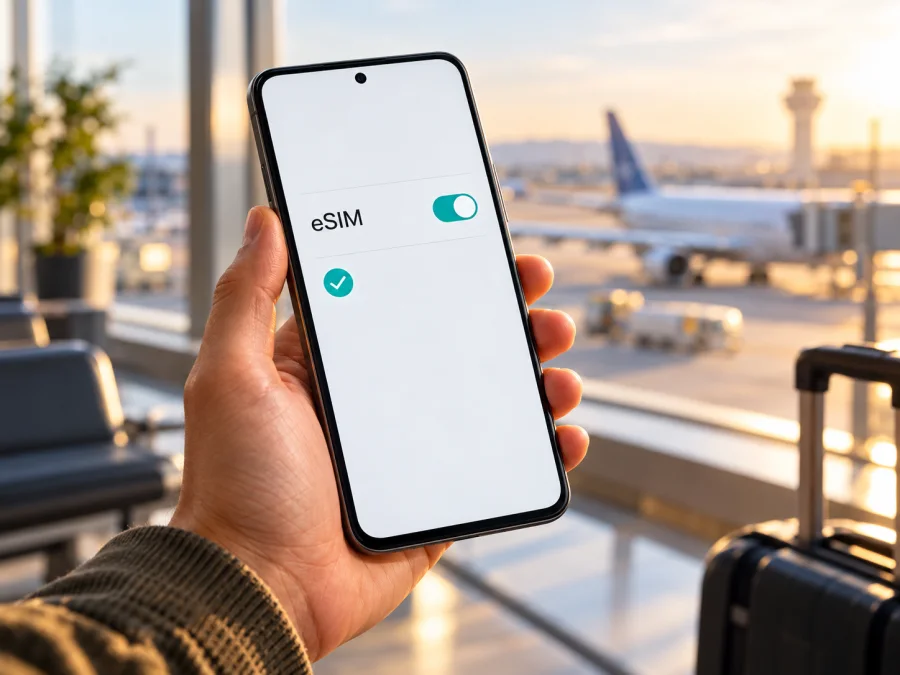
Xiaomi 13T Pro 8GB RAM eSIM: Compatibility and Setup Guide
Quick answer
Can you use an eSIM on the Xiaomi 13T Pro 8GB RAM? The model family has official Xiaomi specifications that describe a nano-SIM plus eSIM configuration, but the exact 8GB RAM variant in this request could not be confirmed in Xiaomi’s current published configuration list. Xiaomi’s official UK specification and its UK FAQ also describe the SIM arrangement differently. That means a model name alone is not enough to confirm that your particular handset has an active eSIM function.
Treat this exact device as conditionally compatible. Before choosing or paying for a travel plan, check the phone itself for an EID and an eSIM add option, confirm that it is not carrier-locked, and ask the seller or mobile operator to confirm support for the exact regional model and software. If the EID and add-eSIM controls are absent, do not assume that an update or a travel eSIM QR code will add missing hardware support.
The 8GB RAM detail is retained throughout this guide. Xiaomi’s current UK product page and FAQ list 12GB and 16GB configurations, not 8GB. This does not prove that no 8GB-labelled unit exists; it means the exact variant is unverified. Check its model code, original market, and system information.
What the official information establishes
Xiaomi’s public regional materials do not give one unambiguous answer for every Xiaomi 13T Pro. The UK product specifications describe Dual SIM as either two nano-SIMs or one nano-SIM plus an eSIM, and warn that availability depends on country, region, and carrier. Xiaomi’s UK FAQ lists two nano-SIM slots, while the Spain product specification also lists nano-SIM plus nano-SIM or nano-SIM plus eSIM. These differences in published regional information do not prove that a handset bought in one market will work with every carrier elsewhere.
The available official UK configuration list names 12GB and 16GB RAM options. It does not confirm an 8GB RAM configuration. For that reason, the answer for the Xiaomi 13T Pro 8GB RAM cannot be upgraded from “conditional” to “yes” without checking the exact handset. A retailer’s title, a listing copied between regions, or a memory description alone does not identify the eSIM hardware or the software version installed on the phone.
| Check | What is verified | What it means for this device |
|---|---|---|
| Device name | Xiaomi 13T Pro is an official Xiaomi model | Keep the 8GB RAM modifier when checking the exact unit; do not substitute another 13T Pro memory version |
| RAM variant | Current official UK product information lists 12GB and 16GB | The requested 8GB RAM configuration remains unverified in those sources |
| SIM options | Xiaomi regional product pages include nano-SIM + eSIM; the UK FAQ specifies two nano-SIM slots | Official regional records conflict, so verify the phone in hand |
| Geographic availability | Xiaomi says eSIM availability varies by country or region and carrier | The device’s country of sale and the destination network are separate checks |
| Operator compatibility | Xiaomi directs users to confirm availability with the carrier | A working EID does not guarantee that a particular operator or travel plan will activate |
These details reflect Xiaomi’s official UK and Spain specifications and UK FAQ, checked on 2 November 2026. Xiaomi Japan also lists Xiaomi 13T Pro in an eSIM activation notice for NTT Docomo. This confirms a carrier-specific eSIM workflow in that market, not universal support for every regional handset or operator. The notice describes a manual activation issue on certain software/LPA versions and points users to the carrier’s setup procedure.
Why region and operator matter
Regional versions can have different published SIM configurations. An imported phone may also face a different operator’s eligibility rules, supported networks, or activation process. Software region and updates can change menu labels, but do not assume a setting can add missing eSIM hardware.
Operators may activate eSIM by QR code, app, account, or manual details, and may restrict eligible plans or devices. The NTT Docomo notice is specific to that operator and market; do not reuse its activation details for another carrier.
For a travel eSIM, there are two different compatibility questions:
- Does this physical Xiaomi 13T Pro 8GB RAM handset have eSIM capability? Check its EID and the eSIM controls in its own settings.
- Will the chosen travel eSIM profile work for the destination and this handset? Check the plan’s supported destination, installation method, device and network conditions, and any carrier-lock restriction.
An eSIM option in a country’s product specification is not a coverage promise. The service available on arrival depends on the selected plan and the local networks it can use in that destination. Likewise, mobile data support in a destination does not mean every regional version of the handset can download an eSIM profile.
Check the phone before you buy a plan
Use more than one check if the phone’s sales history is unclear. Do this while you still have a return option and before buying an eSIM plan.
Check for an EID
An EID is the identifier associated with the phone’s embedded SIM capability. On many Android devices, you can open the dialler and enter *#06#; the device may display the EID together with its IMEI numbers. You can also look under Settings → About phone → Status or a similarly named device-information page. The exact location varies with MIUI/HyperOS version and region.
If no EID appears, confirm the model code with Xiaomi or the seller. Menus and identifiers can vary, so check settings too. If the phone shows only IMEI numbers and no eSIM controls, get confirmation before purchase.
Look for the add-eSIM control
Open Settings and inspect Mobile networks, SIM cards & mobile networks, Manage eSIM, or a similarly named section. Look for an option such as Add eSIM, Add mobile plan, Download a SIM, or Manage eSIM. Names and menu placement can change with system updates.
The relevant evidence is an option that opens an eSIM setup flow, not simply two physical SIM entries or a general “add SIM” label. If the phone has an eSIM menu, check whether it can search for, scan, or add a profile before you buy a plan. You do not need to complete an installation to test that the menu exists. If there is no such option, ask Xiaomi support using the exact model code and market of sale.
Confirm the seller’s and operator’s details
Ask the seller for the full model code, original market, and confirmation that the specific unit supports eSIM. Ask your intended operator whether it accepts that model code and IMEI. Confirm that the phone is unlocked; a carrier-locked phone may reject another provider’s profile even when eSIM hardware is present.
For an imported phone, compare the box or invoice model code with Settings → About phone. Ask the seller or Xiaomi to identify the actual configuration if they differ. RAM, a 5G label, or a SIM tray cannot substitute for an EID and eSIM setup menu.
Compatibility checklist
Before selecting a travel plan, make sure each relevant item is clear:
- [ ] The handset is the exact Xiaomi 13T Pro 8GB RAM unit you intend to use, and its model code and original market are known.
- [ ] An EID is visible, or Xiaomi/the seller has confirmed eSIM capability for the exact model code.
- [ ] Settings contains an eSIM add or management flow.
- [ ] The phone is not locked to a carrier that would block another eSIM profile.
- [ ] The travel plan supports eSIM installation on this model and is intended for the country or region you will visit.
- [ ] You understand the plan’s data amount, validity period, activation timing, and any roaming-data requirement.
- [ ] You have stable internet access for installation and can access the QR code or app instructions on another screen if needed.
If you want a second compatibility check before proceeding, check whether your device is compatible. The exact model and the destination still need to be considered together; a general device list cannot confirm a handset’s regional hardware or carrier lock.
Installing an eSIM on Xiaomi 13T Pro 8GB RAM
Install only after you have confirmed that the handset offers eSIM setup and that your plan is intended for your destination. Keep the phone connected to reliable Wi-Fi during installation. Many QR codes are single-use, so do not scan the same code repeatedly or delete a profile to troubleshoot unless the plan provider tells you that it can be reinstalled.
Xiaomi menu names vary by system version and market. Kaspersky eSIM Store’s Android guide notes that its illustrated steps are Samsung-specific, so use it as a general reference and follow the menus on your handset. The iOS guide is for a separate Apple device.
Steps
- Check the plan details. Confirm destination, validity, data allowance, installation instructions, and when data use starts.
- Connect to Wi-Fi. Keep the connection stable and display the QR code on another screen, or use the provider’s app if offered.
- Open mobile network settings. Go to Settings and open Mobile networks, SIM cards & mobile networks, or the corresponding menu on your system version.
- Start eSIM setup. Choose Manage eSIM, Add eSIM, or the equivalent. If no eSIM option is present, stop and confirm support for this exact handset before proceeding.
- Add the profile. Scan the plan’s QR code or follow its app-based or manual method. Use only details supplied for your plan.
- Wait for the download. Keep the phone online; the operator may require confirmation or an account login.
- Name the profile. Give it a clear label such as “Travel” or the destination name so you can distinguish it from your primary SIM.
- Choose data settings. Select the travel eSIM for mobile data when you are ready. Turn off automatic data switching to avoid unintended use of the home line.
- Follow the plan’s activation instructions. Some travel plans should be installed before departure and used after arrival; others have a validity period that starts at installation or first connection. Check the specific terms rather than assuming when the clock begins.
For illustrated guidance, see How to install an eSIM on Android and How to install an eSIM on iOS. The iOS instructions apply to an Apple device, not to the Xiaomi 13T Pro 8GB RAM. On Xiaomi, use the Android instructions as a broad reference and follow the menu labels displayed on your own phone.
Using a travel eSIM for mobile data
You can prepare a profile before departure and select it for data on arrival if the plan allows. Check your home SIM’s roaming charges before travel. If you keep that line enabled for calls or verification messages, avoid selecting it for data. Enable data roaming for the travel eSIM only if its instructions require it.
For a multi-country trip, read the destination list: a country plan may be limited to one country, while a regional plan may include several named countries. Check destinations, data, validity, and any fair-use or speed terms shown when choosing.
Kaspersky eSIM Store is an app and website where you can choose, arrange, and activate an eSIM with a plan for mobile internet on an international trip; it is not the mobile operator or network. Unless a selected plan says otherwise, do not expect a regular phone number, standard calls, or SMS. Internet messaging and calls can work through apps when data is available.
Common problems and what to check
There is no EID or eSIM menu
Check About phone, the dialler identifier screen, and mobile network settings. Restart and update the phone, then check Xiaomi’s regional support information using the model code. If the EID and add-eSIM flow remain absent, ask the seller or Xiaomi before buying a plan. An update is not a guaranteed way to add eSIM hardware.
The QR code will not scan
Increase the QR display brightness, clean the camera lens, and keep the code fully visible. Use only activation details supplied for your plan. Many codes cannot be reused after download; if the profile is already listed, do not scan again. Contact the provider if a code is invalid or expired.
The profile downloads but shows no service
Confirm the eSIM is enabled, the plan covers the current country, and service is available. Select it for mobile data and enable roaming if the plan requires it. Wait, then toggle airplane mode or restart. If it still does not register, ask the provider which network or APN settings apply; do not copy settings from another plan.
Data does not work although signal bars appear
Check mobile data is assigned to the travel eSIM and enter any supplied APN exactly. Confirm the plan has started, has data remaining, and has not expired. Turn off Wi-Fi briefly and check that automatic switching has not selected your home SIM. Signal bars alone do not mean data is active.
The operator rejects activation
Verify the phone is unlocked and the operator accepts its model code, then follow that operator’s process. Xiaomi Japan’s NTT Docomo guidance shows that activation can depend on operator and software/LPA version; it is not a generic fix. If eligibility is rejected, ask why before deleting an installed profile.
You want to change phones
Do not assume a profile can be moved or downloaded again. Transfer rules depend on the provider; some codes are single-use or tied to one device. Check the terms before resetting the phone or removing the profile.
Practical trip scenarios
You already own the Xiaomi 13T Pro 8GB RAM. Check the EID and eSIM menu at home, then confirm lock status and plan conditions. Install early only if the plan allows it; enable mobile data at the intended time.
You are considering this listing. Ask the seller to show the model code and eSIM settings on that handset. A generic “Xiaomi 13T Pro” claim does not confirm an 8GB RAM import. Ask about returns if eSIM is essential.
You are already abroad and need data. Use Wi-Fi to check compatibility. If there is no EID or setup option, a QR code will not settle the hardware question. Consider a physical SIM, available Wi-Fi/hotspot access, or another compatible unlocked device.
You need your home number. Keep the home SIM enabled only if its roaming conditions are acceptable. Set the travel eSIM for data and prevent automatic switching to the home line.
FAQ
Does Xiaomi 13T Pro 8GB RAM support eSIM?
It is not verified for the exact 8GB RAM configuration. Official Xiaomi regional product pages describe eSIM for the Xiaomi 13T Pro, but official UK materials conflict on the SIM arrangement, and the current UK configuration list does not confirm 8GB RAM. Check the exact phone for an EID and eSIM setup flow, then confirm the model code with Xiaomi or the seller.
Does every Xiaomi 13T Pro have eSIM?
The available official material does not establish that every regional unit does. Xiaomi itself says eSIM availability may vary by country, region, and carrier. Use the settings on the individual handset as part of the check.
Does 5G support mean eSIM support?
No. 5G is a mobile-network capability; eSIM is a way to store and activate a SIM profile. Confirm eSIM separately with the EID and settings menu, and check destination-network compatibility separately from the phone’s 5G support.
Can I use two SIMs at the same time?
The arrangement depends on the variant and market. Xiaomi’s regional pages list nano-SIM plus nano-SIM or nano-SIM plus eSIM, but do not confirm every dual-SIM feature for your unit. Check its menus and choose the data line before travel.
Does a travel eSIM include calls and text messages?
Not unless the selected plan says so. Kaspersky eSIM Store plans are for mobile data; keep your existing number if your home operator allows it, or use internet messaging apps.
Should I enable data roaming?
Only if the selected plan instructs you to. Enable it for the travel profile and check that the home SIM is not selected for data.
What if Xiaomi settings do not show an eSIM option?
Check the EID, model code, market, and lock status with Xiaomi or the seller before buying. If that unit lacks eSIM, consider a compatible device or suitable physical SIM.
Before your trip: verify, then choose
The Xiaomi 13T Pro 8GB RAM needs an exact-device check before you rely on eSIM. Xiaomi’s regional documentation supports eSIM for some Xiaomi 13T Pro configurations, but its official records are not fully consistent and do not verify the requested 8GB RAM variant. Confirm the EID, eSIM setup menu, model code, and carrier lock first. Then check that your chosen plan covers the destinations on your route, fits the trip’s duration and data use, and explains when activation begins.
Once compatibility is clear, browse current eSIM plans and destinations in Kaspersky eSIM Store’s website or app, then follow the plan-specific instructions. The homepage is for general options, not a country-specific tariff. If configuration or activation remains unclear, ask Xiaomi, the seller, or the operator before purchase.


