Travel connectivity guide
Xiaomi 14 Pro 128GB eSIM: Compatibility and Setup
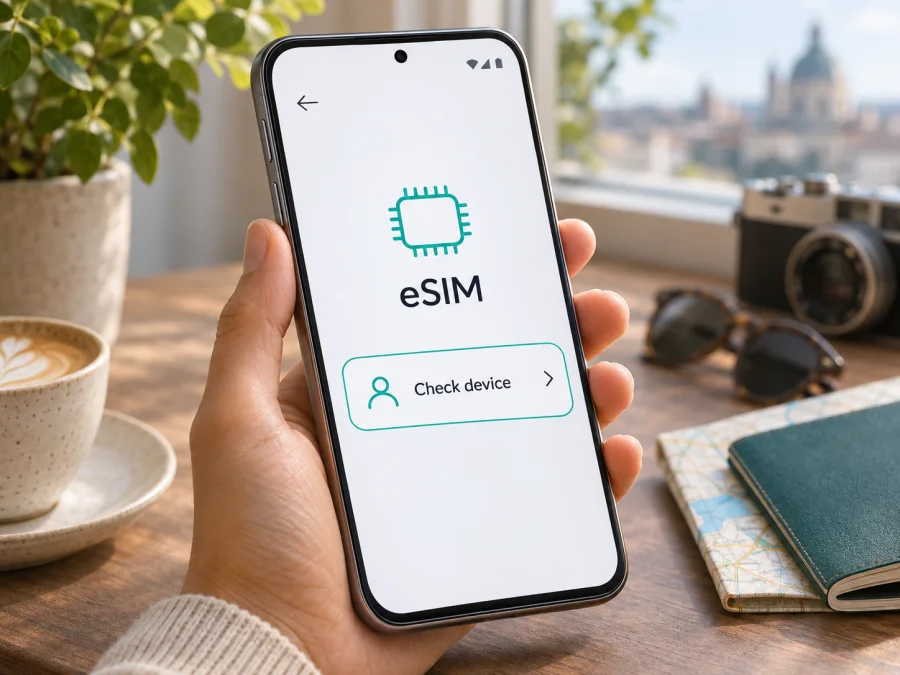
Xiaomi 14 Pro 128GB eSIM: compatibility and setup guide
If you are checking whether a Xiaomi 14 Pro 128GB can use a travel eSIM, do not assume that it can. Xiaomi’s public information does not confirm eSIM support for this exact name and storage configuration. The official China store listings reviewed for this guide show Xiaomi 14 Pro storage options of 12GB+256GB, 16GB+512GB, and 16GB+1TB; they do not show a 128GB version. Xiaomi’s eSIM guidance also says availability depends on the device model, country or region, and carrier. That means the label “Xiaomi 14 Pro 128GB” is not enough to establish compatibility.
The practical answer is: treat eSIM support as unverified until your individual phone shows an EID and an eSIM setup option, and the seller or Xiaomi confirms that the device’s regional model supports the eSIM service you plan to use. A storage label, a similar Xiaomi model name, or an eSIM feature on another regional variant is not proof. If the checks below fail, a travel eSIM profile cannot be installed on that phone; use a compatible device or another connection option instead.
Quick compatibility summary
| Check | What is known for Xiaomi 14 Pro 128GB | What it means for you |
|---|---|---|
| Exact configuration | The name includes 128GB, but the official Xiaomi China listings reviewed show different storage configurations. | Confirm the full model number and actual storage with the seller. Do not assume the listing describes an official Xiaomi SKU. |
| eSIM support | No official Xiaomi material reviewed confirms eSIM for the exact “Xiaomi 14 Pro 128GB” configuration. | Compatibility is unverified. Check the phone itself and obtain confirmation for the precise regional model. |
| Region and carrier | Xiaomi states that eSIM availability can vary by country or region and carrier. | A feature listed for a Xiaomi phone in another market may not apply to your handset or travel plan. |
| EID and add-eSIM controls | These are device-level indicators you can check in settings. | Their presence is useful evidence, but still confirm that the device is unlocked and the plan supports it. |
| Travel data | A travel eSIM is useful only after the profile can be installed and the destination plan is confirmed. | Check before purchasing; do not buy a plan on the assumption that the 128GB label guarantees compatibility. |
What the model name does—and does not—tell you
“Xiaomi 14 Pro” identifies a phone family, while “128GB” is presented as its storage variant. The official Xiaomi China storefront reviewed for this guide lists 12GB+256GB, 16GB+512GB, and 16GB+1TB options, not a 128GB configuration. The task name could reflect a seller description, a typo, or a configuration not publicly confirmed by Xiaomi; available information does not settle which. Confirm the device’s model code and actual storage with the seller.
Regional version, hardware, software, and carrier support can affect eSIM availability. A recent Android phone or a two-position SIM tray is not proof of eSIM capability. A firmware update may change menus or carrier settings, but should not be assumed to add missing hardware. Imported or modified devices may behave differently from local models.
Do not transfer specifications from Xiaomi 14, Xiaomi 14T, Xiaomi 14T Pro, or another related name to Xiaomi 14 Pro 128GB. Xiaomi’s international Xiaomi 14 page, for example, describes a nano-SIM plus eSIM configuration; that is evidence about Xiaomi 14 only. Xiaomi also says eSIM availability can depend on country or region and carrier, so a compatible device may still be restricted by a particular operator or plan. Check the exact phone and the destination plan separately.
How to check your exact phone before buying
Use more than one check. Menu labels can differ with HyperOS version, language, region, and carrier configuration, so follow the closest matching path rather than relying on one exact wording.
- Find the full model identifier. Open Settings → About phone and note the model name, model number, HyperOS version, and region information shown there. Compare these details with the seller’s invoice or product page. Ask the seller to confirm the manufacturer model code and sales region in writing if the listing says “128GB.”
- Look for an EID. Open the phone app and enter
*#06#if your device supports that information screen. Look for a field labelled EID alongside identifiers such as IMEI. You can also check Settings → About phone → Detailed info and specs → Status or the SIM-related settings, where supported. Do not share the EID publicly; it is a device identifier. - Look for eSIM management. Open Settings → SIM cards & mobile networks or Settings → Mobile networks. Check for Manage eSIM, Add eSIM, Add mobile plan, or a similar option. The exact menu name may vary. A visible option is a good sign, but continue to the next checks before purchasing.
- Check the installed software. Install official system updates offered for the phone, restart it, and look for the eSIM option again. Do not unlock the bootloader or install unofficial firmware just to try to expose an eSIM menu; modified software can create security, support, and network problems and may still not add the required capability.
- Ask Xiaomi or the seller about the precise variant. Provide the complete model number, country or region of sale, and software version. Ask whether this particular unit supports downloading a third-party travel eSIM, not only whether another Xiaomi 14-series model supports eSIM.
- Confirm the plan and lock status. Ask your home operator or seller whether the phone is carrier-unlocked. Then check that the intended travel eSIM plan supports your destination and can be installed on this device. A device may be eSIM-capable but still blocked from use with another provider.
A missing EID and missing eSIM menu are strong reasons to stop and seek confirmation before purchasing a plan. A displayed EID or menu does not by itself prove that every carrier profile will work. If a seller cannot verify the exact phone, use the compatibility checker for the exact model number and region before you proceed. Check your device’s compatibility.
Compatibility checklist
Before checkout, make sure you can answer “yes” to each applicable point:
- [ ] I have the complete model number, not only the name “Xiaomi 14 Pro 128GB.”
- [ ] The seller or manufacturer confirms eSIM capability for that exact regional device.
- [ ] The phone displays an EID and an option to add or manage an eSIM.
- [ ] The device is not carrier-locked in a way that prevents another eSIM from activating.
- [ ] The phone is running supported official software and has a working internet connection for setup.
- [ ] The eSIM plan covers my destination and its conditions fit my trip.
- [ ] I understand whether activation begins during installation, at first network connection, or on another schedule stated by the plan.
If you cannot confirm the first three items, pause before checkout. A standard eSIM QR code cannot turn a phone without eSIM support into an eSIM-capable phone. If the exact configuration is not compatible, consider using a separate compatible phone, a travel router that accepts the plan, or a local physical SIM where available and suitable.
Installing an eSIM if your phone confirms support
Continue only if the phone has an EID and an eSIM add/manage option, is unlocked, and the provider confirms the plan is suitable. You need a reliable internet connection, the QR code or manual activation details, and enough battery to finish. Display the QR code on another screen or print it; the phone generally cannot scan a code shown only on itself.
Menu names vary by Android version, region, and software. The following are common labels, not a promise that they appear on every Xiaomi 14 Pro 128GB. See the Android eSIM installation instructions for more detail. The iOS installation instructions are for iPhone, not this Android phone.
- Prepare the profile. Open your Kaspersky eSIM Store profile or app, retrieve the correct QR code, and read the plan’s activation timing.
- Connect to Wi-Fi. Keep a stable connection while the phone downloads the profile.
- Open SIM settings. Go to Settings → SIM cards & mobile networks or the closest mobile-network menu. Choose Manage eSIM or Add eSIM only if present.
- Add the profile. Scan the QR code or enter manual details supplied for this plan. Review the confirmation prompt.
- Wait for installation. Let the phone save the profile. Rename it if the phone offers that option.
- Choose when to use it. Before departure, keep it inactive or unselected for data only if the plan rules allow. Activation may begin at installation, first network connection, or a scheduled time; check the plan.
- Select mobile data. When ready, choose the travel eSIM as the data line. Keep your regular SIM on only if needed, and review its roaming settings to avoid unexpected home-operator charges.
- Set roaming or APN if needed. Enable data roaming for the travel profile only if the plan requires it. Most devices set the APN automatically; if instructions provide one, enter it exactly and save it.
- Wait for registration. After arrival, allow a few minutes for the phone to register on a local network, then test a webpage.
If Add eSIM is missing, stop and return to the EID and exact-model checks. Repeatedly scanning the same QR code will not make an incompatible phone support eSIM.
Using a travel eSIM for mobile data
When compatibility has been confirmed, a travel eSIM can provide mobile data in a selected destination without replacing the physical SIM in the phone. Kaspersky eSIM Store is an app and website where you can choose, arrange, and activate an eSIM with a plan for mobile internet on an international trip. The service does not operate a mobile network. Check the plan details for destination, data allowance, validity period, activation rules, and any fair-use conditions before you select it.
A practical setup is to keep your usual number on its physical SIM for calls or messages that depend on that number, and select the travel eSIM for mobile data when you reach the destination. The exact dual-SIM behavior depends on the phone and the enabled profiles. If your plan is data-only, it does not provide a regular phone number, voice calls, or SMS unless its terms explicitly say otherwise. Internet calling and messaging apps can use the data connection, subject to their own account and service requirements.
Think through the first hour of the trip before you leave:
- At home: verify compatibility, choose a destination plan, install the profile only if the activation conditions allow it, and save the setup instructions where you can find them offline.
- At the airport: keep mobile data on your primary SIM or use Wi-Fi until you are ready to switch. Confirm which profile is selected for data before disabling any line.
- After arrival: enable the travel eSIM, select it for mobile data, and enable roaming for that profile if the plan requires it. Wait for local network registration before troubleshooting.
- During the trip: monitor remaining data and validity in your account. Use Wi-Fi for large updates if you prefer to preserve mobile data, and check whether hotspot use is permitted by the plan.
- When you return: switch mobile data back to your usual SIM and review the travel profile before deleting it. Some profiles cannot be transferred or reinstalled after removal, so follow the provider’s instructions.
The main advantage is preparation: you can review the plan’s stated conditions before travel and avoid searching for a physical SIM after landing. It is still sensible to keep a backup way to get online, such as airport Wi-Fi or another compatible device, in case the phone, plan, or local network does not connect as expected.
Common problems and what to check
There is no EID or eSIM menu
Restart once, confirm the software is official and up to date, then check the model number and sales region. If the indicators remain absent, treat the phone as not eSIM-ready unless Xiaomi confirms otherwise for that exact unit. Do not buy a plan on the assumption a QR code can add missing capability.
The QR code will not scan or the profile will not download
Display the full QR code on a second bright screen, clean the camera lens, and keep the phone connected to working Wi-Fi. If manual activation is offered, use only details for your own plan. Check whether the code has already been used or its activation window expired. Save any error message and contact the plan’s support team before deleting a profile.
The profile installed but there is no signal or data
Make sure the travel eSIM is enabled and selected for mobile data, the destination is covered, and the plan has started under its stated rules. Enable roaming for that profile if required and check any supplied APN. Toggle airplane mode briefly or restart once, then allow time for network registration. Signal bars alone do not confirm that a data plan is active.
The phone uses the wrong SIM or reports a lock
Check the default mobile-data line and turn off automatic data switching if you want to avoid switching to your home SIM. Review roaming for each profile separately. If activation reports an incompatibility or lock, verify the model number and carrier-lock status with the seller or original operator; an imported device may differ from a local version.
Frequently asked questions
Does Xiaomi 14 Pro 128GB support eSIM?
The exact configuration is unverified. Xiaomi’s official material reviewed for this guide does not confirm eSIM support for “Xiaomi 14 Pro 128GB,” and the official China store listings reviewed show other storage options. Check the phone’s EID and eSIM settings, then confirm the exact model number and region with Xiaomi or the seller before buying a plan.
Is Xiaomi 14 Pro the same as Xiaomi 14 for eSIM purposes?
No. They are separate model names. Xiaomi’s international Xiaomi 14 information cannot be used as proof that Xiaomi 14 Pro 128GB supports eSIM. Verify the precise device and regional version.
If I see an EID, can I install any travel eSIM?
Not necessarily. An EID indicates an eSIM identity is present, but the phone may still be locked, restricted by regional software, or unsupported by a particular service. Confirm the exact device, carrier status, destination, and plan requirements.
Can I use the travel eSIM and my physical SIM together?
Possibly, if the device supports the needed dual-SIM configuration and both lines are enabled. Select the travel profile for mobile data and check which line handles calls and messages. The available combinations depend on the phone and region.
Does a travel eSIM include a phone number?
Usually the travel plans described in Kaspersky eSIM Store are for mobile data. Do not expect ordinary voice calls or SMS unless the selected plan explicitly includes them. Messaging and internet calls may work through apps over data.
Can I install a profile before travelling?
Often, but activation rules vary. Read the plan details before installation because some profiles or plans may start under different conditions. If you want to wait until arrival, follow the provider’s guidance for keeping the profile inactive and selecting it later.
What if Xiaomi confirms the phone does not support eSIM?
Use a different compatible device, a suitable travel router, or a local physical SIM where available. A plan QR code cannot add eSIM hardware to a phone that lacks it.
Before you choose a plan
For Xiaomi 14 Pro 128GB, the safe next step is a device check, not a purchase assumption. Confirm the exact model number, look for an EID and an eSIM management option, and ask Xiaomi or the seller to verify support for that regional version. If one of those checks is uncertain, use a compatible device or another data option for the trip.
Once compatibility is clear, compare the destination, data allowance, validity, activation timing, and any restrictions shown for the plan. Kaspersky eSIM Store’s website is a place to browse current travel eSIM options; the available plans and conditions depend on the destination and can change. Browse the Kaspersky eSIM Store to check current options for your trip, and complete the compatibility check before arranging a plan.


