Travel connectivity guide
Xiaomi 14 Pro 512GB eSIM: Compatibility & Setup
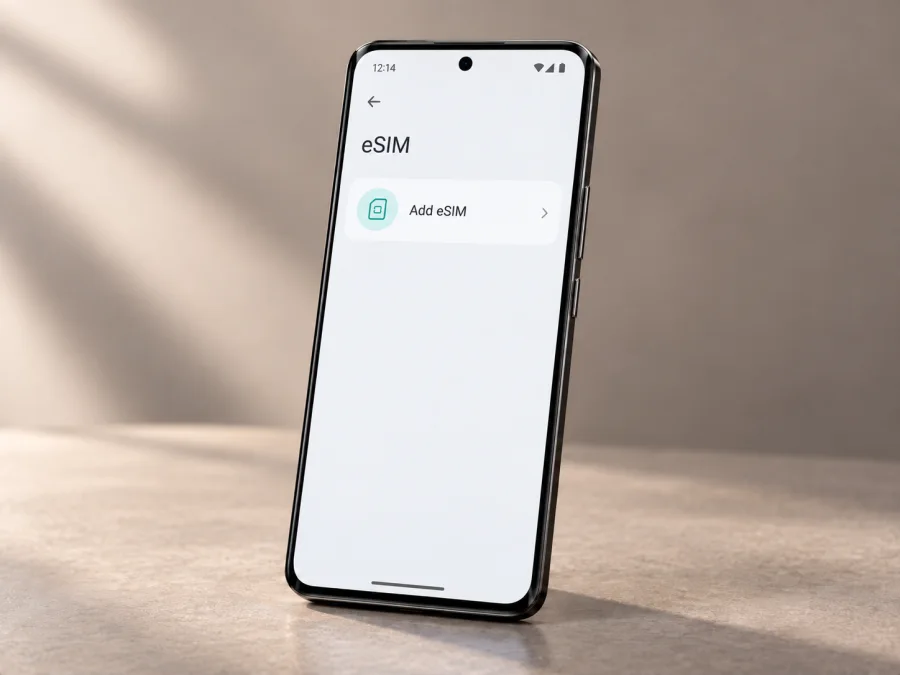
Xiaomi 14 Pro 512GB eSIM compatibility and setup
Quick answer
The Xiaomi 14 Pro 512GB should be treated as not eSIM-compatible. This exact storage variant belongs to the China-market Xiaomi 14 Pro range. Xiaomi’s China product listing identifies the Xiaomi 14 Pro, while Xiaomi’s eSIM setup guidance says its steps apply only to phones that support eSIM. A storage size such as 512GB does not add an eSIM component or change the phone’s SIM hardware.
Before relying on that conclusion for a particular handset, confirm its model number and check the phone itself. Imported devices, seller descriptions, converted firmware, and model-name confusion can make listings misleading. If Settings has no eSIM controls and the device has no EID, a travel eSIM profile cannot be installed on it through ordinary settings. Do not buy a data plan on the assumption that a software update or QR code will add missing eSIM hardware.
| Item | What to know about Xiaomi 14 Pro 512GB |
|---|---|
| Device variant | Xiaomi 14 Pro 512GB |
| Market context | China-market Xiaomi 14 Pro; check the exact model number on the handset and box |
| Storage | 512GB internal storage; storage capacity does not determine eSIM capability |
| eSIM verdict | Treat as unsupported unless the exact handset itself shows an EID and eSIM controls |
| Physical SIM | The China-market device is commonly specified with two physical nano-SIM positions; inspect the tray and official model information for your unit |
| Travel data | A travel eSIM plan requires an eSIM-capable phone and an unlocked device |
| Final check | Look for an EID and an “Add eSIM” or equivalent option before purchasing a plan |
Why the market version matters
The name on a product page may not identify the phone’s radio hardware, firmware region, or supported carrier features. Xiaomi 14, Xiaomi 14 Pro, Xiaomi 14 Ultra, and later T-series devices are separate models. Their eSIM specifications cannot be transferred from one to another just because their names look similar or they share a software family. In particular, Xiaomi’s global eSIM help pages explain how to add a profile on supported phones; they do not establish support for every Xiaomi model.
The Xiaomi 14 Pro was sold as a China-market model rather than as a standard global Xiaomi 14 Pro release. A seller may describe an imported handset using a regional ROM, a translated product title, or the shorter “Xiaomi 14” family name. None of those labels is proof of eSIM capability. The manufacturer’s region-specific product parameters and the device’s own identity matter more than a marketplace title. As of September 2026, Xiaomi’s global instructions still describe the eSIM path conditionally: it appears only on phones that support the feature.
A 512GB option refers to flash storage for apps, photos, and files. It is not a cellular variant. If a seller advertises “Xiaomi 14 Pro 512GB eSIM,” ask for the exact model number and an unedited view of Settings showing the EID screen or eSIM management menu. A screenshot of another phone, a generic eSIM QR code, or the presence of two IMEI numbers is not enough. Dual physical SIM phones can have two IMEIs and still have no eSIM.
Check compatibility on the phone
<a id="kesim-device-compatibility"></a>
Use the handset in your possession rather than a model family name or online compatibility list. Menu wording can vary with the Android version, HyperOS build, language, and region, so use Settings search if a path differs.
- Open Settings and search for EID. If the phone supports eSIM, an EID (Embedded Identity Document number) may appear in device status or SIM management details. Do not post the full number publicly; it is a device identifier.
- Open Settings → SIM cards & mobile networks or the closest equivalent. Look for Use eSIM, Manage eSIM, Add eSIM, Add mobile plan, or an option to scan a carrier activation QR code.
- If an eSIM control exists, open it only far enough to confirm that the phone offers profile management. You do not need to scan a code to perform this check.
- Check About phone for the full model number and software region. Compare that identifier with the manufacturer’s product information for the market where the handset was sold.
- Ask the original carrier whether the phone is network-unlocked. An eSIM-capable phone can still reject a plan if it is carrier-locked or the carrier restricts eSIM use.
If both the EID search and eSIM menu are absent, consider the Xiaomi 14 Pro 512GB incompatible. Restart the phone, install available official system updates, and check again once. An update can change menus or enable a feature on hardware designed for it, but it cannot reliably add an eSIM component that the model does not contain. If the menu remains absent, do not keep trying QR codes: contact the seller or Xiaomi support with the model number and request confirmation for that exact unit.
Before choosing a travel package, check this phone’s compatibility and confirm the result on your own handset. In short, for this named 512GB China-market variant, plan on using a physical SIM unless the device itself provides an EID and eSIM management options.
Installing and activating an eSIM on a supported Xiaomi phone
The steps below describe the general Xiaomi flow for a supported model. They are not a method for enabling eSIM on a Xiaomi 14 Pro 512GB that lacks eSIM hardware. If your exact handset does not show an EID and eSIM settings, stop here and use a compatible device instead.
For additional walkthroughs, see the Android eSIM installation instructions and the iOS eSIM installation instructions. The iOS guide is for an iPhone; it is included for travellers setting up another device.
Before installation
- Verify eSIM capability on the phone, including EID or an eSIM management menu.
- Make sure the handset is carrier-unlocked and its software is up to date.
- Check that the plan covers the country or region on your itinerary, along with its data allowance, validity period, and activation rules.
- Keep a stable Wi-Fi connection available for downloading the profile. Install before departure if the plan’s terms and your schedule allow it.
- Keep the provider’s QR code or activation details accessible on another screen or printed page. A phone generally cannot scan a code displayed on its own screen using its camera.
- Read whether the plan’s validity starts when it is installed, when it first connects to a supported network, or at another stated time. Installation and service activation are not always the same event.
General Xiaomi installation steps
- Connect to Wi-Fi and open Settings.
- Select SIM cards & mobile networks or Mobile networks. The exact label can differ by software version.
- Turn on Use eSIM if the option is shown, then open Manage eSIM.
- Choose Add eSIM, Add mobile plan, or a similarly named action.
- Scan the QR code supplied for your plan, or enter the activation details manually if the plan instructions offer that option.
- Follow the prompts until the profile appears in SIM management. Keep the confirmation screen until you know the profile was added successfully.
- Label the line something recognisable, such as “Travel data,” so it is easy to distinguish from your usual SIM.
- Before departure, check the provider’s instructions about when to turn on the line, data roaming, and mobile data selection. Avoid deleting the profile to troubleshoot unless the provider confirms it can be installed again.
On Xiaomi models where eSIM shares a resource with the second physical SIM position, using one may require disabling the other. Follow the exact on-screen explanation for your model. Do not assume that two physical SIMs and an eSIM can all remain active together. Xiaomi notes that the number of stored profiles and the number that can be active at once depend on the model and available resources.
Activation after installation
After the profile is added, follow the plan’s activation instructions. Some plans become usable at installation; others start when the phone first connects in a covered destination. Choose the travel profile for mobile data and check the signal and network name. Do not delete a profile just because the data line is turned off; switching a line off is different from removing its credentials.
Using a travel eSIM on a trip
A travel eSIM can be convenient when an unlocked phone is compatible and a plan matches the itinerary. A traveller might install a regional data profile over Wi-Fi before departure, leave it off until landing, then select it for mobile data. For a multi-country itinerary, check whether one plan covers all destinations or whether separate packages are needed. Kaspersky eSIM Store is an app and website where travellers can choose, arrange, and activate an eSIM with a mobile-data plan for an overseas trip. Check your phone’s compatibility first, then compare the destination, allowance, validity, and conditions shown for a plan. Availability and actual mobile service depend on the device, plan terms, and networks at the destination.
Troubleshooting checklist
The phone has no “Add eSIM” option
Search Settings for EID and eSIM. Confirm the complete model number and market version, then check for official firmware updates. If there is still no EID or eSIM menu, the issue is likely model capability, not a QR-code fault. For Xiaomi 14 Pro 512GB, treat the device as unsupported unless those controls are demonstrably present.
A QR code will not scan
Use Wi-Fi, clean the camera lens, and display the full QR code on another screen at adequate brightness. If offered, use manual activation details. Ask the plan provider whether the code has expired or was already used before deleting a profile or requesting a replacement.
The profile is installed but there is no data
Check that the travel profile is on and selected for mobile data, the destination is covered, and the plan’s validity has started. Enable data roaming on that profile if the provider requires it. Restart the phone or briefly toggle airplane mode; if the problem remains, contact the plan provider with the device model and network name.
The phone shows signal but apps cannot connect
Check data allowance, mobile data selection, and any APN instructions from the provider. Do not guess an APN. Turn off data roaming on your usual SIM if you want to avoid using its allowance.
The new plan is rejected
Confirm the phone is carrier-unlocked and that the exact model is supported by the plan. A carrier lock or regional restriction cannot be resolved by rescanning the same QR code. Contact the original carrier or plan provider for the relevant restriction.
FAQ
Does Xiaomi 14 Pro 512GB support eSIM?
Treat this exact China-market variant as not eSIM-compatible. Xiaomi’s general eSIM instructions are conditional on the phone model supporting eSIM. Verify the EID and eSIM settings on the handset before buying a plan; storage capacity does not change this conclusion.
Could a system update add eSIM?
An update can alter software features on hardware that already supports them. It should not be relied on to add missing eSIM hardware or to convert the China-market Xiaomi 14 Pro into a different regional model. If there is no EID and no eSIM menu after an official update, assume eSIM is unavailable on that unit.
Is two SIM support the same as eSIM support?
No. “Dual SIM” can mean two physical nano-SIM cards. The term alone does not establish that the second line is an eSIM. Check the exact model information and the device’s own eSIM controls.
Can the phone use a travel data eSIM without a phone number?
Only if it supports eSIM and is unlocked. Many travel packages are intended for mobile data and do not include conventional voice calls or SMS. Messaging and internet calls may work through apps over data.
What if the seller says this 512GB unit supports eSIM?
Ask for the model number and a live demonstration of the EID page and eSIM management option on the actual device. Verify with Xiaomi or the original seller before paying. Do not rely only on a product title, a generic compatibility list, two IMEI numbers, or a screenshot from a different handset.
Summary
Xiaomi 14 Pro 512GB refers to a storage configuration, not a special eSIM edition. Because this is the China-market Xiaomi 14 Pro and Xiaomi’s setup guidance applies only to compatible models, the safe verdict is eSIM unsupported unless the actual phone proves otherwise. Check the model number, EID, eSIM settings, and carrier lock before purchasing a travel plan. If any essential check fails, use a physical SIM or a separate eSIM-capable unlocked device.
Check your device and choose a trip eSIM
Before selecting an eSIM plan, confirm that the phone has an EID and an Add eSIM control, and verify that it is unlocked. For Xiaomi 14 Pro 512GB, do not assume support from its storage capacity or the broader Xiaomi name. Kaspersky eSIM Store’s app and website let you choose, arrange, and activate an eSIM plan for mobile data on an overseas trip. Complete the compatibility check before purchase so you know which device will connect when you arrive.


