Travel connectivity guide
Xiaomi 14 Pro 8GB RAM eSIM: Compatibility Guide
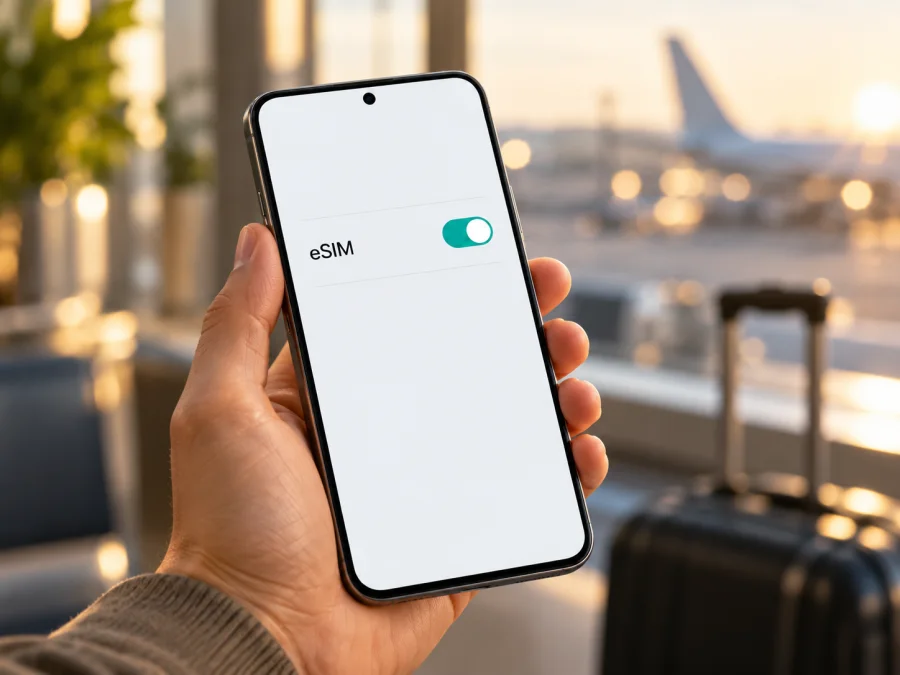
Xiaomi 14 Pro 8GB RAM eSIM: compatibility and setup guide
If you are checking whether Xiaomi 14 Pro 8GB RAM can use an eSIM, the safest answer is: support for this exact configuration is unverified, so do not assume it is compatible. Xiaomi’s official China store currently lists Xiaomi 14 Pro memory options starting at 12GB of RAM. The official information I could confirm does not identify an 8GB RAM configuration or confirm eSIM support for it. Xiaomi announced the Xiaomi 14 series in mainland China; a phone described as “8GB RAM” may be a reseller’s nonstandard listing, a misidentified device, or a different model. Confirm the physical phone’s full model code before buying a plan.
An eSIM depends on hardware and software in a specific device variant. An app, QR code, region setting, or firmware update cannot add eSIM hardware to a phone that does not have it. An EID and an eSIM setup menu are useful things to check, but they do not replace SKU-level confirmation from Xiaomi and the plan provider. If neither appears, treat the phone as incompatible unless Xiaomi confirms otherwise for its exact model and software.
Xiaomi 14 Pro 8GB RAM at a glance
| Check | Verified information | Practical meaning |
|---|---|---|
| Exact requested variant | Xiaomi 14 Pro 8GB RAM | Keep it separate from Xiaomi 14, other Xiaomi 14 Pro memory options, and Xiaomi 14T Pro. |
| Official memory options | Xiaomi’s current China store lists configurations starting at 12GB RAM. | Verify any 8GB RAM listing directly with the seller and Xiaomi. |
| Market context | Xiaomi identifies the Xiaomi 14 series launch as a mainland China launch. | An imported handset may still be a China-market unit with different firmware or network configuration. |
| eSIM for this exact configuration | Not confirmed in the official material checked for this guide. | Do not pay for an eSIM plan on the model name alone. |
| First checks | Model code, EID, eSIM menu, software region, and carrier lock. | Check each item before purchase. |
Does Xiaomi 14 Pro 8GB RAM support eSIM?
There is not enough official evidence to answer “yes” for Xiaomi 14 Pro 8GB RAM as written. Xiaomi’s generic eSIM setup instructions apply only to phones that support eSIM. The official Xiaomi 14 Pro material available for the China-market model does not confirm eSIM for this exact 8GB RAM configuration, and the current official configuration list does not show 8GB RAM.
Treat this exact variant as not confirmed compatible until the handset itself shows the relevant identifiers and Xiaomi or the seller confirms its complete SKU. A missing confirmation does not prove every handset called Xiaomi 14 Pro is unable to support eSIM, but prepare for the possibility that this phone accepts physical SIM cards only.
Why the 8GB RAM detail matters
RAM and storage are different. A configuration such as “12GB + 256GB” means RAM plus internal storage. Some Android phones also offer virtual memory by reserving storage, but this does not establish that Xiaomi sold a factory 8GB RAM Xiaomi 14 Pro. Ask the seller to show the About phone screen and box label, then compare the complete model code with Xiaomi’s records.
Do not infer eSIM from 5G, a flagship processor, “dual SIM,” or the ability to save several profiles. Dual SIM can mean two physical nano-SIM cards. eSIM requires an embedded component and software support.
Regional and operator differences
Xiaomi’s corporate material places the Xiaomi 14 series launch in mainland China. It does not establish that phones sold elsewhere have identical hardware, firmware, or network support. A seller can ship a China-market phone to another country, change its language, or describe it as international. Ask for the model code and original sales region, and check whether the firmware is official for that model. A modified ROM is not a reliable way to add eSIM and can complicate support.
Operator and plan compatibility is a separate check. Even an eSIM-capable, unlocked phone must be accepted by the provider and support the relevant network in the destination. Country rules, local partner networks, radio bands, activation methods, and the operator lock can affect whether service works. A general Xiaomi compatibility list is not confirmation for this exact variant, and an eSIM menu does not guarantee that a particular plan will activate.
Compatibility checklist: inspect your own phone
Menu wording may differ by HyperOS version, language, and region. Use Settings search when a label is not where expected.
- [ ] Record the model code. Open Settings → About phone and note the model number, not just the marketing name. Compare it with the box label and purchase details.
- [ ] Check RAM and storage separately. Ask the seller to explain the 8GB RAM claim if it differs from Xiaomi’s published options. Do not mistake virtual memory for a different factory SKU.
- [ ] Search for “EID.” Try Settings → About phone → Detailed information and specs, SIM status, or Settings search. Some versions place identifiers in different status screens.
- [ ] Search for eSIM controls. Look for Use eSIM, Manage eSIM, Add eSIM, or Add mobile plan under SIM cards & mobile networks or Mobile networks.
- [ ] Inspect the SIM tray carefully. Two nano-SIM slots indicate physical SIM support; they do not confirm eSIM. Eject the tray only through its proper pinhole.
- [ ] Note the software build and region. Check the HyperOS version and whether the software is official for the model. An official update can be installed normally, but do not unlock or flash the phone just to try to reveal eSIM settings.
- [ ] Confirm the phone is unlocked. Ask the original operator or seller whether another provider’s profile can be used.
- [ ] Get written confirmation for the exact SKU. Give Xiaomi or the seller the full model code, software version, and “8GB RAM” listing detail.
An EID is an identifier associated with embedded SIM hardware. If it is visible, keep it private and share it only with official support or the provider when needed. Its presence is a strong clue, but confirm that eSIM can be enabled on this phone and that the intended provider accepts it. If you cannot find an EID, check Settings search and the detailed status pages before drawing a conclusion. If both the EID and eSIM controls remain absent, treat the phone as incompatible until Xiaomi confirms otherwise.
If the checks support compatibility, check your device compatibility before you choose a plan. If anything is uncertain, pause the purchase and ask Xiaomi or the seller. A QR code cannot bypass a missing eSIM component, an unsupported model, or an operator lock.
Prepare before installation
Continue only after the handset shows eSIM controls or Xiaomi confirms support for the exact model code. You will need a stable internet connection, usually Wi-Fi, while the profile downloads. Keep the activation details available and review the plan’s destination, data allowance, validity period, activation timing, and supported setup method.
Kaspersky eSIM Store is an app and website where travelers can choose, arrange, and activate an eSIM with a mobile-data plan for an overseas trip. The terms of the selected plan determine where it works, the included data, and its validity. A mobile-data eSIM does not automatically add a regular phone number, voice calls, or SMS. You can keep your usual SIM for calls and messages if the phone supports that arrangement and you want to use it.
How to install an eSIM on a compatible Xiaomi phone
The steps use Xiaomi’s general setup path for supported phones; labels can differ across HyperOS releases. If no eSIM option appears, stop and return to the compatibility check. See the Android eSIM installation instructions for an Android walkthrough. The iOS eSIM installation instructions apply to Apple devices.
Before you begin
- Confirm compatibility. Check the model code, EID, eSIM menu, and carrier lock status.
- Read the plan conditions. Make sure the destination and device are supported, and note when validity begins.
- Connect to Wi-Fi. Keep the phone online while the profile downloads.
- Keep the QR code or activation details ready. Use another screen if possible. Some codes work only once or on one device; follow the provider’s instructions.
Add the profile from Settings
- Open Settings. Choose SIM cards & mobile networks or Mobile networks.
- Enable eSIM. Tap Use eSIM if available and confirm the prompt. If the option is missing, stop and check the exact model with Xiaomi.
- Choose Add eSIM or Manage eSIM. Keep Wi-Fi connected.
- Scan the QR code. Hold it inside the frame. If the provider offers manual setup, enter the supplied activation information exactly.
- Review the profile. Give it a recognizable label such as “Travel data.” Keep your regular SIM profile intact.
- Confirm the download. Follow the screen prompts and allow a few minutes for installation.
- Choose when to turn it on. You may be able to install before departure and leave the travel profile off until needed. Check whether validity starts at purchase, installation, or first network connection.
- Select the data line. When ready, choose the travel eSIM for mobile data. Check which SIM is selected for calls and texts.
- Enable roaming only if required. If the plan needs data roaming, turn it on for the travel eSIM alone. Avoid enabling it on your home SIM unless you intend to use your home operator’s roaming service.
- Wait for registration. After arrival, allow a few minutes to connect. If there is no service, use the checks below and confirm the plan’s activation status.
Do not delete an eSIM profile as a troubleshooting experiment. Xiaomi notes that removing a profile deletes it from the phone; the provider may need to reissue it. Switching the profile off is usually a safer first step. Check the provider’s reinstallation policy before erasing anything.
Use the eSIM for mobile data on a trip
Once installed, select the travel profile for mobile data. A dual-SIM phone may let you use different lines for data, calls, and texts, but behavior depends on the handset and software. Confirm that the data line is correct, then test with Wi-Fi off after the phone registers on a supported network. If the plan requires roaming, enable it for that eSIM and check the setting again after changing lines.
Maps, messaging, bookings, and translation are common uses. Video meetings, photo uploads, cloud backups, and streaming can consume data quickly, so review automatic updates and backups and use Wi-Fi for large downloads. Match the allowance and validity to your trip.
For a short city break, estimate how much data you need for navigation and messages. For a longer stay or a work trip with video calls, allow for heavier usage and compare the plan’s data limit with the number of travel days. For a multi-country route, check every country and transit stop; a country-specific plan may not cover a nearby destination or a ferry route. Reception and speed depend on local partner networks, network bands, congestion, and location.
Install over reliable Wi-Fi if allowed, but do not activate early if validity begins on first connection. Save setup and support details offline, and check that the profile is present before departure.
Kaspersky eSIM Store’s English home page is a general starting point for browsing current destinations and plan conditions. It is not a specific country tariff or confirmation that a plan supports Xiaomi 14 Pro 8GB RAM. Check device compatibility and the plan terms before arranging a plan.
Common problems and checks
“Add eSIM” is missing
Search Settings for “eSIM” and “EID,” then check SIM cards & mobile networks, Mobile networks, and detailed status information. Confirm the model code and software region with Xiaomi. If there is still no EID or eSIM control, treat the phone as incompatible unless Xiaomi confirms otherwise. Changing the language or region does not add eSIM hardware.
The QR code is not recognized
Make the displayed code brighter, clean the camera lens, and ensure the full code is visible. If it is on the Xiaomi itself, use a provider-approved gallery or manual-entry method if offered. Check that the code is for this plan and has not already been used. Do not share it publicly because it may contain activation credentials.
The profile will not download
Check Wi-Fi, restart the phone, and retry only if permitted by the provider. Confirm date and time are automatic and that stored-profile limits have not been reached. A locked or unsupported phone may prevent activation. Record the error and contact the provider or Xiaomi before deleting profiles or resetting settings.
The profile is installed but there is no data
Check that the profile is on and selected for mobile data, the plan is active, and the location is included. Enable data roaming on the travel eSIM if required. Toggle airplane mode once and wait for network registration. If signal appears without data, briefly turn off Wi-Fi and check plan validity and remaining data.
The home SIM is roaming, or the profile was deleted
Check the default data SIM and roaming setting for each line. Disable data roaming on the home SIM if you want to avoid its roaming charges. If you deleted the travel profile, do not assume the QR code is reusable; ask the provider about reinstallation. Switching a profile off is safer than deleting it. A network or factory reset can remove profiles and settings, so do it only with clear guidance and a backup plan.
Practical travel scenarios
- Weekend in one country: Check coverage and validity for the whole trip. Install over Wi-Fi if allowed, then select the travel profile for data after arrival.
- Work trip while keeping your usual number: If the handset supports both lines, you may be able to keep your home SIM for calls and use the travel eSIM for data. Test the line settings before leaving and check roaming charges with your home operator.
- Several countries: Confirm each destination and stopover individually. Check the plan’s regional coverage and whether data roaming must be enabled on the travel profile.
- Uncertain marketplace listing: If the seller cannot show the model code, EID, or eSIM settings, do not buy a plan first. Request screenshots and verify them with Xiaomi. If compatibility cannot be established, arrange a compatible device or another verified travel-data option.
Frequently asked questions
Is Xiaomi 14 Pro 8GB RAM eSIM compatible?
It is unverified. Xiaomi’s current official China store list does not show an 8GB RAM option, and I found no official eSIM confirmation for this exact configuration. Check the handset’s model code, EID, and eSIM menu, then ask Xiaomi to confirm the SKU.
Does 5G or dual SIM mean eSIM works?
No. 5G and physical dual-SIM support do not confirm an embedded SIM. Look for an EID and eSIM controls, then confirm the phone and plan.
Can I install before travelling, and will it include calls?
Installation before departure is often possible if Wi-Fi is available and the plan allows it. Check when validity starts. A data eSIM does not include a regular number, calls, or SMS unless the plan expressly says so.
What if there is no EID or eSIM option?
Treat the phone as incompatible until Xiaomi confirms otherwise for its full model code and software. A QR code cannot add missing eSIM capability.
Before you choose an eSIM for your trip
For Xiaomi 14 Pro 8GB RAM, the name alone does not settle compatibility. Xiaomi’s published China-market configuration information does not verify an 8GB RAM SKU, and the eSIM guidance available does not confirm support for this exact variant. Check the full model code, search for an EID and eSIM controls, confirm the software region, and ask Xiaomi or the seller for written confirmation. If the checks remain inconclusive, treat the phone as incompatible until the question is resolved.
After compatibility is confirmed, choose a plan for the countries on your route and compare its data allowance, validity, activation conditions, and supported network. Kaspersky eSIM Store is an app and website where you can choose, arrange, and activate an eSIM mobile-data plan for an overseas trip; the plan’s terms determine where it can be used. Check compatibility before you arrange the plan, install over a reliable connection, and select the right data line when you travel.


