Travel connectivity guide
Xiaomi 14 Pro eSIM: Compatibility and Setup
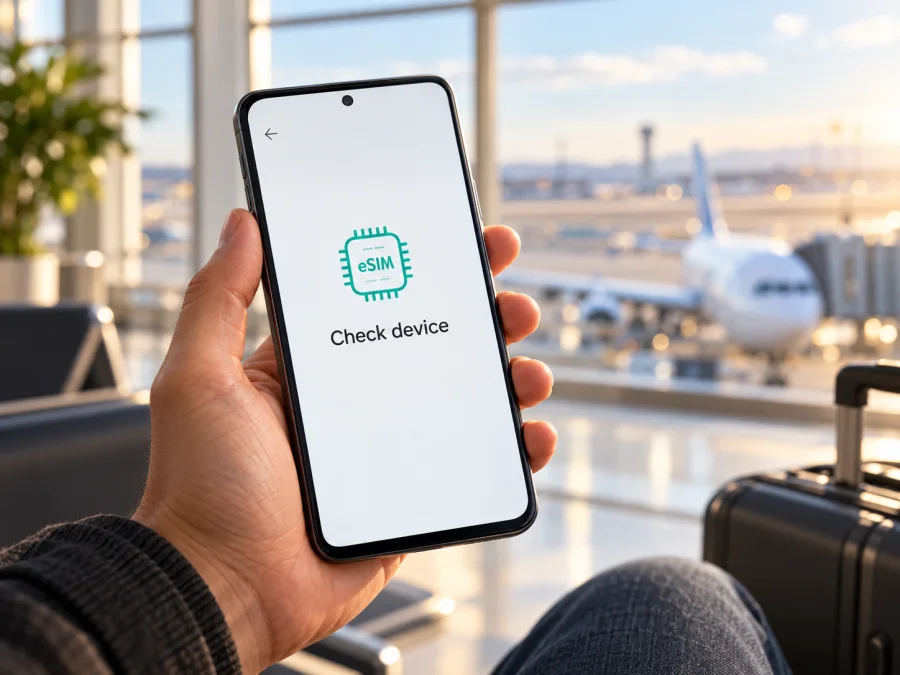
Xiaomi 14 Pro eSIM: compatibility, setup, and travel checks
Short answer: eSIM support is not confirmed for the Xiaomi 14 Pro version documented in Xiaomi’s China-market product information. Its official listing describes dual-SIM operation but does not specify eSIM. Xiaomi’s global eSIM details for the similarly named Xiaomi 14 apply to that different model and do not establish support for the Pro. Treat this Xiaomi 14 Pro as unverified for eSIM until you check the exact handset. If it has no EID and no eSIM controls in Settings, do not buy a travel eSIM for it on the assumption that a software update or different carrier will add support.
“Xiaomi 14 Pro” may appear in import listings beside Xiaomi 14 and Xiaomi 14T Pro, but these are different models. Check the name, model code, sales region, and actual settings on your handset. Dual SIM or 5G alone does not prove eSIM capability.
Does the Xiaomi 14 Pro support eSIM?
For the Xiaomi 14 Pro model covered by Xiaomi’s China-market product listing, Xiaomi does not publish an eSIM confirmation in the listing I could verify. It identifies the phone as a 5G, dual-SIM device, but does not say that either SIM position accepts an eSIM profile. Xiaomi’s official guide to eSIM activation also says that the setup path is available only on phones that support eSIM. The responsible answer is therefore not a blanket “yes”: the Xiaomi 14 Pro’s eSIM capability is unconfirmed, and you should verify the individual unit before relying on it.
| Check | What is established for Xiaomi 14 Pro | What it means for you |
|---|---|---|
| Device name | Xiaomi lists a product called Xiaomi 14 Pro in its China-market store. | Keep the “Pro” suffix when checking specifications or asking the seller. |
| SIM information | The official listing describes dual SIM and 5G; it does not state eSIM support. | Two SIMs or 5G do not by themselves confirm an eSIM radio/profile. |
| Global eSIM confirmation | Xiaomi’s global page for Xiaomi 14 describes nano-SIM and eSIM combinations for that model. | It is not proof that Xiaomi 14 Pro has the same hardware or regional configuration. |
| Region and software | The product and eSIM functions can vary by market, model code, carrier, and software. | Check the phone you have, rather than relying on a listing for another market or model. |
| Purchase decision | The exact Xiaomi 14 Pro unit remains unverified until its EID and eSIM menu are checked. | Do not purchase a plan until those checks confirm support. |
Do not confuse the model names
A Xiaomi 14 Pro, Xiaomi 14, and Xiaomi 14T Pro are separate products. Xiaomi’s global Xiaomi 14 specifications describe eSIM availability with country, region, and carrier caveats, but those details are specific to Xiaomi 14. They cannot be transferred to Xiaomi 14 Pro because the names look similar. The Xiaomi 14T Pro is another distinct model; its own regional specifications must be checked independently as well.
Xiaomi’s store documents the Xiaomi 14 Pro in China; I could not verify an official global Pro specification confirming another eSIM configuration. A seller may call an imported phone “global” or “unlocked,” but that does not prove eSIM hardware. Ask for the model code and a view of EID and eSIM settings on the exact phone.
Two conditions matter: the exact handset must support eSIM, and the provider and local network must accept it. A carrier restriction can block a supported phone; changing carriers cannot add eSIM hardware.
What to check before buying a travel eSIM
Run these checks on the Xiaomi 14 Pro itself, not on a product photo, another phone, or a seller’s general compatibility list. If buying, ask the seller to demonstrate the checks on that exact unit.
- [ ] Confirm the exact model. Open Settings and look under About phone for the model name and model number. Compare those details with the box and invoice. Keep “Xiaomi 14 Pro” in the comparison; do not accept information for Xiaomi 14 or Xiaomi 14T Pro as a substitute.
- [ ] Look for an EID. Open the Phone app and enter
*#06#. On a phone with eSIM capability, the device information may show an EID (Embedded Identity Document number), usually a long numeric identifier, alongside IMEI numbers. You can also check Settings or About phone for SIM status or device identifiers. Do not post your EID or IMEI publicly. - [ ] Look for eSIM controls. Open Settings and search for “eSIM”. Depending on the installed HyperOS version and region, the path may appear under SIM cards & mobile networks, Mobile networks, or Manage eSIM. A supported phone may show a control such as Use eSIM, Add eSIM, or Add mobile plan.
- [ ] Check for a carrier lock. Ask your home carrier or seller whether the handset is network-unlocked and whether it can accept a travel eSIM profile. A locked device may reject profiles from another provider.
- [ ] Confirm the destination and plan. If the phone passes the hardware check, make sure the selected plan covers every country or region on your itinerary. Read the included data, validity period, activation rules, and any supported-network notes before checkout.
- [ ] Keep a setup connection available. Plan to use reliable Wi-Fi or another internet connection while installing the profile, unless the provider’s supported one-tap installation method is available on your phone.
If there is no EID and no eSIM option after an official update and restart, treat the unit as incompatible unless Xiaomi or the seller verifies the exact model and region. A missing menu can reflect a regional restriction; ask Xiaomi support if the version is unclear.
How to check for EID and eSIM in more detail
Find the EID
- Open the Phone app that came with the device.
- Enter
*#06#without pressing the call button. - Review the identifiers that appear. Look specifically for a line labelled EID. It is different from the IMEI and serial number.
- If the code does not open an information panel, check Settings → About phone → Detailed info and specs or Status. Menu names may differ between software versions.
- If you still cannot find an EID, ask Xiaomi support or the seller to verify the device’s eSIM capability using its complete model number and market version.
An EID is a useful indicator, but does not guarantee that a provider, destination, or carrier will work. Check its compatibility requirements too. Do not rely on third-party apps that claim to create an EID or add eSIM.
Find the eSIM menu
Use Settings search and enter eSIM. If search returns no result, open the mobile-network or SIM settings and inspect the available controls. On Xiaomi phones that support the feature, Xiaomi’s help instructions describe enabling Use eSIM, opening Manage eSIM, and choosing Add mobile plan or an equivalent action. Labels vary by version and market. If the menu is absent, do not rely on Xiaomi 14 instructions.
Check your device before choosing a travel plan. If the model or regional software remains unclear, confirm the exact unit with Xiaomi or the seller.
Two physical SIM positions or a dual-SIM setting do not settle this question. The EID and actual eSIM menu are more useful checks.
How to install an eSIM if your unit passes the checks
Continue only after the phone shows an EID and an eSIM addition option, and after you confirm the device is unlocked and accepted by the provider. You will need the eSIM profile or QR code, a working internet connection, and the setup details for your selected plan. Many QR activation codes can be used only once, so do not scan one on a different device or delete a profile before checking the provider’s reinstallation rules.
Xiaomi 14 Pro uses Android-based HyperOS. Follow the Android flow and the labels on your version. See the Android eSIM installation instructions. The iOS installation instructions are for iPhone.
- Connect to Wi-Fi. Keep the phone online during setup.
- Open the eSIM controls. Go to Settings → SIM cards & mobile networks or search Settings for eSIM. Select Use eSIM or Manage eSIM if the option is present.
- Choose the add-plan action. Tap Add eSIM, Add mobile plan, or the closest matching option. Read any notice about SIM-slot changes.
- Add the profile. Scan the QR code provided after your purchase, or enter the activation details manually if the provider gives that option. If the code is on this phone, use manual entry or supported in-app installation.
- Wait for installation. Follow the prompts; installation may take a few minutes. Do not rescan while it is processing.
- Name the line. Label it Travel data to distinguish it from your home SIM.
- Choose what the eSIM will do. Select the travel profile for mobile data. Keep your usual SIM for calls and texts only if desired and if you understand its charges.
- Set activation timing carefully. Validity may start at installation, first network connection, or a scheduled date. Check the plan terms.
- Enable data roaming only if required. Some profiles require data roaming. Check provider instructions and enable it only for the travel line if required.
- Test the connection. At a covered destination, select the eSIM for data, enable mobile data, and test a webpage.
Kaspersky eSIM Store is an app and website for choosing, arranging, and activating an eSIM plan for mobile data on an international trip. The selected plan determines its start time, destinations, and network. The Store is not a mobile operator; these travel plans are for data and do not include a regular number, calls, or SMS unless stated in the plan.
Using a travel eSIM on a trip
If your Xiaomi 14 Pro is confirmed as eSIM-capable, install the profile over Wi-Fi before travelling if the plan allows. Label it Travel data and leave it off until needed if its activation rules permit. At your destination, select it for mobile data and confirm that the country is covered. For a multi-country trip, check every stop; a single-country plan may not include the next destination.
You may be able to keep your home SIM active for calls, texts, or verification messages while routing data through the travel eSIM. This depends on the phone and carrier. Choose the preferred line deliberately and check home roaming charges. Turn off data roaming on the home line if appropriate.
Check the preferred data SIM and automatic data switching so background use does not move to your home line. Selecting a travel eSIM does not necessarily disable roaming on another SIM. Before turning off or deleting the travel profile, review the provider’s rules; some profiles cannot be transferred or reinstalled.
A travel eSIM can support maps, transport updates, reservations, email, and messaging without swapping a physical SIM. Data-only plans do not normally provide a phone number, though internet calls and messages may work in apps. Save key tickets and addresses offline in case coverage drops or data runs out.
Compare destination coverage, data amount, duration, and activation conditions with your itinerary. Video calls, streaming, and cloud backups use more data than basic messaging. Download maps over Wi-Fi, limit background updates, and monitor remaining data. Review current plan terms when choosing.
Common problems and what to check
There is no EID or eSIM setting
Recheck the exact model number and market version in About phone. Install available official system updates, restart the phone, and search Settings again. If neither an EID nor an eSIM menu appears, do not buy a plan on the assumption that a region change, seller ROM, or future carrier setting will add the feature. Ask Xiaomi or the seller to confirm eSIM for that exact unit. If the answer is unclear, use a compatible phone or another supported way to connect while travelling.
The QR code will not scan
Increase the display brightness and scan the QR code from another screen. If needed, use provider-approved manual details or in-app installation. Confirm the code is unused and belongs to your order. Do not share it; activation codes may be one-time use.
The profile will not download
Confirm internet access and automatic date and time. Reopen Settings and check whether the profile was added despite an error. Retry only if the code can be reused. If eSIM is unavailable, recheck the EID and model. Contact the provider with the error and order details; never send passwords or publish the QR code.
The eSIM is installed but there is no service
Confirm destination coverage and activation, turn on the eSIM, select it for data, and check whether roaming is required for that line. Toggle airplane mode and restart. Use automatic network selection unless provider instructions say otherwise. Local network availability and bands vary.
The phone uses the wrong SIM for data
Choose the travel eSIM as the data line and check automatic switching. Confirm the selected line before using data-heavy apps. If both SIMs cannot stay active in your preferred arrangement, follow the phone prompts and consider your home-number and cost needs.
Data is not working even though signal bars appear
Signal bars do not prove that data is active. Check mobile data, selected profile, remaining allowance, and validity. Follow any APN or network-selection instructions for the plan; avoid changing unrelated settings.
The profile disappeared after a reset or update
Check Manage eSIM for an inactive profile. If deleted, do not assume the QR code can be reused; ask the provider about replacement or reinstallation rules. Check transfer limits before resetting the phone.
A travel plan appears to use data too early
Check the plan’s activation rule: validity may start at purchase, installation, or first connection in the destination. Disable the line before departure only if the provider says this will not affect activation. Confirm the start condition before checkout.
FAQ
Does the Xiaomi 14 Pro support eSIM?
It is not confirmed for the Xiaomi 14 Pro version described in Xiaomi’s China-market listing. The listing confirms dual-SIM operation but does not identify eSIM. Check the exact unit for an EID and an Add eSIM or similar setting before buying a plan.
Can I use Xiaomi 14 eSIM instructions on Xiaomi 14 Pro?
Not as proof of compatibility. The global Xiaomi 14 specification and its eSIM details refer to Xiaomi 14, a different model. Use the phone’s own EID and Settings menu and confirm the exact Xiaomi 14 Pro region and model code.
If my Xiaomi 14 Pro supports two SIMs, does that mean one can be an eSIM?
No. “Dual SIM” may refer to two physical SIM cards or a supported combination that varies by model and region. Check whether the exact phone has an EID and an eSIM control; do not infer eSIM support from the number of SIMs alone.
Does an EID guarantee that my travel plan will work?
No. An EID indicates eSIM capability, but carrier locks, regional restrictions, software, destination coverage, and plan requirements can still affect use. Verify the provider accepts your exact device and check plan coverage before purchase.
Can I install a travel eSIM before leaving home?
Often, yes, if the device and plan support installation before travel and you have an internet connection. Read when the plan’s validity begins. Some plans activate on installation or purchase; others activate on a later network connection or scheduled date.
Will a travel eSIM replace my regular phone number?
Usually not. Travel eSIM plans in Kaspersky eSIM Store are intended for mobile data and do not include ordinary voice calls, SMS, or a phone number unless the plan details explicitly state otherwise. You can often keep your usual SIM for calls and messages, subject to your carrier’s charges and the phone’s dual-SIM configuration.
What if my phone has no eSIM menu?
Do not buy a plan for that handset until Xiaomi, the seller, or the provider confirms support for its precise model and region. A menu may be absent because the version or software does not support eSIM. If compatibility remains uncertain, use another confirmed eSIM-compatible phone or a physical SIM option supported at your destination.
Check compatibility before choosing a travel plan
For Xiaomi 14 Pro, use the exact device rather than a general Xiaomi compatibility claim. Look for the EID, look for the eSIM controls in Settings, and confirm the model code, market version, software, and network-unlock status. Xiaomi’s global Xiaomi 14 eSIM information does not establish support for Xiaomi 14 Pro, and a dual-SIM or 5G label is not enough to make that decision.
If your unit passes those checks, compare current plan conditions with your destination and travel dates, then follow the Android installation steps and select the eSIM for mobile data only when you are ready to use it. If it does not pass, avoid buying a plan for it and consider a confirmed compatible phone or a local physical SIM alternative. Browse current options on the Kaspersky eSIM Store website. It helps you choose and activate a travel data eSIM; compatibility and network availability depend on your device and plan.


