Travel connectivity guide
Xiaomi 14T Pro 128GB eSIM Compatibility
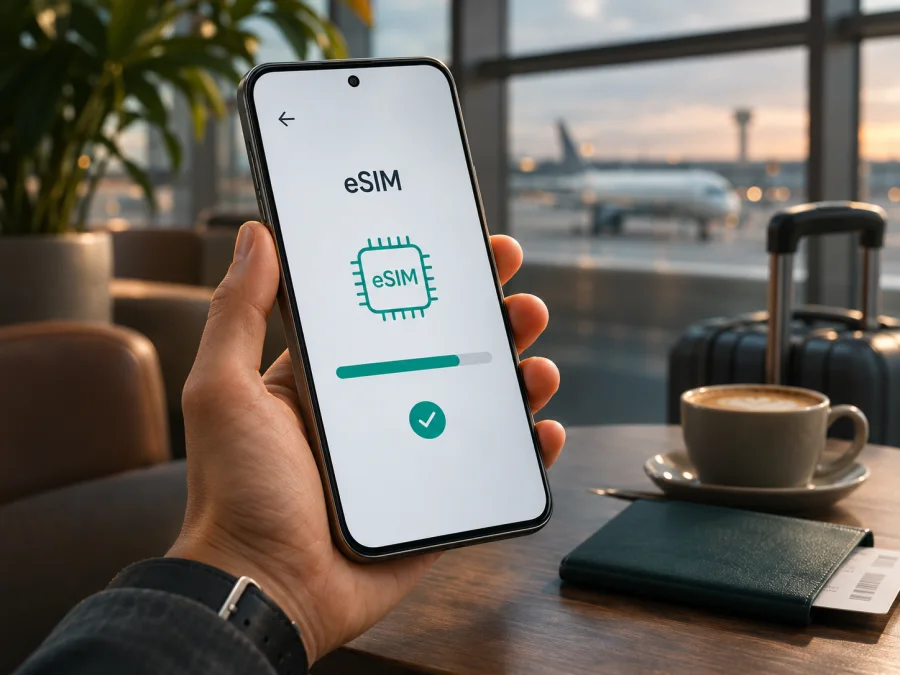
Xiaomi 14T Pro 128GB eSIM: compatibility and setup guide
Short answer: Xiaomi documents eSIM support for the Xiaomi 14T Pro, and its UK specifications list combinations including nano-SIM + eSIM and eSIM + eSIM. However, Xiaomi says eSIM availability can vary by country or region and carrier. The exact Xiaomi 14T Pro 128GB configuration in your listing is not identified in the official storage configurations reviewed here, so confirm the exact regional model in Settings and with the seller before relying on eSIM. Storage capacity alone does not prove that the unit has an enabled eSIM profile or is unlocked for your intended service.
This guide explains how to check the phone itself, add an eSIM profile, select it for mobile data and prepare for travel. Follow the menus shown on your own HyperOS version: labels and available options can vary by region and software release.
Does Xiaomi 14T Pro 128GB support eSIM?
The model family has documented eSIM capability. Xiaomi’s support instructions specifically describe adding an eSIM on the Xiaomi 14T Pro: open Settings, go to Mobile networks, turn on eSIM, confirm the prompt, choose Add eSIM, then scan the QR code supplied for the plan. Xiaomi’s UK specifications also list dual-SIM arrangements of nano-SIM + nano-SIM, nano-SIM + eSIM, or eSIM + eSIM. These details establish support for the documented 14T Pro version, but they are not a guarantee for every unit sold under a similar name in every market.
The requested 128GB capacity should be treated as a meaningful part of the device name, but it does not settle the regional question. The Xiaomi UK specification page reviewed for this article lists 256GB, 512GB and 1TB storage configurations; it does not list 128GB. That discrepancy does not prove that your phone is counterfeit or incompatible. It means the listing may refer to a different market, a seller description, or a configuration that is not represented on that particular regional page. Check the model number, country of sale, installed software and eSIM menu on the actual handset. Do not infer eSIM capability from the storage label, a product photo, or the Xiaomi 14T Pro name alone.
| Check | What can be said | What you should confirm |
|---|---|---|
| Device family | Xiaomi publishes eSIM setup instructions for Xiaomi 14T Pro. | That the handset in your possession is the intended regional model. |
| SIM combinations | UK specifications list physical SIM and eSIM combinations, including eSIM + eSIM. | Which combinations your local version and software permit at the same time. |
| 128GB capacity | This capacity appears in the task’s exact device name. | Whether it matches the seller’s regional SKU and official local specifications. |
| Local service | eSIM needs a compatible mobile plan. | That the operator or travel plan supports your market, destination and device. |
| Operator lock | An unlocked handset is normally needed for a different provider’s plan. | Whether your phone is restricted to its original carrier. |
The safest conclusion is conditional: the Xiaomi 14T Pro model family supports eSIM, but verify the individual 128GB unit and the market where it was sold before purchasing a plan. Xiaomi itself warns that eSIM availability may vary by country, region and carrier. A phone may also have an eSIM menu yet be locked to a provider or unable to use a particular plan in a destination.
Check compatibility on your own phone
Use the device settings first, then confirm with the seller or operator if anything is unclear. The checks below do not require you to delete a physical SIM or buy a plan.
Quick compatibility checklist
- [ ] Open Settings and look under Mobile networks for an eSIM control, Manage eSIM, or Add eSIM.
- [ ] Confirm that Add eSIM can be opened. You do not need to scan a code merely to check that the menu exists.
- [ ] Look in Settings → About phone → Detailed info and specs → Status for an EID field, if your software presents it. EID is the identifier associated with an embedded SIM; menu wording and visibility can vary. Do not post or send your EID publicly.
- [ ] Check the box, invoice or About phone screen for the full model number and sales region. Ask the seller to confirm eSIM for that exact SKU, not only for Xiaomi 14T Pro generally.
- [ ] Ask the original operator whether the phone is network-unlocked if it was purchased on a contract or through a carrier.
- [ ] Confirm that the plan’s country or region, validity period, data amount, device requirements and roaming terms suit your trip.
On many Xiaomi 14T Pro software builds, the path begins at Settings → Mobile networks. Xiaomi’s model-specific guide describes a control called Turn on eSIM, followed by Add eSIM. If the names differ, use Settings search for “eSIM” or “mobile networks,” then compare the available options with the manual for your local model. A missing menu is a reason to stop and verify the exact model and software; repeatedly resetting network settings will not create eSIM hardware or remove an operator lock.
Some Xiaomi support material for the related Xiaomi 14T describes finding EID under About phone → Detailed info and specs → Status. This is a useful place to look on Xiaomi software, but its availability on a particular Xiaomi 14T Pro regional build is not guaranteed. If no EID appears, check the eSIM controls and ask Xiaomi or the seller to verify the SKU. Conversely, an identifier or menu by itself does not confirm that a plan from a particular operator will work.
Check your device compatibility before choosing or paying for a travel plan. This is especially important if you bought the handset second-hand, imported it, or cannot match its storage capacity to the official specifications for the market you are in.
Regional versions, carriers and the 128GB label
Regional versions can differ in model identifier, firmware, supported bands, SIM configuration and carrier features. Xiaomi explicitly says eSIM availability varies by country or region and carrier, so a specification for one market cannot settle support for an imported phone.
Keep “128GB” attached when checking your listing, but do not treat storage as proof of eSIM support. The Xiaomi UK specification reviewed lists 256GB, 512GB and 1TB, not 128GB. That mismatch does not prove the handset is incompatible or invalid; it means you should verify the exact regional SKU. Check About phone, ask the seller to confirm that model number has Add eSIM, and ask the original operator whether the handset is unlocked. Do not post an IMEI or EID publicly.
Before buying a travel eSIM plan
Before checkout, confirm that Add eSIM is available on the phone, the device is unlocked, and the selected plan covers your destination. Review its data allowance, validity, activation timing, supported network and roaming requirements. Keep Wi-Fi available for profile download and save the setup details. If you need a regular phone number, calls or SMS, check whether the plan includes them; many travel plans are data-only. Some activation codes are single-use, so do not install the profile until you are ready and do not delete it during troubleshooting without advice.
Kaspersky eSIM Store is an app and website where you can choose, arrange and activate an eSIM with a suitable data plan for a trip abroad. Plan terms determine destination, allowance, validity and activation behavior. After checking compatibility, you can browse destinations and check current plan details.
How to install an eSIM on Xiaomi 14T Pro 128GB
The menu names can differ slightly between HyperOS releases and markets. Xiaomi’s device-specific steps use Settings → Mobile networks → Turn on eSIM → OK → Add eSIM. Have a stable Wi-Fi connection and the eSIM QR code or activation details ready. The QR code may be in the confirmation email or in your account after arranging a plan.
Step-by-step setup
- Confirm compatibility and unlock status. Make sure the exact phone has eSIM settings and meets the plan requirements.
- Connect to Wi-Fi. Keep the phone online and display the QR code on another device.
- Open network settings. Go to Settings → Mobile networks. Search Settings for “eSIM” if the label differs.
- Enable eSIM. Tap Turn on eSIM or the equivalent control and confirm if prompted.
- Add the profile. Choose Add eSIM and scan the plan QR code, or enter details manually if the plan provides them and the phone offers that option.
- Wait for the profile to download. Keep the connection active and do not scan a one-time code on another device.
- Label the profile. Use “Travel” or the destination to distinguish it from your regular SIM.
- Select the mobile-data line. When ready to use data, choose the travel eSIM in SIM settings. Enable data roaming for that profile if the plan requires it; review your home SIM separately.
- Allow network registration. In a supported destination, wait a few minutes. Restart only if the plan instructions recommend it.
For a general Android walkthrough, see the Android eSIM installation instructions. Its illustrated steps are specific to Samsung, so Xiaomi menu names differ. The iOS installation instructions apply to iPhone, not Xiaomi 14T Pro.
When should you activate it?
You can install the profile before leaving if the plan allows it and you have reliable Wi-Fi. This gives you time to resolve a setup problem while you can still contact support. Installation and plan validity are not always the same event: a profile can be downloaded before the data plan starts, but some plans begin their validity earlier. Check the exact plan conditions before you scan the code. If the plan is scheduled to start on arrival, follow its instructions and wait until the stated activation point to switch it on or connect.
If you prefer to install after landing, remember that you will need an internet connection to download the profile. Airport or hotel Wi-Fi can be a fallback, but it may be slow or require a sign-in. Installing before travel is usually more convenient when the plan’s timing rules permit it. Keep your ordinary SIM available for calls and messages if you need it, while choosing the correct line for mobile data.
Use the eSIM for mobile internet while travelling
After installation, open Settings → Mobile networks and select the travel eSIM for mobile data. If you keep your home SIM active, review the separate choices for calls, SMS and data. Xiaomi’s published SIM combinations include eSIM alongside a physical SIM, although exact behavior may depend on region and software.
On arrival, make sure the destination is included in your plan, the eSIM is enabled and its validity has started. Turn on data roaming for the travel profile if required. This does not mean you should enable roaming for the home SIM; check its settings and your operator’s charges separately. A travel eSIM can support maps, messaging, bookings and other data services, but many plans do not include a phone number, voice calls or SMS. Check plan terms for hotspot use and local network availability.
Monitor data use in the phone or plan account. Maps, video, backups and app updates can consume data in the background. Download offline maps on Wi-Fi and pause large updates while travelling.
Common problems and what to check
There is no eSIM option
Search Settings for “eSIM” and check Mobile networks. Verify the exact model number and sales region, then ask Xiaomi or the seller about the SKU. A software update may change menus, but it cannot add eSIM hardware or remove a carrier lock.
The QR code will not scan or download
Check the display brightness, focus and internet connection; show the code on another device without cropping it. If it has already been used, stop retrying and contact plan support. Do not delete profiles or share activation details publicly.
The profile is installed but there is no service
Check that the eSIM is enabled and selected for data, the destination is covered, the plan is valid and required roaming is on for that profile. Toggle airplane mode or restart once, then allow a few minutes. If it still fails, contact plan support with the destination and settings.
Apps have no internet or the connection is slow
Confirm mobile data is assigned to the travel eSIM. Change APN only when the plan gives an APN value. Test a basic webpage with Wi-Fi off and check that data saver or a limit is not blocking access. Reception and speed depend on location, local network conditions and plan terms.
The home SIM uses data, or the phone is locked
Recheck the selected mobile-data line and disable data or roaming on the home line if appropriate. Ask the original carrier to confirm unlock status; a SIM PIN and operator lock are different. Calls or texts on the home SIM may still have separate roaming charges.
Practical travel scenarios
- Before departure: Verify the device, arrange a plan, install over Wi-Fi if its timing rules permit, and keep the home line selected until you are ready.
- After landing: Use trusted Wi-Fi to install if needed. If the QR code is on the same phone, use another screen or supported manual entry.
- Keep your usual number: Leave the home SIM available for calls or texts if needed, but select the travel eSIM for data and review home roaming terms.
- Visit several countries: Check whether the plan covers each stop and whether its validity spans the itinerary. Coverage depends on the selected plan and local networks.
Frequently asked questions
Does Xiaomi 14T Pro 128GB support eSIM?
Xiaomi documents eSIM for the 14T Pro family, but availability varies by region and carrier. Check the exact 128GB unit’s model number and Add eSIM menu before buying a plan.
Can I use eSIM with a physical SIM?
The published UK specifications list nano-SIM + eSIM and eSIM + eSIM. Confirm which combinations your regional version allows.
Does 128GB change compatibility?
Storage capacity alone does not establish eSIM support. Model number, region, software and carrier lock matter more.
Will it work in every country, and does it include calls?
No plan should be assumed to work everywhere. Check its destination terms. Many travel eSIMs are data-only and do not include a conventional number, calls or SMS.
Should data roaming be enabled, and can I transfer the profile?
Some plans require roaming on the travel eSIM. Check its instructions and the home SIM separately. Do not assume a profile can be moved; check the plan’s transfer and reinstall rules before deleting it.
Final check before your trip
For Xiaomi 14T Pro 128GB, the official model-family information supports eSIM, but the exact 128GB configuration and its local availability need to be confirmed on the handset you own. Look for the eSIM menu, check the model number and EID if shown, verify that the phone is unlocked, and confirm that the plan supports your destination. Keep Wi-Fi available during setup, select the travel eSIM for mobile data only when you intend to use it, and follow the plan’s instructions for roaming and activation timing.
Once those checks are complete, use Kaspersky eSIM Store’s website or app to choose and arrange an eSIM with a suitable data plan for your trip abroad. Review the destination, data allowance, validity and activation conditions before proceeding. If the device’s regional version remains unclear, confirm it with Xiaomi or the seller before paying for a plan.


