Travel connectivity guide
Xiaomi 14T Pro 12GB RAM eSIM Guide
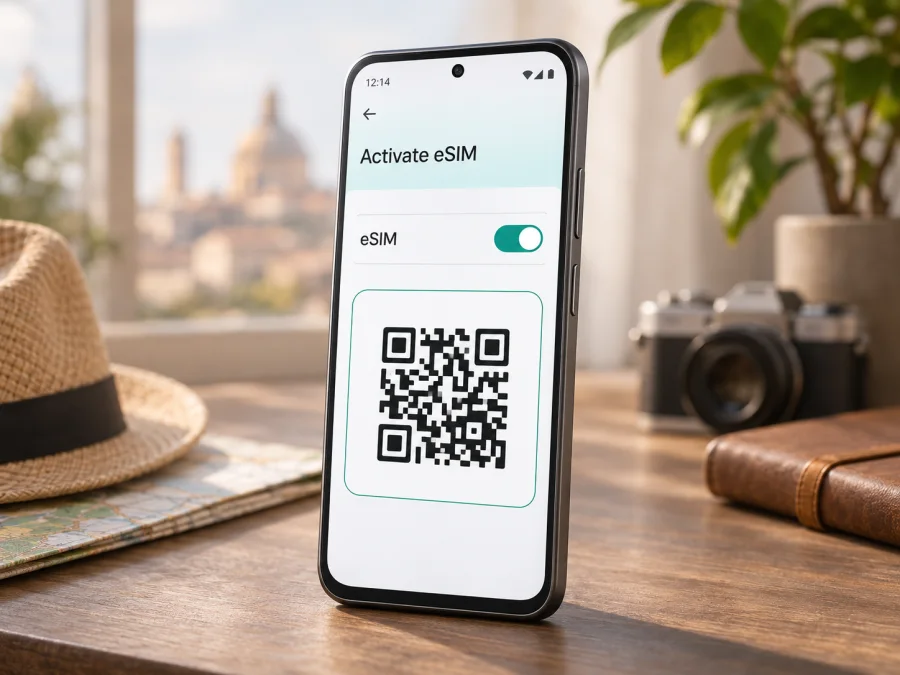
Xiaomi 14T Pro 12GB RAM eSIM: compatibility and setup
The Xiaomi 14T Pro 12GB RAM supports eSIM according to Xiaomi’s current device support information. Xiaomi documents both adding an eSIM and checking the phone’s EID, and its UK specification lists a 12 GB RAM configuration with eSIM-capable SIM combinations. There is an important qualification: eSIM availability can vary by country or region and carrier. The model name and RAM alone cannot confirm support on every regional unit or plan. Check your handset before purchase.
This guide covers compatibility checks, installation, travel data and troubleshooting for the Xiaomi 14T Pro 12GB RAM. Other Xiaomi models or regional versions may differ.
Does Xiaomi 14T Pro 12GB RAM support eSIM?
Yes: Xiaomi lists eSIM support for the Xiaomi 14T Pro, including its documented 12 GB RAM configuration. Xiaomi’s official global support FAQ explains how to turn on eSIM and add a profile on the Xiaomi 14T Pro. Xiaomi’s UK device specifications describe dual SIM options including nano SIM plus eSIM and eSIM plus eSIM. Its UK support guidance also explains how to view the EID on the phone. These official materials were checked on 2 November 2026.
That evidence confirms eSIM capability for the model family and a 12 GB RAM specification, but it does not guarantee that every retail unit sold under the same name has an enabled eSIM function in every country. Xiaomi explicitly says that eSIM availability may depend on country or region and carrier. The local operator must support eSIM for the relevant service, and the phone must be an eligible version with compatible firmware. A travel eSIM provider’s plan may also have its own country, device, or activation requirements.
| Item | What to know |
|---|---|
| Exact model covered here | Xiaomi 14T Pro 12GB RAM |
| eSIM answer | Supported on the Xiaomi 14T Pro according to Xiaomi’s official support material |
| RAM variant | Xiaomi’s global FAQ lists 12 GB LPDDR5X RAM for the model; RAM does not by itself determine eSIM availability |
| SIM combinations | Xiaomi’s UK specification lists nano SIM + nano SIM, nano SIM + eSIM, or eSIM + eSIM; local availability can differ |
| Regional caveat | Xiaomi says eSIM availability may vary by country or region and carrier |
| Best checks on your own device | Look for an EID and an eSIM/add eSIM control in Settings |
| Before you buy | Confirm the specific phone, carrier unlock status, destination and plan requirements |
Treat this as a practical model-level answer, not a guarantee for an unverified handset. If you bought your phone in another country, imported it, or had it supplied by a carrier, use the checks below before you rely on eSIM during a trip.
Why the exact market version matters
The Xiaomi 14T Pro is sold in multiple markets, where specifications, SIM configurations and menus can differ. Xiaomi’s general support page confirms eSIM functions, while country-specific specifications qualify availability by region and carrier. A listing may show 12 GB RAM without confirming eSIM on that particular unit.
The RAM figure does not identify the country code, carrier firmware or full product code. If a listing says “Xiaomi 14T Pro 12GB RAM,” ask for the exact model number and country of origin. Whenever possible, verify the EID or eSIM menu on the actual handset rather than trusting a generic listing.
A carrier-branded phone may be locked to its original provider. eSIM capability and unlocking are separate: contact the carrier that supplied the phone if its lock status is unclear. If the eSIM menu is missing, check the product code and software version, then ask Xiaomi or the seller about that exact unit. Do not rely on unofficial firmware or a region change to prove compatibility.
Check eSIM compatibility before buying
Run these checks on the phone you will take on your trip. For Xiaomi’s documented EID path, the menus are Settings → About phone → Detailed info and specs → Status → EID. Names can vary slightly with HyperOS version and language. Xiaomi also documents this path for the Xiaomi 14T Pro in its support information.
An EID is an identifier associated with the embedded SIM function. Its presence indicates eSIM capability, but does not guarantee that a carrier, destination or plan will work. Keep it private and share device details only through trusted support channels when needed.
You can also check the eSIM controls. Xiaomi’s documented route is Settings → Mobile networks → Turn on eSIM, then confirm the prompt and select Add eSIM. On a compatible phone this should open the flow for adding a profile, often by scanning a QR code. If you already see a profile or an option to add one, the device offers eSIM controls, but the profile still needs to be valid for your plan and market.
Compatibility checklist
- [ ] Confirm the exact name and product code of the phone: Xiaomi 14T Pro 12GB RAM.
- [ ] Check Settings → About phone → Detailed info and specs → Status for an EID.
- [ ] Open Settings → Mobile networks and look for Turn on eSIM or Add eSIM.
- [ ] Confirm that the phone is not locked to a carrier, or ask the original carrier to unlock it.
- [ ] Check that the exact version was sold with eSIM enabled in its market; ask Xiaomi or the seller if the menu and EID are absent.
- [ ] Confirm that the eSIM plan covers your destination and accepts your device and intended activation location.
- [ ] Keep Wi-Fi or another working internet connection available during installation.
Check your device before purchasing a plan. A model specification is only a starting point; check the EID, menu and carrier status on your phone.
If both checks are missing, pause before purchase and ask Xiaomi or the retailer to verify the product code. If installation is refused despite an eSIM menu, ask the original carrier whether the phone is unlocked and eligible for another profile.
What to prepare before installation
Prepare the phone, activation details and a reliable internet connection. Depending on the plan, you may receive a QR code, direct installation option or manual activation details. If scanning, display the code on another screen or print it; use the provider’s current instructions.
Check the plan’s destination, data allowance, validity period, supported networks, activation rules and any tethering limitations before installing. Pay attention to when validity begins: some plans start when installed, while others start when the eSIM first connects in the destination. The provider’s terms determine the start time. Installation and activation are related but not always the same event, so do not install early unless you understand the plan’s rules.
Use Wi-Fi during setup. Some QR codes work only once, and a removed eSIM may not be recoverable, so do not delete a profile just because it has not connected yet. Keep the provider’s instructions available and retain your usual SIM if you need it for calls or verification.
How to install and activate an eSIM on Xiaomi 14T Pro 12GB RAM
Menu names depend on your HyperOS version. Xiaomi’s route is Settings → Mobile networks → Turn on eSIM → Add eSIM. For a reference flow, see the Android eSIM installation instructions, which use Samsung menus and may differ on Xiaomi. The iOS installation instructions apply to Apple devices rather than this Xiaomi phone.
- Check first. Confirm eSIM support, carrier-unlock status, and the plan’s activation rules.
- Connect to Wi-Fi. Keep a reliable internet connection during profile download.
- Open network settings. Go to Settings → Mobile networks or search Settings for “eSIM.”
- Enable eSIM. Tap Turn on eSIM and confirm if prompted.
- Add the profile. Select Add eSIM, then choose QR setup if provided by the plan.
- Scan or enter details. Scan the QR code shown on another screen, or enter the provided activation information exactly.
- Wait for setup. Follow the prompts until the new profile appears; do not restart or remove it mid-installation.
- Name the eSIM. Use a clear label such as “Travel” or the destination name.
- Choose when to use it. If validity begins on installation, leave the profile off until the appropriate time. Otherwise follow the plan’s activation timing.
- Select the data line. When ready, choose the travel eSIM for mobile data. Keep your usual SIM for calls if desired and allowed by its terms.
- Enable roaming if needed. Some travel plans require data roaming on their eSIM. Follow the plan instructions and check the selected data line.
- Test the connection. At a supported destination, turn off Wi-Fi briefly, confirm the travel eSIM is selected, and open a webpage.
Display the QR code on another bright screen with the full code visible. If it is on the Xiaomi 14T Pro itself, use manual activation or the provider’s direct installation method. Avoid repeated scans if the code may be single-use.
Use the eSIM for mobile data on a trip
Before departure, decide which line should handle mobile data and which line should remain available for calls or messages. On the Xiaomi 14T Pro, check the SIM management area in Settings → Mobile networks. The label and exact arrangement may differ by HyperOS version. Select the travel eSIM as the data SIM when you want it to carry internet traffic. If you keep a home SIM active, review its roaming settings and your carrier’s charges to avoid accidental data use on the wrong line.
A data-only travel eSIM usually does not provide a regular phone number, voice calls or SMS unless its plan explicitly says otherwise. You can use internet-based messaging and calling apps over mobile data, subject to their own account and availability requirements. For bank verification texts or ordinary calls, keep your home number active if needed and check the charges with your usual carrier.
At the airport, a travel eSIM can be useful for maps, transport booking, checking reservations and contacting people after arrival. For a multi-country itinerary, confirm whether the plan covers every country on the route. A plan labelled for one destination may not include a neighbouring country, and a regional package may have separate rules for each covered market. The plan’s coverage and terms, not the handset’s 5G capability, determine where a connection is available.
Kaspersky eSIM Store is an app and website where travellers can choose, arrange and activate an eSIM with a plan for mobile data on an overseas trip. It is not a mobile operator or network owner. If you are ready to compare options for your destination, browse current travel eSIM plans. Check the displayed destination, data allowance, validity and activation terms before you choose. The homepage is a general starting point for browsing, not a country-specific tariff page.
Practical travel scenarios
Before departure: Check whether installation starts validity. If it does, wait until the right time; save setup details and use reliable Wi-Fi.
On arrival: If the plan permits, install over reliable internet beforehand. At the destination, switch on the eSIM, select it for data, enable roaming if required, and test a webpage.
Multi-country route: Confirm every country is covered. If the phone does not register after arrival, toggle airplane mode once and review network selection and plan conditions.
Keep your regular number: Leave the home SIM enabled if needed, but set the travel eSIM as the data line. Turn off data switching and check home-carrier roaming charges.
Common problems and what to check
There is no eSIM or Add eSIM option
Check the device’s product code and market version, install available official system updates, and look again under Settings → Mobile networks. Verify the EID using the Settings path above. If both the EID and eSIM control are missing, contact Xiaomi support or the seller with the exact product code. A general Xiaomi 14T Pro specification does not prove that an imported or carrier-customised unit has the same regional configuration.
The QR code will not scan
Raise the brightness of the screen showing the code, clean the camera lens, and make sure the entire QR image is visible. Use another display or a printed copy. Check whether the plan allows manual entry. If the code was already used or the phone reports that it is invalid, contact the plan provider before deleting anything or requesting a replacement.
The profile installs, but there is no signal
Confirm that the plan is valid in your current country and that its activation conditions have been met. Make sure the eSIM is switched on, the phone is not in airplane mode, and the travel eSIM is selected for mobile data. If the provider requires data roaming, enable it on that eSIM. Restart the phone once or briefly toggle airplane mode, then allow a few minutes for network registration. If the plan lets you choose a network manually, use only one listed in its instructions.
The phone shows signal bars but apps have no internet
Check which SIM is selected for mobile data; signal bars may belong to your home SIM. Turn mobile data off and on, verify that the travel eSIM has not reached its data limit or expired, and check any access-point settings only if the provider supplies them. Test a basic webpage with Wi-Fi disabled. If only one app fails, the issue may be with that app rather than the eSIM connection.
Data is using the wrong SIM
Reopen mobile network settings and confirm the travel eSIM is the selected data line. Turn off automatic data switching if available. Check that the home SIM’s data roaming is off if you do not want it to carry data abroad. Keep in mind that switching lines for voice or messaging can also affect how the phone behaves; review each line separately.
Installation stops or activation takes longer than expected
Keep the phone connected to stable internet and wait for any on-screen status to finish. Confirm the activation information matches the plan and that the QR code has not expired or already been used. Do not repeatedly scan a single-use code. If the phone still cannot download the profile, contact the plan provider with the error message and the phone’s model details, but avoid sending your full EID in a public forum.
A travel eSIM cannot be added alongside another profile
The Xiaomi 14T Pro supports multiple SIM combinations in markets where eSIM is available, but the precise simultaneous configuration depends on the device and local version. Review the active SIM arrangement and Xiaomi’s instructions for your unit. If the phone reports a profile or slot limit, do not delete a working profile until you know whether it can be reinstalled.
FAQ
Can the Xiaomi 14T Pro 12GB RAM use a travel eSIM?
Yes. Xiaomi documents eSIM support for the Xiaomi 14T Pro and lists a 12 GB RAM configuration. Your exact regional version, carrier lock and plan still need checking.
Does an EID prove that a plan will work?
No. It indicates eSIM capability, but does not confirm that the phone is unlocked or that a carrier and plan support your destination.
Can I use a physical SIM and eSIM together?
Xiaomi lists nano SIM plus eSIM in its UK specifications. Availability and active SIM combinations can differ by market, so check your unit.
Do I need to remove my physical SIM?
Usually not when the phone and plan allow both lines. Choose the travel eSIM for data and keep or disable the usual SIM according to your needs and carrier terms.
Should data roaming be on?
Some travel eSIMs require it. Enable roaming for the travel profile only when its instructions say to, and make sure the home SIM is not selected for data unintentionally.
Does a travel eSIM include calls and texts?
Not necessarily. Many are data-only; check the plan details. Internet calling and messaging apps can use data but do not provide a standard phone number.
Can I move the eSIM to another phone?
Do not assume so. Check transfer and reinstallation rules before removing the profile or changing devices.
What if the seller cannot confirm support?
Ask for the exact product code and check the EID and eSIM menu on the actual handset. If neither is available, contact Xiaomi or choose a device with confirmed local support.
Before you choose a travel eSIM
For the Xiaomi 14T Pro 12GB RAM, Xiaomi’s official support information confirms eSIM functions, and Xiaomi’s published specifications include a 12 GB RAM version. Regional availability still matters. Confirm the EID or Add eSIM option on your own handset, check that it is unlocked, and make sure the plan covers your destination and suits your activation timing.
After those checks, choose the eSIM option that matches your route, expected data use and trip length. Read the plan conditions, install it over a reliable internet connection, and select it as the mobile data line when you are ready to connect. Kaspersky eSIM Store can help you browse and arrange an eSIM plan for a trip; the local network and service availability depend on the applicable plan and network conditions.


