Travel connectivity guide
Xiaomi 14T Pro 256GB eSIM Compatibility
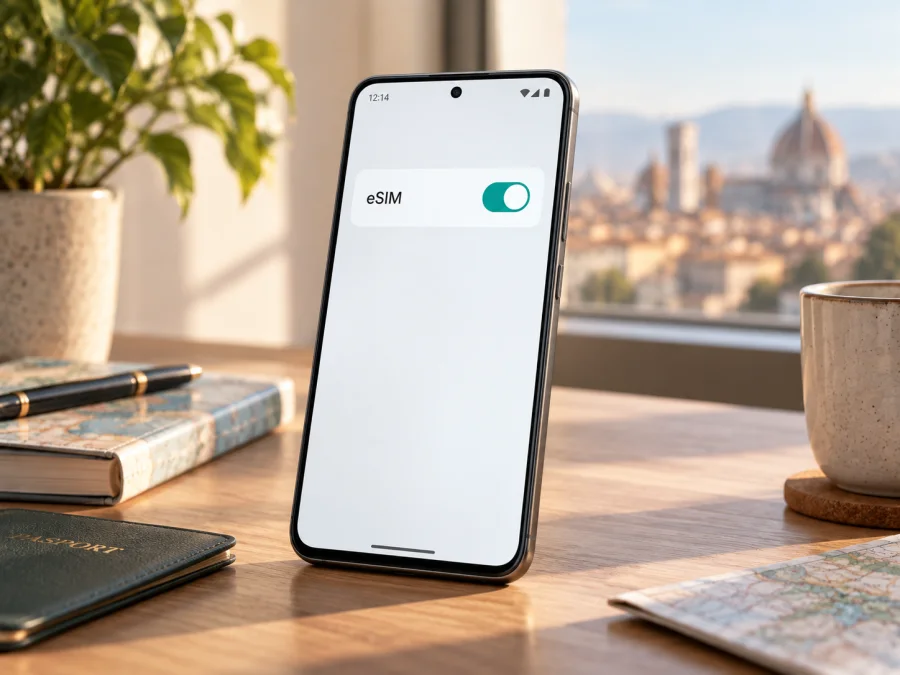
Xiaomi 14T Pro 256GB eSIM: compatibility and setup
The Xiaomi 14T Pro 256GB supports eSIM according to Xiaomi’s current support information for the Xiaomi 14T Pro. Xiaomi also documents an EID lookup path and an eSIM installation flow for this model. There is an important qualification: the availability of eSIM can vary by country or region, carrier, and the software configuration of the individual phone. Before buying a travel plan, check the actual handset rather than relying on the model name alone.
Here, “eSIM” means a digital SIM profile stored in the phone. It can provide mobile data without inserting another physical SIM card. A travel eSIM plan is useful when you want data for a destination without changing your main SIM, but it does not automatically replace your regular number, voice service, or SMS. Those services depend on the plan and your existing line.
Does the Xiaomi 14T Pro 256GB support eSIM?
Yes. Xiaomi’s global support materials specifically explain how to add an eSIM on the Xiaomi 14T Pro and how to find its EID. Xiaomi’s product information also describes dual-SIM configurations that include nano-SIM plus eSIM, and in some markets eSIM plus eSIM. This is strong confirmation that eSIM is supported by the model family that includes the Xiaomi 14T Pro 256GB.
That confirmation is not a guarantee that every retail unit sold under the same name has identical eSIM availability. Xiaomi notes that eSIM availability may vary by country or region and carrier. A unit intended for one market may have a different software build, SIM configuration, or carrier restriction from a unit sold elsewhere. The 256GB designation identifies storage capacity; it does not by itself confirm the regional SKU or whether eSIM is enabled on a particular handset. Check the device you own or plan to buy.
| Item | What to know |
|---|---|
| Exact device variant | Xiaomi 14T Pro 256GB |
| eSIM support | Supported for the Xiaomi 14T Pro model family in Xiaomi’s current support guidance |
| Storage detail | 256GB is the storage variant; eSIM availability should still be checked on the individual phone |
| EID | Xiaomi documents an EID display path for the Xiaomi 14T Pro |
| SIM arrangements | Xiaomi lists physical SIM and eSIM combinations; available combinations can depend on region |
| Travel use | A compatible travel eSIM can be selected for mobile data in the destination, subject to its coverage and terms |
| Before purchase | Confirm EID or eSIM settings, regional support, carrier unlock status, and plan requirements |
Regional and carrier differences
The name Xiaomi 14T Pro 256GB describes the storage capacity and model family, but not every detail about the phone’s sales market. Xiaomi’s official product and support information warns that eSIM availability depends on the country or region and the carrier. For that reason, do not assume that a listing for the same model in another country proves your unit has identical support.
A seller may use “global version,” “local version,” or another market label. Ask for the exact regional model number and confirm that the unit is factory unlocked. A phone locked to a carrier may refuse a profile from another provider even when the hardware includes eSIM. The carrier that supplied the phone can explain whether it is locked and whether its policy permits eSIM use while travelling.
Software can also affect what you see. Settings names and locations can differ slightly across HyperOS versions, language settings, and updates. If the menu is not where the steps below describe, use Settings search for “eSIM,” “EID,” or “Mobile networks,” then check Xiaomi’s support instructions for your region. A missing menu or EID on your individual unit is a reason to pause and confirm compatibility with Xiaomi or the seller before purchase. Do not try unofficial firmware changes to force eSIM support.
Check compatibility before buying a plan
<a id="kesim-device-compatibility"></a>
Use this short checklist with the actual Xiaomi 14T Pro 256GB you will take on the trip:
- Open the phone’s settings and confirm that an EID is displayed, or that an option to turn on or add an eSIM is available.
- Confirm that the handset is unlocked and that your current carrier has not restricted eSIM use.
- Check that the operating system is up to date and that the phone can connect to Wi-Fi during profile installation.
- Confirm that the travel plan covers every country or region on your itinerary, including stopovers if you expect to use data there.
- Read the plan’s data allowance, validity period, activation trigger, supported network, and tethering terms before payment.
- Keep your usual number available for calls or messages if you need it; a data-only travel plan may not include a number, voice calls, or SMS.
To find the EID using Xiaomi’s documented path, open Settings → About phone → Detailed info and specs → Status → EID. The EID is a device identifier used in eSIM provisioning. It is different from the IMEI and from the QR code used to install a plan. Treat it as device information: share it only when a trusted support or carrier process asks for it.
You can also look for the eSIM control in Settings → Mobile networks. Xiaomi’s support flow describes turning on eSIM and then choosing Add eSIM. Depending on the software version, labels may appear as “Use eSIM,” “Turn on eSIM,” “Manage eSIM,” or a translated equivalent. Seeing an EID is a useful confirmation; seeing the add option is another practical check. If neither appears, verify the region-specific model and ask Xiaomi or the seller to confirm before buying a plan.
Check your device against the travel plan you intend to use. Compatibility depends on both the handset and the plan’s destination, network, and activation rules. A device check cannot guarantee coverage in every location, so review the plan terms as well.
Installing and activating a travel eSIM
Install the profile while you have a dependable internet connection, ideally Wi-Fi, and enough time to finish the steps without interruption. Keep the plan’s QR code or manual activation details available on another screen or printed page. Many QR codes can be used only once, and some providers bind a profile to the first device on which it is installed. Read the instructions supplied with the plan before scanning.
- Prepare the phone. Update the software if practical, connect to Wi-Fi, and confirm the phone is unlocked. Open Settings → Mobile networks and turn on eSIM if prompted.
- Add the profile. Tap Add eSIM. Scan the plan’s QR code from another screen, or enter activation details manually if provided. Keep the code private; it may be usable only once.
- Wait for installation. Keep the connection steady while the profile downloads. Label it with the destination or “Travel data” so it is easy to identify. Avoid scanning repeatedly while a download is in progress.
- Check the activation rule. You may be able to leave the installed profile switched off until travel, but some plans start validity at installation. Others start at first connection or under another stated condition. Follow the plan instructions.
- Use it at the destination. Enable the travel profile, select it for mobile data, and enable data roaming on that profile only if instructed. Turn Wi-Fi off briefly to confirm a webpage loads; check the selected SIM and plan usage if it does not.
Xiaomi’s support instructions for adding an eSIM describe the path through Settings and Mobile networks, followed by Add eSIM and scanning the carrier’s QR code. Menu wording can vary by software version. For a general visual guide, see Kaspersky eSIM Store’s Android installation instructions. The iOS installation instructions are for Apple devices and are included as a separate reference; they do not describe the Xiaomi settings path.
Using the eSIM for mobile data while travelling
Before departure, decide which SIM will handle data and whether you need your usual number for calls or messages. A common arrangement is to keep the primary SIM available and select the travel eSIM for mobile data. Dual-SIM behavior can vary by region and configuration, so confirm what your Xiaomi allows. If you do not need your primary line abroad, you can switch it off.
At the destination, confirm that the travel profile is enabled, selected for mobile data, and allowed to roam if the plan requires it. Check that airplane mode is off, the country is covered, and the plan is active with data remaining. If needed, restart or toggle airplane mode to reconnect.
For a short city visit, estimate use for maps, messages, transport, and browsing. Longer trips or frequent video calls need more data. Large downloads and photo backups can use an allowance quickly, so consider pausing automatic uploads. For a multi-country route, check that every stop is included; a single-country plan may stop working after a border crossing. Compare a regional plan’s exact destinations, data limit, and validity.
Travel plans are generally for mobile data. Unless the specific terms say otherwise, they do not provide a standard phone number, voice calls, or SMS. Messaging and calling apps can use the data connection. Check home-carrier roaming charges before leaving your primary SIM active.
Kaspersky eSIM Store is an app and website where you can choose, arrange, and activate an eSIM with a mobile-data plan for an international trip. Review the destination, data amount, validity, price, and activation terms shown for the plan. Coverage and service conditions depend on the selected plan and applicable networks.
Common problems and what to check
There is no eSIM or Add eSIM option
Search Settings for “eSIM” or “Mobile networks,” then check About phone → Detailed info and specs → Status for EID. Restart and update the phone. If both are missing, confirm the regional model with Xiaomi or the seller; eSIM may be unavailable on that unit.
The QR code will not scan or download
Display a clear QR code on another screen, use stable Wi-Fi, or try manual details if offered. If the code is reported as used, contact the plan provider before deleting or resetting anything; many codes cannot be reused.
The profile installs but there is no service
Enable the profile, select it for data, and confirm the destination is covered. Follow the plan’s roaming instructions, then toggle airplane mode or restart. Use automatic network selection unless the provider specifies a network.
There is signal but no internet
Check the selected data SIM, activation, remaining data, and validity. Test a webpage with Wi-Fi off. Enable roaming or change APN settings only as the provider instructs.
The wrong SIM is being used or the profile disappeared
Review data, call, and SMS line settings and the primary SIM’s roaming controls. Avoid deleting a profile: it may be device-bound. If deleted or lost after a reset, ask the provider about recovery; never share its QR code publicly.
When contacting support, note the exact error, software version, destination, and whether EID appears. Ask Xiaomi or the seller about the phone’s regional configuration; ask the plan provider about profile activation and network access.
Frequently asked questions
Is eSIM supported on the Xiaomi 14T Pro 256GB?
Xiaomi’s current support information documents eSIM setup and EID checking for the Xiaomi 14T Pro. The 256GB storage variant belongs to that model family, but regional availability and carrier restrictions can differ. Check your handset’s EID or eSIM menu.
How can I check my phone?
Look for EID at Settings → About phone → Detailed info and specs → Status, or find the eSIM control and Add eSIM option under Settings → Mobile networks. Confirm the handset is unlocked and the plan covers your destination.
Can I keep my physical SIM active?
Xiaomi describes dual-SIM configurations that include physical SIM and eSIM, but behavior depends on the regional phone, software, and carrier. Set the travel profile as the data line and check roaming on your primary SIM.
Does installation start the plan?
Not always. Validity may begin at installation, first connection, or another event described by the provider. Check the plan’s activation rule before setup.
Can a data-only plan make calls or send SMS?
Not unless its terms explicitly include those services. Internet messaging and voice apps can work over data; your usual number remains subject to your home carrier’s settings and charges.
Should I delete the profile after the trip?
Check the terms first. Some profiles can be reused while others cannot be restored after deletion without provider assistance or a new activation code.
Before your trip: check the device, then choose the plan
For the Xiaomi 14T Pro 256GB, start with the handset in your hand: confirm EID or the Add eSIM control, check that the phone is unlocked, and verify any regional limitation with the seller or Xiaomi. Then compare a travel plan’s destination coverage, data allowance, validity, activation trigger, and roaming instructions with your itinerary. Complete setup over reliable Wi-Fi and keep the QR code and plan details private.
Once compatibility is confirmed, use Kaspersky eSIM Store’s app or website to choose, arrange, and activate an eSIM plan for mobile data on your trip. Check the displayed conditions before you proceed, install the profile according to its instructions, and select it for mobile data when you are ready to use it. This simple device check before purchase can prevent avoidable setup problems and help you arrive with a clear plan for staying connected.


