Travel connectivity guide
Xiaomi 14T Pro 8GB RAM eSIM Guide
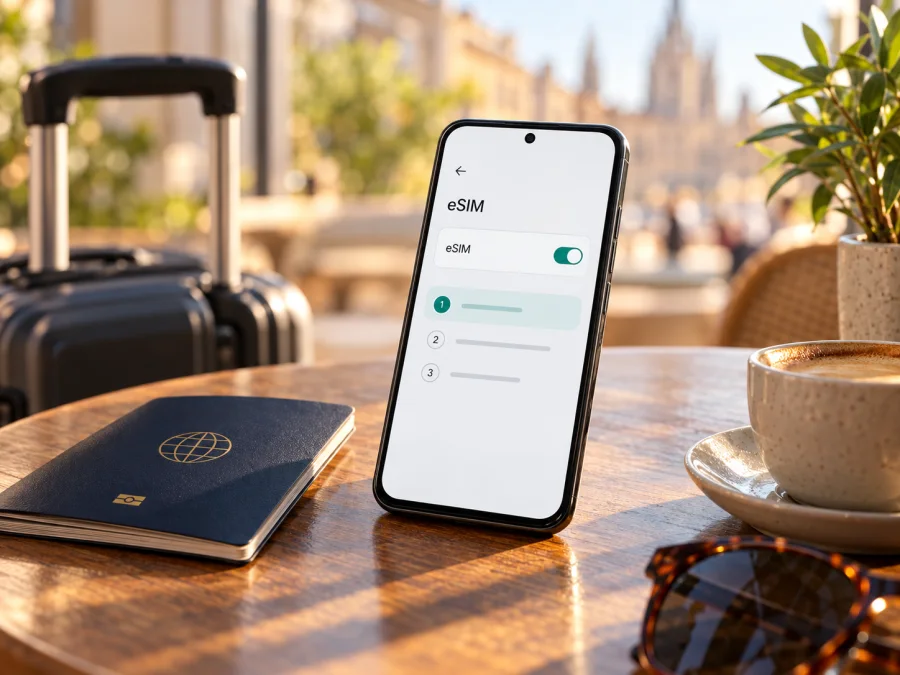
Xiaomi 14T Pro 8GB RAM eSIM: compatibility and setup
The Xiaomi 14T Pro family has eSIM setup documented in Xiaomi’s current support material. That is a useful indication that the model can use a digital SIM, but the name “Xiaomi 14T Pro 8GB RAM” does not by itself identify the sales region, exact model code, firmware build, or carrier restrictions. Xiaomi’s global product pages and regional versions can differ, and the manufacturer directs users to check device and local carrier support. So the practical answer is: eSIM is supported on Xiaomi 14T Pro versions where the eSIM controls are present and enabled; confirm your own 8GB RAM unit before relying on it for a trip.
This distinction matters because RAM capacity is not an eSIM setting. Two phones with the same memory label may have been sold for different markets, carry different firmware, or be subject to different carrier policies. Use the phone’s settings and model information as the final check, then confirm that the eSIM plan you intend to use accepts the device and works in your destination. The steps below help you do that without assuming that every regional variant behaves identically.
Xiaomi 14T Pro 8GB RAM at a glance
| Item | What to know |
|---|---|
| Device named in this guide | Xiaomi 14T Pro 8GB RAM |
| eSIM status | Xiaomi documents eSIM setup for the Xiaomi 14T Pro model family; confirm support on the exact regional device |
| Physical SIM | Xiaomi product information describes dual SIM configurations; the available combinations depend on the regional product specification |
| eSIM activation | Look for eSIM controls under Mobile networks, then follow the carrier or plan provider’s installation flow |
| Cellular data while travelling | Select the travel eSIM for mobile data and check whether its instructions require data roaming |
| Calls and texts | A travel data eSIM may be data-only; check the specific plan terms and retain your normal line if you need its number |
| What can vary | Sales market, model code, software version, carrier lock, local operator support and plan terms |
This table is a practical guide, not a certification for every phone sold under the same retail name. Xiaomi’s eSIM help pages describe a process for the 14T Pro, and its general eSIM information names the 14T Pro among models that may allow eSIM in dual-SIM use. Xiaomi also says local carrier support and product parameters should be checked. These qualifications matter more than the memory label: 8GB RAM describes installed memory, not the modem configuration, eSIM provisioning, or market approval of an individual handset.
What “eSIM support” means in practice
An eSIM is a digital SIM profile stored by the phone. You add it through a supported setup flow, often by scanning a QR code or using an app. Successful use depends on several checks: the handset must expose eSIM capability, software must allow profile installation, the phone must not be locked against another provider, and the plan must support the device and destination. A menu option is a useful sign, not a promise of signal everywhere or compatibility with every operator.
The 8GB RAM modifier should remain attached to the device name when you search for support or ask a seller to verify a model. Avoid assuming that instructions for another memory tier, country edition, or similarly named Xiaomi handset prove the configuration in your hand supports eSIM. Check the model code from Settings or the box, the local specification page for that code, and the actual SIM menu on the phone. If those checks disagree, ask Xiaomi support or the retailer to confirm the device’s eSIM capability for your market before purchasing a plan.
Check the exact regional version before buying
Xiaomi publishes regional product specifications and separate support material. Its support steps for the Xiaomi 14T Pro indicate that the model family has an eSIM setup path. However, the global product name alone does not establish that every country’s 8GB RAM SKU has the same eSIM settings or carrier compatibility. A retail listing may describe memory without identifying the regional model code. Treat these as separate details.
Start with the country where the phone was originally sold, not only your current location. A device imported from another market may have different supported bands, firmware, SIM configuration, or restrictions from the edition officially sold where you live. A local mobile operator can also have its own eligibility rules. For an international trip, check the destination plan’s supported-device requirements as well as Xiaomi’s local eSIM support information. Geographic location alone does not determine support: a phone’s regional variant and the specific operator or plan market both matter.
Before buying, check these points:
- The model code in Settings → About phone matches the exact model shown on your sales receipt or packaging.
- The device’s regional Xiaomi specification or support page includes eSIM for that product code or offers the eSIM setup described for the 14T Pro.
- Settings → Mobile networks includes an option such as Turn on eSIM, Add eSIM, or Manage eSIM. Wording can vary by software version and language.
- The device is not carrier-locked in a way that prevents using a third-party eSIM profile. If it was purchased through a carrier, ask that carrier about unlocking and eSIM use.
- Your eSIM provider supports both the handset and the destination. A device-level eSIM feature does not confirm service availability in a particular country, region, or operator network.
- You have a reliable Wi-Fi connection, enough battery, and access to the activation details when you are ready to install the profile.
If you bought the phone second-hand or imported it, ask the seller for the complete model code and country of origin; the box name alone may not resolve its eSIM variant. Keep that code with your purchase records so support can check the exact regional configuration if the menu is missing. Check your device before choosing a plan. If the exact 8GB RAM region cannot be confirmed from the available documentation, use the menu check below and ask Xiaomi or the seller to verify the model code. Do not purchase a non-refundable plan on the assumption that the memory configuration guarantees eSIM.
How to check for EID or an eSIM menu
An EID is an identifier associated with the phone’s embedded SIM hardware. Its presence can be a helpful sign, but menu availability and successful profile installation are also important. The Xiaomi settings route may vary with HyperOS version, region, and language, so try both the settings search and the manual route.
- Connect the phone to Wi-Fi and open Settings.
- Use the Settings search field and enter eSIM. Look for an option to turn on, add, or manage an eSIM.
- If search shows no result, open Mobile networks. Look for Turn on eSIM, Add eSIM, or a similar control. Xiaomi’s published 14T Pro instructions use Settings → Mobile networks → Turn on eSIM → Add eSIM.
- Open About phone and check for an EID entry. Depending on the software, device identifiers may instead be listed under Status or All specifications. Do not share the full EID publicly; give it only to a trusted carrier or support representative if they specifically request it.
- If the menu and EID are both absent, restart the phone, install available official system updates, and check again. Then contact Xiaomi support with the model code and sales region. A missing menu can indicate that eSIM is unavailable for that variant or disabled by its software or market configuration.
- If an eSIM menu appears but adding a profile fails, record the exact error and ask the plan provider whether the model code is eligible. A visible menu is a positive check, not a guarantee that every provider or local network accepts the phone.
Some Android devices can show EID details after entering a dialer code, but Xiaomi software and carrier builds do not always expose the same diagnostic screens. Prefer Settings and official support instructions over a code found in an unofficial forum. Never reset or erase an existing eSIM merely to make the EID visible; removing a profile can require a new activation code, and a QR code may be single-use.
Choose a travel eSIM for the actual itinerary
For one country, a single-destination plan may be simple; for a multi-country route, check that every stop is included. Estimate data use for maps, messaging, translation, email and backups, then compare the plan’s allowance, validity, activation rules and tethering conditions. Coverage and speed depend on the local network and location. A country or regional label is not a substitute for checking the detailed destination list.
Kaspersky eSIM Store is an app and website where travellers can choose, arrange, and activate an eSIM with a mobile-data plan for an overseas trip. It helps you review destination and plan details; it is not a mobile operator or network owner. Browse the Kaspersky eSIM Store as a general starting point, then confirm the specific country or region and current plan terms before purchase.
If you keep a home SIM active for calls or messages, select the travel eSIM for mobile data and check roaming settings for each line. Many travel plans are data-only. Some profiles require data roaming to be enabled for that profile; follow the provider’s instructions and keep your home SIM’s data roaming off unless you knowingly want to use it. Check when plan validity starts rather than assuming that installation and first connection are the same event.
Install and activate eSIM on Xiaomi 14T Pro 8GB RAM
Install only after you have confirmed that the phone displays eSIM controls and that the provider accepts the exact regional variant. Keep Wi-Fi available throughout setup, since the phone may need an internet connection to download the profile. Have the QR code or in-app installation option ready on another screen if you plan to scan it with the Xiaomi phone. If the QR code is displayed on the same device, use the provider’s manual details or direct installation flow where available.
- Open Settings → Mobile networks.
- Tap Turn on eSIM and confirm the prompt if it appears.
- Choose Add eSIM. Depending on the version, the next screen may offer a QR scan, an installation assistant, or manual details.
- Scan the provider’s QR code or follow the provider’s in-app flow. Check that the destination and plan shown match what you selected before continuing.
- Wait for the profile to download and install. Keep the phone connected to Wi-Fi and do not close the process midway.
- Give the profile a clear label such as Travel data. If prompted, choose whether it should be the default line for calls, messages, or mobile data. You can normally adjust these selections later in SIM settings.
- If the provider says activation should happen after arrival, leave the profile installed but follow its activation timing carefully. If it should be activated before departure, complete the provider’s final step while connected to Wi-Fi.
- On arrival, enable the travel profile, set it as the mobile-data line, and enable data roaming for that profile only if its instructions require it. Allow a short time for network registration, then test a simple webpage or messaging app.
The menu labels can differ on a localized or updated build. If the eSIM control is missing, verify the phone’s region and model code before proceeding.
For a longer visual guide, use the Android eSIM installation instructions. The iOS installation instructions are for a different operating system and are included as a reference for travellers who may also prepare an iPhone. On this Xiaomi phone, follow the Android or Xiaomi path presented by your provider, not the iPhone steps. Installation screens and provider flows can change, so the instructions accompanying your profile take precedence where they differ.
After installation: select the right data line
Open Settings → Mobile networks or SIM management. Enable the travel profile and select it for mobile data. Review automatic data switching because the phone could fall back to your home line. A profile can appear installed before it has service; follow its activation timing, then check destination coverage, airplane mode and roaming settings when you arrive.
Use Xiaomi 14T Pro 8GB RAM for mobile data while travelling
Before departure, download maps and travel documents. Install the profile over Wi-Fi if the plan allows it, but follow the provider’s activation timing so you do not start a time-limited plan too early. On arrival, turn off airplane mode, enable the travel eSIM, select it for mobile data, and enable data roaming for that profile only if required. Test a simple webpage, then monitor usage in the provider account.
For a trip across borders, recheck the included destinations at each stop. If service fails, check profile status, data selection, validity, allowance and roaming before changing network selection. Hotspot use can consume data quickly; use it only if the plan and phone support tethering, and pause large laptop updates or cloud uploads when your allowance is limited.
Common eSIM problems and checks
- No eSIM option: Search Settings for “eSIM” and check Mobile networks. Restart and install official updates. If still absent, verify the model code and sales region with Xiaomi or the seller; do not rely on another RAM or regional listing.
- QR code will not scan: Use a second screen, increase its brightness, clean the camera lens and check that the activation code has not already been used. If available, use the provider’s in-app or manual flow. Keep QR details private.
- Profile will not download: Confirm Wi-Fi and available storage. Retry only if the provider says the code can be reused. For an “invalid” or “already used” message, contact support before deleting the profile.
- Installed but no service: Confirm the destination is included, the profile is enabled, the plan is valid, airplane mode is off, and the eSIM is selected for mobile data. Enable roaming for that profile only if instructed; restart once and allow network registration.
- Connected but apps have no data: Check remaining allowance, mobile data selection, data limits and background restrictions. Test a simple webpage and compare with the provider’s usage information.
- Wrong SIM is using data or provider rejects the phone: Review the mobile-data line and automatic switching. If the handset was carrier-sold, ask that carrier whether it is unlocked and eligible for another eSIM.
Do not delete or reset a working profile as a first troubleshooting step. Some activation codes are single-use and profiles may not transfer to another phone. Ask the plan provider whether reinstallation is possible before removing one.
FAQ
Does Xiaomi 14T Pro 8GB RAM support eSIM?
Xiaomi publishes setup steps for the Xiaomi 14T Pro family, but this does not verify every regional 8GB RAM configuration. Check the exact phone’s menu and model code, then confirm provider eligibility.
Does the 8GB RAM label guarantee eSIM capability?
No. RAM capacity identifies memory, not the regional SKU, firmware, carrier policy, or eSIM provisioning. The phone’s settings and official information for its exact model code are more useful for compatibility.
Can I keep my physical SIM active while using eSIM?
Xiaomi’s dual-SIM combinations depend on regional specifications. If your version permits it, keep the home SIM for its number and select the eSIM for data, while managing home-line roaming.
Should I install the eSIM before travelling?
This can be convenient when installation needs Wi-Fi, but follow the provider’s instructions for when to activate and when validity begins.
Do I need to enable data roaming?
Some travel eSIMs require roaming on that profile. Enable it only as instructed and keep your home SIM’s roaming settings separate.
Will an eSIM give me a normal phone number?
Many travel eSIM plans are data-only. Check the plan terms; messaging and internet calls may work through apps over data.
Can I move the eSIM to another phone later?
Do not assume transfer is possible. Check with the profile provider before changing or resetting the phone.
What if the eSIM option is missing after an update?
Restart, check the current Settings menu and confirm the model code and region with Xiaomi support. A changed menu does not prove that regional support has changed.
Final check before your trip
For Xiaomi 14T Pro 8GB RAM, Xiaomi’s model-level support confirms an eSIM setup flow, but exact regional availability and operator acceptance still need to be checked on your device. Before choosing a travel plan, confirm the EID or eSIM menu, identify the model code and original market, check for a carrier lock, and verify that the plan covers every destination on your itinerary. Save the setup details and install over a stable connection, then use the travel profile for mobile data only when its activation instructions say to do so.
Once compatibility is confirmed, use Kaspersky eSIM Store to review current eSIM options for your trip and choose a plan whose destination, data allowance, validity, and conditions fit your needs. The Kaspersky eSIM Store website is a general place to begin checking current destinations and plan details; confirm the specific country or region before purchase.


