Travel connectivity guide
Xiaomi 15 256GB 5G eSIM Compatibility Guide
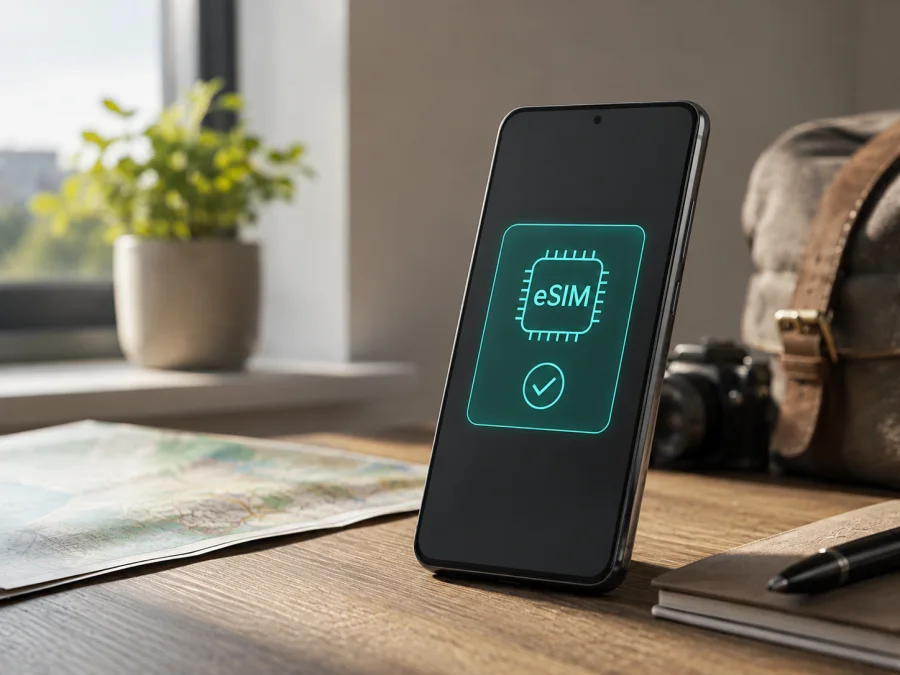
Xiaomi 15 256GB 5G eSIM: compatibility and setup guide
If you are preparing a trip and want mobile data without changing a physical SIM card, the key question is simple: does the exact Xiaomi 15 256GB 5G support eSIM? The answer is yes in the official Xiaomi information for supported markets. Xiaomi lists the Xiaomi 15 with nano-SIM + eSIM and eSIM + eSIM combinations, and its global support information describes eSIM activation in the phone settings. However, the same manufacturer information warns that eSIM availability can vary by country, region and carrier. Treat the result as “supported in the relevant regional version” rather than as a promise that every imported handset will show the same menu.
This guide keeps the requested device name: Xiaomi 15 256GB 5G.
Quick answer
The Xiaomi 15 256GB 5G can use an eSIM when the particular regional version has the eSIM function enabled and the carrier supports eSIM. Xiaomi’s current official support page for Xiaomi 15 gives a settings path that includes Turn on eSIM, Manage SIM and Add eSIM. Official regional specification pages also describe dual-SIM operation as nano-SIM + nano-SIM, nano-SIM + eSIM or eSIM + eSIM. That is strong evidence of hardware and software support for the Xiaomi 15 family, including the 256GB configuration listed by Xiaomi in some markets.
It is still necessary to check the handset in hand. A device imported from another region may have a different firmware configuration, a carrier restriction or a local eSIM policy. If Add eSIM or a comparable option is absent, do not assume that a QR code, an update or a different tariff will solve it. First confirm the exact model, region and carrier status.
Xiaomi 15 256GB 5G: what the name tells you
The requested name contains three useful identifiers. “Xiaomi 15” identifies the phone family and generation. “256GB” identifies the storage tier; it does not describe the size of an eSIM or guarantee a particular SIM layout. “5G” indicates support for compatible 5G networks, but 5G capability and eSIM availability are separate specifications. The input does not include a RAM amount, so this guide does not add one to the device name or silently turn the page into a different variant.
| Item | Practical meaning for eSIM use |
|---|---|
| Exact device listing | Xiaomi 15 256GB 5G |
| Device type | Android smartphone with Xiaomi HyperOS software |
| Storage in the listing | 256GB; storage size does not determine eSIM eligibility |
| Mobile network label | 5G; the available bands and carrier access depend on the market and network |
| Physical SIM options | The supported regional specification may allow two nano-SIMs, nano-SIM + eSIM or eSIM + eSIM |
| eSIM status | Supported by Xiaomi for Xiaomi 15, subject to country, region, firmware and carrier availability |
| Profile capacity | Xiaomi’s official FAQ says up to 10 eSIMs may be stored; the actual number depends on eSIM and eSE memory |
Your own settings screen decides whether the exact handset is ready. A 256GB phone can have the same product name as another regional unit but still differ in available network menus.
What eSIM changes when you travel
An eSIM is a digital SIM profile downloaded into a compatible device rather than inserted as plastic. For a trip, you can leave your everyday SIM in the phone and use a separate eSIM for mobile data if the Xiaomi 15 256GB 5G and selected service support that arrangement. Travel plans are generally data-only, so check the destination, allowance, validity, activation rules and roaming requirements. Coverage and speed still depend on the plan and its supporting networks.
Compatibility check before purchase
Complete the following checks on the actual Xiaomi 15 256GB 5G, preferably while connected to Wi-Fi:
- Confirm that the phone is really the Xiaomi 15 256GB 5G you intend to use, not the Xiaomi 15 Ultra, Xiaomi 15 Pro or another Xiaomi model with a similar name.
- Open Settings and look for Mobile networks, SIM cards, SIM manager or a similarly named mobile-connection area.
- Follow Xiaomi’s documented path: Settings → Mobile networks → Turn on eSIM → Manage SIM. Look for Add eSIM, Discover eSIMs or Transfer eSIM from another device.
- Check whether the phone displays an EID. It may be shown in SIM or device status information, and on many Android builds it can also be revealed by entering *#06# in the dialler. Menu names can differ by software version.
- Check that the device is not carrier-locked. A visible eSIM menu does not override a network lock or an operator’s activation requirement.
- Ask the carrier or eSIM service whether its plan supports the country you will visit and the Xiaomi regional version you own.
- Install pending official software updates, restart the device and check the menu again if the option is missing. Do not reset the phone until important data is backed up.
Check your device before you pay for a plan. The visible Add eSIM option and an EID are the most useful signs that the phone can accept a downloaded profile. The exact position of the EID is less important than the combination of an enabled eSIM function, an unlocked device and a compatible service.
Regional and carrier differences
Xiaomi’s official regional specification pages are deliberately qualified: eSIM availability may vary by country or region and by operator. This warning is important for imported phones, devices purchased through a carrier and units flashed with software intended for another market. It also applies to the service plan itself. A carrier can support eSIM generally but refuse a particular prepaid, roaming or data-only activation.
There are three separate questions to keep apart:
- Does the Xiaomi 15 hardware contain the embedded-SIM capability?
- Does the installed regional firmware expose the eSIM controls and EID?
- Will the chosen carrier or travel plan activate on that handset in the destination?
The official Xiaomi information answers the first question positively for Xiaomi 15 and documents the second for supported configurations. Your settings screen and carrier answer the remaining questions. The 256GB storage tier does not remove the need for these checks, and the 5G label does not prove that a specific 5G eSIM plan will work.
For an imported phone, look at the box label, model number, software region and original seller rather than relying on a listing title alone. A carrier may require the phone to be unlocked before it will issue an eSIM.
How to install an eSIM on Xiaomi 15
Install the profile before departure when possible, while you have stable Wi-Fi and enough time to contact support. Keep the QR code or activation details available, but do not scan it repeatedly: many profiles are intended for one installation and may become unavailable after a completed download.
- Check the plan. Confirm the destination, data allowance, validity period, supported network type and whether activation starts on installation or on first connection. Confirm that the plan is data-only if that is what you need.
- Connect to Wi-Fi. Downloading a profile requires an internet connection. Charge the phone and temporarily disable battery-saving restrictions that might interrupt setup.
- Open the eSIM controls. On Xiaomi’s documented path, go to Settings → Mobile networks, enable Turn on eSIM, open Manage SIM and choose Add eSIM. Your software may use slightly different wording.
- Add the profile. Choose the QR-code option and scan the code from another screen, or use the activation details supplied by the service. If the service offers a supported in-app installation option, follow the on-screen steps.
- Wait for the download. Keep the display on and do not remove the phone from Wi-Fi. When the profile appears, give it a clear label such as “Travel data” and confirm which line should be used for mobile data.
- Choose data settings. In SIM management, select the travel eSIM for mobile data when you are ready. Keep your primary line for calls or messages if needed, and review data-roaming settings for the travel profile according to the plan instructions.
- Check the connection. Turn off Wi-Fi briefly and look for a network name or data indicator. Open a simple webpage or app, then check that the data is being used by the intended profile.
For broader Android steps, see the Android eSIM installation instructions. The iOS eSIM installation instructions are useful when the person helping you uses an iPhone, but the Xiaomi menu remains the authority for this phone. If your menu has no eSIM controls, stop before scanning the code and verify the handset’s market and carrier status.
Practical travel scenarios
Short city break
For a two- or three-day visit, choose a plan whose validity and allowance match maps, messages, ride booking and occasional browsing. Install at home on Wi-Fi, label the eSIM clearly and leave the primary line available for important SMS if necessary. At the destination, switch mobile data to the travel eSIM and test a small amount of traffic before relying on it.
Multi-country itinerary
For several countries, check whether one regional plan covers the whole route or whether separate plans are needed. The Xiaomi 15 256GB 5G can store several eSIM profiles, but stored profiles are not automatically active, and coverage is not inferred from the profile name. Save the plan details and know which profile corresponds to each trip. If you change countries, confirm that the selected profile is still the one intended for the current destination.
Troubleshooting checklist
There is no Add eSIM option. Confirm that Turn on eSIM is enabled, restart the phone and check the exact model and software region. If the menu is still absent, contact the seller or carrier before purchasing a plan. A missing option may reflect a regional build or carrier restriction.
The QR code will not scan. Increase screen brightness on the device showing the code, clean the camera lens, keep the code fully visible and try the manual activation option if the service provides one. A QR code that has already been used may not be reusable.
The profile downloads but shows no service. Verify that the eSIM is switched on, selected for mobile data and permitted to use data roaming when required. Check the destination and the plan’s activation state. Restart once, then wait briefly for network registration.
Mobile data works on the wrong line. Open SIM management, select the travel eSIM as the data line and turn off automatic data switching. Check that the primary SIM is not selected for mobile data and that background updates are not consuming roaming data.
The phone sees a network but apps are offline. Check the APN only against the plan’s official instructions, disable Wi-Fi temporarily, review data limits and make sure the profile has not reached its allowance or validity end. A local signal indicator alone does not prove that the data session is configured correctly.
FAQ
Does Xiaomi 15 256GB 5G support eSIM?
Yes, Xiaomi’s official Xiaomi 15 information supports eSIM, including nano-SIM + eSIM and eSIM + eSIM configurations in supported markets. For the exact Xiaomi 15 256GB 5G in your hands, confirm that Add eSIM and an EID or equivalent eSIM status are available. Country, region, firmware and carrier conditions can change the result.
Can I use a physical SIM and an eSIM together?
Supported regional configurations may allow nano-SIM + eSIM. The active-line behavior depends on the phone software and carrier. Set the intended profile as the mobile-data line and review the default call and message lines before travel.
How many eSIM profiles can Xiaomi 15 store?
Xiaomi’s official FAQ says that Xiaomi 15 can store up to 10 eSIMs, with the actual number related to eSIM and eSE memory usage. This is a storage figure, not a promise that all profiles can be active simultaneously or that every carrier supports the same dual-line arrangement.
Does 5G guarantee that a travel eSIM will work?
No. 5G capability, eSIM compatibility and access to a partner network are separate conditions. The plan must cover the destination, the phone must be unlocked and the regional firmware must expose the eSIM function. The phone may also use 4G depending on local availability.
Will an eSIM provide a normal phone number?
Not usually for a travel data plan. Check the plan description. Many travel eSIMs are for mobile internet only, while calls and messages can continue through internet apps or a separate primary line.
Final device check and trip eSIM choice
Before buying a trip eSIM, complete this final sequence on the exact phone:
- Verify the name on the device and keep the full listing Xiaomi 15 256GB 5G unchanged in your records.
- Confirm Add eSIM is visible under the Xiaomi mobile-network settings and check for an EID or equivalent eSIM status.
- Confirm the device is unlocked and that the carrier or travel plan accepts this regional version.
- Match the plan’s destination, validity, data allowance, activation timing and data-roaming instructions to your itinerary.
- Install over stable Wi-Fi, label the profile, choose the travel eSIM for data on arrival and test with Wi-Fi off.
Once these checks pass, use the Kaspersky eSIM Store app or website to choose, arrange and activate a trip eSIM. It is not a mobile operator, network owner or mobile-internet provider. If any check fails, pause the purchase and clarify the market or carrier restriction first. That short verification is the best way to avoid buying a plan that the exact Xiaomi 15 256GB 5G cannot activate.


