Travel connectivity guide
Xiaomi 15 256GB eSIM: Compatibility and Setup
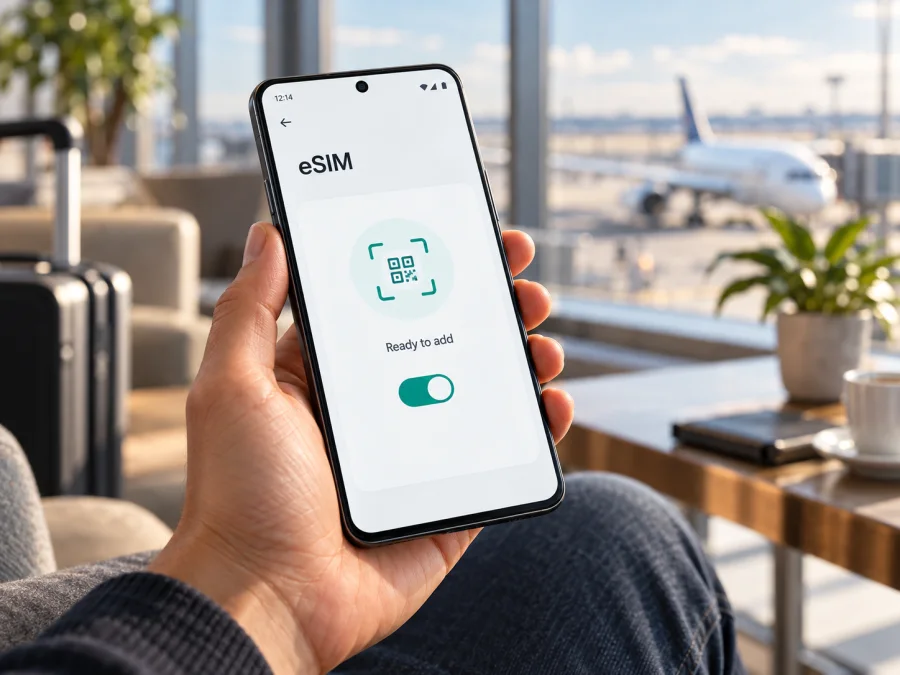
Xiaomi 15 256GB eSIM: compatibility and setup
The Xiaomi 15 256GB supports eSIM in markets and configurations where Xiaomi enables the feature. Xiaomi’s official specifications for the Xiaomi 15 list a 12GB + 256GB configuration and dual-SIM options that can include nano-SIM + eSIM or eSIM + eSIM. The manufacturer also cautions that eSIM availability depends on country or region and carrier. Quick answer: a Xiaomi 15 256GB with an active eSIM option and a valid EID can usually add a compatible eSIM profile. A Xiaomi 15 sold for another market, supplied with different software, or restricted by a carrier may behave differently. Confirm the device and the specific plan before payment.
| Item | What to know |
|---|---|
| Exact device | Xiaomi 15 256GB |
| Officially listed storage configuration | 12GB RAM + 256GB storage in Xiaomi’s UK specifications |
| eSIM status | Supported in listed regional configurations; local availability varies |
| SIM combinations listed by Xiaomi | nano-SIM + nano-SIM, nano-SIM + eSIM, or eSIM + eSIM, depending on market and service |
| Main checks | EID, an Add eSIM option, carrier unlock status, and plan compatibility |
| Intended travel use | Mobile data on a compatible eSIM plan; check the plan’s calling and SMS terms separately |
Does Xiaomi 15 256GB support eSIM?
Yes, Xiaomi lists eSIM for the Xiaomi 15. Its specifications show the 12GB + 256GB model and describe dual-SIM arrangements that include an eSIM. The supported combinations are not a promise that every handset branded Xiaomi 15 has the same feature in every market. Xiaomi’s own note says availability can vary by country or region and carrier.
Region, device version, and operator are separate checks
Finally, check the operator or plan you intend to use. An eSIM-capable handset still needs a provider that supports eSIM activation for that device and market. A carrier may also place a network lock on a phone, or impose eligibility rules for profile downloads and roaming. Ask the seller or original carrier whether the phone is unlocked and whether an eSIM from another provider can be installed. For a travel plan, verify that the destination is included and that the plan can be activated on your exact device.
Regional product pages illustrate why the market check matters. Xiaomi’s UK Xiaomi 15 specification lists 12GB + 256GB and SIM combinations including nano-SIM + eSIM and eSIM + eSIM. Xiaomi’s India specification lists nano-SIM + nano-SIM or nano-SIM + eSIM, without listing eSIM + eSIM. These are market-specific published configurations, not proof that every phone sold in either country is identical. Retail stock, imported units, carrier branding, and software can still affect an individual handset.
The operator check is narrower still: it concerns the carrier or travel-plan provider whose profile you want to install. A regional spec that mentions eSIM does not confirm that a particular operator accepts this device, supports profile download on its network, or permits roaming in your destination. Ask the intended provider to confirm the Xiaomi 15’s exact model number or EID and the plan’s target country. This keeps a geographic product specification separate from a particular operator’s activation rules.
How to check eSIM on your Xiaomi 15 256GB
Use the phone’s settings before you buy a plan. A model name or product listing is not enough if the phone is an import, refurbished, carrier-supplied, or second-hand device.
Check for an EID
An EID is the identifier associated with the phone’s eSIM hardware. On many Xiaomi phones, open the Phone app and enter *#06#. If the device exposes an EID, it may appear alongside the IMEI numbers. You can also look under Settings → About phone → Detailed info and specs → Status; menu names can differ by HyperOS version and region. Do not post or send your EID or IMEI publicly. Share it only with the carrier or support channel that needs it to verify compatibility.
Look for the eSIM controls
On supported Xiaomi phones, Xiaomi’s published activation path is Settings → Mobile networks → Use eSIM → Manage eSIM → Add eSIM (some software versions may show Discover eSIMs). The wording and exact route can vary by HyperOS version, country, and carrier. If there is no Use eSIM, Manage eSIM, or Add eSIM option after updating and restarting, pause before purchasing. Check the device model number and ask Xiaomi or the carrier to verify the SKU.
Compatibility checklist
- [ ] The phone is a Xiaomi 15 256GB variant for which eSIM is enabled.
- [ ] An EID is visible in the phone’s status information or device identifier screen.
- [ ] Settings contains an eSIM management or add-profile option.
- [ ] The handset is unlocked, or the carrier confirms the intended profile can be used.
- [ ] The plan provider supports eSIM on this device and in the relevant operator market.
- [ ] The plan covers the destination and its start date, data allowance, validity, and activation rules suit your trip.
- [ ] The phone has a stable internet connection for profile installation.
A quick pre-purchase check is especially useful when the phone was imported or bought second-hand: confirm both the handset’s eSIM menu and the provider’s eligibility for the exact model. An online specification describes a market configuration; the phone in your hand confirms what is enabled on that individual unit.
Check your device before you select a travel plan. If you are buying a used or imported Xiaomi 15, complete these checks in person and keep the return terms in mind until eSIM compatibility is confirmed.
What to check before buying a travel eSIM
Then compare the plan’s data allowance and validity with how you use your phone. Maps, ride-hailing, messaging, email, web browsing, and occasional video calls use data in different amounts. Background backups, app updates, streaming, and hotspot use can consume data quickly. Check whether tethering is allowed and whether the plan has a fair-use limit or speed policy. Do not assume a plan includes regular calls, SMS, or a local phone number unless its terms say so; travel eSIM plans are commonly data-focused.
Also check if the profile can be reinstalled or transferred if you replace or reset your phone. Many eSIM profiles are intended for one installation and may not be transferable. Keep the confirmation and QR code secure, and do not scan it repeatedly to troubleshoot. Before paying, make sure the plan can be used on an unlocked Xiaomi 15 in your operator market and that you have a way to reach support if activation fails.
How to install and activate eSIM on Xiaomi 15 256GB
Set aside a few minutes while connected to reliable Wi-Fi. Keep the QR code or manual activation details available on another screen or device. Do not factory-reset the phone or delete an installed profile as a first troubleshooting step; a deleted profile may not be reusable.
- Confirm compatibility. Check the EID and eSIM menu, and make sure the Xiaomi 15 is not locked against the provider you plan to use.
- Review the plan instructions. Check the destination, start date, validity trigger, data amount, and whether installation should happen before departure or on arrival.
- Open mobile network settings. Go to Settings → Mobile networks → Use eSIM → Manage eSIM. Depending on software, choose Add eSIM or Discover eSIMs.
- Add the profile. Scan the provider’s QR code, or enter the activation details manually if that method is offered. Keep the display bright and steady if scanning from a second screen.
- Wait for installation. Leave the phone connected to Wi-Fi and follow the prompts until the profile appears in eSIM management. The download or activation may take several minutes.
- Name the line. Use a clear label such as “Travel data” so you can distinguish it from your home SIM.
- Choose the data line. When you are ready to use the travel plan, select it for mobile data. Keep your home number available for calls or messages if needed, while checking your home carrier’s roaming charges.
- Set data roaming as instructed. Some travel profiles require data roaming to be enabled for that eSIM. Turn it on only for the intended profile and follow the plan’s instructions; this setting does not mean that every plan requires roaming.
- Check the connection. Turn off Wi-Fi briefly, confirm that mobile data works, and check that the phone is connected to a supported local network. Restore Wi-Fi if you need to continue troubleshooting without using data.
Xiaomi’s general instructions for compatible phones use the Mobile networks and Manage eSIM menus, but the route can vary by software version. For more detail, follow the provider’s installation flow and these Android eSIM instructions. The iOS eSIM instructions are for Apple devices; they are included as a separate reference and do not describe Xiaomi menus.
Installation before the trip or after arrival
If the plan permits pre-installation, adding the profile at home on Wi-Fi gives you time to resolve a scanning or settings issue before departure. Confirm the plan’s validity trigger first. You can keep the travel line switched off until you are ready to use it if the provider’s instructions allow that. At your destination, enable the profile, select it for mobile data, and follow the provider’s network selection and roaming guidance.
Using the Xiaomi 15 256GB for mobile data while travelling
Before you leave, save the plan’s setup instructions and check that you can sign in to the account where it is stored. Decide which line should handle calls and texts and which should handle mobile data. If you keep your usual SIM active, review its roaming charges and disable data roaming on that line if you do not want it to use mobile data abroad. Set the travel eSIM as the data line when the plan is ready to connect.
At the destination, give the phone a short time to register. The provider’s partner network and local availability determine where the profile can connect, so the phone may not show service immediately in a basement, aircraft, or remote area. Check the plan’s coverage and network instructions, then move to an area with a stronger signal. If automatic selection does not connect, use manual network selection only when the provider’s instructions recommend it.
Troubleshooting common eSIM problems
The EID or Add eSIM menu is missing
Update the phone using its official system updater, restart it, then check the identifier and Mobile networks menu again. Confirm the model number and sales region with the seller or Xiaomi support. If the EID and eSIM options remain absent, treat the individual handset as unverified and do not buy a plan on the assumption that the Xiaomi 15 name guarantees support.
The QR code will not scan
Check that the code is complete, readable, and displayed on a second screen. Increase its brightness, clean the phone camera, and avoid glare. If the plan offers manual activation details, enter them exactly as provided. A QR code can be single-use, already consumed, or issued for a different device, so contact the provider before trying to reuse it.
The profile will not download
Keep the Xiaomi 15 on a stable Wi-Fi connection and confirm that date and time are set automatically. Check that the provider has not already registered the profile as installed. If the download stops, wait briefly, restart the phone, and check Manage eSIM before scanning again. Do not delete a partly installed or active profile unless the provider confirms it can be restored.
The eSIM is installed but there is no service
Confirm that the profile is enabled, the plan is active, and the destination is covered. Check the selected data SIM, airplane mode, signal level, and any provider instruction about data roaming. Restart the phone or toggle airplane mode once. ### The phone connects but data does not work
Make sure mobile data is assigned to the travel eSIM, and that the profile has not reached its allowance or validity limit. Check that mobile data is enabled and, if required, data roaming is enabled for that eSIM. Turn Wi-Fi off briefly to confirm the test uses mobile data. ### Data is using the wrong SIM or charges appear
Open SIM settings and verify the mobile-data line. Disable automatic data switching if the phone offers it and you do not want the device to fall back to your home SIM. Review your home carrier’s roaming settings and bill. Keep calls and SMS choices separate from mobile-data selection; a dual-SIM device may use different lines for each function.
The phone is locked or the provider rejects the device
Ask the original carrier to confirm unlock status and ask the travel plan provider to check the Xiaomi 15 variant, EID, and market eligibility. A physical SIM working in the phone does not prove that an eSIM from another provider can be installed. Do not repeatedly delete profiles or reset the phone while the provider checks the activation record.
Frequently asked questions
Does every Xiaomi 15 256GB have eSIM?
No universal guarantee follows from the storage size. Xiaomi lists eSIM for Xiaomi 15 configurations, including the 12GB + 256GB listing in some regional specifications, but the manufacturer says availability can vary by country or region and carrier. Verify the individual handset’s EID, settings, and exact model number.
Can Xiaomi 15 use a physical SIM and eSIM at the same time?
Xiaomi lists nano-SIM + eSIM among the supported arrangements for regional versions that enable eSIM. The active combination and number of usable lines can depend on the regional model, software, and provider. Check the SIM management screen on your phone.
Can I keep my home number while using travel data?
Often you can keep a home SIM enabled while assigning mobile data to the travel eSIM, if your device’s regional version supports that combination. Check your home carrier’s roaming charges and your travel plan’s instructions. Calls and SMS may continue to use the home line and incur its usual charges.
Does the eSIM plan include a phone number?
Not necessarily. Many travel plans are designed for mobile data and do not include a regular number, voice calls, or SMS. Check the specific plan terms before you rely on it for those services.
Should I turn on data roaming?
Follow the instructions for the exact profile. Some travel eSIMs require data roaming on that line to connect to a partner network; others may not. Check that the travel eSIM is selected for mobile data and that roaming is not enabled on a home line unless you intend to use it.
Before your next trip
The Xiaomi 15 256GB is listed with eSIM support in Xiaomi’s regional specifications, including a configuration with 12GB RAM and 256GB storage. The exact handset still matters: the sales region, software build, carrier lock, and provider’s operator market can affect whether you can add and use a profile. Check the EID and Add eSIM controls on the phone, confirm it is unlocked, and verify the selected plan for your destination before paying.
Once compatibility is clear, Kaspersky eSIM Store is an app and website where you can choose, arrange, and activate an eSIM with a suitable plan for mobile data on an international trip. Review the plan’s destination, data allowance, validity, and activation instructions, then install the profile at the right time for your itinerary. A few checks before purchase make it easier to prepare the Xiaomi 15 256GB for mobile data abroad.


