Travel connectivity guide
Xiaomi 15 5G eSIM: Compatibility & Setup
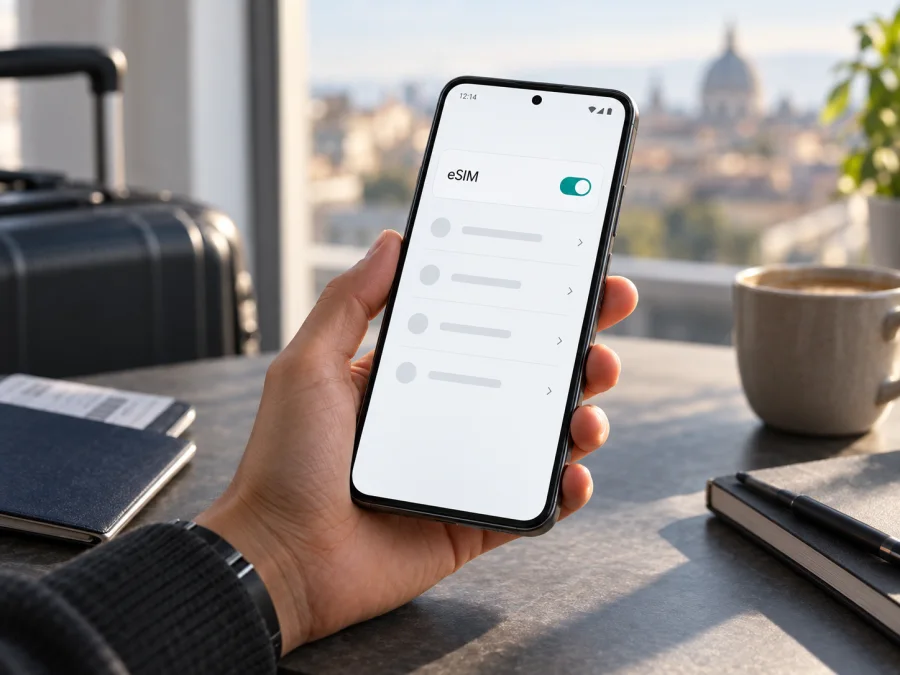
Xiaomi 15 5G eSIM: compatibility, setup and travel use
Short answer: Xiaomi’s current global support FAQ says Xiaomi 15 supports eSIM, and the manufacturer’s regional product specifications list nano-SIM plus eSIM and eSIM plus eSIM configurations. The model name alone does not confirm that every retail unit has the same feature enabled: Xiaomi says eSIM availability can vary by country or region and carrier. Check the exact phone in Settings before you choose a travel plan.
This guide concerns Xiaomi 15 5G. The name is retained exactly as supplied; the device remains the Xiaomi 15 even though some official pages shorten the label to “Xiaomi 15.” The “5G” in the input is part of the target model name, but 5G network access and eSIM support are separate capabilities. A working eSIM profile may connect over 4G/LTE where 5G is unavailable or unsupported by the travel plan.
At a glance
| Item | What to know |
|---|---|
| Device covered | Xiaomi 15 5G |
| eSIM support | Confirmed for Xiaomi 15 by Xiaomi’s global support information |
| SIM combinations shown by Xiaomi | nano-SIM + nano-SIM, nano-SIM + eSIM, or eSIM + eSIM on regional specifications |
| Software interface | Xiaomi HyperOS; menu wording can vary with version and region |
| Main qualification | eSIM availability depends on the country or region, carrier, and exact retail variant |
| Best pre-purchase check | Look for “Turn on eSIM” and “Add eSIM” in Mobile networks, and check for an EID |
An eSIM is a digital SIM profile stored in a device rather than a removable card. It can be useful when you want mobile data for a trip without removing your everyday SIM. It does not automatically include a normal phone number, voice calls, or SMS; those depend on the individual plan. Many travel eSIM plans are data-only, so messaging and calls may use internet apps.
The phone can store more than one eSIM profile, but storage does not mean all profiles can be active at once. Xiaomi’s FAQ says the number of profiles is up to ten, with the actual number related to eSIM and secure-element memory. The available simultaneous SIM configuration and switching behavior depend on the device software and local network support. Treat the on-screen SIM manager as authoritative for what your specific unit can use.
What the Xiaomi 15 5G label tells you—and what it does not
“5G” describes a cellular network generation; “eSIM” describes how a SIM profile is provisioned. One does not guarantee the other. A travel eSIM may use 4G/LTE when 5G is unavailable or excluded by the plan. Coverage also depends on the destination network, supported bands, and local conditions.
The input Xiaomi 15 5G does not specify storage or RAM. Memory configurations vary by market, but they are not a substitute for checking eSIM. For this feature, verify the exact regional model, software, EID, eSIM controls, and carrier lock status. Imported or carrier-sold phones can have different firmware or restrictions, so ask the seller about the exact unit if the menus below are absent.
Before you buy: check the exact phone
Use these checks on the handset you will take on the trip. If buying online, ask the seller to confirm them for that specific unit.
- Confirm its model and market. Check the model number in About phone or on the box, and confirm where it was sold. A family name does not identify every regional version.
- Look for an EID. On many Android phones, entering
*#06#in the Phone app displays device identifiers including the EID. You may also find it in About phone or SIM status; labels vary by HyperOS version. Do not share it publicly. - Check the eSIM menu. Xiaomi lists Settings → Mobile networks → Turn on eSIM → Manage SIM. Look for Add eSIM or Discover eSIMs. Update and restart if the menu is missing, then check again.
- Confirm the phone is unlocked. Ask the original carrier or seller whether it accepts another provider’s profile. An EID alone does not prove the phone is unlocked.
- Review plan requirements. Confirm destination coverage, activation timing, validity, roaming settings, and whether the plan supports the device and route.
- Keep Wi-Fi available. Profile download normally needs an internet connection. Have the QR code or manual details ready, ideally on a second screen.
Xiaomi 15 5G eSIM compatibility {#kesim-device-compatibility}
Verdict: Xiaomi’s current global support FAQ confirms eSIM on Xiaomi 15 and describes the setup menu. Regional Xiaomi specifications list nano-SIM + eSIM and eSIM + eSIM combinations. Xiaomi also says availability may vary by country or region and carrier. Therefore model-family support is confirmed, but the exact imported or carrier-sold Xiaomi 15 5G still needs an on-device check.
Combine three checks: Xiaomi’s information for the phone’s sales market, an EID or eSIM controls on your handset, and confirmation that the phone is unlocked and accepted by the plan. The SIM manager is the best guide to the combinations your software currently permits.
Check your Xiaomi 15 5G compatibility before purchasing a plan.
| Your result | What to do |
|---|---|
| EID and Add eSIM are present | Strong evidence the phone can store a profile; still check unlock status and plan support. |
| EID appears, but the menu does not | Update HyperOS, search Settings, and ask Xiaomi or the seller about that exact model and region. |
| Menu appears, but adding a plan fails | Check internet, activation details, carrier restrictions, and whether the profile was already used. |
| Neither appears | Do not rely on the family name. Verify the market and model number before buying. |
A compatible device does not guarantee coverage. The profile must install correctly and have a supported network in the destination.
Install an eSIM on Xiaomi 15 5G
Follow the selected plan’s instructions. Use reliable Wi-Fi, keep the activation code private, and do not delete an installed profile unless the provider confirms it can be reinstalled. Some codes can be used only once or on one device.
- Read the plan instructions. Check whether to install before departure or after arrival, and when validity begins. Installation and plan activation may happen at different times.
- Open SIM settings. On Xiaomi’s current guidance, go to Settings → Mobile networks, enable Turn on eSIM, then open Manage SIM. Menu names may vary by region and software.
- Add the profile. Select Add eSIM or the available discovery option and scan the QR code. If offered, enter manual activation details exactly as supplied.
- Wait for confirmation. Keep Wi-Fi connected until the download finishes. A visible profile is not necessarily connected to a network yet.
- Name and select the line. Give it a clear label such as “Travel.” When ready to use it, select it for mobile data. Keep your home SIM for calls or messages if needed, and review automatic data switching to avoid using the wrong line.
- Set roaming as instructed. Some travel profiles need data roaming enabled. Apply that setting to the travel line only unless you intend to use home-carrier roaming.
- Activate at the right time. If validity starts on first network connection, wait until arrival to switch on the line. If advance installation does not start the plan, install while Wi-Fi is convenient and leave it off until needed.
For general setup steps, see the Android eSIM installation instructions and iOS eSIM installation instructions. The Android guide applies to this phone; the iOS page is for readers setting up another device. HyperOS labels can differ from either guide.
Remember: installation adds a profile; activation connects it or starts its validity according to the plan. Do not infer that a displayed profile has started its validity.
Use the eSIM for mobile data while travelling
A common setup is to keep the home SIM available for your number and select the travel eSIM for mobile data. Calls or SMS on the home line may incur roaming charges. Many travel plans are data-only, so messaging and calls can use internet apps.
On arrival, turn on the travel line, select it for data, and enable roaming on that line only if the plan says to. Confirm destination coverage and network registration. If there is no service, wait briefly, toggle Airplane mode once, or restart. When home, switch data back to your regular SIM. Disable automatic switching if it could use the wrong line.
Three practical travel scenarios
- Short city break: Install over Wi-Fi if allowed. If validity starts at first network connection, wait until arrival to turn on the line, then test data.
- Multi-country route: Check every country and stopover against plan coverage. Network partners and 5G availability can change across borders.
- Keep your home number: Select the travel eSIM for data and check home-line roaming charges. Data selection does not disable voice or SMS roaming.
Kaspersky eSIM Store is an app and website where you can choose a destination, review mobile-data plan conditions, and arrange and activate an eSIM for an international trip. A travel eSIM can reduce reliance on public Wi-Fi, but cannot guarantee coverage everywhere or replace every service from a local operator.
Common problems and what to check
“Add eSIM” is missing
Search Settings for “eSIM,” then check Mobile networks and SIM management. Update and restart. Confirm the exact model and sales region with Xiaomi or the seller. If no EID or eSIM control appears, verify that unit before buying.
The QR code will not scan
Show the full code on another screen, increase brightness, and avoid glare or cropping. Use manual activation only if offered. Keep the code private.
Profile download fails
Check Wi-Fi, date and time, free storage, and activation details. A code may be single-use or already tied to another device; contact the plan provider before deleting a partial profile.
Profile is installed but there is no service
Check that the line is enabled and selected for data, the destination is covered, and the plan is active. Enable roaming on that eSIM only if instructed. Toggle Airplane mode once, restart, and allow time to register. Confirm the phone is unlocked.
Signal appears but data does not work
Check data SIM selection, roaming, plan validity, and remaining data. Some plans require an APN; use only values supplied by the provider. Test briefly with Wi-Fi off.
The wrong SIM uses data or the profile is rejected
Review default data and automatic switching. A lock, regional restriction, expired code, or previously installed profile can cause rejection. Save the exact error and contact the carrier, seller, or plan support. Share EID only via an official support channel when requested.
Frequently asked questions
Does Xiaomi 15 5G support eSIM?
Xiaomi’s current global FAQ confirms eSIM for Xiaomi 15, while noting regional availability. Check the EID and eSIM menu on your exact Xiaomi 15 5G before purchase.
Can I use a physical SIM and eSIM together?
Regional Xiaomi specifications list nano-SIM + eSIM. Options on your unit may depend on market, software, and carrier, so check SIM management.
Can two eSIMs be active at once?
Xiaomi describes dual eSIM support, but stored profiles and simultaneously active lines are different. Follow the combinations shown by your SIM manager.
Does a travel eSIM provide a phone number?
Not necessarily. Many are data-only. Check the plan terms for voice and SMS; internet apps can use its data connection.
Will it always connect to 5G?
No. Coverage, network partners, bands, and plan support determine the connection. 4G/LTE may be used where available.
Can I move the eSIM to another phone?
Do not assume so. Transfer or reissue depends on the provider. Check its rules before deleting the profile or changing devices.
Final device check and trip eSIM
Before you select a travel plan for Xiaomi 15 5G, complete this final checklist:
- Confirm that your exact phone shows an EID and an Add eSIM control in its SIM settings.
- Check that the device is unlocked and that the seller’s regional model supports eSIM in your country.
- Confirm that the plan covers each destination and that its activation timing, validity, and roaming requirements fit your itinerary.
- Decide which SIM will handle mobile data and whether the home line should remain active.
- Install the profile over a reliable connection and keep its activation details private.
Xiaomi’s official information supports eSIM on the Xiaomi 15 family, with regional and carrier availability caveats. The last check belongs to the individual handset: verify its menus and EID, confirm that it is unlocked, and only then choose an eSIM plan for the trip. In Kaspersky eSIM Store, you can review available trip options and their conditions, then use the compatible Xiaomi 15 5G to install and activate the selected mobile-data profile.


