Travel connectivity guide
Xiaomi 15 Ultra 12GB RAM eSIM Guide
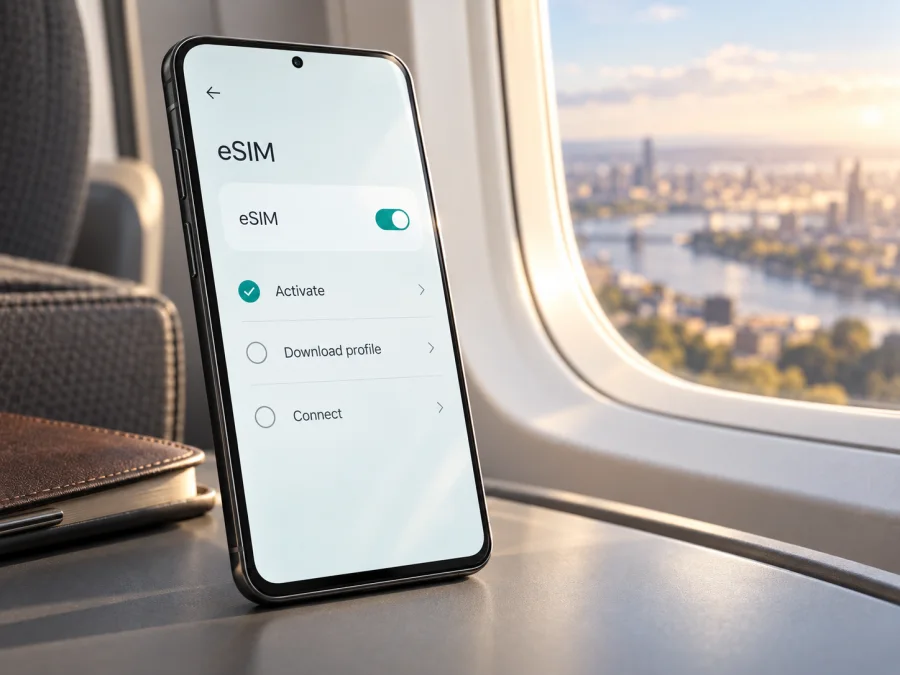
Xiaomi 15 Ultra 12GB RAM eSIM: compatibility and setup guide
The device name supplied for this guide is Xiaomi 15 Ultra 12GB RAM. Xiaomi’s official product specifications and support information confirm eSIM support for Xiaomi 15 Ultra versions sold in supported markets. There is a key caveat for the exact name here: the current global and regional specifications reviewed list 16GB RAM configurations, not 12GB. I could not verify an official 12GB RAM edition. Treat a listing with that memory description as unconfirmed until you check the actual model number and phone settings.
In short, the Xiaomi 15 Ultra supports eSIM in eligible markets and configurations, but the name “Xiaomi 15 Ultra 12GB RAM” alone is not enough to guarantee that the particular phone does. Confirm its eSIM menu or EID, region, and carrier lock before buying a travel plan. RAM, sales region, firmware, and SIM capability are separate details; one does not prove the others.
Xiaomi 15 Ultra 12GB RAM eSIM at a glance
| Check | What to know |
|---|---|
| Requested variant | Xiaomi 15 Ultra 12GB RAM |
| Model-family eSIM support | Confirmed by Xiaomi for supported markets and configurations |
| 12GB RAM listing | Not verified in Xiaomi’s current global/regional specifications reviewed; those list 16GB + 512GB or 1TB |
| SIM combinations | Can include nano-SIM and eSIM; exact combinations vary by market and software |
| SIM 2 | Xiaomi’s setup guidance says SIM 2 and eSIM may not be used together in the described setup |
| Travel use | Mobile data is available where the selected plan and local partner network support it |
| Before purchase | Check model number, EID/eSIM settings, network lock, destination, data, and validity |
Xiaomi’s Global and Spain product pages list dual-SIM configurations that include nano-SIM with eSIM and eSIM combinations. Xiaomi’s official model FAQ also confirms eSIM, while warning that availability can vary by country, region, and carrier. Those statements support the model-family answer; they do not certify every imported handset or seller listing. Xiaomi’s published RAM options reviewed for this guide are 16GB + 512GB and 16GB + 1TB. Since “12GB RAM” does not match those official configurations, verify the exact unit rather than infer features from its listing title.
Does the Xiaomi 15 Ultra 12GB RAM support eSIM?
Separate two questions. Does Xiaomi 15 Ultra support eSIM as a model family? Yes, according to Xiaomi, in supported versions and markets. Does every phone advertised as Xiaomi 15 Ultra 12GB RAM support eSIM? That cannot be confirmed from the name alone. The 12GB RAM description is not substantiated by the official specifications reviewed. It may be a seller error or a different market description, so ask for the complete model number and check the handset itself.
On Xiaomi’s supported software, eSIM controls appear in SIM or mobile-network settings, with labels such as Use eSIM, Manage eSIM, and Add eSIM. An EID in the phone’s device information is another strong sign of eSIM capability. Even then, the phone must be unlocked and accepted by the plan’s operator. Conversely, a missing menu should prompt you to verify the software version and regional model with Xiaomi or the seller before buying a plan.
Regional versions and operator support
A retail name covers a family; the model number, market firmware, and operator provisioning determine which features are available on an individual phone. Xiaomi warns that eSIM availability can depend on country or region and carrier. Regional builds can also differ in network bands and allowed SIM combinations. An imported phone may support cellular service but lack the eSIM controls or provider support of a local model.
Check these points separately:
- Sales region and model number: Ask the seller for the complete model identifier and original market. Compare it with Xiaomi’s support information for that market.
- Firmware: Check the HyperOS version and region. Install official updates, but do not assume an update will enable eSIM on a model without that feature.
- Operator market: A carrier may offer eSIM generally yet exclude a particular imported phone, account type, or prepaid plan.
- SIM configuration: Xiaomi’s instructions say SIM 2 may need to be disabled for eSIM use. Do not assume two physical SIMs and an eSIM can all be active together.
- Network compatibility: eSIM activation does not guarantee 5G or a strong signal. Check the plan’s local network and the phone’s supported bands.
Do not use 5G, NFC, a dual-SIM tray, or a QR-code reader as proof of eSIM support. None confirms that a profile can be provisioned on the exact phone.
How to check the phone before buying
Menu labels can vary slightly between HyperOS versions and languages. Use the checks below while you can still ask the seller or return the phone.
Look for an EID and eSIM controls
An EID identifies the device’s embedded SIM. Look in Settings → About phone → Detailed info and specs → Status or a SIM-status screen for EID. You can also try *#06# in the dialer; some software versions show the EID there. This is only a device-information shortcut, not an activation code. An EID is a useful sign, but it does not guarantee that a particular operator accepts the phone.
Next open Settings → SIM cards & mobile networks or Mobile networks. Look for Use eSIM, Manage eSIM, Add eSIM, or Add mobile plan. Xiaomi’s support guidance describes enabling Use eSIM, opening Manage eSIM, and adding a plan. Do not scan a purchased QR code just to test the menu: scanning can start installation, and some codes are single-use.
Record the model number, HyperOS version, and region shown under About phone. Confirm whether the phone is carrier-locked. A locked device can show eSIM controls but reject a profile from another provider.
Quick compatibility checklist
- [ ] The model number and original sales region match the seller’s description.
- [ ] The phone displays an EID or the exact regional Xiaomi information confirms eSIM.
- [ ] SIM settings show an eSIM control.
- [ ] SIM 2 can be disabled if required for eSIM.
- [ ] The handset is unlocked or the locking carrier allows the intended profile.
- [ ] The plan covers the phone’s market and every country on the itinerary.
- [ ] Data allowance, validity, activation timing, and hotspot terms fit the trip.
Check whether your device is compatible before you purchase an eSIM plan. For a phone advertised as “12GB RAM,” ask the seller to confirm its model number and show the eSIM settings screen before paying, if possible.
Installing and activating an eSIM
Prepare a stable Wi-Fi connection, your provider’s QR code or manual activation details, and any account information. Read the plan’s instructions first: validity may begin at installation or at first connection, depending on the plan. Keep the QR code private because it may contain details that allow profile installation.
- Check the plan rules. Confirm destinations, installation window, validity start, and whether setup is recommended at home or after arrival.
- Connect to Wi-Fi. Keep the phone charged and online while the profile downloads.
- Open SIM settings. Go to Settings → SIM cards & mobile networks (or Mobile networks) and enable Use eSIM if shown.
- Handle SIM 2 if prompted. Xiaomi’s instructions say SIM 2 and eSIM cannot be used together in the described configuration. Disable or remove the second physical SIM as the phone directs; keep your primary number on SIM 1 if needed.
- Add the plan. Select Manage eSIM → Add eSIM or Add mobile plan. Scan the provider’s QR code or enter its activation details manually if offered.
- Label the lines. Names such as “Travel data” and “Home number” make it easier to select the right SIM later.
- Choose the mobile-data line. Select the travel eSIM when you are ready to use it. Keep calls and SMS on your usual line only if desired, and check your home carrier’s roaming charges.
- Set roaming as directed. Some travel plans require data roaming for the eSIM. Follow the instructions for that profile; the setting can be separate for each SIM.
- Check service. In a covered destination, confirm that the eSIM is enabled and selected for data, mobile data is on, and the phone registers on a supported network.
For screen-by-screen help, see the Android eSIM installation instructions and iOS eSIM installation instructions. Xiaomi 15 Ultra runs Android-based HyperOS, so use the Android guide for this phone. The iOS guide may help another person setting up a different device.
Installation and activation are different
A downloaded profile may not connect until its plan starts. Depending on the terms, service can begin on a set date, on first connection in a covered destination, or at installation. If the eSIM appears in settings but has no service at home, the plan may simply not cover that country. Once the plan is ready, enable the line, select it for data, and turn on roaming if instructed. Avoid deleting and reinstalling a profile repeatedly: QR codes can be single-use, and removal may require the provider to issue a replacement.
Using eSIM for mobile data on a trip
A travel eSIM can provide data for maps, messaging, ride-hailing, boarding passes, and work tools without swapping the primary physical SIM. Choose a plan covering every stop, then check its data allowance, validity period, start condition, and top-up rules. A regional plan’s name is not proof that every country on your route is included.
For a simple setup, keep your normal number on the primary physical SIM for calls or important SMS and select the travel eSIM for mobile data after landing. Turn off roaming on the home SIM if you want to avoid unintended charges. If the phone requires it, keep SIM 2 disabled while eSIM is active. The combinations available depend on the handset’s regional software.
At your destination, check three settings: the travel eSIM is enabled, it is selected for mobile data, and roaming is configured as the plan requires. Disable automatic data switching between SIMs if available and you want to prevent the phone using your home line for data. Wi-Fi is useful for setup, but turn it off briefly when testing cellular data.
Kaspersky eSIM Store is an app and website where travelers can choose, arrange, and activate an eSIM with a plan for mobile data on an overseas trip. After confirming the Xiaomi handset is compatible, compare the destination coverage, data amount, validity, and conditions shown for a plan. The plan’s terms determine which local network it can use and what features are included.
A travel plan is not necessarily a replacement for your regular number. Unless the plan says otherwise, do not expect ordinary voice calls or SMS from that profile. Internet calling and messaging apps can work over data. Maps and text messaging usually consume less data than video, cloud photo backup, or hotspot use. Download maps and travel documents over Wi-Fi, monitor usage, and save large uploads for Wi-Fi. Balance data volume with validity so the plan lasts for your stay.
Common problems and checks
No EID or eSIM menu. Confirm the model number and regional firmware. Restart the phone, install available official updates, and check SIM settings again. If the controls remain absent, ask Xiaomi or the seller about that exact model; do not buy a plan on the assumption an update will add eSIM.
The profile cannot be added. Verify that it is for your destination and device, Wi-Fi works, and the QR code has not already been used. Check whether the phone is locked or SIM 2 must be disabled. Ask the plan provider to check the activation record before deleting a rejected profile.
The eSIM is listed but has no data. Confirm it is enabled and selected for mobile data, mobile data is on, and roaming is enabled if required. Check that the plan has started, covers the country, and has data and validity remaining. Restart or briefly toggle airplane mode, then wait for registration.
The phone connects but apps cannot load. Turn Wi-Fi off to test mobile data. Check the selected SIM, plan limits, and any APN setting required by the provider. Enter an APN only when the plan provider gives the exact value; do not copy settings from another country or carrier.
A second SIM disappears. This may be the SIM 2 limitation in Xiaomi’s eSIM guidance. Review active lines in SIM settings. If you need two physical SIMs and an eSIM concurrently, ask Xiaomi about that regional configuration; model-family eSIM support does not guarantee every combination.
Signal or speed is weak. Check the plan’s local network and compare it with the phone’s supported bands. Try automatic network selection first; use manual selection only if the provider specifies a network. Coverage also depends on location, congestion, buildings, and radio conditions, so eSIM compatibility cannot guarantee a particular speed.
The QR code was scanned on another phone or the profile was deleted. Stop retrying the same code. Many profiles are bound to one installation. Ask the provider whether reissue or transfer is possible; do not assume the profile can move to another phone.
Before contacting support, review: profile enabled; correct data SIM selected; roaming set per plan; destination covered; plan validity and data remaining; any required APN or network selection; and SIM 2 disabled if required. Share the model number and on-screen status with the provider, but do not post the QR code or full EID publicly.
Frequently asked questions
Is eSIM available on every Xiaomi 15 Ultra?
Do not assume so. Xiaomi confirms eSIM for supported Xiaomi 15 Ultra versions and says availability can vary by region and carrier. Check the exact model and phone settings.
Is 12GB RAM an official Xiaomi 15 Ultra configuration?
The official global and regional specifications reviewed list 16GB RAM with 512GB or 1TB storage; Xiaomi’s FAQ also describes 16GB RAM. They do not establish a factory 12GB version. Ask the seller for the model number and proof of its configuration. This memory label does not establish eSIM support.
Can I keep my main number while using travel data?
Often, a physical SIM can remain on for calls or SMS while the eSIM handles data, depending on the regional phone configuration. Xiaomi warns that SIM 2 and eSIM may not work together in the described setup. Check active lines and roaming settings before departure.
Does an EID guarantee a travel plan will work?
No. It indicates eSIM capability, but a carrier lock, unsupported regional configuration, plan restriction, or destination outside coverage can still prevent service.
Should I install before departure?
Follow the plan’s start rules. Some providers recommend Wi-Fi installation before travel, while validity may start at installation or first connection. If installed early, leave the home SIM selected for data until the travel profile is meant to be used.
Does travel eSIM include a phone number?
Not necessarily. Some plans are data-only. Check the individual plan terms for calls and SMS; internet messaging and calls can use mobile data.
Final compatibility check before your trip
For Xiaomi 15 Ultra 12GB RAM, Xiaomi’s documentation confirms eSIM support for eligible Xiaomi 15 Ultra configurations, but the “12GB RAM” specification is not substantiated by the official product details reviewed. Confirm the actual model number, sales region, EID or eSIM settings, carrier-lock status, and SIM 2 behavior on your handset. Then check that the chosen plan covers every destination and that its data, validity, and activation terms suit the trip.
After both checks pass, install the profile using the provider’s steps, select the correct line for mobile data, and enable roaming only as directed. If the seller cannot confirm the advertised variant’s eSIM controls, identify the exact model with Xiaomi before choosing a plan. Once compatibility is clear, Kaspersky eSIM Store can help you choose, arrange, and activate an eSIM plan for mobile data on an overseas trip.


