Travel connectivity guide
Xiaomi 15 Ultra 256GB 5G eSIM Compatibility
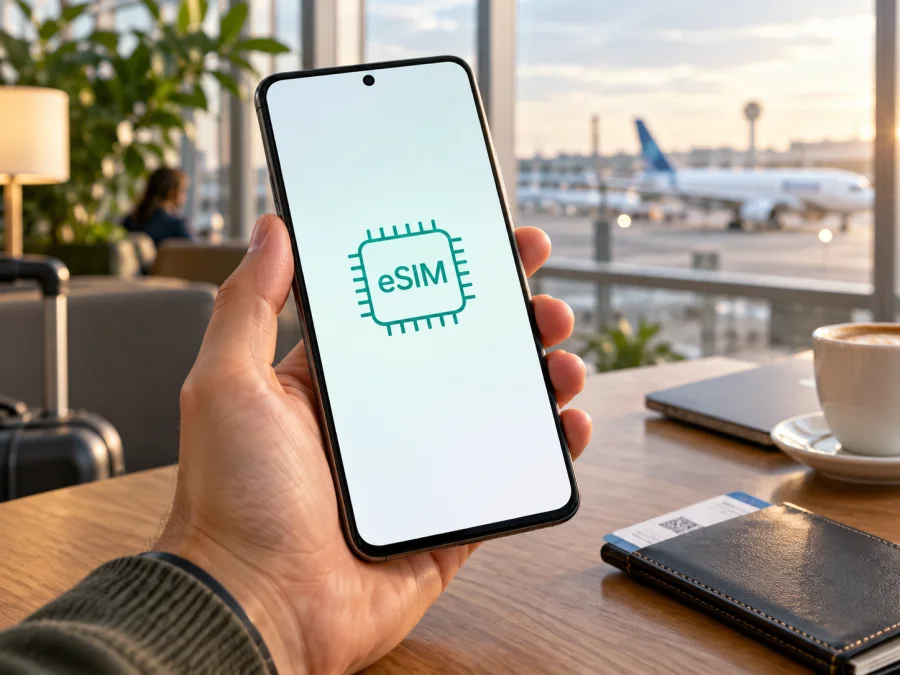
Xiaomi 15 Ultra 256GB 5G eSIM: compatibility and setup guide
The Xiaomi 15 Ultra 256GB 5G can use eSIM in supported regional versions. Xiaomi’s current global support information specifically lists the Xiaomi 15 Ultra as eSIM-capable, and Xiaomi’s product specifications in several markets show combinations such as nano-SIM + eSIM and, in some regions, eSIM + eSIM. That is a strong indication that the model family supports eSIM, but it does not guarantee that every handset sold under this name has the same feature enabled. Before choosing a travel plan, check the exact phone in Settings and confirm its country or region of sale, software version and carrier status.
The “256GB 5G” part of the name identifies the storage and mobile-network class; it does not by itself confirm that a particular regional SKU has an eSIM profile available. This guide keeps the focus on the exact Xiaomi 15 Ultra 256GB 5G variant and explains how to verify the handset you own or plan to buy.
| Item | What to know |
|---|---|
| Exact device variant | Xiaomi 15 Ultra 256GB 5G |
| eSIM support | Supported by Xiaomi 15 Ultra models in Xiaomi’s global support material; availability can vary by country, region and carrier |
| SIM arrangements | Market specifications may list dual nano-SIM, nano-SIM + eSIM, or eSIM + eSIM; check the local specification and the phone itself |
| Stored profiles | Xiaomi says the model family can store up to 10 eSIM profiles, subject to profile memory use |
| Active profiles | Xiaomi describes up to two eSIMs usable at the same time; available combinations and network behavior depend on the regional software and plan |
| Operating system | Android with Xiaomi HyperOS; menu labels can differ by version and language |
| Best pre-purchase check | Look for an EID and an eSIM control such as “Use eSIM” or “Add eSIM” in Settings |
Does Xiaomi 15 Ultra 256GB 5G support eSIM?
The Xiaomi 15 Ultra family supports eSIM, but verify the particular Xiaomi 15 Ultra 256GB 5G handset before buying a plan. Xiaomi’s current global FAQ confirms eSIM support for the model and gives setup guidance. The same manufacturer warns that availability varies by country or region and carrier. Local product specifications can list different arrangements, including dual nano-SIM or nano-SIM + eSIM. The exact model code and device settings matter more than a reseller’s generic family description.
Storage capacity and 5G do not confirm eSIM. Those describe storage and network capability, while eSIM depends on regional hardware and software configuration. Imported or carrier-branded phones may differ or be locked. If shopping, ask the seller to confirm eSIM for that SKU and market; if you own it, look for an EID and an eSIM setting. If the EID and menu are missing, confirm the region and model code with the seller or Xiaomi support before purchasing.
Regional versions
A Chinese-market handset, an imported global unit and a locally sold phone should not be treated as interchangeable solely because all are called Xiaomi 15 Ultra 256GB 5G. Xiaomi’s official material confirms model-family support but notes regional and carrier limits. Carrier locks can prevent another provider’s profile even when eSIM hardware is present. Check local specifications and ask whether the handset is unlocked.
Xiaomi says the family can store up to 10 profiles, depending on profile memory, and use up to two eSIMs simultaneously. These are maximums, not a guarantee that every regional SIM combination is available. Stored profiles and active lines are different; check the options shown on your phone.
<a id="kesim-device-compatibility"></a>
What to check before buying an eSIM plan
Use this checklist on the exact Xiaomi 15 Ultra 256GB 5G, not merely another phone from the same series:
- [ ] Open Settings and confirm that a SIM or mobile network section includes “Use eSIM,” “Manage eSIM,” or “Add eSIM.” Wording can vary with HyperOS updates.
- [ ] Find the EID in the eSIM management screen or device status information. If the menu is absent, try the Settings search field for “EID” or “eSIM.”
- [ ] Confirm that the phone is not locked to its original mobile carrier. An eSIM menu does not override a network lock.
- [ ] Check with the seller or Xiaomi support whether the exact regional model code supports eSIM and whether imported units have limitations.
- [ ] Ensure that the phone can connect to Wi-Fi during setup and that HyperOS is current enough to show the carrier’s supported eSIM flow.
- [ ] Review the trip tariff’s destination, coverage area, data allowance, validity start condition and activation instructions before payment.
- [ ] Check whether the tariff requires data roaming to be enabled on its eSIM profile and whether your main SIM can remain active for calls or messages.
In the compatibility section, check your device before selecting a travel plan. The check should be about the specific handset you will carry: region, model code, eSIM menu, EID and carrier lock all matter. A product-family compatibility statement cannot replace those checks.
Find the EID and eSIM controls
On supported builds, open Settings → Mobile networks → Use eSIM → Manage eSIM. Another Xiaomi menu path is Settings → SIM cards & mobile networks → Use eSIM → Manage eSIM → View device EID. HyperOS menu labels vary by region and update.
- Search Settings for EID, then for eSIM or Manage eSIM.
- Open eSIM management and look for Use eSIM, Add eSIM or Discover eSIMs. View the EID there if available.
- If the options are missing, check the full model code under About phone, restart after any update and ask Xiaomi or the seller about that exact regional unit.
An EID is not an IMEI, phone number or QR code. Share it only if the provider requests it. Many travel profiles install through a QR code or activation details and do not require you to send an EID.
How to install and activate an eSIM
Use reliable Wi-Fi and keep the provider’s QR code or manual details available on another screen. Check when plan validity begins: purchase, installation or first connection. Some one-time QR codes cannot be reused.
- Check the phone. Confirm EID and eSIM settings, an unlocked handset, current software and internet access.
- Open eSIM management. Go to Settings → Mobile networks (or SIM cards & mobile networks) and turn on Use eSIM if needed. Select Manage eSIM.
- Add the profile. Choose Add eSIM or Discover eSIMs, scan the provider’s QR code, or enter activation details manually.
- Wait for installation. Keep Wi-Fi on and allow several minutes. Avoid repeated attempts with a one-time code.
- Label and select the line. Name it “Travel data,” then choose it as the mobile data line when ready. Set calls, messages and data defaults separately if keeping a home SIM.
- Follow roaming instructions. Some travel plans require data roaming on their eSIM. Check the selected line carefully to avoid home-carrier charges.
- Activate at the correct time. If validity begins on first connection abroad, install ahead and leave the line off until arrival. Follow the provider’s stated trigger.
- Confirm connection. At destination, enable the profile and mobile data and wait for network registration. Use the provider’s APN or network-selection instructions if needed.
See the Android eSIM installation instructions. The iOS eSIM installation instructions are for an iPhone user travelling with you; follow the Android steps on this Xiaomi.
Install before departure or after arrival?
Pre-installing over dependable Wi-Fi makes it easier to resolve a QR issue. Installation does not always start validity, so check the plan’s rule. If the plan starts on arrival, keep the profile off until then; if it starts at installation, time the setup accordingly. After landing, use a second screen to display the QR code and do not delete an old profile until the new one works.
Using the eSIM for mobile data on a trip
At your destination, turn on the travel profile, select it for mobile data and check that the displayed line is correct. If the plan requires roaming, enable it for that profile only. A dual-SIM phone may keep more than one line on standby, but mobile data uses the selected line. Home-SIM roaming charges remain subject to your home carrier’s terms.
- City break: Install over Wi-Fi before leaving. On arrival, select the travel line and check remaining data before streaming or downloading large files.
- Several countries: Confirm every destination is included; a single-country plan may stop working at a border. Review the package’s coverage list and validity.
- Keep your usual number: Leave the home SIM available if needed for calls or verification messages, but set the travel eSIM as data and check the home line’s roaming setting.
- Longer trip: Track expiry and remaining allowance in the plan account. A data-only eSIM does not automatically include a regular number, calls or SMS; use internet calling apps where appropriate.
Kaspersky eSIM Store is an app and website where travellers can choose, arrange and activate an eSIM with a mobile data plan for an international trip. Compare destination, data amount, validity, price and activation conditions. The service helps prepare a travel eSIM; it is not a mobile operator and does not itself provide network coverage. Verify your Xiaomi 15 Ultra 256GB 5G and the plan before continuing.
Common problems and what to check
“Add eSIM” or “Use eSIM” is missing
Search Settings for EID and eSIM, then check the full model code and sales region under About phone. Update and restart. For imported or carrier-sold devices, ask Xiaomi or the seller whether that exact unit supports eSIM and is unlocked.
The QR code will not scan
Display it on another device, increase its brightness and fit the entire code in the camera frame. Check that it has not expired or been used. Enter details manually only when the provider supplied them.
The profile installs but will not connect
Make sure the travel profile is on and selected for data, and that the destination is covered. Toggle airplane mode briefly and wait for registration. Apply the provider’s APN or network instructions exactly; contact its support if service remains unavailable.
Signal appears but there is no data
Confirm mobile data is enabled for the travel eSIM and data roaming is on if required. Check the selected line, APN and plan allowance. A signal icon does not prove that the right SIM is carrying data.
The home SIM has roaming charges
Check the data default and roaming switch for each line. Disable data roaming on the home SIM if you do not want it used abroad, and review the home carrier’s terms for calls, texts and voicemail.
The phone rejects the profile or validity looks wrong
A carrier lock, regional restriction, incompatible plan or one-time code already used can block installation. Confirm the error with the provider and ask the original carrier about unlocking. Check whether validity starts at purchase, installation or first network connection before deleting or reinstalling a profile.
FAQ
Does every Xiaomi 15 Ultra 256GB 5G support eSIM?
Xiaomi confirms eSIM for the family, while noting regional and carrier variation. Check EID and eSIM controls on the individual phone before buying.
Can I use a physical SIM and eSIM together?
Some local specifications list nano-SIM + eSIM. Available combinations depend on regional software and hardware; check SIM settings on your own unit.
How many eSIM profiles can I use?
Xiaomi says up to 10 may be stored and up to two used simultaneously, subject to profile memory and regional options.
Will it connect to 5G abroad?
Not necessarily. Local coverage, network bands, plan and roaming arrangements determine whether the connection is 5G or another supported network.
Does a travel eSIM replace my regular number?
Usually it is for mobile data. Voice and SMS are included only when the plan says so. Keep a home SIM active if needed, and check roaming charges.
Should I delete the profile after travelling?
Check first: some can be reused or topped up, while others are single-use and may not reinstall without a new code.
Final device check and eSIM for your trip
Before paying for a travel plan, check the exact Xiaomi 15 Ultra 256GB 5G in Settings: confirm an EID, find Use eSIM or Add eSIM, verify the phone is unlocked and make sure its regional model code matches the seller’s information. Xiaomi confirms eSIM support for the Xiaomi 15 Ultra family, while noting that country, region and carrier can affect availability. If any check is unclear, confirm it with the seller or Xiaomi support before purchasing.
Then choose a plan for the countries on your itinerary and compare its data allowance, validity period, price and activation trigger. Kaspersky eSIM Store’s app and website let you choose, arrange and activate an eSIM plan for mobile data during an international trip. Install it with a reliable connection, set it as the data line when appropriate, and follow the plan’s roaming instructions. That final device-and-plan check helps ensure that the eSIM you prepare matches the phone you will actually carry.


