Travel connectivity guide
Xiaomi 15 Ultra 512GB 5G eSIM: Compatibility & Setup
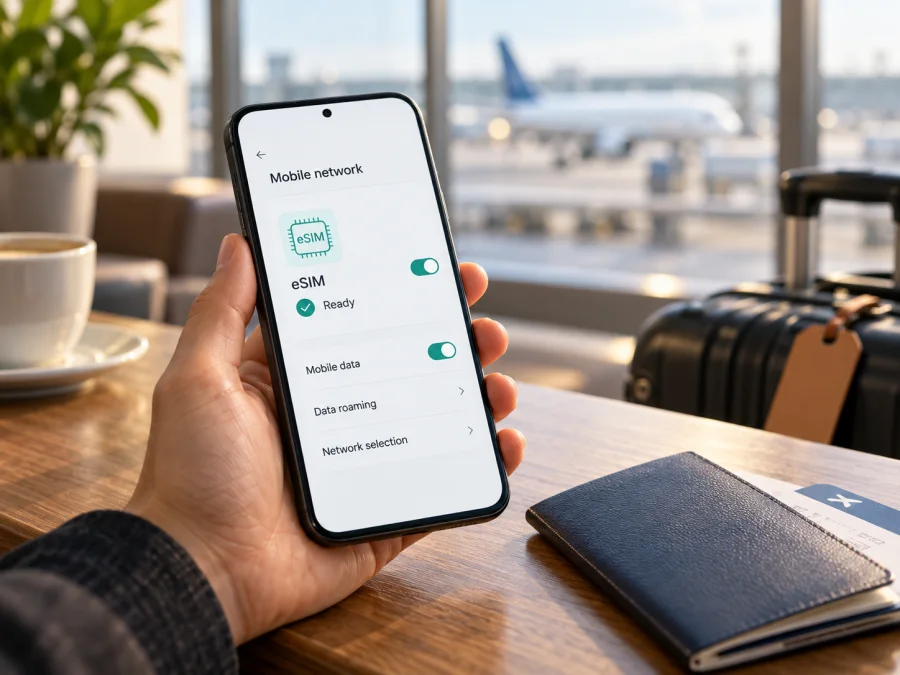
Xiaomi 15 Ultra 512GB 5G eSIM: compatibility and setup
Short answer: Xiaomi’s official support information lists the Xiaomi 15 Ultra as eSIM-capable. The Xiaomi 15 Ultra 512GB 5G should therefore be a candidate for a travel eSIM, provided the specific phone you own has eSIM enabled for its sales region and software version, is not carrier-locked, and the eSIM provider supports that device and destination. The words “512GB 5G” alone do not identify the phone’s regional hardware or prove that every unit has the same eSIM menu.
Before paying for a plan, check the phone itself. Look for an EID and for an option such as Use eSIM, Manage eSIM, or Add eSIM in mobile network settings. Then confirm that the plan covers your destination and that its activation rules fit your travel dates. If the EID or menu is missing, ask the seller to verify the exact regional model and firmware rather than assuming the device is ready.
Does Xiaomi 15 Ultra 512GB 5G support eSIM?
Yes, according to Xiaomi’s official support information for the Xiaomi 15 Ultra. The model family supports eSIM, with options that Xiaomi describes as two nano-SIMs, nano-SIM plus eSIM, or eSIM plus eSIM. Xiaomi says multiple profiles can be stored, up to 10 depending on profile memory. Stored profiles are not the same as simultaneously active lines.
This confirms the model family, not every individual regional handset. Xiaomi warns that eSIM availability varies by country or region and carrier. The 512GB capacity and 5G label do not identify the sales-market configuration or prove that eSIM is enabled on your unit. Check the model number, firmware, and settings on the actual phone before buying a plan.
| Check | What to know |
|---|---|
| eSIM | Xiaomi lists Xiaomi 15 Ultra as eSIM-capable; regional availability can vary. |
| 512GB | Storage variant; it does not independently confirm eSIM. |
| 5G | Requires supported bands, a compatible destination network, coverage, and plan. |
| Travel plan | Confirm the provider accepts the phone and covers each destination. |
“Regional version” means the handset’s sales market and configuration, not just its language setting. Hardware, firmware, SIM options, supported bands, or carrier certification may differ between markets. The official information reviewed here does not establish identical support on every imported or China-market unit. Check the exact model and software on your own phone.
The destination operator is a separate check. An eSIM-capable phone can still fail to activate if it is carrier-locked, the provider does not support it, or the plan does not cover your destination. Check each country on your route and when plan validity begins.
Check compatibility before buying
Use this checklist with the handset in front of you:
- [ ] In Settings, search for “eSIM”. Look under Mobile networks or SIM cards & mobile networks; names vary by software and region.
- [ ] Look for Use eSIM, Manage eSIM, or Add eSIM. Note whether the feature is present and enabled.
- [ ] In the dialler, enter
*#06#. If available, the EID should appear among the device identifiers. Settings may also show it under device or status information. - [ ] Compare the model number and sales region in Settings > About phone with the box or receipt.
- [ ] Confirm the phone is unlocked and that the intended eSIM provider supports this model and destination.
- [ ] Check plan coverage, data allowance, validity, activation timing, and roaming requirements.
An EID is a useful sign of eSIM capability but does not guarantee that a particular plan will work. A missing EID or menu is a reason to verify the regional version, firmware, and carrier status with Xiaomi or the seller. Do not install unknown profiles or reset the device to test compatibility.
Check your device before selecting a plan. For an imported unit, ask the seller whether this exact Xiaomi 15 Ultra 512GB 5G can install the intended profile. Share identifiers only through a secure support channel when needed.
How to install an eSIM on Xiaomi 15 Ultra 512GB 5G
Connect to reliable Wi-Fi and have the provider’s QR code or manual activation details ready. Check whether installation starts the plan’s validity, and do not use an activation code issued for another device. Some codes are one-time use.
- Confirm the plan. Check destination coverage, validity, activation rules, and device compatibility.
- Open eSIM settings. Go to Settings > Mobile networks or SIM cards & mobile networks. Enable Use eSIM if shown, then tap Manage eSIM.
- Add the profile. Choose Add eSIM, Add mobile plan, or the equivalent option. Scan the provider QR code or enter activation details manually.
- Wait for setup. Keep Wi-Fi on until the profile downloads. Do not close setup prematurely.
- Label and select the line. Name it “Travel data”, then choose it for mobile data when you are ready.
- Set roaming as directed. Enable data roaming for this eSIM only if the provider requires it.
- Test at the right time. If connection starts validity, wait until arrival or the chosen start time before enabling the line.
Xiaomi’s general path is Settings > Mobile networks > Use eSIM > Manage eSIM > Add eSIM or Discover eSIMs; wording may differ by software version. See the Android eSIM installation instructions. For a friend using an iPhone, the iOS eSIM installation instructions cover that separate setup.
After installation, confirm the profile appears and is enabled when needed. Downloading a profile and registering on a network may be separate steps. Follow the plan’s activation and roaming rules before testing mobile data.
Using the eSIM for mobile data on a trip
You can often install a profile before departure if the provider allows it. First check when the validity period begins: it may start at purchase, installation, or the first supported network connection. If it starts on connection, keep the travel line off until the intended start time. Save setup instructions offline and review hotspot, roaming, and data-limit conditions.
On arrival, select the travel eSIM for mobile data, enable its roaming setting only if instructed, and wait for network registration. Turn Wi-Fi off briefly to confirm data works. If you keep your home SIM active for calls or verification messages, check its roaming charges and make sure it is not selected for data by mistake.
A travel eSIM plan described in Kaspersky eSIM Store is for mobile internet unless its terms explicitly include a number, voice, or SMS. Messaging and calling apps can use data when available. Kaspersky eSIM Store is an app and website where you can choose, arrange, and activate an eSIM with a suitable plan for an overseas trip; the local operator carries the connection. Review the current destination, data, validity, and terms for each plan.
Common eSIM problems and checks
The eSIM option is missing
Search Settings for “eSIM” and check both Mobile networks and SIM cards & mobile networks. Restart and apply official system updates, then confirm the model number and sales region with the seller or Xiaomi support. A 5G label or product-family name alone does not prove that a specific handset has eSIM enabled.
The QR code will not scan or the profile will not download
Use a stable Wi-Fi connection, show the full QR code at good brightness, and follow the provider’s manual-entry instructions if offered. Check that the code is for this plan and has not already been used. Ask the provider before deleting or repeatedly retrying a profile; some activation codes are one-time use.
The profile is installed but there is no service
Make sure the eSIM is enabled and selected for mobile data, the plan is valid in your current country, and its activation time has begun. Enable data roaming for that line only if instructed by the provider. Briefly toggle airplane mode and wait for registration. Try automatic network selection first; do not delete the profile as an initial troubleshooting step.
Signal appears but apps cannot use data
Turn Wi-Fi off for the test. Verify that mobile data uses the travel eSIM, check its remaining allowance and validity, and follow the provider’s APN instructions if supplied. Do not guess APN values. Also check that the home SIM is not selected for data or roaming unintentionally.
The phone cannot add the plan or the home SIM stops working
Check whether the phone is locked, the profile is already installed, or the allowed profile capacity has been reached. Stored profiles and active lines are different, and dual-SIM behavior may vary. If a profile was deleted, ask the provider whether it can be restored. Review which SIM is assigned to data, calls, and messages.
5G does not appear
A 5G icon depends on the regional handset’s bands, the local operator, plan eligibility, coverage, and signal conditions. 4G can still provide mobile data. A missing 5G indicator does not by itself mean that eSIM activation failed.
For unresolved issues, contact the eSIM provider about its profile, plan, or network registration. Give it the destination, plan name, phone model number, software version, and displayed status. Contact Xiaomi or the seller about a missing eSIM menu or regional-variant question.
Practical trip scenarios
- Prepare at home: Verify compatibility and unlock status, then read when plan validity begins. Install in advance only if allowed; leave the line off if connection would start the plan early.
- Connect after landing: Select the travel eSIM for data and enable its roaming setting only when the provider requires it. If you need to install on arrival, arrange Wi-Fi first.
- Visit multiple countries: Confirm every stop is included and that the validity covers the full route. The regional plan label is not a guarantee of universal coverage.
- Keep your regular SIM: Decide whether it should remain active for calls or verification, check the home operator’s roaming charges, and keep the travel eSIM selected for data.
- Use an imported phone: Verify the model number, EID, software region, eSIM menu, and unlocked status before purchase. If eSIM cannot be confirmed, choose another device or travel option.
FAQ
Can Xiaomi 15 Ultra 512GB 5G use a travel eSIM?
Xiaomi lists the Xiaomi 15 Ultra family as eSIM-capable. Your handset can use a travel profile if its regional version and software expose eSIM, it is unlocked, and the provider supports the phone and destination.
How many profiles can it store?
Xiaomi says up to 10 profiles may be stored, depending on profile memory. Storage does not mean that all profiles can be active at once.
Does the 512GB capacity confirm eSIM support?
No. Check the handset’s EID, settings, model number, regional specification, and provider support.
Can I install the profile before traveling?
Often, but the plan’s rules decide whether installation starts validity. Read the activation conditions first and keep the profile from connecting until the intended start time if required.
Does a travel eSIM include voice and SMS?
A travel data plan is for mobile internet unless its terms explicitly include a number, voice, or SMS. Internet calling and messaging apps can use data when available.
Why is the eSIM menu missing?
The regional configuration, software, carrier lock, or exact model may differ from the listing. Check the model number with Xiaomi or the seller instead of assuming every device with the same product name has the same feature.
Before you choose a plan
Xiaomi confirms eSIM support for the Xiaomi 15 Ultra family, while warning that availability can vary by region and carrier. Check the EID or eSIM controls on your own Xiaomi 15 Ultra 512GB 5G, verify that the phone is unlocked, and confirm provider support for your destination.
Kaspersky eSIM Store is an app and website where you can choose, arrange, and activate an eSIM with a mobile-data plan for an overseas trip. Compare the current destination, data allowance, validity, activation timing, and other plan conditions. Choose an eSIM plan for your trip and review its terms before purchase.


