Travel connectivity guide
Xiaomi 15T 128GB eSIM: Compatibility & Setup
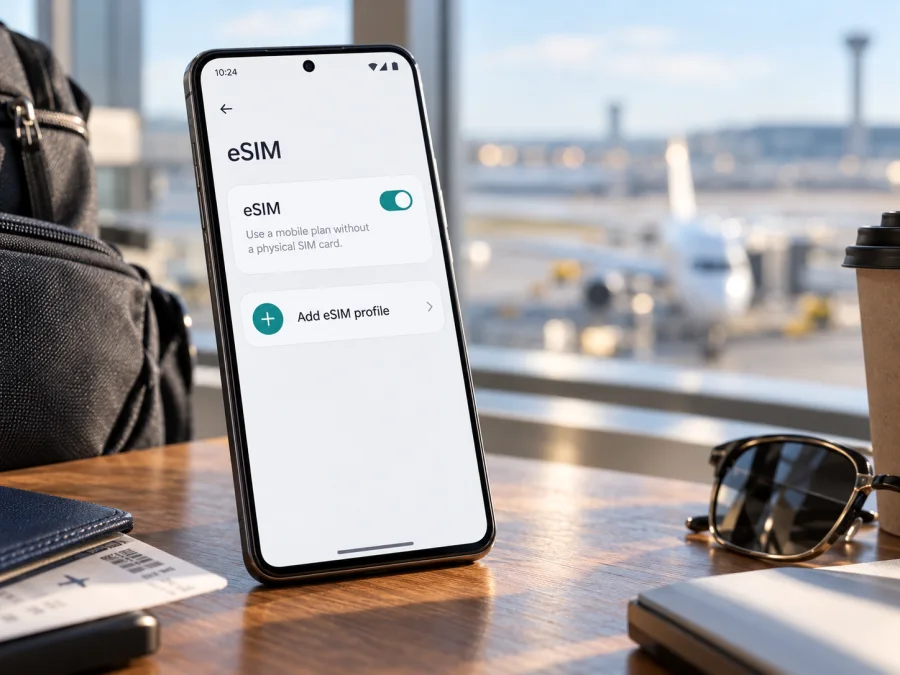
Xiaomi 15T 128GB eSIM: compatibility and travel setup
Quick answer: Xiaomi’s current global support FAQ says the Xiaomi 15T supports eSIM and EID (the identifier associated with its embedded SIM). It lists dual-SIM combinations of two nano-SIMs, one nano-SIM plus eSIM, or eSIM plus eSIM. However, the exact “Xiaomi 15T 128GB” storage configuration could not be confirmed in Xiaomi’s currently published global specifications: those list 256GB and 512GB configurations. Treat the storage variant in this article as the exact product name supplied, and confirm the phone’s model number, regional software and eSIM menu on the device you are buying. Xiaomi also says eSIM availability can depend on country or region and carrier.
That distinction matters. An eSIM-ready model family is a good sign, but it cannot prove that every unit sold under a similar retail name has the same hardware, firmware or local carrier support. Before buying a travel plan, check the actual phone and its network status. The steps below help you do that, add a profile safely and use it for mobile data abroad.
Xiaomi 15T 128GB at a glance
| Check | What is verified | What it means for you |
|---|---|---|
| eSIM support | Xiaomi’s global Xiaomi 15T FAQ says the model supports eSIM. | The model family is designed to support an eSIM profile, subject to local and carrier availability. |
| EID | The same FAQ says the Xiaomi 15T supports EID. | You can look for an EID in the phone’s SIM or device information screens. |
| SIM combinations | Xiaomi lists nano-SIM + nano-SIM, nano-SIM + eSIM, and eSIM + eSIM. | The device may offer different two-line combinations; the active setup and local implementation can vary. |
| Exact storage variant | The current global specifications list 12GB RAM with 256GB or 512GB storage. They do not list a 128GB version. | “128GB” is retained here as supplied, but the exact regional SKU is unverified. Confirm it with the seller and the handset’s model number. |
| Market and carrier | Xiaomi says eSIM availability may vary by country/region and carrier. | A compatible model may still be affected by sales market, firmware, carrier policy or a network lock. |
| Travel data | A travel eSIM plan is used for mobile data according to its own terms. | Check destination, data allowance, validity, activation rules and supported networks before purchase. |
Does the Xiaomi 15T 128GB support eSIM?
The best answer supported by Xiaomi’s current published material is: the Xiaomi 15T model family supports eSIM and EID, but the exact “128GB” variant and the unit’s local configuration need to be verified. The manufacturer’s FAQ is direct on the model-family feature. It does not establish that a particular storage listing is an official SKU in every market, nor that an eSIM profile from every provider can be installed on every carrier-sold unit.
Xiaomi’s Global Xiaomi 15T FAQ, checked on 1 November 2026, confirms eSIM, EID and the listed SIM combinations for the model family. The current Global Xiaomi 15T specifications page lists 256GB and 512GB storage, so it does not verify a 128GB SKU. These details support a model-family answer, not a guarantee for every regional unit.
The storage capacity itself does not normally determine whether a phone has an embedded SIM. The relevant checks are the specific hardware and software version, its sales region, any carrier restrictions and the eSIM service’s availability in the market. Since Xiaomi’s current global specification lists 256GB and 512GB, ask the seller for a photo of the retail-box label and the model number in Settings before relying on a 128GB listing. A product title in an online shop is not a substitute for the handset’s own identifiers.
Regional differences matter because device versions, menus, supported bands and eSIM provisioning may vary by market. Xiaomi’s FAQ separately warns that service availability depends on country/region and carrier. A phone may have eSIM hardware while the service you want is unavailable. Check the specific operator market and destination plan; “global” or “unlocked” in a sales title is not proof.
A carrier-locked handset may restrict profiles from other providers. Ask the original carrier or seller to confirm that the phone is unlocked for your intended eSIM, especially if it is imported or second-hand.
Check the phone itself before purchase
Use this short checklist on the actual Xiaomi 15T 128GB unit, not only on its product page:
- Confirm the identity. Match the model number shown in Settings with the box label and the seller’s listing. Ask the seller to explain the 128GB specification, since it is not among the storage capacities currently shown on Xiaomi’s global specifications page.
- Look for the eSIM controls. Open Settings and search for “eSIM,” “SIM cards,” or “Mobile networks.” Depending on the software build, the route and labels can differ. Look for an option such as Add eSIM, Add mobile plan, or Manage eSIMs.
- Look for an EID. Search Settings for “EID” or check the device/SIM status information. Some Android versions show it under About phone, Status, or SIM status. Menu names vary; use the Settings search field if available.
- Check for a carrier restriction. Confirm with the seller or original carrier that the handset is unlocked and can accept a profile from the provider you plan to use.
- Check the intended service. Confirm that your chosen eSIM plan supports the destination and the phone’s regional variant. A model-level feature does not guarantee local service availability.
- Keep the device online for setup. Profile installation usually requires an internet connection, so use reliable Wi-Fi or another working connection before leaving.
When buying remotely, ask for a video of About phone and SIM/eSIM settings on the same handset. Check the unit you receive.
For a second check, check your device and compare the result with Settings. Neither check replaces confirmation that the phone is unlocked and the plan is available for your destination.
What EID and “Add eSIM” tell you
An EID is an identifier for the embedded SIM, not your phone number, password or plan QR code. Seeing it is a useful sign of eSIM capability; Xiaomi confirms EID support for the Xiaomi 15T. Check the actual handset because regional firmware and service restrictions may affect which profiles it can add.
An Add eSIM or Add mobile plan control shows that the installed software exposes an eSIM setup flow. Wording and location vary, so search Settings for “eSIM.” If neither EID nor an add option appears, a QR code will not establish compatibility; verify the model number and market version with Xiaomi or the seller before buying a plan.
How to install an eSIM on Xiaomi 15T 128GB
Install over stable internet and allow time for setup. Installation and plan activation may be separate, so check when validity begins. Display the QR code on another screen or print it; the phone generally cannot scan its own screen.
- Check compatibility and unlock status. Confirm EID or Add eSIM on the handset and make sure it is not restricted by another carrier. If you cannot find the menu, search Settings for “eSIM” before proceeding.
- Connect to reliable Wi-Fi. Keep the phone charged and use a stable connection. Avoid resetting the device or deleting an existing profile during installation.
- Open the eSIM setup screen. On Xiaomi/Android, open Settings and look in the SIM-card, mobile-network or mobile-plan section. Names vary between HyperOS versions and regions; Settings search is often the quickest route. Choose Add eSIM or the equivalent option.
- Choose the provider’s installation method. Scan the QR code from another screen, or enter the activation details manually if the provider supplies them. Follow the prompts to download and add the profile. Do not share the QR code: it can contain a one-time activation credential.
- Name the profile. Use a clear label such as “Travel data” or the destination name. Keep your usual line distinguishable so you can select the correct one later.
- Choose what the profile will do. If the plan is for data only, leave calls and texts on your usual number if you need them, and select the travel eSIM for mobile data when its plan should begin. Exact dual-SIM controls depend on software and market.
- Follow the activation instructions. Some plans begin when installed, others when first connecting to an eligible network, and some use a scheduled activation. Installation means adding the profile; it does not always mean the package’s validity has started. Follow the provider’s stated trigger.
- Enable roaming only if the plan requires it. Some travel eSIM profiles need Data roaming enabled to connect to partner networks. Check the plan instructions first. Select roaming for the travel profile, not your home SIM, and review your home carrier’s roaming settings to avoid unexpected charges.
- Test the connection. When service is supposed to be active, turn Wi-Fi off briefly, confirm mobile data is assigned to the travel profile and load a webpage. Restore Wi-Fi afterwards if you do not want to use mobile data during the test.
Kaspersky eSIM Store’s Android installation guide describes its Android installation flow, while its iOS guide applies to iPhone rather than Xiaomi. The Android guide notes that menus can vary by Android model and software version and its illustrated steps are specific to Samsung, so follow the Xiaomi controls on your own device. If a label differs, use Settings search and the on-screen instructions from the eSIM provider.
Do not delete a profile if the first connection is delayed: some codes work once only. Check the selected line, destination, activation status and network settings, then contact the provider if it still will not register.
Using the Xiaomi 15T 128GB for travel data
A travel eSIM can keep mobile data separate from your usual SIM. Choose a plan that matches your route, trip length, expected data use and validity rules. Check when the plan starts and whether tethering is allowed.
Select the travel eSIM for Mobile data in SIM or mobile-network settings. If your regular SIM stays on for calls or messages, review its roaming controls: it may still incur charges under your carrier’s terms. Disable it only if you understand the effect on calls and verification messages.
A data-only plan generally does not replace your number for cellular calls or SMS. Internet-based calling and messaging apps work over data; consider account verification needs before disabling your usual SIM.
Connection depends on the plan, local partner networks, regional bands and coverage. 5G capability does not guarantee 5G on every plan or destination; LTE may be used instead. Check plan coverage and the handset’s regional variant.
Practical travel scenarios
Install before you leave. If allowed without starting validity, add the profile at home over Wi-Fi, label it and follow the provider’s timing instructions. Confirm whether installation starts the plan.
Set it up after landing. Use Wi-Fi and a QR code on a second screen or paper. If installation requires internet and Wi-Fi may be unavailable, install before departure.
Keep a home number available. Select the eSIM for data and retain your home line only if needed for calls or SMS. Review roaming on both lines; home-carrier charges still apply under its terms.
Travel across several countries. Confirm that a regional plan includes every stop, and review exclusions, remaining data and validity.
Use hotspot sharing. Confirm tethering is allowed; hotspot use consumes the selected plan’s data.
Troubleshooting: when setup or data does not work
There is no Add eSIM option. Search Settings for “eSIM,” “SIM,” or “mobile plan.” Restart the phone and check for an available system update over Wi-Fi. Confirm the model number and market variant with the seller or Xiaomi support. If the EID is also missing, pause setup and verify the unit rather than trying random QR codes.
The QR code will not scan. Increase screen brightness on the display showing the code, clean the camera lens and hold the second screen steady. Make sure the entire code is visible and not cropped. If the provider offers manual entry, use the exact activation details. If a code has already been used, ask the provider whether it can be reissued; repeated scans may not solve a one-time-code issue.
The profile downloads but cannot connect. Check that the plan is active for the destination and date, the phone is in an eligible location, the travel profile is turned on and it is selected for mobile data. Follow the provider’s instructions on network selection and roaming. Toggle airplane mode once or restart, then allow time for network registration. Avoid changing APN values unless the provider gives you the correct settings.
The phone shows signal but there is no internet. Verify that Mobile data is enabled and assigned to the travel profile, not the home SIM. Check that the package has started and still has data available. If required by the plan, enable Data roaming for the travel profile. Turn off Wi-Fi briefly for a proper mobile-data test and open a new webpage.
The home SIM is roaming. Check the selected data SIM and the roaming setting for each line. A travel eSIM can be selected for internet while the home line remains active for calls or SMS. Your home carrier may charge for services on that line. Disable the home line if appropriate, or ask that carrier about its roaming rules.
The connection is slow or drops. Move to an area with better reception, switch airplane mode off and on, and let the phone select a network again. Check whether the plan offers manual network selection and use only a network listed by the provider. Indoor coverage, congestion, local network conditions and available radio bands can affect performance. A 5G-capable handset may use LTE if that is what the plan or local network supports.
The plan appears to be used too early. Review the plan’s activation and validity rules. Profile installation, profile activation and the start of data validity can be different steps. If the start time looks wrong, keep the profile installed and contact the plan provider with the order details; deleting it may make recovery harder.
A profile was deleted or the phone was reset. Do not assume the original QR code can be reused. Some eSIM activation codes are single-use or tied to the first device. Contact the provider’s support and provide the order reference through its official support channel. Never post the QR code or full activation details in a public forum.
Frequently asked questions
Is eSIM confirmed for the Xiaomi 15T 128GB?
Xiaomi confirms eSIM and EID support for the Xiaomi 15T model family in its current global FAQ. The exact 128GB storage configuration is not shown on Xiaomi’s current global specification page, which lists 256GB and 512GB. Verify the specific unit’s model number and eSIM settings before purchase.
Can I use a physical SIM and an eSIM at the same time?
Xiaomi’s global FAQ lists nano-SIM + eSIM as a supported configuration, along with nano-SIM + nano-SIM and eSIM + eSIM. Which combination is available in a particular market and software build should be checked on the handset. You may need to choose which line handles mobile data.
Does an EID guarantee that my travel plan will work?
No. An EID is evidence of an embedded SIM identifier, not confirmation of carrier unlock status, destination coverage, plan availability or successful activation. Confirm those points separately before purchase.
Do I need to enable data roaming?
It depends on the eSIM plan and how the profile connects to partner networks. Read the provider’s instructions and, if roaming is required, enable it for the travel eSIM. Check that your regular SIM is not selected for mobile data and review your home carrier’s charges.
Does a travel eSIM provide a phone number?
A travel data plan is usually intended for internet access, not a replacement phone number. Check the specific package terms if calls or SMS are important. Internet-based messaging and calling apps can work over the data connection.
Can I move the eSIM to another phone later?
Do not count on transferring it. Profiles and activation codes may be restricted to one device or a single installation. Check the provider’s transfer and reissue rules before deleting a profile or changing phones.
Before you choose a travel eSIM
Xiaomi lists the Xiaomi 15T model family as eSIM-capable and EID-capable, but the specific “Xiaomi 15T 128GB” label needs a handset-level check because the current global specifications list 256GB and 512GB. Confirm model number, EID or Add eSIM, unlock status and regional variant. Then compare destination, data, validity, activation timing, networks and hotspot terms. Kaspersky eSIM Store is an app and website where you can choose, arrange and activate an eSIM plan for mobile data during an overseas trip. Browse current destination options and plans and confirm the route is covered by the terms shown before purchase.


