Travel connectivity guide
Xiaomi 15T Pro 12GB RAM eSIM Guide
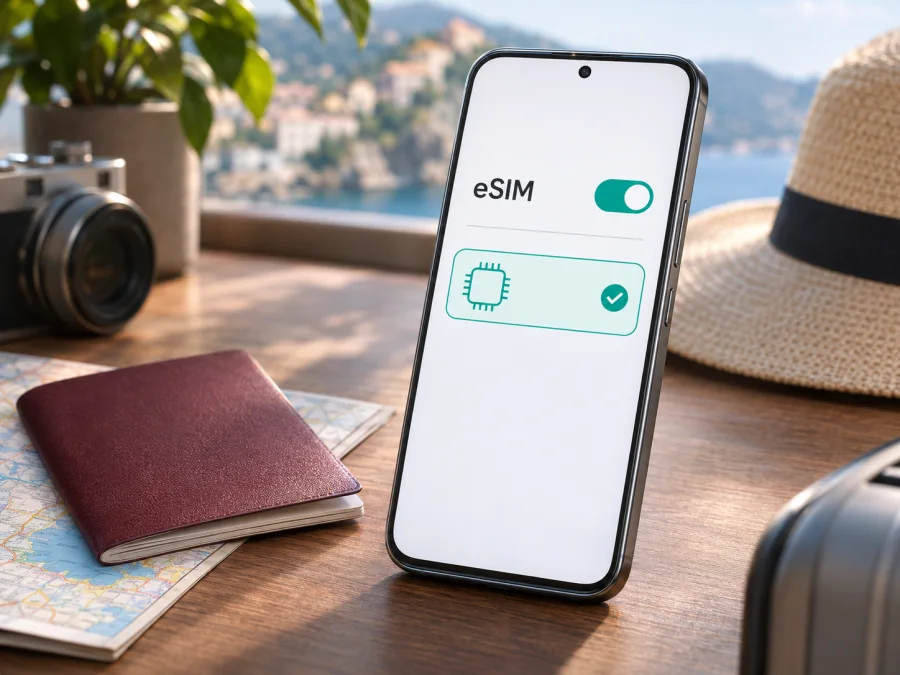
Xiaomi 15T Pro 12GB RAM eSIM: compatibility and setup guide
The Xiaomi 15T Pro 12GB RAM supports eSIM according to Xiaomi’s published specifications for the Xiaomi 15T Pro. Xiaomi lists dual-SIM combinations that include nano-SIM + eSIM and eSIM + eSIM, and its support FAQ also confirms that this model supports an EID, the identifier associated with an eSIM. That is a strong indication that the 12GB RAM model can use a digital SIM. Still, eSIM availability can depend on the country or region, the exact sales variant, carrier restrictions, and system software. Before choosing a travel plan, confirm that the phone itself exposes eSIM settings and is not carrier-locked.
The RAM amount does not determine eSIM support. Xiaomi’s global specifications list the Xiaomi 15T Pro in 12GB RAM storage configurations, while the eSIM feature is described at the model level. A listing that says “Xiaomi 15T Pro 12GB RAM” is therefore not, by itself, proof of the exact regional variant or its unlocked status. Use the checks below on the handset you intend to travel with.
Xiaomi 15T Pro 12GB RAM eSIM overview
| Item | What to know |
|---|---|
| Device in this guide | Xiaomi 15T Pro 12GB RAM |
| eSIM support | Listed by Xiaomi for Xiaomi 15T Pro; verify the specific phone in Settings |
| EID | Xiaomi support documentation says the model supports EID |
| SIM arrangements | Xiaomi lists nano-SIM + nano-SIM, nano-SIM + eSIM, or eSIM + eSIM for the model |
| Regional and carrier availability | May differ by country or region and mobile carrier |
| Operator lock | A carrier-locked phone may reject a travel eSIM from another provider |
| Best first check | Look for an EID and an option to add or manage an eSIM profile |
This is a guide to the named model and RAM variant. It does not assume that every imported unit, firmware build, or carrier-sold handset will expose identical settings. Confirm the actual phone before paying for a plan.
Does Xiaomi 15T Pro 12GB RAM support eSIM?
Yes: Xiaomi’s product information for the Xiaomi 15T Pro includes eSIM among its supported dual-SIM arrangements. The listed combinations are two physical nano-SIMs, one nano-SIM plus one eSIM, or two eSIMs. Xiaomi’s model FAQ separately says that Xiaomi 15T Pro supports both eSIM and EID. This model-level information is more useful than a generic claim about all Xiaomi phones, but the manufacturer also warns that eSIM availability varies by country or region and carrier.
An eSIM is a digital SIM profile stored in a compatible phone. Instead of inserting a second plastic card, you add a carrier profile through the device settings, usually by scanning a QR code or using an in-app installation flow. The eSIM profile and the mobile plan are related but not the same thing: adding a profile installs the SIM credentials, while activation and data access depend on the plan’s instructions and the network conditions where you are.
“Supports eSIM” also does not mean every provider can activate service on every Xiaomi 15T Pro. A specific carrier or travel plan may impose its own compatibility, identity, activation, or network requirements. The destination network’s supported bands and coverage matter too. Confirm both the handset and plan conditions before travel.
What “12GB RAM” does and does not tell you
The 12GB RAM wording identifies a memory configuration; it does not identify the country where the phone was sold or confirm that it is unlocked. Storage may also vary independently. Check the exact model number, original market, seller documentation, and warranty details if you are buying an imported or used phone. Do not rely only on a product title or a retailer’s broad compatibility list.
Xiaomi publishes a regional caveat for eSIM and network availability. This means a feature described for the model may still be unavailable on a particular unit because its sales region, software build, carrier customization, or local carrier support differs. A software update can change menu labels or add support where applicable, but do not assume that changing the phone’s region setting will enable a missing eSIM feature. Avoid unofficial firmware changes as a compatibility fix; they can introduce security, update, warranty, or connectivity problems.
Check compatibility on the phone before buying
The clearest practical check is on the exact handset you plan to use. Menu names can differ slightly between HyperOS versions and regional builds, so search Settings for “eSIM” if the steps below do not match word for word.
- Connect to Wi-Fi. Keep the phone online while checking settings and, later, while downloading a profile.
- Open Settings. Go to the SIM, mobile network, or mobile connection section. On Xiaomi software, look for SIM management or an eSIM management option; the wording may change after updates.
- Look for an add-profile action. Check for “Add eSIM”, “Add mobile plan”, “Download a SIM”, or a similar command. A visible option is a useful sign that the installed software exposes eSIM support.
- Check for an EID. In Settings, search for “EID”, or inspect the phone’s device/SIM status information. Some builds show the EID under About phone or status details. An EID is a long identifier; you do not need to publish or share it to check compatibility.
- Confirm with the seller or carrier. Ask whether the exact regional model and IMEI are unlocked and eligible for eSIM activation. If the Settings option or EID is absent, pause before purchase and ask Xiaomi support or the seller to confirm the exact unit.
An EID is strong evidence that the phone has an eSIM identity, but it is not a guarantee that a particular plan will work. Conversely, an absent menu can reflect a regional model or software issue, so first check for system updates and confirm the exact variant rather than concluding from a single screen. Do not post screenshots that expose the EID or IMEI publicly.
Use Check your device to review compatibility before selecting a travel plan. The final check should be made on your own Xiaomi 15T Pro 12GB RAM, not on another person’s phone or a similar Xiaomi model.
Compatibility checklist
- [ ] The handset is the Xiaomi 15T Pro 12GB RAM variant you will take on the trip.
- [ ] Settings displays an EID or an option to add/manage an eSIM.
- [ ] The phone is not locked to a carrier that blocks another provider’s profile.
- [ ] HyperOS is up to date, and the eSIM menu is still available after restarting.
- [ ] The plan’s eligible device and destination conditions match your trip.
- [ ] You can access Wi-Fi or another internet connection during installation.
- [ ] You know when the plan activates and whether data roaming must be enabled for that profile.
How to install and activate an eSIM
The exact screens can vary with HyperOS version, region, and provider. The safe approach is to follow the installation method supplied with your plan and verify each confirmation on the phone.
- Open the eSIM settings. In Settings, enter SIM or mobile network management and choose the option to add an eSIM or mobile plan.
- Choose the provided method. Scan the provider’s QR code, or use its manual/in-app installation instructions if offered. Keep the phone connected to Wi-Fi.
- Review the confirmation. Check the displayed plan details if available, then approve downloading or adding the profile. Do not scan a QR code from an unknown source.
- Wait for installation to finish. Leave Settings open and do not repeatedly scan the same code if the progress screen is still working. If an error appears, note the message before retrying.
- Label the profile. Use a clear name such as “Travel eSIM” so it is easy to distinguish from your regular SIM.
- Choose when to turn it on. You can usually install before departure and keep the profile disabled until you need it, if the plan allows. Check whether installation itself starts the validity period.
- Set the mobile-data line. When ready to use the travel plan, select it as the mobile data SIM. Keep your home line enabled only if you need it and understand its roaming charges.
- Enable data roaming for that eSIM if instructed. Some travel plans require this setting to connect to a partner network. Apply it only to the travel profile, and confirm the plan’s instructions first.
- Wait for network registration. At the destination, allow a few minutes for the phone to find an eligible network. If it remains offline, use the troubleshooting section below.
The Android walkthrough is available in Kaspersky eSIM Store’s Android installation instructions. That guide notes that installation screens vary by Android model and its illustrated steps are specific to Samsung, so use the Xiaomi menu labels described above for this phone. The iOS installation instructions are intended for Apple devices and are included only as a reference for users comparing setup flows; they do not apply to Xiaomi 15T Pro.
The profile being present does not always mean the data plan is active. Some plans become usable only after arrival or after a first connection to an eligible network. Do not delete a profile to troubleshoot unless the plan provider confirms it can be reinstalled; some QR codes are single-use, and deleting the profile may make recovery difficult.
Use Xiaomi 15T Pro 12GB RAM for mobile data on a trip
When you arrive, open SIM management and confirm that the travel eSIM is enabled and selected for mobile data. The line used for data may differ from the one used for calls or messages. Keep the home SIM enabled only if you need it and understand its roaming terms.
If the travel plan is data-only, it may not include a regular phone number, cellular voice calls, or SMS. You can use messaging and calling apps over the data connection, subject to each app’s requirements. Keep your home SIM available for verification texts if needed, but remember that roaming charges may apply when it connects to a foreign network. For two-factor codes, check whether your home plan can receive them abroad and whether incoming messages have a charge.
For navigation and bookings, confirm connectivity before leaving the airport. Offline maps are a useful backup. If you plan to work remotely, verify hotspot support in the plan terms.
Kaspersky eSIM Store is an app and website where you can choose, arrange, and activate an eSIM with a plan for mobile data during an international trip. If the phone passes the checks above, you can browse the available travel plans and compare the destination, data amount, validity, and activation terms before choosing one. Availability and conditions are shown for the selected plan and may change.
Keep the right line selected
Confirm that the travel profile is selected for data; the home SIM can remain available for calls or messages if you need it. When you leave, switch data back to your preferred line. Check transfer rules before deleting the profile or changing phones, since some profiles cannot be reused after removal.
Common problems and what to check
There is no “Add eSIM” option
Search Settings for “eSIM” and “EID”, restart the phone, and check for an official system update. Verify that the region and exact model number match the seller’s claim. If the EID and eSIM menu are both missing, ask Xiaomi support or the seller to confirm the specific regional unit before purchasing a plan. Do not rely on unofficial region changes or firmware as a guaranteed fix.
The QR code does not scan
Increase screen brightness on the device displaying the QR code, clean the Xiaomi camera lens, and hold the code steady at a comfortable distance. Make sure it is the correct code for your plan and that it has not already been used. If scanning is impractical, check whether the provider offers manual activation details or an in-app installation route. Never enter activation information from an untrusted message.
The profile will not download
Confirm that Wi-Fi works, disable any captive portal by completing its sign-in page, and check that date and time are set automatically. Retry once after restarting the phone. If the message says the code is invalid, expired, or already used, contact the plan provider with the error text and order reference. Avoid deleting partially installed profiles until support tells you what to do.
The eSIM is installed but there is no signal
Check that the travel profile is switched on and the phone is not in Airplane mode. Verify that you are in a destination covered by the plan and that mobile data is assigned to the travel eSIM. If the plan requires data roaming, enable roaming for that profile only. Then toggle Airplane mode on briefly and off, or restart the phone, and wait for registration. If automatic network selection fails, use manual selection only when the plan instructions identify an eligible network.
Signal appears, but data does not work
Confirm the correct data SIM is selected, that the plan has started, and that data has not been exhausted or expired. Check the plan’s APN instructions if it provides them; do not invent APN values. Turn off Wi-Fi briefly to test mobile data, then open a simple webpage. If it still fails, note the selected network and any error before contacting support. A signal indicator alone does not confirm that the selected plan has an active data allowance.
The phone is locked or the network is unavailable
Ask the original carrier to confirm that the handset is unlocked for other eSIM providers. A phone can support eSIM technically yet reject a profile because of a carrier restriction. Also check that local bands and network arrangements are compatible with the travel plan. Xiaomi notes that regional availability and carrier support can affect connectivity features; neither an EID nor a successful profile download guarantees service in every location.
You are unsure which profile is using data
Open SIM management and review the selected line for mobile data. Give profiles distinct labels, then test with Wi-Fi off. If needed, temporarily disable the home SIM’s mobile data while retaining calls or SMS according to your preferences. Review your home carrier terms so an active line does not create unexpected roaming use.
Practical travel scenarios
Install before departure. Add the profile over reliable Wi-Fi, but first check whether validity starts at purchase, installation, or first connection. Enable it and select it for data when the plan says to do so.
Install after landing. You will need Wi-Fi or another working connection and access to the QR code or app account. Finish setup while you can still get help if an error appears.
Use multiple destinations. Confirm every country and the full trip period are included. Border crossings may require new network registration; label multiple profiles clearly.
Frequently asked questions
Does the 12GB RAM configuration change eSIM compatibility?
No RAM-specific difference is listed in Xiaomi’s product information. The 12GB RAM label describes memory capacity. The important checks are the exact regional handset, its software, the presence of EID/eSIM settings, and whether it is unlocked for the provider you plan to use.
Can Xiaomi 15T Pro use two eSIMs at once?
Xiaomi lists eSIM + eSIM as a supported dual-SIM arrangement. Stored profiles and profiles active at the same time are separate matters; check the phone’s SIM manager for your configuration.
Is an EID the same as an IMEI?
No. EID identifies the eSIM capability/profile environment, while IMEI identifies the handset’s cellular equipment. A provider may request one or both when checking eligibility, but share them only through a trusted support channel.
Does installing eSIM remove my physical SIM?
No. Xiaomi lists a nano-SIM + eSIM configuration. Which lines can be active depends on the phone and plan.
Will the travel eSIM include calls and text messages?
That depends on the specific plan. Travel eSIM plans for mobile data may be data-only, so check the included services before purchase. Internet calling and messaging apps can work through data, but they are not the same as a standard cellular number.
Can I move the eSIM to another phone later?
Do not assume so. Transfer rules vary by profile and plan; some profiles cannot be reused after removal. Ask the provider before changing phones, resetting the Xiaomi, or deleting the eSIM.
What if the Xiaomi 15T Pro is imported?
Check its model number and original market, then verify EID and eSIM controls on the handset. Xiaomi says availability varies by region and carrier, so confirm the seller’s claim and local compatibility before purchase.
Final check before your trip
The Xiaomi 15T Pro 12GB RAM is listed by Xiaomi as eSIM-capable, and Xiaomi’s support FAQ confirms EID support for the model. Treat this as the starting point: confirm the EID or add-eSIM option on your own handset, check that it is unlocked, and verify that the plan supports your destinations and activation timing. Regional and carrier conditions matter, and a model-level specification cannot confirm the status of every individual unit.
Once the phone passes those checks, choose a travel eSIM plan by destination, data needs, validity, and the provider’s activation rules. Install it over a reliable connection, select the travel profile for mobile data when appropriate, and keep the plan details available during your journey. A short compatibility check before purchase can prevent a profile or plan from going unused when you are away from home.


