Travel connectivity guide
Xiaomi 15T Pro 256GB 5G eSIM: Compatibility & Setup
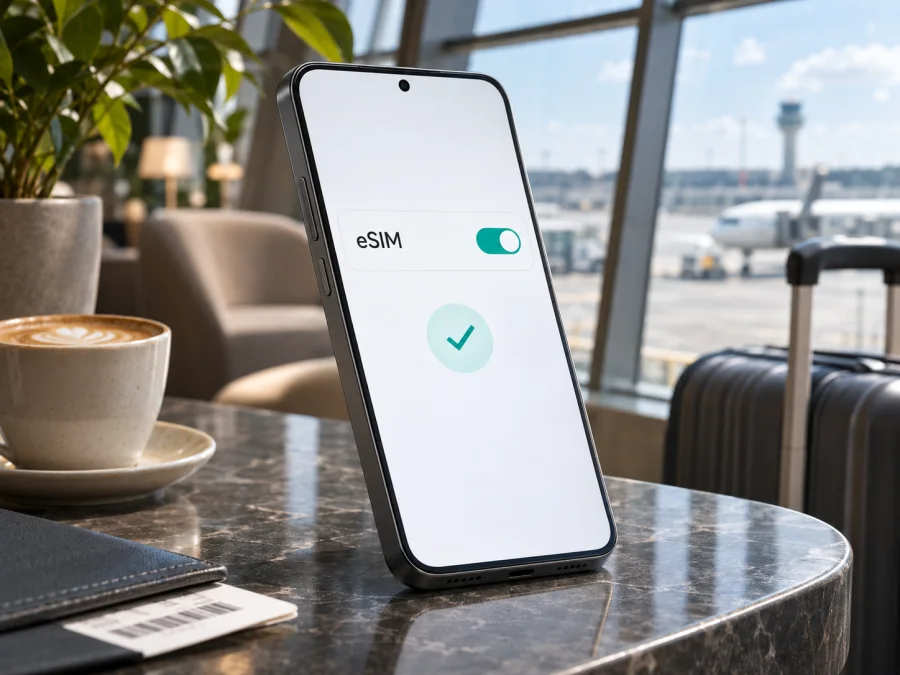
Xiaomi 15T Pro 256GB 5G eSIM: compatibility and setup guide
The Xiaomi 15T Pro 256GB 5G supports eSIM according to Xiaomi’s published specifications for the Xiaomi 15T Pro. Xiaomi lists dual-SIM combinations that include nano SIM + eSIM and eSIM + eSIM, and its regional product FAQ confirms that the model supports both eSIM and an EID. That is a positive model-level answer for this exact storage and 5G configuration.
There is one important qualification: “Xiaomi 15T Pro 256GB 5G” does not identify the country-specific sales version, firmware, or the carrier that may have supplied your handset. Xiaomi says eSIM availability can vary by country or region and carrier. Confirm the actual phone before purchasing a plan: check for an EID and an Add eSIM option in its settings, and make sure the device is not locked to a carrier that restricts other profiles. The 256GB storage capacity and 5G label do not by themselves guarantee that every regional SKU has the same eSIM configuration.
Xiaomi 15T Pro eSIM at a glance
| Item | What to know |
|---|---|
| Exact device covered | Xiaomi 15T Pro 256GB 5G |
| eSIM support | Yes, listed for the Xiaomi 15T Pro in Xiaomi’s product specifications and FAQ |
| Published SIM arrangements | nano SIM + nano SIM, nano SIM + eSIM, or eSIM + eSIM; the available setup may vary by market |
| EID | Xiaomi’s FAQ for the model says EID is supported; check the handset itself before buying |
| 5G | The 5G designation concerns mobile network capability; eSIM activation and 5G access are separate checks |
| Storage | 256GB identifies the storage variant, not a guarantee about a particular country’s carrier restrictions |
| Plan type in Kaspersky eSIM Store | Travel eSIM plans are for mobile data; check the terms of your selected plan |
Does Xiaomi 15T Pro 256GB 5G support eSIM?
Yes. Xiaomi’s global specifications list eSIM among the Xiaomi 15T Pro dual-SIM options, and its Philippines FAQ confirms eSIM and EID support for the model. Xiaomi also notes that availability can vary by country, region, and carrier, so the model-level confirmation cannot establish the settings or restrictions on every individual handset.
The phone’s eSIM feature, an operator’s profile, and service in a destination are separate checks. The 256GB and 5G labels identify storage and network capability; they do not identify the country-specific sales build or prove that the phone is unlocked. This listing does not specify the handset’s market. If you are buying an imported or carrier-supplied device, check the exact model code and original sales country with the seller, Xiaomi, or the carrier.
Check the handset before you buy a plan
An EID identifies the phone’s eSIM capability. Menu labels vary by HyperOS version and region, but try:
- Open Settings and tap SIM cards & mobile networks or Mobile networks.
- Look for Use eSIM, Manage eSIM, Add eSIM, or Discover eSIMs. Enable Use eSIM if shown.
- Open Manage eSIM and look for View device EID. Xiaomi’s support guidance places the EID under the eSIM management settings. The dialler shortcut
*#06#is for device information such as IMEI; an IMEI alone does not confirm eSIM support. Do not share device identifiers publicly. - If the options are missing, search Settings for “eSIM” or “EID,” restart, and check for a stable system update.
Before checkout, confirm that the phone shows an EID or Add eSIM option, is not carrier-locked against the profile you plan to use, and that your plan covers the destination and dates. Keep Wi-Fi available for profile download, and check when the plan’s validity begins.
Region, carrier and software differences
The Xiaomi 15T Pro name is used across sales markets, but eSIM eligibility can depend on country, regional firmware, and carrier policy. Xiaomi’s model FAQ confirms support, while its specifications caution that regional and carrier availability may vary. The model name alone does not identify a country-specific SKU, so check the code shown under Settings > About phone and on the original packaging with Xiaomi or the seller.
For a carrier-issued phone, ask whether it is unlocked and allows a travel eSIM. A carrier lock can prevent another profile from registering even when the model supports eSIM. Software updates may change menu wording or availability; use only stable official updates and recheck the settings afterward. Do not assume that 5G support means a travel plan provides 5G: network bands, local coverage, roaming arrangements, and plan terms affect the connection. Check the EID and menu on the phone you will carry, and verify the plan’s destination and activation details before checkout. A final settings check is useful. Check your device before selecting a travel plan. This is especially useful for imported or carrier-issued handsets, or when the EID is not visible.
Installing an eSIM on Xiaomi 15T Pro
Connect to Wi-Fi and keep the QR code or activation details available on another screen. Confirm the profile is intended for this phone. Many activation codes are single-use, so do not delete an installed profile unless the provider instructs you to.
Add the profile from Settings
- Open Settings, then SIM cards & mobile networks or Mobile networks.
- Enable Use eSIM if prompted, then open Manage eSIM.
- Tap Add eSIM or Discover eSIMs and choose the QR-code option.
- Scan the supplied QR code, or enter manual details exactly as provided.
- Confirm Download or Add, keep Wi-Fi connected until installation finishes, and label the profile clearly (for example, Travel).
- Turn the profile on when appropriate under the plan’s activation instructions.
An installed profile may not yet be connected to a destination network. Installation, activation, and the start of validity can be separate events; check the plan terms before setup.
See the Android eSIM installation instructions. The iOS eSIM installation instructions are for Apple devices and can help if you are assisting an iPhone user.
Choose the data line and connect while travelling
After installing the profile, decide which SIM should handle mobile data. On Xiaomi phones the controls are usually under Settings > SIM cards & mobile networks. Select the travel eSIM as the mobile-data SIM when you want to use it. Keep your regular SIM enabled for calls or messages if you need it, while checking your home operator’s roaming terms; receiving calls or texts on a primary SIM can still incur charges under its plan.
When you are ready to connect at your destination:
- Turn on the travel eSIM profile if it is not already enabled.
- Select that profile for Mobile data.
- Turn on Mobile data and wait for the phone to register on a supported local network.
- If the plan’s instructions require it, enable Data roaming for the travel eSIM. This setting may be needed for a roaming profile to use its included allowance; it does not itself buy a new plan.
- Open a webpage or messaging app to confirm data works, then check remaining data and validity in the plan’s account or app.
Keep data roaming off for your home SIM if you want to avoid using your home operator’s roaming allowance, unless you have deliberately chosen otherwise. If both SIMs are active, review the default data line and any setting that allows the phone to switch data automatically between SIMs. Menu names vary, so verify which profile is selected rather than relying on the label alone.
For a short trip to one country, a country-specific plan may fit the route. For a multi-country itinerary, check whether one regional plan covers each stop and any transit countries. A plan’s coverage list, data amount, duration, activation rules, and permitted use matter more than the phone’s 5G badge. Choose a data allowance based on maps, messaging, video calls, work, and tethering needs; background photo backups and video streaming can use data quickly.
Kaspersky eSIM Store is an app and website where you can choose, arrange, and activate an eSIM with a suitable mobile-data plan for an international trip. The travel eSIM plans are for data; they do not provide a regular phone number, ordinary calls, or SMS unless a particular plan explicitly says otherwise. Calls and messages through internet apps can work over mobile data. Browse current travel eSIM options and review the destination, data, duration, and activation terms shown for the plan before completing checkout.
Common problems and what to check
There is no Add eSIM option
Search Settings for “eSIM,” enable Use eSIM if available, restart, and install a stable HyperOS update over Wi-Fi. Confirm the model code and sales region with Xiaomi or the seller. Ask the original carrier whether the phone is locked or eSIM-restricted. If there is no EID or eSIM menu, confirm the regional variant before checkout.
The QR code will not scan or the profile will not download
Show the code on another device, raise its brightness, and hold the Xiaomi steady. Enter manual details only if the provider offers them. Keep Wi-Fi connected. If a single-use code may already have been used, contact support instead of repeatedly scanning or deleting profiles.
The profile is installed but there is no service
Make sure the eSIM is enabled and selected for mobile data. Toggle Airplane mode and wait briefly. Check destination coverage, plan activation, allowance, and validity. Enable data roaming for the travel eSIM if the plan instructions require it. If an APN is specified, compare it with those instructions. Save any error message and ask support before removing the profile.
Data or 5G does not work as expected
Verify the selected data SIM and mobile-data setting, then check reception and plan terms. 4G/LTE is a normal fallback where 5G is unavailable. If the home SIM is active too, keep its data roaming off unless intended and review automatic data switching.
The handset reports a lock or restriction
Ask the original carrier whether the phone is unlocked and permits another eSIM. A physical SIM working does not prove that a different provider’s eSIM will register. If the restriction cannot be resolved, consider Wi-Fi, your home operator’s roaming option, or another unlocked compatible device.
Practical travel scenarios
A short trip to one country. If permitted by the plan, install the profile over Wi-Fi before departure. Follow the plan’s activation rules, then enable it and select it for data after arrival. Check whether validity begins at purchase, on a scheduled date, or under another condition.
Several countries on one itinerary. Verify that every country on the route is included, including places where you may want data during a layover. Compare the plan’s allowance, validity, and activation rules with your dates; a regional label by itself does not establish coverage for each stop.
Keeping your usual number available. You may be able to leave the primary SIM active for calls or verification texts and use the travel eSIM for data. Check your home operator’s roaming terms and disable automatic data switching if it could select the wrong line. Internet calling apps can use mobile data, but regular calls and SMS depend on the relevant phone plan.
Frequently asked questions
Does Xiaomi 15T Pro 256GB 5G have eSIM?
Yes. Xiaomi lists eSIM configurations for Xiaomi 15T Pro and confirms EID support in its model FAQ. Check the individual phone because regional availability, firmware, and carrier restrictions can vary.
Can I use a physical SIM and eSIM together?
Xiaomi lists nano SIM + eSIM as a supported arrangement. Available combinations and simultaneously active lines may vary by regional device and software; check the SIM manager on your phone.
Do 256GB or 5G guarantee eSIM compatibility?
No. Storage and 5G identify other parts of the configuration. Check the handset’s EID, eSIM controls, and carrier-lock status.
Does a travel eSIM include a phone number, calls, or SMS?
A travel data plan in Kaspersky eSIM Store is intended for mobile internet. It does not include a regular number, calls, or SMS unless its terms explicitly say so. Internet messaging and calling apps can use data.
Should I install the eSIM before leaving?
You can prepare it over Wi-Fi if the plan allows early installation. First check when activation and validity begin, and keep the QR code or account details available until setup is complete.
Can I transfer the eSIM to another phone?
Do not assume that you can. Some travel profiles are tied to one device or a single-use activation code. Read the plan’s transfer and reinstallation rules and ask support before deleting the profile.
What if I cannot confirm compatibility?
Ask Xiaomi or the seller to confirm the exact regional model code, check the EID, and ask the carrier whether the phone is unlocked. If eSIM is unavailable, use an unlocked compatible device or another connection option for the trip.
Before you travel: confirm compatibility and choose a plan
The Xiaomi 15T Pro 256GB 5G has official model-level eSIM support, including EID, but your handset’s country-specific version and carrier status still matter. Confirm the EID and Add eSIM option in Settings, verify the phone is unlocked for the profile you plan to install, and check that the selected data plan covers your destination and dates.
Once those checks are complete, choose a travel eSIM based on route, data allowance, validity, and activation rules. Install it over a reliable connection, label it clearly, and select it as the mobile-data line when you are ready to use it. A few checks before checkout can prevent a last-minute setup problem and help you arrive prepared to get online.


