Travel connectivity guide
Xiaomi 15T Pro 256GB eSIM Compatibility
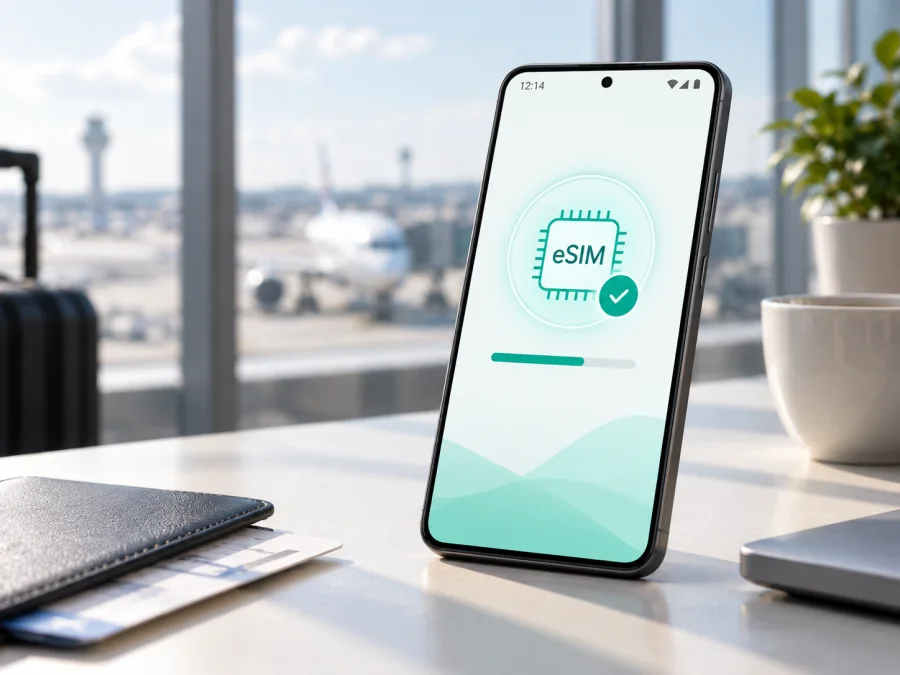
Xiaomi 15T Pro 256GB eSIM: compatibility, setup and travel guide
The Xiaomi 15T Pro 256GB is a 5G Android smartphone with flexible mobile connectivity. If you want to use an eSIM while travelling, check the exact retail unit, market, HyperOS build and operator status.
Does the Xiaomi 15T Pro 256GB support eSIM?
Yes, official Xiaomi specifications for the Xiaomi 15T Pro list dual-SIM configurations that include nano-SIM + eSIM and eSIM + eSIM. Xiaomi also says that eSIM availability can vary by country or region and by mobile operator. The accurate answer for the exact Xiaomi 15T Pro 256GB is conditional: it can support eSIM, but verify the phone before purchasing a plan.
The 256GB label identifies storage, not a guaranteed eSIM configuration. Phones with the same capacity can target different markets or use different firmware. An imported or operator-customised unit may expose a different SIM arrangement. A 5G label is not proof of eSIM support.
Key facts at a glance
| Item | What to check on the exact phone |
|---|---|
| Device | Xiaomi 15T Pro 256GB; keep the full variant when checking the listing and receipt. |
| System | Android with Xiaomi HyperOS; menu labels can vary after updates. |
| Network | 5G support is separate from eSIM support. |
| Official SIM combinations | Xiaomi lists nano-SIM + nano-SIM, nano-SIM + eSIM or eSIM + eSIM for supported configurations. |
| Regional condition | eSIM can depend on country, region, operator and firmware. |
| Best evidence | Use eSIM or Manage eSIM in Settings, plus View device EID. |
| Travel purpose | A compatible eSIM can be selected for mobile data, subject to the plan and dual-SIM rules. |
Regional and operator differences
“Global” in a shop title is not enough to prove eSIM compatibility. Check where the Xiaomi 15T Pro 256GB was intended for sale and activated. A regional product page may describe a feature that differs on another local configuration or carrier version.
The most common causes of different results are:
- Market configuration. SIM hardware and enabled features can differ between sales regions.
- Firmware and region. HyperOS can show different controls depending on the installed build and configured market. An update may change wording, but is not a guaranteed way to add eSIM.
- Operator restrictions. Xiaomi states that eSIM use requires a wireless service plan and can vary by operator. A carrier may restrict activation or keep the handset locked.
- Physical SIM use. On some configurations, eSIM shares the second SIM position. Two physical nano-SIMs may need to be changed or one disabled before eSIM can be enabled.
For a travel eSIM, verify that the phone is unlocked, the plan covers every destination and its data, validity, hotspot and activation rules fit your trip. Many travel eSIMs provide mobile data only, not a regular phone number, calls or SMS.
Verify the exact device before buying
Use the phone itself as the final check; a marketplace title or generic review may describe another regional unit. Connect to Wi-Fi, unlock the device and complete these checks.
Find the eSIM controls
Open Settings and go to Mobile networks or SIM cards & mobile networks. Look for Use eSIM, Turn on eSIM, Manage eSIM, Add eSIM, Add mobile plan or Discover eSIMs. Xiaomi’s current activation guidance uses the path Settings > Mobile networks > Use eSIM > Manage eSIM, followed by Add eSIM or Discover eSIMs.
If the control exists, open it without deleting any existing profile. Look for View device EID or similar. An EID is the embedded-SIM identifier and is stronger evidence than a seller’s statement because it confirms that the current software recognises the eSIM component. Share it only through a legitimate activation process, never in a public post.
If the menu is not obvious, search Settings for “eSIM” and “EID”. Some Android builds show identifiers in device information or through a dialler code, but the result varies. Treat Settings as the primary check. If there is no eSIM control and no EID, ask the seller or operator to confirm the exact SKU.
Confirm the SIM combination and lock status
Check which physical SIMs can remain active with eSIM. Xiaomi documents configurations including nano-SIM + eSIM and eSIM + eSIM, but the regional version determines the combination available to you. Also confirm that the handset is not carrier-locked. An EID cannot override an operator lock.
Match the travel plan to the phone and itinerary
Read the plan details for supported countries, data allowance, validity, activation timing, APN instructions, hotspot rules and refunds. Some plans begin when installed; others begin when they first connect. Check every stop on a multi-country route.
<a id="kesim-device-compatibility"></a>
Xiaomi 15T Pro 256GB compatibility checklist
Check your device before purchasing a tariff. On the exact phone you will take, confirm:
- [ ] Settings identifies the Xiaomi 15T Pro and the storage variant is 256GB.
- [ ] The device is not operator-locked.
- [ ] Use eSIM, Turn on eSIM, Manage eSIM or Add eSIM is present.
- [ ] View device EID or an equivalent EID entry is present.
- [ ] You know whether eSIM replaces SIM 2 on this unit.
- [ ] The travel plan covers the countries and regions on your route.
- [ ] Its data allowance, validity, activation moment and hotspot rules suit your use.
- [ ] You have Wi-Fi and the QR code or manual activation details ready.
- [ ] You know which line will be selected for mobile data and whether roaming is needed.
If the first four checks fail, pause before buying. The official family specification confirms eSIM for supported versions, but it cannot guarantee that every regional or operator version of Xiaomi 15T Pro 256GB exposes the feature.
Prepare for installation
Install before departure when possible. Use stable Wi-Fi, charge the phone and have the QR code available on another screen. If offered, select a saved QR image from Gallery or use manual activation details.
The approved guides are Android eSIM installation instructions and iOS eSIM installation instructions. The Xiaomi 15T Pro 256GB uses Android, so configure it through Xiaomi HyperOS. Kaspersky eSIM Store is an app and website that helps you choose, arrange and activate an eSIM with a suitable mobile-data plan for a foreign trip; it is not a mobile operator or network owner.
Step-by-step installation and activation
1. Connect to Wi-Fi and confirm support
Open Settings and verify the eSIM menu and EID. Connect to reliable Wi-Fi and keep the phone unlocked. Avoid beginning setup while moving between networks.
2. Open mobile-network settings
Go to Settings > Mobile networks or Settings > SIM cards & mobile networks. Enable Use eSIM or Turn on eSIM, then confirm the prompt and open Manage eSIM. If two physical SIMs are inserted, HyperOS may ask you to disable SIM 2. Follow the prompt only after checking which line will be unavailable.
3. Add the plan
Tap Add eSIM, Add mobile plan or the closest option. Scan the QR code supplied with your plan. If the code is displayed on the same phone, use Gallery for a saved image or enter the activation details manually when offered.
4. Wait for the profile
Follow the prompts while the profile downloads. This may take several minutes. Keep Wi-Fi on and do not restart the phone during the progress screen. A QR code may be intended for one installation, so do not repeatedly scan it after an incomplete attempt without checking support instructions.
5. Name the line
Label the profile “Travel” or with the destination. Keep it separate from your primary number so you can identify the correct line when choosing mobile data.
6. Select the data line
In SIM management, select the travel eSIM for Mobile data when you want to use it. Decide whether to leave the primary SIM enabled for calls or SMS. Disable automatic data switching if you want to prevent the phone from moving data to the primary line.
7. Enable roaming only for the travel line when needed
Some travel plans require Data roaming on the eSIM because they connect through a partner network. Enable it only for that line and follow the plan’s instructions. Keep roaming off on the primary line if you want to avoid unexpected charges.
8. Test carefully
Turn Wi-Fi off briefly and open a website or messaging app. Check the active data line, signal indicator and eSIM name. If the plan activates on first connection, this test may start its validity period. If you are at home, test only when the plan terms allow it.
Travel scenarios
Install before the flight. Set up over home Wi-Fi, label the eSIM and leave it disabled only if the plan permits. After landing, enable it, choose it for mobile data and turn on roaming for that line if required. This reduces dependence on airport Wi-Fi, but some plans begin at installation.
Install after arrival. Use airport or hotel Wi-Fi, add the profile and select it for data. This can preserve the validity window on plans that start at first destination connection, but setup may be slower. Keep activation details available offline.
Keep your main number. Retain the primary SIM for calls or SMS only if you understand your operator’s roaming terms. Set the travel eSIM as the data line and use internet messaging apps. A data-only eSIM is not a replacement for the primary phone number.
Visit several countries. Compare a country plan with a regional plan and confirm coverage for each stop. Monitor data use in HyperOS; navigation, video calls, photo backup and hotspot use can consume data quickly.
Kaspersky eSIM Store helps you select, arrange and activate a suitable eSIM plan through its app and website. Coverage and network registration depend on the selected travel product and local network arrangements.
Troubleshooting
The eSIM option or EID is missing
Search Settings for “eSIM” and “EID”, check the exact model and confirm the market and operator version with the seller. Do not scan a QR code when the phone has no eSIM control. A region change is not proof of hardware support.
The QR code will not scan
Increase the code screen’s brightness, clean the camera lens and hold the phone steady. Try Gallery or manual entry if supplied. The code may already be used or tied to another device; ask support before deleting a partial profile.
The profile downloads but there is no data
Confirm that the eSIM is enabled and selected for mobile data. Check the destination, roaming requirement, network selection and any supplied APN. Restart and wait for registration. Never invent an APN value.
The primary SIM is using data
Return to SIM settings, select the travel eSIM for mobile data and disable automatic data switching. If two active lines are present, check whether the regional configuration limits simultaneous use of eSIM and SIM 2.
Calls or SMS do not work
This may be normal for a data-only plan. Use internet calling and messaging apps, or retain the primary SIM if its roaming terms are acceptable. Check the plan conditions.
You want to delete the profile
Do not delete it just to troubleshoot. Xiaomi notes that deleting an eSIM configuration does not cancel the plan, and a QR code may not be reusable. First disable and re-enable the line, restart and check data settings. If reset is necessary, confirm reinstallation is possible.
FAQ
Is Xiaomi 15T Pro 256GB 5G automatically eSIM-compatible?
No. 5G is a network capability; eSIM is a separate hardware and software feature. Xiaomi lists eSIM configurations for supported Xiaomi 15T Pro versions, but the exact market and operator version must be checked.
Can two physical SIMs and an eSIM be used together?
Do not assume it. Xiaomi lists nano-SIM + eSIM and eSIM + eSIM, while some configurations require SIM 2 to be disabled. The phone’s own SIM settings are decisive.
Can I move the travel eSIM to another phone?
Not necessarily. A profile may be tied to the first device or have reinstallation limits. Ask support before deleting it or changing phones.
Does eSIM cancel primary-line roaming?
No. It can be an alternative for travel data, but it does not change your primary operator’s terms. Select the travel eSIM for data and control roaming on the primary line.
Is Kaspersky eSIM Store a mobile operator?
No. It is an app and website that helps you choose, arrange and activate an eSIM with a suitable mobile-data plan for a foreign trip. It is not the operator, network owner or mobile-internet provider.
Final device check and travel eSIM choice
The current official Xiaomi specifications support a qualified conclusion for Xiaomi 15T Pro 256GB: eSIM is available on supported versions, including nano-SIM + eSIM and eSIM + eSIM, but country, region, operator and firmware can change the result. Before buying, confirm the handset’s eSIM menu and EID, its unlocked status, and the plan’s destination, data allowance, validity and activation conditions.
Device and trip eSIM checklist
- Verify Xiaomi 15T Pro 256GB in Settings.
- Confirm Use eSIM or Manage eSIM and view the EID.
- Check that the handset is unlocked and the plan supports every destination.
- Compare data, validity, activation and hotspot rules with your trip.
- Install over Wi-Fi and test the correct data line.
- At the destination, select the travel eSIM for data and keep primary-line roaming under control.
Once these checks pass, Kaspersky eSIM Store can help you select, arrange and activate the eSIM plan through its app or website. Final compatibility depends on your device configuration and the selected plan.


