Travel connectivity guide
Xiaomi 15T Pro 512GB eSIM: Compatibility Guide
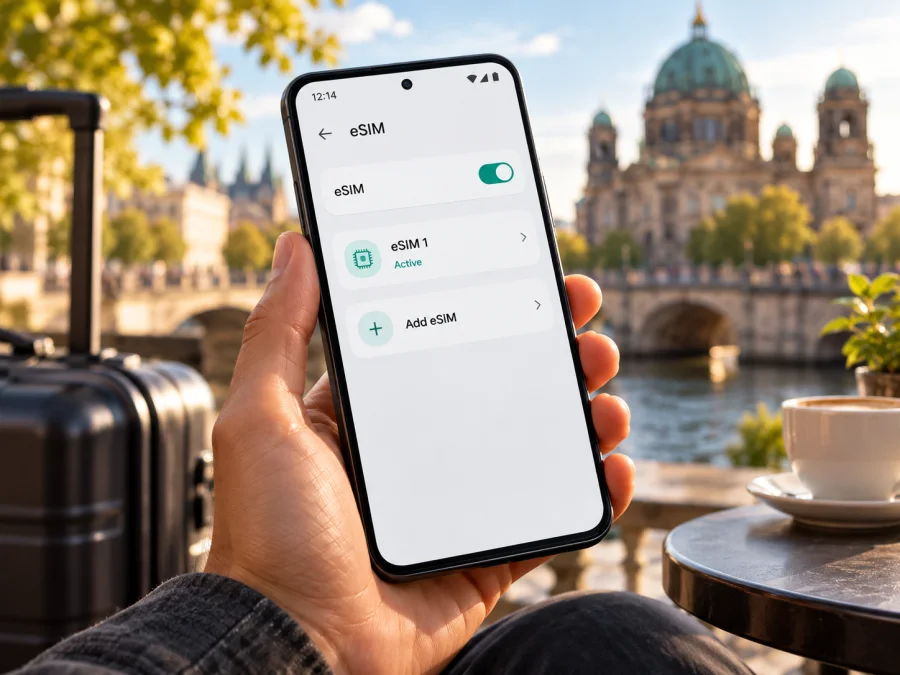
Xiaomi 15T Pro 512GB eSIM: compatibility and setup guide
Quick answer: Xiaomi’s official support information says that the Xiaomi 15T Pro supports eSIM and EID, and its specifications list SIM configurations that include nano SIM + eSIM and eSIM + eSIM. That is a positive compatibility signal for the Xiaomi 15T Pro 512GB, but the storage size alone does not identify the phone’s sales region, firmware, or carrier status. Xiaomi cautions that eSIM availability may vary by country or region and carrier. Before choosing a travel plan, check the EID and eSIM controls on your own phone and confirm that it is unlocked.
An eSIM can be useful when you want mobile data during an overseas trip without removing your everyday physical SIM. The practical steps are straightforward: verify the particular handset, install the profile over a reliable internet connection, and choose the correct line for mobile data when you arrive.
Does Xiaomi 15T Pro 512GB support eSIM?
The Xiaomi 15T Pro model is documented as eSIM-compatible. Xiaomi’s official FAQ states that the Xiaomi 15T Pro supports eSIM and EID. Its official specifications describe dual-SIM options as nano SIM + nano SIM, nano SIM + eSIM, or eSIM + eSIM. The FAQ therefore supports a “yes” for the model family, rather than an assumption based only on Android or 5G capability.
There is an important qualification: “Xiaomi 15T Pro 512GB” identifies the storage variant, but it does not tell you which market’s SKU you have. The 512GB capacity does not itself add or remove eSIM hardware. Regional release configuration, local carrier rules, software, and operator locking can affect what is available on a particular handset. Xiaomi’s global specifications explicitly say that eSIM availability can vary by country or region and carrier. Treat the official model-level support as a strong starting point, then verify the unit in Settings before you buy a plan.
| Check | What is documented or what to inspect |
|---|---|
| Exact device named in this guide | Xiaomi 15T Pro 512GB |
| eSIM support at model level | Xiaomi’s official FAQ says the Xiaomi 15T Pro supports eSIM |
| EID | Xiaomi’s official FAQ says the model supports EID, the identifier associated with an eSIM-capable device |
| SIM arrangements | Xiaomi lists nano SIM + nano SIM, nano SIM + eSIM, and eSIM + eSIM for the model |
| Regional and carrier caveat | Xiaomi says eSIM availability can differ by country or region and carrier |
| Before ordering a plan | Check for an EID and an Add eSIM option on your exact phone; confirm it is not carrier-locked |
The model specification cannot confirm the setup of every regional retail unit. For an imported or operator-supplied Xiaomi 15T Pro 512GB, check the exact model number, sales market, and unlock status. The SIM tray alone does not show whether eSIM is available; check Settings and the EID.
How to check eSIM support on your exact phone
Do this before paying for a travel eSIM plan. Menu names can vary slightly by HyperOS version, region, or language. If a menu is named differently, use Settings search for “eSIM”, “SIM”, or “EID”.
- Check the EID. Open Settings and look under About phone, Status, or the device’s detailed status information. On some software versions, the EID is under Settings → SIM cards & mobile networks → Manage eSIM. You can also try entering
*#06#in the phone app; on devices that expose it, the information screen may show an EID alongside the IMEI numbers. Do not share the EID publicly. It is an identifier, not an activation code, but it is still device information. - Look for an eSIM control. Open Settings → SIM cards & mobile networks (or the equivalent mobile-network menu). Look for Manage eSIM, Add eSIM, Add mobile plan, or a similar option. A visible add option is a practical sign that the software exposes eSIM setup.
- Check whether the phone is unlocked. If the phone was purchased through an operator, contact that operator or inspect the device’s SIM status. An eSIM-capable handset can still reject a profile because of a carrier lock or a restriction on using another provider.
- Confirm the regional SKU. Compare the model number in Settings → About phone with the box, receipt, or seller listing. Ask Xiaomi support or the seller to confirm eSIM support for that specific model number and market if the menu is missing.
- Check the plan’s destination and device requirements. A compatible phone does not make every plan suitable for every destination. Check where the plan works, its data allowance, validity period, and any activation requirements.
If the EID and Add eSIM option are both present, and the phone is not locked, the evidence for using eSIM is much stronger. If either is missing, pause before checkout. Update the phone through its normal system update screen, restart it, and check again. If it is still absent, get a definitive answer for your exact model number from Xiaomi or the seller rather than buying a plan on the assumption that a software update will enable it.
Compatibility tools can help identify supported models, but your handset’s Settings screen and its unlocked status remain important checks, particularly for imported or carrier-supplied devices.
Regional versions, operators, and what “512GB” tells you
The product name and storage capacity are not the whole compatibility story. Manufacturers may sell phones with different bands, SIM configurations, software builds, or service availability for different markets. Xiaomi’s product documentation presents eSIM as supported for the Xiaomi 15T Pro, while also noting regional and carrier variation. The available evidence confirms the family-level capability; it does not establish every market-specific SKU or every operator’s provisioning policy for this individual 512GB unit.
These distinctions help:
- 512GB is storage capacity; it does not identify the sales region or guarantee eSIM availability.
- Regional build and carrier status may affect eSIM controls or whether another provider’s profile can be added. Confirm the exact model number and unlock status.
- Plan coverage depends on its destination and local network arrangements. Phone compatibility does not guarantee service in every location.
If a seller describes a unit as a global or international version, treat that as a sales description, not as a substitute for checking the model number, EID, and eSIM menu. For a used phone, ask the previous owner to remove any profiles they no longer use and confirm the device can add a new one. Avoid deleting an active eSIM profile just to test compatibility: a profile may not be reusable after removal, depending on its terms.
What to check before choosing a travel eSIM
Use this checklist before you order:
- [ ] The phone is the Xiaomi 15T Pro 512GB variant you intend to use, and you have checked its exact model number.
- [ ] An EID appears in the phone’s device information or its information screen.
- [ ] Settings includes an Add eSIM or equivalent option.
- [ ] The phone is not locked in a way that prevents adding the provider’s eSIM.
- [ ] The operating system is up to date, and you have a stable Wi-Fi connection for installation.
- [ ] The plan covers your destination or all relevant countries on your itinerary.
- [ ] The data allowance and validity period fit your trip; you have checked when validity begins.
- [ ] You know which line will be used for mobile data and whether the plan requires data roaming to be enabled.
- [ ] You have saved the installation details somewhere accessible if you will scan a QR code from another screen.
Use the device compatibility check as another step before selecting a plan, especially for an imported or carrier-supplied handset.
A sensible order: establish device compatibility first, then select a destination and plan, then install the eSIM. Kaspersky eSIM Store is an app and website where you can choose, arrange, and activate an eSIM with a plan for mobile data while travelling abroad. The plan’s listed terms determine its destination, data allowance, validity, and any network restrictions.
How to install an eSIM on Xiaomi 15T Pro 512GB
Install the profile while you have reliable Wi-Fi, before leaving home if convenient. Keep the plan’s QR code or in-app installation instructions available. The wording of Xiaomi’s menus can differ by software version, so follow the prompts shown on your device and in the plan instructions.
- Prepare the phone. Connect to stable Wi-Fi, charge the battery, and make sure airplane mode is off. Confirm that you have the correct plan details and that your phone can add eSIM.
- Open mobile-network settings. Go to Settings → SIM cards & mobile networks. Tap Manage eSIM, Add eSIM, or the equivalent control.
- Choose an installation method. If Xiaomi offers an in-app or automatic installation option supplied with your plan, follow it. Otherwise select the QR-code option.
- Scan the code. Display the QR code on another screen or print it, then scan it with the phone. If the QR code is displayed on the same phone, use the provider’s manual installation details if available; the camera cannot scan its own screen.
- Confirm the profile. Review the prompts and allow the phone to download and add the eSIM profile. Do not close Settings or disconnect from Wi-Fi while the profile is being installed.
- Name the line. Give the new line a clear label, such as “Travel data”, so you can identify it next to your regular SIM.
- Choose defaults carefully. Keep your home SIM selected for calls or messages if you want to continue using it for those services. Select the travel eSIM for mobile data only when you are ready to use the plan.
- Wait for activation. A profile can take a few minutes to register. Some plans become usable only when they connect to a supported local network at the destination; follow the plan’s activation terms.
For additional guidance, see the Android eSIM installation instructions. The iOS eSIM installation instructions describe the corresponding process for Apple devices. For Xiaomi, follow the Android steps and the prompts on your own HyperOS version.
Installing before departure or after arrival
Installing an eSIM and starting to use its data are not always the same event. The profile may be added before you travel, while network use begins later when it connects at the destination. The start point depends on the selected plan, so read its validity and activation terms before installation. If a plan begins its validity as soon as it is installed or activated, wait until the appropriate time. If you are unsure, consult the plan information or support before scanning the code.
If the plan is already installed, do not repeatedly delete and reinstall it when troubleshooting. Many activation codes can only be used once. Keep the confirmation email or in-app instructions until the eSIM is working and you understand the plan’s reinstallation rules.
Using the travel eSIM for mobile data
After landing, make sure the travel eSIM is enabled and selected as the mobile-data line. Depending on the plan and network, you may also need to enable data roaming for that eSIM. Roaming here is a setting that lets the profile connect to a partner network; it does not mean that you should turn roaming on for your home SIM. Check the selected line before enabling it to avoid unexpected charges from your regular operator.
A typical setup looks like this:
- Open Settings → SIM cards & mobile networks.
- Turn on the travel eSIM if it is disabled.
- Set the eSIM as the line for Mobile data.
- Leave mobile data on for only the line you intend to use, if your phone offers that choice.
- Enable Data roaming for the travel eSIM only if the plan instructions require it.
- Keep the home SIM’s data roaming off unless you deliberately want to use your home operator’s roaming service.
- Wait for the phone to register on a supported network, then open a web page or messaging app to check data.
Practical travel scenarios
Keep your usual number available. Leave the home SIM enabled for calls or texts if you need it, and set the travel eSIM as the mobile-data line. Check your home operator’s charges for calls and messages abroad; a second data line does not change those terms.
Use maps and messaging. Choose a plan whose destination, allowance, and validity fit the trip. Download maps and travel documents over Wi-Fi where useful, so mobile data is available for navigation and updates.
Visit several countries. Confirm that the plan explicitly includes every destination. A regional label alone is not proof that all stops are covered; check the plan’s country list.
No connection after landing. Check that the eSIM is enabled and selected for data, confirm the destination is included, and check the plan’s roaming instructions. Then wait briefly, toggle airplane mode, or restart. If service remains unavailable, contact the plan provider’s support team.
A data-only travel eSIM does not automatically add a telephone number, voice calling, or SMS. Those features are included only if the specific plan says so. Internet messaging and calls can work through apps when mobile data is available.
Common eSIM problems and checks
“Add eSIM” is missing
Search Settings for eSIM, EID, or SIM. Install available system updates and restart. If the EID or add option is still absent, confirm the exact model number and sales region with Xiaomi or the seller before buying a plan.
The QR code will not scan or the profile download fails
Use a bright, glare-free display and keep the full code in view. If the code is on the Xiaomi itself, use manual activation details or display it on another device. Reconnect to Wi-Fi and check the plan’s instructions before retrying. A code may be single-use, so do not repeatedly attempt installation or share the code publicly.
The eSIM is installed but there is no signal
Check that the profile is enabled, the plan includes your location, and its activation conditions are met. Select the eSIM for mobile data and enable roaming for that profile only if instructed. Try automatic network selection, then restart. Ask support for the specified network if the phone still cannot register.
Signal appears, but apps have no data
Confirm the travel eSIM is selected for mobile data and temporarily turn off Wi-Fi to test it. Check data limits, remaining allowance, validity, and whether the plan requires roaming. Make sure the home SIM is not selected as the data line.
The profile needs to be moved or reinstalled
Transfer rules differ by provider, and activation codes may be single-use. Ask the plan provider about replacement or transfer before deleting the profile or resetting the phone.
Frequently asked questions
Does Xiaomi 15T Pro 512GB support eSIM?
Xiaomi’s official documentation says the Xiaomi 15T Pro supports eSIM and EID, and lists SIM combinations that include eSIM. The 512GB capacity is a storage variant. Confirm that your specific regional unit has an EID and Add eSIM option and is unlocked.
What is an EID, and where can I find it?
An EID identifies the device’s eSIM function. Look in Settings → About phone or detailed status/SIM information. On some phones, *#06# opens an information screen that shows it.
Can I use a physical SIM and an eSIM together?
Xiaomi documents nano SIM + eSIM as a supported configuration. The available combinations and data-line controls on your unit can depend on region, software, and operator.
Does a travel eSIM replace my phone number? Should I enable roaming?
A data-only eSIM does not provide a standard number, calls, or SMS unless the plan explicitly lists them. Enable data roaming only for the travel profile if the plan requires it; keep it off for your home SIM if you want to avoid your operator’s roaming service.
Can I install the eSIM before travelling?
Often you can, but validity may begin at purchase, installation, activation, or first network connection. Read the selected plan’s terms and time installation accordingly.
Will eSIM work in every country? What if the menu is missing?
No. The phone’s regional configuration, unlock status, plan destination list, and local network availability all matter. If eSIM settings are missing, check the model number, update and restart the phone, then ask Xiaomi or the seller to confirm that exact unit.
Check the phone, then choose a plan for your trip
For the Xiaomi 15T Pro 512GB, the official model-level answer is yes: Xiaomi lists eSIM and EID support. The next step is to verify that your particular unit has an EID and an Add eSIM control, then confirm that it is unlocked and that the plan covers your destination. Those checks matter most for imported phones and devices supplied by an operator.
Once compatibility is confirmed, choose an eSIM plan according to your itinerary, data needs, validity period, and activation timing. Kaspersky eSIM Store is an app and website that helps you choose, arrange, and activate an eSIM with a mobile-data plan for an overseas trip. You can browse current travel plan options, checking the terms for your destination before you proceed. If your phone does not show an EID or eSIM setup option, resolve that question with Xiaomi or the seller before selecting a plan.


