Travel connectivity guide
Xiaomi 17 128GB eSIM: Compatibility & Setup
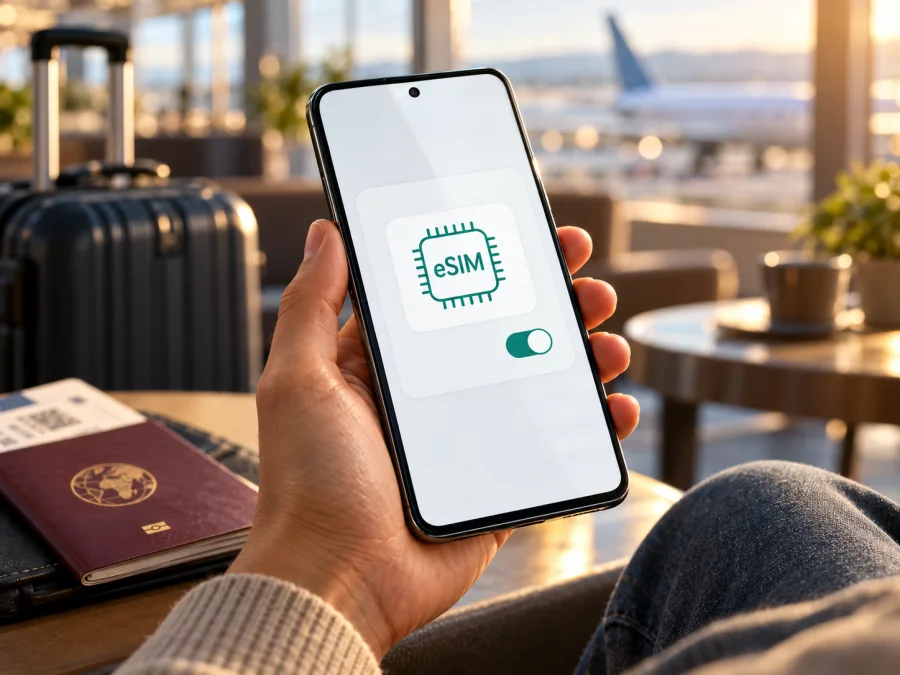
Xiaomi 17 128GB eSIM: compatibility, setup and travel guide
Short answer: Xiaomi’s official information confirms that the Xiaomi 17 supports eSIM in the documented regional configurations. The exact Xiaomi 17 128GB storage variant is not listed in the current official Xiaomi specifications I checked: Xiaomi lists 12GB + 256GB and 12GB + 512GB configurations on its global specifications page. So the eSIM capability of the Xiaomi 17 model family is confirmed, but the exact 128GB configuration cannot be verified as an official Xiaomi SKU from those listings. If a seller advertises one, check the phone’s model number, sales region, firmware and EID on the actual handset before relying on eSIM for a trip.
This distinction matters because “Xiaomi 17” in a product title may refer to a regional handset, an imported unit, or a seller’s description. Storage capacity alone does not establish eSIM support. A device may have the same retail name while its SIM hardware, software menus and carrier provisioning differ by market. Treat the settings on the specific phone as the final practical check.
Xiaomi 17 eSIM compatibility at a glance
| Item | What is confirmed | What to check on Xiaomi 17 128GB |
|---|---|---|
| eSIM on Xiaomi 17 | Xiaomi’s UK FAQ describes Dual SIM combinations including nano-SIM + eSIM and eSIM + eSIM, and says the phone supports two eSIMs. | Confirm that the handset itself has an EID and an eSIM menu. |
| Exact 128GB configuration | The global Xiaomi specs page lists 12GB + 256GB and 12GB + 512GB. | Ask the seller for the regional model number and written confirmation of the storage specification. |
| Regional availability | Xiaomi says Dual SIM availability may vary by region; eSIM availability can also depend on country or region and carrier. | Check the exact market variant and local carrier restrictions. |
| Travel data | An eSIM can be selected as the data line when the phone accepts the travel profile. | Check destination coverage, network bands, plan terms, device lock status and roaming settings. |
| Voice and SMS | A travel data plan may be data-only; plan terms determine what it includes. | Keep the home SIM available for calls or messages if needed, and check its roaming charges. |
What “128GB” tells you—and what it does not
The storage number is useful for identifying the configuration a seller claims to offer. It does not describe the embedded SIM hardware. Xiaomi’s current global product specification lists 12GB of RAM paired with 256GB or 512GB of storage for the Xiaomi 17; its UK FAQ likewise names 256GB and 512GB ROM options. It does not list a 128GB option in the official pages reviewed for this guide. This is a limit of the verified information, not proof that no retailer or market has ever used a 128GB label.
Before buying a phone described as Xiaomi 17 128GB, compare the product label with the model identifier shown in the phone’s settings and the identifier on the box. Ask the seller which country supplied the handset, whether the software is the original regional firmware, and whether the device has a built-in EID. If the seller cannot provide a clear answer, treat eSIM compatibility as unconfirmed until you inspect the phone in person or receive verifiable documentation for that exact model code.
Regional versions, carriers and the exact phone
Regional variants can differ in SIM configuration, supported network bands, software build, carrier certification and the availability of particular services. Xiaomi’s product specifications warn that Dual SIM availability varies by region and that eSIM availability depends on the country or region and carrier. Those notes are relevant even when the main device name looks identical. A carrier may also require its own activation procedure or restrict an eSIM profile to eligible devices or accounts.
There are three separate checks to make:
- Hardware and firmware: Does this exact handset expose an EID and an eSIM management option?
- Network and lock status: Is it unlocked, and does the destination provider support this model and its radio bands?
- Plan and operator rules: Can the selected plan be installed and used in the country where you will travel?
A “yes” on one check does not guarantee a “yes” on the others. For example, an eSIM-capable phone may be carrier-locked, or an unlocked phone may not support the bands used by a local network. The phone’s eSIM ability is also separate from coverage, speed and availability of a specific plan. Confirm those details with the provider or in the plan conditions before purchase.
How to check eSIM on your Xiaomi 17
Do this on the phone you intend to use. Menu labels can vary slightly by language and HyperOS version, so look for the equivalent wording if the exact path is different.
Check the eSIM menu
- Connect the phone to Wi-Fi and install available system updates. Restart it after an update if prompted.
- Open Settings and choose SIM cards & mobile networks (the wording may be shortened to Mobile networks).
- Look for Use eSIM. If present, enable it and confirm the prompt.
- Open Manage eSIM and check for Add eSIM, Add mobile plan, or a similar option.
- If the phone asks you to disable a physical SIM slot before adding an eSIM, follow the on-screen guidance and confirm which line will be unavailable.
Xiaomi’s published setup instructions use this general sequence: enable Use eSIM, open Manage eSIM, select the add-plan option, then follow the on-screen steps. If these controls are missing, first confirm the phone’s model code and software region. A missing menu is a reason to pause and verify the exact variant; it is not something to solve by buying a plan and hoping the installer appears.
Find the EID
The EID is the identifier associated with the embedded SIM hardware. On supported Xiaomi phones, Xiaomi’s support guidance points to Settings → SIM cards & mobile networks → Use eSIM → Manage eSIM → View device EID. The exact wording can differ.
Do not confuse the EID with an IMEI, serial number, SIM phone number or QR activation code. An IMEI identifies a mobile device or radio, while the EID relates to its embedded SIM capability. If a support agent requests an EID, share it only through the provider’s official support channel. You do not need to publish it in a public post or send it to an unknown seller.
Use this quick checklist before selecting a travel plan:
- [ ] The phone’s own settings show an EID.
- [ ] Use eSIM and Manage eSIM are available, and an add-plan option appears.
- [ ] The handset is not locked to another carrier or restricted by an account or contract.
- [ ] The seller’s model number and sales region match the device you checked.
- [ ] The plan supports your destination and the provider confirms the device can use it.
- [ ] Your existing SIM and roaming settings are understood before you travel.
Check your device if you need another compatibility check before choosing a plan. A general compatibility checker is useful, but the EID and menus on the exact handset remain important when the model or region is uncertain.
Installing and activating an eSIM
Install the profile while connected to a stable Wi-Fi network. If you are preparing for travel, doing this before departure gives you time to resolve a QR-code, account or device issue. Do not remove a working home SIM until you understand how you will receive calls or authentication messages.
Before installation
- Confirm eSIM support and that the phone is unlocked.
- Review the plan’s destination, data allowance, validity period, activation rules and supported networks.
- Check whether the plan begins when you install it, when you first connect at the destination, or on a scheduled date.
- Keep the QR code or manual activation details available on a second screen or printed page if you need to scan them with the Xiaomi 17 camera.
- Use a stable Wi-Fi connection and keep the phone charged.
Add the eSIM profile
- Open Settings → SIM cards & mobile networks.
- Turn on Use eSIM, if that control is shown, and confirm the prompt.
- Choose Manage eSIM, then Add eSIM, Add mobile plan or the equivalent option.
- Scan the QR code supplied for the plan. If scanning is unavailable, enter the activation details manually only if the provider supplies that option.
- Follow the prompts to download and install the profile. Give it a recognizable label such as “Travel data” or the destination name.
- Wait for the phone to confirm that the profile has been added. Avoid deleting it just because it does not connect before you arrive; check the activation instructions first.
For Xiaomi’s general step-by-step instructions, see the Android eSIM installation guide. If you are helping someone who uses an iPhone, the iOS eSIM installation guide covers that separate process. Follow the instructions attached to your own plan if they differ from a general guide.
Choose the data line for travel
After the profile is installed, open the SIM settings and select the travel eSIM for Mobile data when you are ready to use it. Keep calls and texts on your usual line if you still need them, but review your home operator’s roaming terms. If your travel plan requires data roaming on its eSIM, enable it for that profile only after checking the plan instructions. The setting permits that eSIM to connect to partner networks; it is not the same as turning on roaming for your home SIM.
At the destination, turn off airplane mode, make sure the selected data line is the travel profile, and allow the phone time to register. You may need to toggle the eSIM off and on once, restart the phone, or select an available network as described by the plan provider. A profile can be installed without being active for data, so confirm both its enabled status and the selected data line.
Using Xiaomi 17 128GB for mobile data on a trip
Kaspersky eSIM Store is an app and website where you can choose, arrange and activate an eSIM with a mobile-data plan for an international trip. Check your destination, plan terms, validity and compatibility before completing an order. You can browse the Kaspersky eSIM Store homepage to check current destinations and plans; this general page is for browsing available options, not a tariff for a specific country.
Common problems and what to check
“Add eSIM” is not in Settings
Check the full model number, sales region and firmware version. Update the operating system, restart, and search Settings for eSIM. If there is still no EID or eSIM management menu, contact the seller or Xiaomi support with the model code and ask for confirmation for that exact regional unit. Do not purchase an eSIM plan until this is resolved.
The QR code will not scan
Confirm that the code belongs to the plan you selected and has not already been used. Increase screen brightness on the device displaying the QR code, clean the Xiaomi camera lens and keep both screens steady. Try manual entry only when the provider has supplied matching activation details. QR codes often contain one-time credentials; do not share a screenshot publicly.
The profile installs but does not connect
Check that you have reached the plan’s activation time and are in a supported destination. Turn the eSIM on, choose it for mobile data, and confirm whether its instructions require data roaming. Check that airplane mode is off and the phone has a usable network signal. If the provider specifies network selection steps or supported bands, follow those details. Restart the handset after checking the settings.
Mobile data works on the wrong SIM
Open the SIM settings and inspect the selected data line. A phone can keep the home SIM as the default for data even after a travel eSIM has been added. Select the travel eSIM, then test with Wi-Fi turned off. Keep an eye on the home line’s roaming settings if you want to avoid using its data abroad.
The eSIM option is greyed out or activation is rejected
The eSIM may be disabled, the device may be locked, a conflicting SIM configuration may be active, or the provider may not support that handset or market. Note the exact error message, verify your model code and ask the plan provider to check eligibility. Do not repeatedly scan a one-time activation code; ask support whether it remains valid.
Signal appears, but websites do not load
Check that the travel eSIM is selected for data and that its plan has started. Look for a data-limit or validity notice in your account. Toggle airplane mode briefly, then restart if needed. Verify the access point settings only against instructions from the provider; do not enter guessed values. If a particular network is required, contact the provider before changing advanced settings.
The connection is slow or unavailable in one place
Signal and speed depend on the local network, indoor coverage, congestion, device bands and plan conditions. Move to an open area, wait for network registration, and try automatic operator selection again. For a rural area or a short stopover, check the exact destination coverage terms rather than assuming that nationwide availability is uniform.
Practical examples
Short city break: Install the profile over Wi-Fi at home, but follow the plan’s activation rule. At arrival, select the eSIM for data and use it for navigation, transit details and messages. Keep your home SIM for incoming calls if your carrier’s charges and the handset’s SIM configuration allow it.
Several countries: Compare the route with the plan’s named destinations before purchase. A regional plan may be convenient, but confirm each border-crossing country is included and check whether validity runs continuously once started. If destinations are not all covered, consider separate options and understand when each one activates.
Uncertain imported handset: Ask the seller to show Manage eSIM and the EID on the exact Xiaomi 17 128GB unit, then note the model number. Check with the intended plan provider that the phone is unlocked and accepted for the travel destination. A demonstration on another unit or a screenshot from a different regional variant is not enough.
Frequently asked questions
Does Xiaomi 17 support eSIM?
Yes. Xiaomi’s UK support FAQ lists nano-SIM + eSIM and eSIM + eSIM configurations and says Xiaomi 17 supports two eSIMs. Xiaomi’s global specification also lists eSIM combinations, while warning that availability can vary by region and carrier. Confirm the EID and eSIM menu on your own handset.
Does the Xiaomi 17 128GB version support eSIM?
The Xiaomi 17 model family has documented eSIM support, but I could not verify an official Xiaomi 17 128GB configuration in the current Xiaomi specifications reviewed. Xiaomi lists 12GB + 256GB and 12GB + 512GB globally. Treat a 128GB listing as a seller-specific claim until the exact phone’s model code, EID and settings confirm its capability.
Where do I find the EID?
On a supported Xiaomi phone, check Settings → SIM cards & mobile networks → Use eSIM → Manage eSIM → View device EID. Menu labels can differ by software version. If the EID option and eSIM controls are missing, confirm the regional model and contact Xiaomi or the seller.
Will a travel eSIM replace my regular SIM?
Not necessarily. You may be able to keep your home SIM for calls and texts and select the travel eSIM for data, subject to handset and regional limits. Check which line handles data, disable roaming on your home SIM if appropriate, and read your home operator’s charges before departure.
Does an eSIM plan include a phone number?
A travel eSIM plan may be data-only. Check the plan conditions; do not assume it includes a local number, ordinary voice calls or SMS. Internet messaging and calling apps can work over mobile data if your accounts are already set up.
What if Xiaomi 17 does not show an eSIM menu?
Confirm the handset’s model identifier, original region and software build. Install updates and restart once. If the EID and eSIM controls are still absent, pause before buying a plan and ask Xiaomi or the seller to confirm support for that precise unit. A product title alone is not conclusive evidence.
Before you choose a plan
For Xiaomi 17 128GB, keep two findings in mind: Xiaomi officially documents eSIM for the Xiaomi 17 family, while its current global specifications list 256GB and 512GB storage configurations rather than 128GB. Confirm that your exact handset has an EID, an eSIM management menu and an unlocked connection before ordering. Then check the destination, plan validity, activation timing, data allowance and any roaming or hotspot requirements.
If the phone passes those checks, choose a plan that fits your route and expected data use. Kaspersky eSIM Store lets you browse current destination options through its app and website, then follow the supplied activation instructions on a compatible phone. Start by checking current destinations and plans, and complete the compatibility check before purchase. If any detail about the 128GB handset remains uncertain, ask the seller or Xiaomi to verify the model code first; selecting another confirmed eSIM-compatible unlocked device is a practical alternative for the trip.


