Travel connectivity guide
Xiaomi 17 256GB 5G eSIM: Compatibility & Setup
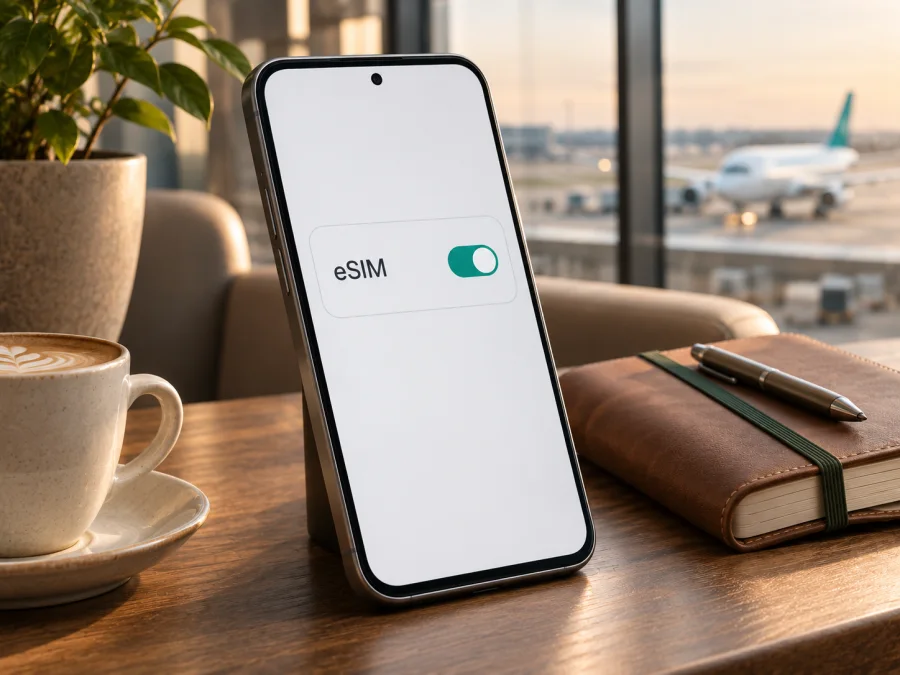
Xiaomi 17 256GB 5G eSIM: compatibility and setup guide
A Xiaomi 17 256GB 5G can use eSIM when it is the regional version that includes Xiaomi’s eSIM feature. Xiaomi’s global product specifications list the 12 GB + 256 GB configuration and show dual-SIM options that include nano-SIM + eSIM or eSIM + eSIM. Xiaomi’s UK support FAQ for Xiaomi 17 also says the model supports two eSIMs. However, Xiaomi cautions that dual-SIM availability varies by region, and the product name alone does not identify the phone’s sales market, software build or carrier restrictions. Treat the answer as yes for a confirmed eSIM-capable regional unit, not a guarantee for every Xiaomi 17 256GB 5G sold worldwide.
The safest check is on the phone you will use: look for an EID and an eSIM control in the mobile-network settings. If you are buying the handset, ask the seller for the exact regional model code and confirm eSIM support for that unit before paying. A 256 GB storage label or 5G connection by itself does not confirm eSIM capability.
Xiaomi 17 256GB 5G at a glance
| Item | What to know |
|---|---|
| Device name | Xiaomi 17 256GB 5G |
| Configuration shown on Xiaomi’s global page | 12 GB RAM + 256 GB storage |
| eSIM answer | Supported on the global eSIM-capable version; verify the exact regional unit |
| SIM choices listed by Xiaomi | nano-SIM + nano-SIM, nano-SIM + eSIM, or eSIM + eSIM; availability varies by region |
| Maximum eSIM profiles | Xiaomi’s UK Xiaomi 17 FAQ says two eSIMs; this does not mean both can use mobile data at once |
| Mobile data while travelling | Possible when the handset, eSIM profile, destination network and plan are compatible |
| Key checks before purchase | EID, “Add eSIM” setting, regional model, carrier lock, destination and plan terms |
These details describe eSIM and SIM functionality only. The Xiaomi specification page is for a particular regional product listing; the same model name can appear on phones configured for different markets. Network bands, available software menus, carrier support and the use of two SIMs can differ. Check the device’s own settings and the eSIM plan’s destination and terms rather than inferring support from the 5G label.
Does Xiaomi 17 256GB 5G support eSIM?
The global-market Xiaomi 17 12 GB + 256 GB configuration is listed as eSIM-capable. Xiaomi’s global specifications list nano-SIM + eSIM and eSIM + eSIM options; its UK support FAQ says Xiaomi 17 supports two eSIMs. Xiaomi warns that dual-SIM availability varies by region and eSIM availability may depend on country, region and carrier.
The name “Xiaomi 17 256GB 5G” does not identify whether a particular retail unit is global, intended for another regional market, carrier-supplied or running modified software. The global product listing therefore cannot verify every handset with that name. Before ordering, ask for the exact model code and market of sale, confirm that eSIM setup appears in the unit’s settings, and check that the phone is factory-unlocked. A generic “dual SIM” claim may refer to two physical nano-SIMs.
Regional versions can differ in SIM hardware, network bands, software and feature availability. A carrier may also restrict an otherwise eSIM-capable phone. These are separate checks: the phone needs eSIM hardware, the device must be allowed to use another provider, and the eSIM issuer must accept that device and destination. Do not assume that a software-region change adds eSIM hardware or removes a carrier lock.
The “5G” label describes network capability, not eSIM. 5G service depends on local coverage, compatible bands, the plan and the partner network. An eSIM enables data only where the selected plan and network permit it; it does not guarantee a particular speed or signal.
Check the exact phone before buying a plan
Check the phone directly. Xiaomi’s eSIM help describes this general route: Settings → SIM cards & mobile networks (or Mobile networks) → Use eSIM → Manage eSIM. On a capable phone, look for Add eSIM, Add mobile plan or Discover eSIMs. Menu wording varies with HyperOS version, market and language.
An EID identifies the embedded SIM hardware. On supported Xiaomi phones, look under Manage eSIM → View device EID. You can also enter *#06# in the Phone app; an EID may appear with other device identifiers when eSIM is implemented and enabled. Do not share it publicly. Provide it only through an official eligibility or support flow if requested.
Before buying, confirm:
- [ ] The seller identifies the exact regional model code and confirms eSIM for that unit.
- [ ] An EID and an eSIM option appear in settings.
- [ ] The phone is unlocked for the profile you plan to use.
- [ ] The plan covers every destination and fits your dates and data needs.
- [ ] You have internet access for download and understand when plan validity begins.
If the EID or menu is missing, restart the phone, install official updates and search Settings for “eSIM” or “EID.” If it remains absent, ask Xiaomi or the seller to confirm by model code. Do not buy a plan on assumption; an app or adapter cannot add native eSIM hardware.
Check your device before choosing a travel plan. A compatibility tool is a useful first screen, while the EID, menu, regional model and carrier status on your own phone are the final checks.
How to install an eSIM on Xiaomi 17 256GB 5G
Before setup, confirm compatibility, connect to Wi-Fi, and have the QR code or manual activation details ready. Keep the QR code on another screen or printed page. Some plans limit installation or transfer, so follow the issuer’s instructions and do not repeatedly scan after an error.
- Open mobile-network settings. Go to Settings → SIM cards & mobile networks or Mobile networks.
- Enable eSIM. Tap Use eSIM and confirm, if that switch appears.
- Add a plan. Open Manage eSIM, then choose Add eSIM, Add mobile plan or the equivalent.
- Download the profile. Scan the supplied QR code, select its saved image if offered, or enter the activation details manually.
- Name the profile. Use a label such as “Travel data” so it is easy to identify.
- Choose the data SIM. Select the travel profile when you are ready to use it; keep your home line for calls or texts if appropriate.
- Set roaming as instructed. Some travel profiles need data roaming enabled on that eSIM. Check the home SIM’s roaming setting separately.
- Test the connection. When the plan should be active, turn off Wi-Fi briefly and load a page or map. Troubleshoot before deleting a profile.
Xiaomi’s support instructions describe Settings → Mobile networks → Use eSIM → Manage eSIM → Add eSIM, followed by scanning the QR code or entering the activation details. If these controls are absent, resolve compatibility before trying unofficial firmware.
See the Android eSIM installation instructions and iOS eSIM installation instructions. Xiaomi 17 256GB 5G uses Android-based software, so follow the Android path; the iOS link is a platform reference. Follow your plan’s specific directions if its sequence differs.
Installation and activation may happen at different times. A profile can download at home while validity begins on first connection abroad—or at another time stated in the plan terms. Check this before installing. If you want to avoid early usage, leave the profile off until the recommended window, provided the plan allows advance setup.
Use the eSIM for mobile data on a trip
For a straightforward setup, retain your home SIM if needed and select the travel eSIM for mobile data once you reach its coverage area. In SIM settings, check the data-line selection and enable roaming for the travel profile if its instructions require it. After restarting or changing SIMs, confirm the selection again.
Compare the plan’s listed coverage with your entire itinerary. A country plan may not cover a nearby border; a regional plan may include several stops, but the terms decide. Check data allowance, validity, tethering rules, top-ups and support details. Service depends on local partner networks and cannot be guaranteed in every building or remote area.
Kaspersky eSIM Store is an app and website where you can choose, arrange and activate an eSIM with a plan for mobile internet on an international trip. Review the selected plan’s destination, data, validity and price. The service is not a mobile operator and does not own the networks used by a travel eSIM. Do not assume a data plan includes a regular number, voice calls or SMS unless its terms say so; messaging apps can use the data connection.
Typical scenarios:
- Short city break: Install over Wi-Fi before departure, check when validity starts, then select the travel eSIM for data on arrival.
- Several countries: Confirm each stop is listed in the coverage terms. Allow time to register on a supported network after crossing a border.
- Keep your home number: Use the travel eSIM for data and leave the home line available only if its roaming charges and settings are understood.
- Hotspot for work: Verify tethering is allowed and remember that connected devices can use data quickly.
Data, calls and two eSIM profiles
Xiaomi’s FAQ says the model supports two eSIMs. This describes profile support, not simultaneous data service on both. The active SIM arrangement and data line depend on regional hardware, software and network settings. Travel eSIM plans are often data-focused; check the terms if calls or SMS matter. Internet calling apps are not ordinary cellular calls.
Troubleshooting: eSIM will not install or connect
No “Use eSIM” or “Add eSIM” setting: Search Settings, check for an EID, restart, and install official updates. Confirm the exact model code with Xiaomi or the seller. If the EID and controls remain absent, do not assume the current regional build supports eSIM.
QR code will not scan: Raise brightness on the display showing it, clean the camera lens and keep the full code in frame. Try another screen or use manual details only if supplied. Codes may be single-use; ask the plan issuer before repeated attempts.
The profile cannot be added: Confirm Wi-Fi works, date and time are automatic, and the details belong to this plan. A carrier lock, regional restriction or exhausted installation attempt may block setup. Ask the issuer whether the code was consumed before trying again.
Profile is installed but there is no signal: Make sure the eSIM is enabled and selected for mobile data, the plan is active and your location is covered. Enable data roaming for that profile if required. Toggle airplane mode, restart, and contact the provider if it still cannot register.
Connected, but data does not load: Check mobile data selection, remaining allowance and validity. Enter APN details only when the plan provider supplies them. Avoid factory reset or deleting the profile as an early step.
Home SIM appears to use data or EID is missing: Recheck the selected data line and roaming settings for each SIM. Look for Manage eSIM → View device EID or enter *#06#; an IMEI is not an EID. If neither EID nor eSIM controls appear, ask Xiaomi or the seller to identify the handset by model code.
Do not delete a working profile as a first fix. Some eSIMs cannot be installed again with the same QR code, and removal may not cancel a plan. Note the error, location and selected SIM, then contact the relevant support team for the recovery steps.
Frequently asked questions
Is eSIM supported on Xiaomi 17 256GB 5G?
Xiaomi lists eSIM on its global 12 GB + 256 GB Xiaomi 17, and its UK FAQ says the model supports two eSIMs. The product name does not identify a particular phone’s market or carrier status, so check its EID and eSIM settings before buying a plan.
Does 256GB mean the phone supports eSIM?
No. Storage capacity and 5G do not establish eSIM support. Verify the exact regional handset.
Can I install before travelling?
Often, yes, if the phone is compatible and online. Validity may begin on download, activation or first connection; check the plan terms and recommended timing.
Do I need to remove my physical SIM?
Not necessarily. Xiaomi lists nano-SIM + eSIM for the global version, but simultaneous use depends on the regional model and software. Check the phone’s SIM manager.
Will a travel eSIM include calls and texts?
Not automatically. Check the selected plan’s terms; many travel plans are for data only. Apps can use data for internet calls and messages.
What if I cannot find an EID?
Check Manage eSIM → View device EID, Settings search and the *#06# screen. If it is still missing, ask the seller or Xiaomi to verify the model code before purchase.
Before you travel: verify the phone, then choose a plan
For Xiaomi 17 256GB 5G, the practical answer is regional: Xiaomi documents eSIM on its global 12 GB + 256 GB listing and says the model can support two eSIMs, while also warning that regional availability and carrier conditions apply. Check your particular phone for an EID and an Add eSIM option, confirm it is unlocked for the profile you plan to use, and verify the selected plan covers your destination and dates.
When those checks are complete, use Kaspersky eSIM Store—the app and website—to choose, arrange and activate an eSIM plan for mobile internet on your international trip. Review the plan’s data, validity and activation conditions before checkout. If the destination-specific page is not available to you, browse the Kaspersky eSIM Store homepage to check current travel-plan options. A verified device and clearly understood plan terms make it easier to set up before departure and know which SIM to use after arrival.


