Travel connectivity guide
Xiaomi 17 Ultra 1TB 5G eSIM: Guide
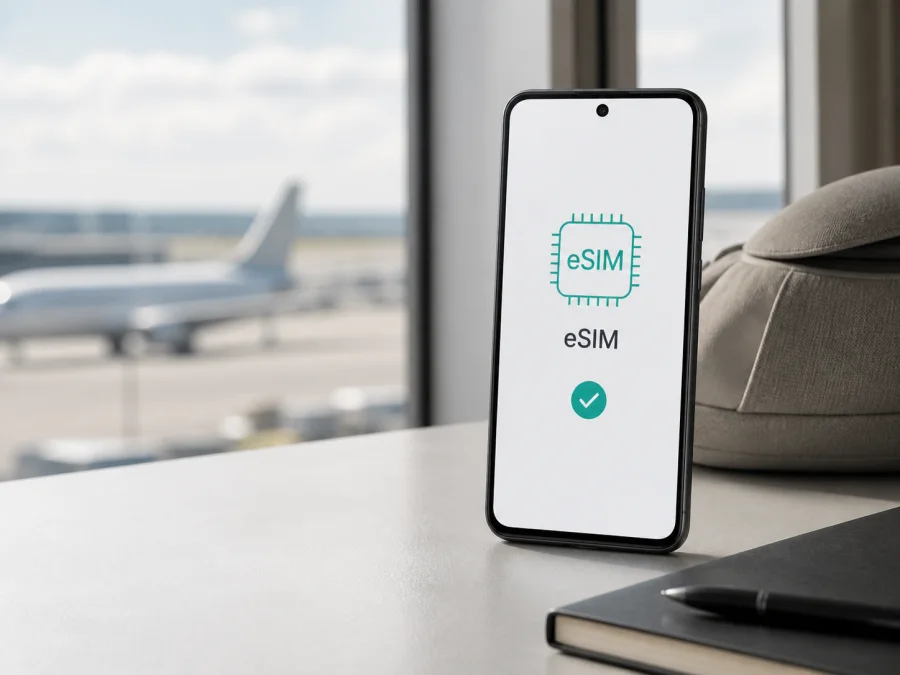
Xiaomi 17 Ultra 1TB 5G eSIM: compatibility, setup and travel guide
If you own or are considering the Xiaomi 17 Ultra 1TB 5G, the short answer is yes: current official Xiaomi information lists eSIM support for the Xiaomi 17 Ultra family. The published configurations include nano SIM + eSIM and eSIM + eSIM. Xiaomi's official FAQ identifies the 1 TB storage configuration as a 16 GB + 1 TB version, but storage capacity is not the only factor that matters.
The important qualification is regional availability. Xiaomi states that Dual SIM functionality may vary by region and that eSIM availability can depend on the country or region and the carrier. An imported, carrier-customised or differently localised phone may therefore show different SIM options. Check the exact handset in your hand, including its EID and settings, before you buy a travel eSIM tariff.
Xiaomi 17 Ultra 1TB 5G at a glance
| Item | What to expect |
|---|---|
| Exact device variant | Xiaomi 17 Ultra 1TB 5G |
| Official storage reference | 1 TB ROM; the FAQ lists a 16 GB + 1 TB version |
| Mobile network | 5G SA/NSA, 4G LTE, 3G and 2G; usable bands depend on market and network |
| Physical SIM options | The global specification lists nano SIM + nano SIM or nano SIM + eSIM |
| eSIM options | The global specification lists nano SIM + eSIM and eSIM + eSIM |
| Compatibility answer | eSIM is supported in the family, subject to region, carrier and software |
| Before purchase | Confirm EID, an add-eSIM menu, unlocked status and destination coverage |
Does Xiaomi 17 Ultra 1TB 5G support eSIM?
Yes. Xiaomi's current global specifications list Dual SIM combinations of nano SIM + nano SIM, nano SIM + eSIM and eSIM + eSIM, with a note that availability may vary by region. Xiaomi's support FAQ lists the same combinations and says that the standard Xiaomi 17 Ultra supports dual eSIM. It separately notes that a Xiaomi 17 Ultra Leica Version may support either dual eSIM or single eSIM.
This wording confirms the technology while leaving room for retail differences. It does not prove that every phone sold under the Xiaomi 17 Ultra name exposes every listed combination. Do not infer eSIM support solely from the 1 TB, 5G or flagship designation, and do not infer a second eSIM slot from the words “Dual SIM”. A global-market, factory-unlocked device is a strong candidate for a compatible travel eSIM, but an imported or carrier-specific unit needs its own check.
If a seller cannot state the exact market and SIM configuration, ask for the model number and regional sales information before paying. A carrier can restrict provider switching or roaming even when an eSIM component is present. The safest decision is based on the phone's own EID and the option to add a mobile plan.
What to check before buying an eSIM tariff
Use this checklist for the exact Xiaomi 17 Ultra 1TB 5G:
- [ ] The phone is an authentic Xiaomi 17 Ultra 1TB 5G and the storage label matches the device you will use.
- [ ] The phone is unlocked and is not limited to one carrier or provider's eSIM profiles.
- [ ] Settings contains Add eSIM, Add mobile plan or Download a SIM. Wording can change with language and HyperOS version.
- [ ] The phone can display an EID, the identifier associated with the embedded SIM.
- [ ] The selected tariff covers every country or region on your itinerary.
- [ ] You know its data allowance, validity period, activation conditions and roaming requirement.
- [ ] Wi‑Fi or another working internet connection will be available during installation.
- [ ] You know which line will handle calls and messages and which will handle mobile data.
How to find the EID and confirm the menu
Menu names vary, but the usual check is:
- Open Settings.
- Enter About phone or Device information.
- Look under Status, SIM status or EID.
- Open Mobile networks, SIM cards or SIM management and look for Add eSIM or a similar option.
An EID is strong evidence that the handset has an embedded-SIM component, but it is not the only condition for service. The profile must be accepted by the device, the phone must be unlocked and the tariff must work with a supported destination network. If both EID and add-eSIM controls are absent, pause the purchase and confirm the regional version with the seller or Xiaomi.
Open About phone and compare the displayed model and storage with the device you intend to use. Use the phone's model number when asking for technical support, while retaining the exact page name Xiaomi 17 Ultra 1TB 5G for this compatibility guide. Check for an available official system update, then recheck the SIM menu. An update can change wording or restore an option, but it cannot make an unsupported regional hardware configuration a guaranteed global one.
<a id="kesim-device-compatibility"></a>
Once those checks are complete, check your device before selecting and paying for a travel tariff. This is particularly important for a phone bought abroad, refurbished, activated by a carrier or running regional software. A listing with the same family name can still describe a different market configuration.
Choosing an eSIM for mobile data
Select a country tariff for a single destination, a regional tariff when the route crosses borders, or another option that explicitly covers all stops. Compare the data allowance and validity with your use: maps, translation, ride-hailing, messaging and light browsing need less data than video calls, cloud backup or hotspot use.
Kaspersky eSIM Store is an app and website where you can choose, arrange and activate an eSIM with a suitable tariff for mobile internet during an overseas trip. It helps you review the destination and tariff conditions before installation. It is not a mobile operator, network owner or provider of mobile internet. The underlying service and coverage depend on the selected tariff, its local operator arrangements and networks available at the destination.
The eSIM experience is normally data-focused. Unless the individual tariff says otherwise, do not expect a separate phone number, traditional voice calling or SMS. Keep your primary SIM for calls and messages if needed, and check its roaming settings.
How to install and activate an eSIM
Install over reliable Wi‑Fi with the phone charged and the QR code or activation details available. Keep the profile until you are certain it is no longer needed; some profiles cannot be installed again.
For platform guidance, see the Android installation instructions and iOS installation instructions. Android is the relevant guide for Xiaomi; the iOS guide can help when preparing another device.
1. Prepare the phone
Connect the Xiaomi 17 Ultra 1TB 5G to Wi‑Fi, charge it and keep the QR code visible on another screen. If the code is shown on the same phone, use a manual activation option when available.
2. Open mobile-network settings
Go to Settings, open Mobile networks, SIM cards or the similarly named SIM-management section, and select Add eSIM, Add mobile plan or Download a SIM.
3. Download the profile
Scan the supplied QR code. If it will not scan, increase the other screen's brightness, remove glare, enlarge the code without cropping it and keep the screens parallel. If manual activation is offered, enter the SM-DP+ address and activation code exactly as supplied.
4. Name the line
Wait for the profile to download, then give it a clear label such as Travel data or the destination name. Downloading a profile and registering on a local network are separate events, so installation may finish before data works.
5. Select mobile data
Choose the travel eSIM as the mobile-data line when you are ready to use it. Keep the primary SIM for calls and messages if that is your plan, and disable automatic data switching unless you understand its roaming effects.
6. Activate and test
Follow the tariff's activation conditions. Some profiles connect after installation; others begin validity or data use when they first attach to a supported network. Enable data roaming for the travel eSIM only when the tariff instructions require it. After arrival, turn off Wi‑Fi briefly, open a lightweight webpage and confirm that the travel profile is the data line. Connection can take several minutes.
Using the phone during a trip
Before departure
Finish the compatibility, EID and unlock checks, arrange the suitable tariff and install the profile over stable Wi‑Fi. Save essential maps or travel information offline, label the profile and review the primary SIM's roaming settings.
After landing
Open SIM settings and confirm that the travel eSIM is enabled and selected for mobile data. Turn off Wi‑Fi briefly to test. If data does not start, wait, move to an area with better reception and check the tariff's APN or roaming instruction. Do not delete the profile while troubleshooting.
On a multi-country route
Before crossing a border, confirm that the tariff covers the next country. The phone may register with a different partner network automatically, but coverage and speed depend on the destination and plan. If data stops, check the regional scope, toggle airplane mode and confirm that the travel eSIM remains the data line.
Common problems and checks
The QR code will not scan
Confirm that the code is complete and sharp. Increase brightness, remove glare, clean the camera and try the manual-code option. Use the phone's Add eSIM flow rather than a general camera scan. If the provider says the code was already used, stop retrying and contact support with the order details.
There is no eSIM option
Check About phone and mobile-network settings for EID and Add eSIM. Restart the phone, install an available official update and check again. If neither the EID nor the add-profile control appears, the regional version may differ from the global specification. Confirm the exact market with the seller or Xiaomi before buying another tariff.
The profile downloaded but there is no signal
Make sure the travel eSIM is switched on and selected for data. Confirm destination coverage, data roaming for the travel line when required and airplane mode status. Give the phone several minutes to register, then restart it. A profile can be installed correctly while the primary SIM is still selected for data.
Data uses the wrong SIM
Open SIM management, identify the data indicator, disable automatic data switching and select the travel eSIM. Monitor the primary carrier's roaming settings to prevent background use.
The connection is slow or stops
Check remaining data and validity first. Move to a place with better reception, toggle airplane mode and restart the phone. Speed varies with coverage, congestion, indoor conditions and supported bands; 5G does not guarantee the same experience in every country.
The phone is locked
An operator lock can reject a profile even when the device has eSIM hardware. Ask the carrier to confirm unlock status before purchase. Do not assume that resetting the phone removes a network restriction.
FAQ
Is Xiaomi 17 Ultra 1TB 5G compatible with eSIM?
Yes. Current official Xiaomi information lists eSIM support for the family, including nano SIM + eSIM and eSIM + eSIM. Exact availability still depends on sales region, carrier and software, so confirm EID and the add-eSIM menu on your phone.
Does the 1 TB version have the same eSIM capability?
The official FAQ lists a 16 GB + 1 TB version and describes eSIM configurations for the Xiaomi 17 Ultra. Storage is not the deciding factor: a regional or carrier-specific unit can expose different options, so perform the device-level check.
Can two eSIM profiles be used?
Xiaomi's FAQ says the standard Xiaomi 17 Ultra supports dual eSIM and notes a single-or-dual-eSIM possibility for the Leica Version. Check the phone's SIM manager and exact market before relying on this feature.
Will eSIM give me a normal phone number?
Not usually for a travel data tariff. Kaspersky eSIM Store helps you choose, arrange and activate eSIM for mobile internet during an overseas trip. Unless the selected tariff says otherwise, use your primary number for ordinary calls and SMS or use apps over mobile data.
Do I need roaming enabled?
Possibly. Some travel eSIM tariffs require data roaming on the travel profile to connect to a partner network. Follow the tariff instructions and keep roaming data disabled on the primary line if you want to avoid unintended charges.
Conclusion: final device check and travel eSIM choice
The Xiaomi 17 Ultra 1TB 5G is eSIM-capable according to current official Xiaomi information, and the 1 TB version is documented as a 16 GB + 1 TB configuration. The practical answer for your handset is confirmed only after you see an EID or add-eSIM control, verify that the phone is unlocked and account for its sales region, firmware and carrier. Those checks matter more than the storage label or the 5G name.
Before the trip, confirm the exact device, choose a tariff covering the complete route, review data and validity conditions, install over reliable Wi‑Fi and set the travel eSIM as the mobile-data line. At the destination, test a small data session and enable roaming only for the travel profile if required.
When those checks are complete, Kaspersky eSIM Store can help you choose, arrange and activate an eSIM with a suitable tariff for mobile internet on an overseas trip through its app or website. It does not act as an operator or network provider; the final connection remains subject to the selected tariff, local operator network and conditions of your exact Xiaomi 17 Ultra 1TB 5G.


