Travel connectivity guide
Xiaomi 17 Ultra eSIM: compatibility and setup
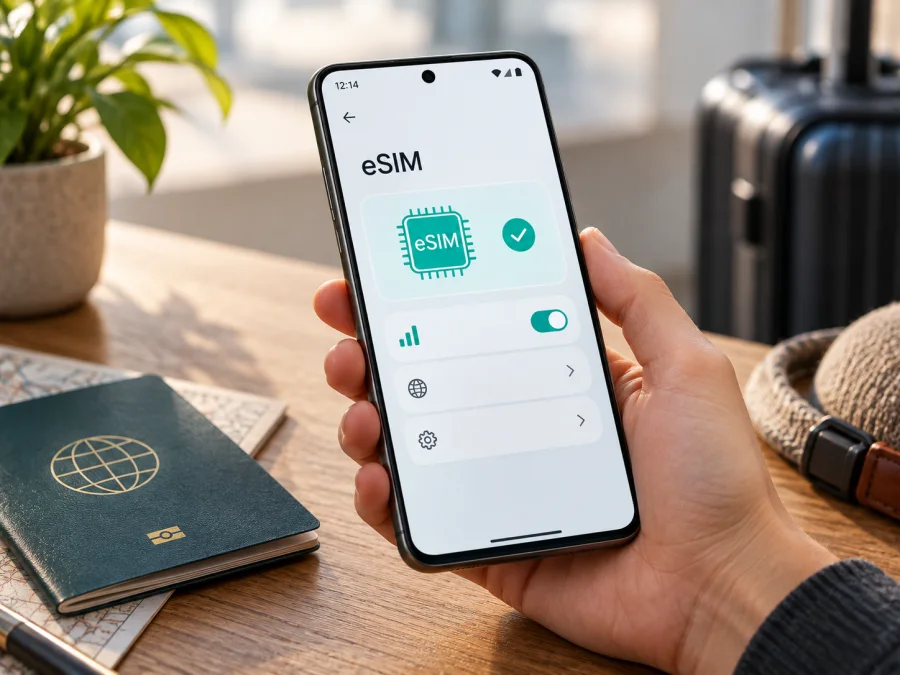
Xiaomi 17 Ultra eSIM: compatibility, setup and mobile internet for travel
If you are preparing a trip and want mobile internet without replacing your physical SIM card, Xiaomi 17 Ultra is a promising option. Xiaomi’s current official specifications list nano SIM + eSIM and eSIM + eSIM among the possible dual-SIM configurations. The important qualification is that eSIM availability can vary by country or region, exact sales version, and carrier or service plan.
The safest answer is: Xiaomi 17 Ultra supports eSIM in supported regional and carrier configurations, but confirm the exact phone in its settings before purchasing a plan. An imported phone may have different SIM options, firmware, or carrier restrictions. A physical SIM tray or a “dual SIM” listing does not by itself prove that eSIM is enabled.
Kaspersky eSIM Store helps you prepare mobile internet for a foreign trip: use the app or website to choose, arrange, and activate a suitable eSIM plan on a compatible phone. The eSIM is for mobile internet; it does not automatically provide a separate phone number, ordinary calls, or SMS unless the selected plan says otherwise.
Quick answer about Xiaomi 17 Ultra eSIM support
The manufacturer’s current specification page for Xiaomi 17 Ultra names three possible dual-SIM combinations: two nano SIM cards, one nano SIM with one eSIM, or two eSIM profiles. It also states that dual-SIM availability may vary by region. Xiaomi separately notes that eSIM availability depends on the country or region and the carrier, and that using eSIM requires a wireless service plan.
This confirms the feature at the platform level, but not for every handset sold under the same name. The carrier must also be able to provision the eSIM for your destination and roaming scenario. If the eSIM controls are missing, treat that as a compatibility warning rather than assuming a QR code will make the profile work.
What the specification means in practice
| Item | What to expect on Xiaomi 17 Ultra |
|---|---|
| eSIM technology | Listed by Xiaomi for supported configurations |
| Possible SIM combinations | nano SIM + nano SIM, nano SIM + eSIM, or eSIM + eSIM |
| Regional availability | May differ by country or region |
| Carrier requirement | The carrier or eSIM service must support the profile and plan |
| 5G and mobile data | Depend on the local network, supported bands, plan, and coverage |
| Physical SIM use | A physical SIM can remain useful for your regular number, subject to dual-SIM rules |
| Main travel use | Mobile data for maps, messages, bookings, navigation, and work |
The table describes the combinations listed by Xiaomi, not a promise that every retail unit offers every combination. The exact menu on your device is the most useful first check.
Why regional and carrier versions matter
The name Xiaomi 17 Ultra identifies a product family, not necessarily one identical configuration in every market. Region and carrier can affect whether eSIM is visible in settings, which physical and digital combinations work together, and whether a plan can be activated. Firmware, network bands, language, and carrier provisioning may also differ between a locally sold phone and an imported one.
Marketplace labels such as “global version”, “international version”, and “dual SIM” are not enough evidence. Ask for the exact regional model and, when possible, a screenshot of the mobile-network settings or the EID. A phone can support eSIM while a particular carrier or plan does not support it for your account, destination, or roaming arrangement. Read the plan conditions, including whether it is data-only and whether data roaming is required.
How to check your exact Xiaomi 17 Ultra
The most reliable check is performed on the handset you will use. Menus can change slightly with HyperOS version and language, but Xiaomi’s eSIM guidance uses the mobile-network settings. Start with the following checks while connected to Wi-Fi.
- Open Settings.
- Go to Mobile networks or SIM cards & mobile networks.
- Look for Use eSIM, Manage eSIM, Add eSIM, or Add mobile plan.
- Open the device information or SIM status area and look for an EID, the embedded-SIM identifier distinct from the IMEI.
- Note whether a second physical SIM must be disabled. Some configurations cannot use every profile simultaneously.
The presence of Add eSIM or Manage eSIM, together with an EID, is a strong practical confirmation. If both are absent, update the phone, restart it, and check again. If the controls remain absent, contact the seller or Xiaomi support with the exact model and region. Do not buy a non-refundable plan until the device passes this check.
Check your device before choosing a plan, especially if the Xiaomi 17 Ultra was imported, refurbished, or purchased through a marketplace.
Compatibility checklist
- [ ] The phone is the exact Xiaomi 17 Ultra unit you intend to use on the trip.
- [ ] Mobile-network settings show an eSIM option or the device reports an EID.
- [ ] The phone is not locked to a carrier that restricts another provider’s eSIM.
- [ ] The operating system is updated and the phone can connect to Wi-Fi during setup.
- [ ] The plan covers the country, region, or route you will visit.
- [ ] You understand the plan’s data volume, validity period, activation conditions, and support process.
- [ ] You know which line will provide mobile data after installation.
- [ ] You have kept your regular number’s SIM or eSIM active only if you need it and understand possible roaming charges.
How to install and activate an eSIM
Install the profile when you have stable Wi-Fi and enough battery. Keep the QR code or activation details on another screen if you are scanning it with the Xiaomi 17 Ultra. If the QR code is displayed on the same phone, use the gallery or manual-entry option if the device offers it.
1. Prepare the plan
Choose the destination and data amount and review the validity period. In Kaspersky eSIM Store, the app or website helps you select, arrange, and activate an eSIM plan for mobile internet abroad. Check the destination, allowance, activation point, and support terms, then save the QR code or activation details.
2. Open the eSIM controls
Open Settings, select Mobile networks or SIM cards & mobile networks, enable Use eSIM if shown, and open Manage eSIM. Choose Add eSIM or Add mobile plan. Wording may vary with regional firmware.
3. Scan or enter the profile
Select the QR-code scanner and scan the code supplied with your plan. Keep it private because it can be the credential used to download the profile. If needed, scan a saved QR image from Gallery or enter activation details manually. Follow the on-screen instructions while the profile downloads.
4. Name the line clearly
Give the profile a label such as “Travel data” or the destination name. This helps you avoid selecting your home line. Do not delete an installed profile just because it has not connected yet; check its status and the plan instructions first.
5. Choose the data line
Open mobile-data settings and select the travel eSIM. Keep your regular line available only if needed and if you understand home-provider roaming charges. Disable automatic data switching and data roaming on the home line when appropriate.
6. Enable roaming when the plan requires it
Some travel plans use a partner network and require Data roaming for the travel profile. Enable it only for the eSIM when the plan requires it, and confirm the home line is not selected. The exact setting depends on the plan, country, carrier arrangement, and software.
7. Connect and test
After activation, wait a few minutes, toggle airplane mode or restart if recommended, and open a simple webpage with Wi-Fi off. If you install before departure, do not assume validity starts at installation; follow the plan conditions.
For additional platform guidance, see the Android installation instructions and the iOS installation instructions. The iOS link is included as a general reference for another device; Xiaomi 17 Ultra uses the Android/HyperOS path.
Using Xiaomi 17 Ultra eSIM during a trip
For a short city break, the travel eSIM can handle maps, translation, ride-hailing, tickets, messaging, email, and browsing. Choose data volume based on these activities, not only the number of days. Video calls, backups, uploads, and streaming can consume data quickly, so use Wi-Fi for updates when practical and monitor the balance.
For a multi-country route, confirm that the destination or regional plan includes every country in the itinerary. Availability depends on local partner networks, supported bands, account rules, and coverage; a plan working in one country is not automatically suitable for a neighbour. Keep the home line disabled for data if you want to avoid unexpected charges.
Troubleshooting common eSIM problems
The Add eSIM option is missing
Confirm that the phone is the intended Xiaomi 17 Ultra regional version and has current system software. Search both mobile-network menus, restart, and check for an EID. If no EID or eSIM menu appears, the feature may not be enabled for that unit or region; ask the seller or Xiaomi support before buying a plan.
The QR code will not scan
Increase screen brightness, remove glare, and keep the camera steady. Use Gallery if the QR code is saved as an image. A used, expired, or mismatched code may fail; use manual activation only with this plan’s details and do not forward the code.
The profile downloads but does not connect
Check that the eSIM is enabled, selected for mobile data, and allowed to use data roaming when required. Turn Wi-Fi off, confirm airplane mode is off, restart, and verify destination coverage. Try automatic network selection first; use a specific network only when support directs you.
There is a signal but no internet
Confirm the travel eSIM is the data line and mobile data is enabled. Change APN settings only when the plan provides a value; do not invent one. Disable home-line roaming and automatic data switching, improve reception, and retry. Record the phone region, eSIM label, network, and error before contacting support.
The profile disappears after changing SIM settings
Review Manage eSIM and enabled lines. A profile can be installed but disabled, and some combinations require another line to be turned off. Do not delete it while troubleshooting unless support or the plan instructions say so. Reinstallation may require a new activation process.
Data is being used from the wrong line
Open the mobile-data selector and choose the travel eSIM explicitly. Disable automatic switching, review home-line roaming, and test with Wi-Fi disconnected. Keep the regular line enabled only after checking roaming terms.
Frequently asked questions
Does Xiaomi 17 Ultra support eSIM?
Yes, Xiaomi’s current official specifications list eSIM combinations for Xiaomi 17 Ultra, including nano SIM + eSIM and eSIM + eSIM. The same specification warns that dual-SIM and eSIM availability can vary by country or region and carrier. Confirm the EID and eSIM menu on your exact handset before purchase.
Do I need a physical SIM card to install an eSIM?
No. The profile is downloaded by QR code or activation details. You need Wi-Fi or another working connection, a compatible profile, and a Xiaomi 17 Ultra configuration with eSIM enabled.
Will a travel eSIM replace my phone number?
Usually no. A travel eSIM intended for mobile internet generally does not include a separate ordinary phone number, calls, or SMS unless the plan terms explicitly include them. You can continue using messaging services over data, while your normal number remains on its original line if you choose to keep it active.
Is data roaming always required?
No. It depends on how the plan reaches the local network. Some plans require roaming on the travel profile; others may not. Check the instructions and ensure the home line is not selected for roaming data.
What if Xiaomi 17 Ultra was bought in another country?
Treat it as a regional variant requiring an individual check. Look for the EID and Add eSIM or Manage eSIM controls, verify the software region, and ask about restrictions. Do not infer support from another market’s unit.
Can I move the same eSIM to another phone?
Not automatically. Some profiles are tied to the first installation or have transfer restrictions. Check the plan conditions and use the service’s reissue or transfer process instead of repeatedly scanning the original QR code.
Where can I get help if activation fails?
First verify compatibility, Wi-Fi, the selected data line, roaming settings, and the destination. Then contact the service support channel with the exact device variant, eSIM status, and error message. Support can distinguish a phone-setting problem from a profile or plan issue.
Final check before your trip
Before you choose a plan, verify that your exact Xiaomi 17 Ultra shows an EID or an eSIM management menu and is not restricted by a carrier. Confirm that the selected eSIM plan covers every country or region on your route, and read its data allowance, validity, activation, roaming, hotspot, and support conditions. Keep your QR code or activation details private, install over a stable connection, and identify the travel profile clearly.
When the phone passes the check, Kaspersky eSIM Store helps you choose, arrange, and activate an eSIM plan for mobile internet during an international trip. Select the travel eSIM for data, test it with Wi-Fi turned off, and monitor usage after arrival.


