Travel connectivity guide
Xiaomi Poco X7 eSIM Compatibility and Setup
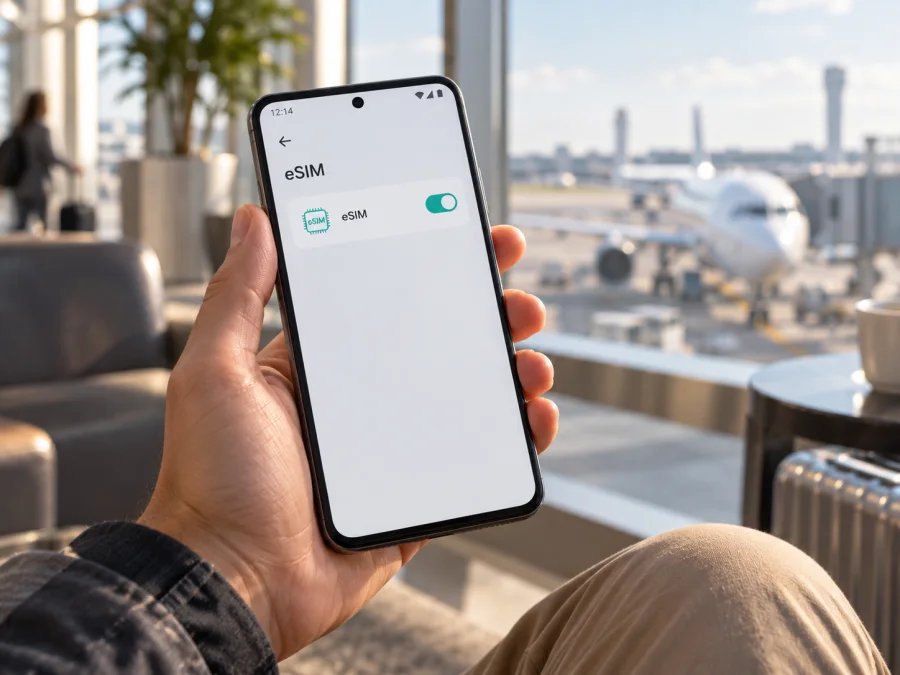
Xiaomi Poco X7 eSIM: compatibility, setup and travel use
The Xiaomi Poco X7 may support eSIM, but the model name alone does not confirm that every unit has the feature. Xiaomi’s global support FAQ currently says the POCO X7 supports eSIM. Xiaomi’s German and Polish support FAQs currently say it does not. Treat compatibility as dependent on the phone’s market, regional build and configuration. Before buying a travel plan, check the handset for an EID and an eSIM option, and confirm that it is not carrier-locked.
This guide shows how to check your Xiaomi Poco X7 and install a travel eSIM if supported. A 5G label or dual-SIM tray does not prove eSIM support.
Xiaomi Poco X7 eSIM compatibility at a glance
| Item | What to know |
|---|---|
| Exact device | Xiaomi Poco X7 |
| eSIM answer | Xiaomi Global says yes; its German and Polish FAQs say no. Verify the individual unit. |
| Physical SIM | Xiaomi lists dual-SIM, dual-standby configurations. This alone does not confirm eSIM. |
| 5G | Supported in markets and networks where available; separate from eSIM compatibility. |
| EID | Look for “View device EID” in eSIM settings. Its presence is strong confirmation of eSIM capability. |
| Carrier restrictions | The handset must be unlocked or allowed to use another provider’s profile. |
| Before purchase | Check the exact phone and chosen plan’s destination and activation requirements. |
The difference between Xiaomi’s own regional pages matters. The Global support FAQ, “Does the POCO X7 support eSIM card?”, answers yes. Xiaomi’s current German and Polish support FAQs answer no. Xiaomi’s regional product specifications describe dual SIM, but that feature alone does not resolve eSIM availability. I checked these manufacturer pages on 26 September 2026. Do not treat a generic listing for “Poco X7” as definitive for a phone sold in a different country.
The regional sales variant, software build and carrier configuration may affect what is enabled. Ask the seller for the unit’s intended market and exact model details, and inspect the phone if possible. For a used phone, check it directly rather than relying on a previous owner’s screenshot. If its settings and Xiaomi’s local support page disagree, ask Xiaomi support with the exact device information.
How to check for an EID and eSIM settings
An EID is an identifier associated with eSIM capability. It is different from an IMEI and from electronic identity services also called eID. Xiaomi’s general support instructions describe viewing the device EID in Settings. HyperOS wording can vary by version and region.
- Connect to Wi-Fi, install any official system update and restart.
- Open Settings and choose SIM cards & mobile networks or Mobile networks.
- Look for Use eSIM, Manage eSIM, Add eSIM or Add mobile plan. If available, open management and find View device EID.
- Search Settings for “EID” and “eSIM” if the menu labels differ. An IMEI alone is not proof.
- If an EID is displayed, provide it only when the plan provider or support asks; do not post it publicly. If both EID and eSIM controls are absent, assume the phone is not ready for eSIM until Xiaomi confirms otherwise.
- If eSIM is greyed out, check whether two physical SIMs are active. Some configurations require disabling SIM 2. Read the prompt before changing a line you need.
An EID confirms a device capability, not that every plan will work. A carrier lock, destination coverage, provider requirements and network bands still matter. Check all of them before you pay for a non-refundable plan.
Compatibility checklist
- [ ] Confirm the exact Xiaomi Poco X7 unit, not a similar model or the Pro version.
- [ ] Find View device EID or a working Add eSIM control.
- [ ] Confirm that the phone is unlocked or permitted to use another provider.
- [ ] Check that your plan covers the destination and fits its activation requirements.
- [ ] Have reliable internet and the QR code or activation details ready.
- [ ] Know which line will handle calls, messages and mobile data, including any roaming setting required for the travel eSIM.
If you are buying the phone, ask to see its eSIM menu and EID before checkout. If you already own it, confirm those details after its latest official software update. This two-minute check is more reliable than relying on a retailer’s broad model-family label. Ask for written confirmation when a seller cannot demonstrate the setting, and keep the device packaging or order details so Xiaomi can identify the sales region if a question remains.
If the menu is absent, the device may still support only physical SIM in its sales region; changing locale or installing another keyboard will not add eSIM hardware. Ask Xiaomi to check the exact model code before you commit to a plan.
Check whether your device is compatible before choosing or paying for a plan. This is especially important for an imported Xiaomi Poco X7 because Xiaomi’s regional support pages disagree.
Install and activate eSIM on Xiaomi Poco X7
HyperOS menu names can vary. Xiaomi’s general eSIM directions use Settings > Mobile networks > Use eSIM > Manage eSIM > Add eSIM. If those controls are missing, return to the compatibility check. Do not assume that another menu enables eSIM.
Add the profile
- Connect the Xiaomi Poco X7 to Wi-Fi and open Settings.
- Tap SIM cards & mobile networks or Mobile networks. Enable Use eSIM if shown, confirm, then open Manage eSIM.
- Choose Add eSIM, Add mobile plan or the equivalent. Connect to Wi-Fi if prompted.
- Scan the QR code from your plan, or enter the supplied activation details manually. If the code is on the phone’s own screen, use manual entry or display it on another device.
- Review and confirm the profile download. Keep the phone online until the installation completes.
- Give the profile a clear label, such as “Travel data”. Enable it now or later according to the plan’s instructions and validity rules.
Installation places the profile on the phone; the first network connection may happen later. Validity can begin at installation, first connection or another time defined by the plan. Check the terms before proceeding. Many QR codes are single-use, so do not delete a working profile assuming you can scan it again.
Select the data line and activate
When ready to use the plan, open SIM settings, enable the travel profile and choose it for Mobile data. Keep the home SIM for calls or texts if desired, but review your carrier’s roaming charges. Disable data roaming on the home SIM if you do not want it to use roaming data. Enable roaming on the travel profile only if the plan requires it. If the phone warns that a second physical SIM must be disabled, read the prompt before confirming.
At your destination, wait for network registration and test mobile data. If automatic selection does not work, check the plan’s instructions before choosing a network manually. See Android eSIM installation instructions or iOS eSIM installation instructions. The iOS guide is for another traveler’s iPhone.
Using Xiaomi Poco X7 eSIM while travelling
A travel eSIM helps with maps, boarding passes, ride booking and messaging away from Wi-Fi. Service depends on the plan, local coverage and device; 5G requires a compatible plan and destination network.
Before departure
Check that the plan covers every country on your route and compare its data allowance and validity with your expected use. Video calls, photo uploads, hotspot sharing and cloud backups can use data quickly; consider limiting automatic uploads on a capped plan. Save offline maps and important travel documents.
Review exactly when validity begins. Save the activation details somewhere accessible offline, and check your home carrier’s roaming charges if you need your regular number for calls or verification texts. Keep the home SIM’s data roaming off if you do not intend to use it for data.
On arrival
- Enable the travel profile and select it for mobile data.
- Turn on data roaming for that profile if the plan requires it.
- Start with automatic network selection; if it cannot register, check coverage and try a supported network manually.
- Test a webpage and confirm the active data line is the travel eSIM.
- Monitor use in Settings and the plan account where available; device counters may be estimates.
Kaspersky eSIM Store is an app and website where you can choose, arrange and activate an eSIM plan for mobile data on an international trip. Check the plan’s destination, allowance, duration and activation terms. Kaspersky eSIM Store is not a mobile operator or network owner; service depends on the plan and local network. During border registration, a brief loss of data may be temporary. Avoid deleting the profile because its QR code may not be reusable.
Troubleshooting: eSIM is missing or has no service
There is no EID or Add eSIM option
Restart the phone, install official HyperOS updates and search Settings for “EID” and “eSIM”. If both the EID and eSIM controls are absent, treat the handset as unsupported until Xiaomi confirms otherwise for its exact market and model details. Do not use unofficial firmware or hidden menus to force the feature.
The QR code is rejected
Confirm the code belongs to your plan, the phone is online and the whole code is visible. If the code may already have been used, contact the plan support team before deleting the profile or repeated attempts; the provider may need to reissue it. Keep manual activation details private.
The profile is installed but there is no data
Make sure it is enabled and selected for mobile data, airplane mode is off and mobile data is on. Enable roaming for the travel eSIM if required. Check the destination, validity and coverage, then restart. If automatic selection fails, try a supported network manually. Change APN settings only when the plan provider gives you exact values.
The wrong SIM is using data or the profile will not activate
Select the travel eSIM as the default data SIM and disable data roaming on the home SIM if intended. Some configurations require disabling a second physical SIM. A visible EID does not remove a carrier lock; ask the original carrier or seller whether another provider’s eSIM is allowed.
Service is slow or drops
Check coverage, plan status and selected network. Move to an open area or restart the connection. Speeds vary with signal, congestion, bands and plan terms. Note any error before contacting support. Avoid deletion because a QR code may not work again; note Wi-Fi credentials before a network reset.
Common questions
Does every Xiaomi Poco X7 support eSIM?
Xiaomi’s official information conflicts by market: the global FAQ says yes, while current German and Polish FAQs say no. Check the EID and eSIM controls on the exact handset and confirm with Xiaomi or the seller if its region is unclear.
Is an EID the same as an IMEI? Does 5G prove eSIM support?
No to both. An IMEI identifies mobile equipment; an EID is associated with embedded SIM capability. 5G and eSIM are separate features, and an IMEI or 5G connection does not prove that eSIM is enabled.
Can I keep my usual number while using a travel eSIM?
Often the physical SIM can stay active for calls or messages while the eSIM handles data, but supported combinations vary. Check whether eSIM requires disabling SIM 2 and review home-carrier roaming fees.
When does the plan start, and does it include calls?
Validity depends on plan terms and may begin at installation, first connection or another specified time. Travel eSIM plans commonly provide data rather than a standard phone number, voice service or SMS; check the individual plan. Internet calling and messaging apps can use data.
What if the EID is present but activation fails?
Check unlock status, internet, destination, plan validity and whether the QR code was previously used. Contact plan support before deleting the profile. If the phone rejects eSIM generally, ask Xiaomi or the original carrier about the exact regional unit.
Conclusion: check the phone, then choose a trip eSIM
Xiaomi’s global FAQ says the Xiaomi Poco X7 supports eSIM, while the manufacturer’s German and Polish FAQs say it does not. Because regional information differs, use the exact handset as the deciding factor: find an EID and eSIM management option, check carrier-unlock status, and confirm plan coverage before purchase.
Once compatible, add the profile over reliable internet, follow the plan’s validity instructions and select it for mobile data when needed. Keep home-SIM roaming under control and save activation details offline. Kaspersky eSIM Store helps you choose, arrange and activate a plan for mobile data on an international trip; connection depends on the plan and local coverage.
Final device check and trip eSIM plan
- Device: Find an EID and eSIM add/manage option. If either is missing, ask Xiaomi or the seller about this regional unit.
- Permission: Confirm the phone is unlocked and that eSIM can be used with your physical SIM configuration.
- Plan: Match destination, data, duration, installation method, validity start and roaming directions to your trip.
- Preparation: Keep the QR code or activation details available, use reliable Wi-Fi and avoid deleting the profile without support advice.
- Data: Know how to select the travel eSIM, control home-SIM roaming and access essential details offline.
After these checks, choose an eSIM plan for the journey in the Kaspersky eSIM Store app or website, review its terms and activate it using the instructions for your Xiaomi Poco X7 and selected plan.


