Travel connectivity guide
Xiaomi Poco X8 Pro Max 128GB 5G eSIM Compatibility
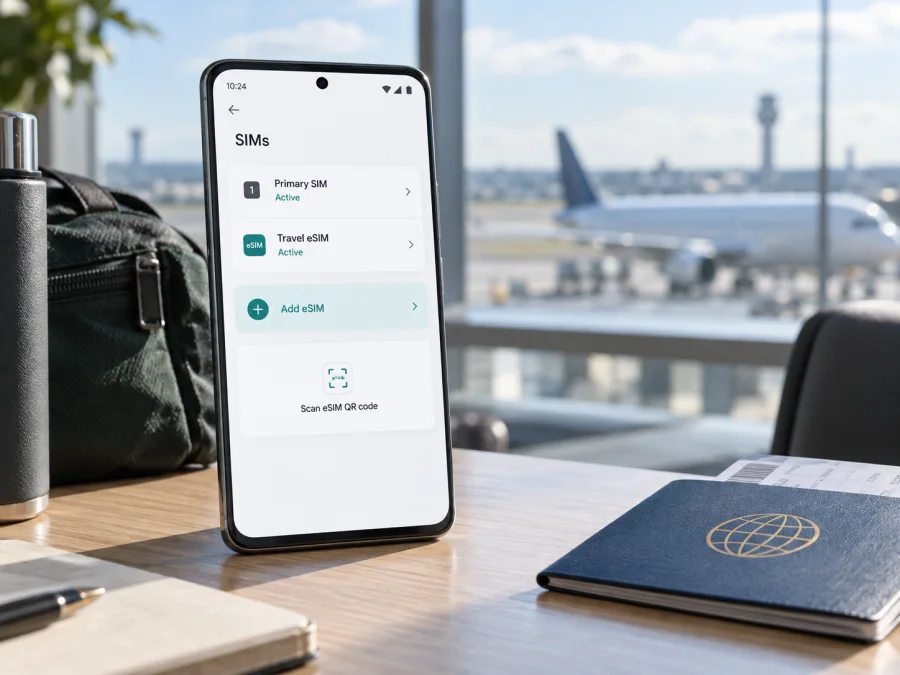
Xiaomi Poco X8 Pro Max 128GB 5G eSIM compatibility and setup
Does the Xiaomi Poco X8 Pro Max 128GB 5G support eSIM?
The POCO X8 Pro Max model family supports eSIM, according to current official Xiaomi product and support pages. However, Xiaomi does not list a 128GB storage configuration in the official specifications I could verify, so the exact “Xiaomi Poco X8 Pro Max 128GB 5G” variant cannot be confirmed from the storage label alone. Treat eSIM as supported only after checking the actual handset for an EID and an eSIM setup option. This matters especially for imported, carrier-supplied, or seller-described phones: the market version, firmware, and carrier restrictions can affect what is available.
Xiaomi’s official pages show a regional difference in SIM combinations. Xiaomi’s Pakistan FAQ describes one eSIM and a dual-SIM arrangement of either two nano-SIM cards or one nano-SIM plus one eSIM. The German FAQ lists nano-SIM + nano-SIM, nano-SIM + eSIM, or eSIM + eSIM, and describes dual eSIM support. Xiaomi also warns in its regional product information that eSIM availability may vary by country or region and carrier. These statements describe regional configurations; they do not establish that every handset sold in those places, on every software build, offers the same options.
The capacity detail is separate from eSIM support. Xiaomi’s official product FAQ lists 256GB and 512GB storage configurations for the POCO X8 Pro Max, not 128GB. A “128GB” description could be a seller error, a different device, or a market-specific listing that needs direct confirmation. Do not infer the model or eSIM capability from the product title in a marketplace listing. Check the model number, storage shown in Settings, original packaging, and the device itself before paying for an eSIM plan.
| Item | What official information establishes | What to verify on your handset |
|---|---|---|
| Device family | POCO X8 Pro Max; Xiaomi’s regional pages confirm eSIM support | Exact model number and market of sale |
| Requested storage | The requested name says 128GB; Xiaomi’s verified FAQ lists 256GB and 512GB | Whether the phone is actually a POCO X8 Pro Max and what storage it reports |
| SIM format | Regional Xiaomi pages describe physical nano-SIM and eSIM combinations | Whether this unit has an EID and offers Add eSIM |
| eSIM count | Some regional specifications say one eSIM; Germany’s official FAQ says dual eSIM | The local market configuration and number of profiles supported |
| 5G | Xiaomi lists 5G support for the model family | Local band compatibility, carrier support, and plan conditions |
| Carrier lock | Not determined by the model name | Ask the seller or original carrier whether the phone is unlocked |
In practical terms, the answer for the exact 128GB listing is “not confirmed until you inspect the unit.” For a verified POCO X8 Pro Max with an EID and an available eSIM setup menu, eSIM installation is supported. If the handset lacks those signs, do not assume a software update or an eSIM QR code can add the missing hardware capability.
Why market and carrier versions matter
A product family name does not always identify a single radio and SIM configuration. Manufacturers may sell different configurations under the same commercial model name, and the available eSIM controls can depend on the country-specific variant, firmware, and carrier rules. Xiaomi itself says availability may vary by country or region and carrier. It also notes that some network connectivity and bands vary with local availability and carrier support.
“Dual SIM” may mean two nano-SIMs, one nano-SIM plus an eSIM, or (in some markets) two eSIMs. A handset may store multiple profiles while allowing fewer active lines at once. Do not apply Germany’s dual-eSIM specification to a unit bought elsewhere; ask the seller to show the actual phone’s eSIM settings.
<a id="kesim-device-compatibility"></a>
Check the actual phone before buying a plan
The fastest useful checks are the EID and the eSIM setup menu. An EID is the identifier associated with the device’s embedded SIM. A visible EID is a strong sign that the phone has eSIM hardware, while the ability to add a profile confirms that the current software exposes the function. Use both checks when possible.
Compatibility checklist
- [ ] Confirm the Settings app identifies the phone as POCO X8 Pro Max, and note the model number.
- [ ] Check the storage capacity shown in Settings. Xiaomi’s published POCO X8 Pro Max configurations list 256GB and 512GB; verify any 128GB offer with the seller.
- [ ] Open the phone dialler and enter
*#06#. Look for an EID in addition to the IMEI numbers. If it is not shown, check the device status or SIM settings because menu behaviour can vary by software version. - [ ] Open Settings → Mobile networks and look for Use eSIM, Manage eSIM, Add eSIM, or a similar option. Xiaomi’s support guide describes these labels for supported phones; labels and paths can differ by HyperOS version and region.
- [ ] Confirm the phone is not locked to its original carrier. A network lock can prevent a profile from registering even when the handset includes eSIM hardware.
- [ ] Ask the seller or carrier which market the handset was made for and whether eSIM is enabled on that exact model number and software version.
- [ ] Confirm the eSIM plan covers your destination and that its activation requirements fit your itinerary.
For a general compatibility cross-check, Check your device. A generic compatibility list is useful, but the EID and live settings on your own phone are the decisive checks for a model with regional variations.
Find the EID
- Open the Phone app.
- Enter
*#06#as if you were checking an IMEI. You do not need to press the call button. - Review the identifiers displayed. If an EID appears, write it down only if a carrier or support team asks for it; do not post it publicly.
- If no EID appears, open Settings and use the search box for “EID” or “SIM status.” Check the box label or ask the seller to demonstrate the settings on the device itself.
- If the EID is still absent, treat eSIM compatibility as unverified. Contact Xiaomi support or the seller with the model number before buying a plan.
An EID alone does not guarantee activation: the phone also needs an eSIM menu, compatible software, no blocking carrier restriction, and a plan supported on that device. If the menu is missing, ask the seller to confirm the exact model number and software build before purchase.
How to install and activate an eSIM
Use a reliable internet connection during setup, keep the QR code or activation details available on another screen, and make sure the phone has enough battery. Follow the plan’s instructions: QR codes are usually intended for one installation, and some profiles cannot be transferred after activation. Xiaomi’s official general eSIM guide gives the path Settings → Mobile networks → Use eSIM → Manage eSIM → Add eSIM on supported phones. Your exact menu may differ.
For visual walkthroughs, see the Android eSIM installation instructions and the iOS eSIM installation instructions. The Xiaomi Poco runs Android, so use the Android instructions for this handset; the iOS guide is included for travellers setting up another device.
Before installation
- Confirm compatibility. Check for an EID and an Add eSIM option on the Xiaomi Poco X8 Pro Max 128GB 5G itself.
- Check the lock status. If the handset is carrier-locked, contact the original operator about unlocking it before travel.
- Review the plan. Confirm the destination, included data, validity period, activation method, supported networks, and whether tethering is permitted.
- Choose the right moment. Some plans start when the profile is installed; others start when the eSIM first connects to a supported network. Follow the plan’s stated activation rule rather than assuming installation and service start are the same event.
- Keep the QR code accessible. Display it on a computer or another phone, or use manual activation details if the plan provides them. Do not photograph a QR code and expect the same one to be reusable after installation.
Android setup steps
- Connect the phone to Wi-Fi or another working internet connection.
- Open Settings and select Mobile networks. If the menu is different, search Settings for “eSIM.”
- Turn on Use eSIM, if that control is shown, and open Manage eSIM.
- Tap Add eSIM or the equivalent action.
- Scan the QR code provided for the plan. If scanning is unavailable, enter the activation details manually only when the plan provider supplies them.
- Wait while the profile downloads. Keep the Settings screen open and do not scan the same code repeatedly if the first attempt is still processing.
- Give the new line a clear label, such as “Travel data” or the destination name.
- When you are ready to use it, select this eSIM for Mobile data. Keep your primary SIM selected for calls and texts if you want to continue using it.
- Enable data roaming for the travel eSIM only if the plan instructions require it. Roaming on a travel profile is sometimes needed to connect to the partner network; it is separate from roaming charges on your home SIM.
- After landing, allow the phone a few minutes to register. If it does not connect, use the troubleshooting checks below before deleting the profile.
Kaspersky eSIM Store is an app and website where you can choose, arrange, and activate an eSIM with a plan for mobile internet during an overseas trip. It is not the mobile operator or the network. The specific network, service availability, and plan conditions depend on the selected travel plan and the local carrier arrangements described for it.
Using the eSIM for mobile data while travelling
The simplest setup for many travellers is to keep a home SIM available for calls or verification messages and use the travel eSIM for mobile data. Before departure, decide which line should handle each task. On the Xiaomi Poco, set the eSIM as the data line when you are ready to use the travel plan. If the home SIM remains enabled, check its roaming settings and your home carrier’s charges so it does not unexpectedly use data abroad.
A travel eSIM is a digital SIM profile, not automatically a replacement for a regular phone number. Unless the selected plan explicitly says otherwise, expect it to provide mobile data rather than a new number for standard voice calls and SMS. Internet calling and messaging apps can work over data, subject to the apps’ own requirements. Keep your primary number active for calls or one-time codes only if your carrier’s roaming conditions and costs make sense for you.
Use these scenarios to plan the switch:
- Install before departure: download the profile on stable Wi-Fi, but check whether validity starts at installation or first network connection. Select it for mobile data when the plan should begin.
- Buy after arrival: Wi-Fi at an airport or hotel can help with setup, but do not rely on it if you need data immediately after landing.
- Visit several countries: confirm every destination and transit stop is covered; a country-specific plan may stop working at a border.
- Use hotspot: check that tethering is allowed and monitor background updates, maps, and video calls.
Kaspersky eSIM Store helps you choose and arrange an eSIM plan for mobile internet abroad through its app and website. Compare the destination, data allowance, validity, and usage terms shown for the plan before completing the order. Explore available eSIM plans for a trip and confirm that the destination is included. Availability, network access, and speed depend on the selected plan, local carrier arrangements, device compatibility, and local conditions.
Troubleshooting: when the eSIM will not install or connect
Identify the failing stage first. A profile that will not download suggests a connection, QR code, or compatibility issue. A downloaded profile with no service points to line selection, roaming, a carrier lock, coverage, or plan conditions. Avoid deleting a profile that may be difficult to reinstall.
The Add eSIM option is missing
Search Settings for “eSIM” and check for an EID using *#06#. Restart and install available official updates. If both remain absent, ask Xiaomi or the seller to verify the exact model number and market; a reset or unofficial firmware is not a guaranteed fix.
The QR code will not scan or the profile will not download
Display the full QR code on another screen, connect to stable Wi-Fi, and retry once after restarting. Check that it has not already been used and that the plan supports this device. Enter manual activation details only if supplied. If the code is expired or invalid, contact plan support and do not share it publicly.
The profile is installed but there is no mobile data
In Settings → Mobile networks, enable the travel eSIM and select it for mobile data. Confirm the plan has started and covers your country. Toggle airplane mode, then wait for registration. Enable data roaming on the travel line only if its instructions require it.
The phone shows a network but apps do not load
Check that the plan is active and has data remaining. Enter APN details only when provided in its instructions. Confirm the correct data line, restart the phone, and contact plan support if the phone is registered but apps still cannot connect.
The eSIM works in one country but not another
Check the plan’s destination list and local network conditions. Move to an area with stronger signal and try automatic network selection. Confirm the phone is unlocked; use manual selection only as the plan instructions describe.
Calls or SMS behave differently from data
Many travel data eSIMs do not include a regular number, calls, or SMS. Use apps over data when suitable, and check home-carrier charges separately if keeping your primary number active.
Before removing an eSIM, contact the plan provider if you are unsure whether it can be reinstalled. Some activation codes are single-use, and deleting a downloaded profile can make a working plan difficult to restore.
Frequently asked questions
Is eSIM supported on every Xiaomi Poco X8 Pro Max 128GB 5G?
The POCO X8 Pro Max family is officially listed with eSIM support, but the “128GB” storage variant is not in the official storage configurations I verified. Regional versions also differ in the published eSIM combinations. Confirm the exact unit with an EID and the eSIM settings before buying a plan.
Does 5G support mean the travel eSIM will use 5G?
No. The local network, compatible bands, plan, and coverage must all support it. A travel eSIM may connect over 4G instead.
Can I keep my physical SIM active?
Some regional specifications describe nano-SIM plus eSIM. Check the line manager on your handset and remember that your home SIM may incur roaming charges.
Can I use two eSIMs at the same time?
Do not assume so for every market version. Xiaomi’s German FAQ lists eSIM + eSIM and dual eSIM support, while the Pakistan FAQ says the phone supports a single eSIM. Verify the exact handset’s local specification and the active-line limits shown in Settings.
Does a travel eSIM include a phone number?
Not necessarily. Many travel plans are for mobile data only. Check the chosen plan’s details for calling and SMS before relying on it for standard phone services.
Should I install the profile before travelling?
Yes, if the plan permits it. Check whether validity starts at installation or first connection, and install over stable internet.
What if I cannot find an EID?
Search the settings for EID, check the SIM status, and ask the seller or Xiaomi support to confirm the handset’s exact model number. If the EID and Add eSIM control are both missing, do not purchase a plan until compatibility is resolved.
Can I transfer the eSIM to another phone later?
Transfer rules depend on the plan. Check them before deleting a profile; some activation codes cannot be reused.
Before you go: verify the phone, then choose the plan
For the Xiaomi Poco X8 Pro Max 128GB 5G, the model family has official eSIM support, but the specific 128GB label is not confirmed by Xiaomi’s published configurations. Check the model number, the EID, and the Add eSIM menu on the actual handset. Ask about its market version, carrier lock, and software build; regional eSIM and dual-SIM options are not identical.
Once the phone passes those checks, choose an eSIM plan for the destination or route and review its data allowance, validity, activation timing, network conditions, and hotspot rules. Kaspersky eSIM Store is the app and website where you can choose, arrange, and activate an eSIM with a plan for mobile internet on an overseas trip. A few minutes spent confirming compatibility before purchase can prevent a QR code from going unused after you leave.


