Travel connectivity guide
Xiaomi Poco X8 Pro Max 256GB 5G eSIM
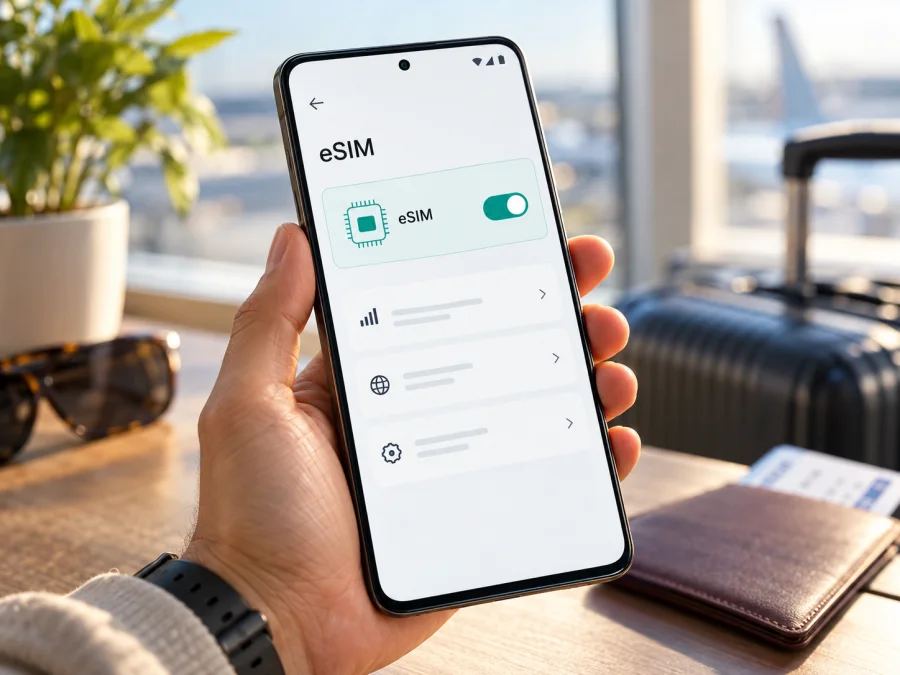
Xiaomi Poco X8 Pro Max 256GB 5G eSIM compatibility and setup guide
Does Xiaomi Poco X8 Pro Max 256GB 5G support eSIM?
Yes, the POCO X8 Pro Max is listed by Xiaomi as supporting one eSIM. Xiaomi's product FAQ describes its dual-SIM configurations as either two nano-SIM cards or one nano-SIM plus one eSIM. The 256GB capacity does not itself determine eSIM support: Xiaomi lists 256GB and 512GB storage options for this phone, while its eSIM answer applies to the POCO X8 Pro Max model family.
There is an important qualification. Xiaomi also says specifications and network availability can vary by region. Its public FAQ does not map every sales code, country-market SKU, or operator-customized firmware build to the eSIM feature one by one. Treat the model-family confirmation as a strong indication, then check the actual handset before you buy or install a travel plan. Look for an EID and an eSIM management option in Settings, and ask the seller to confirm the regional version if the phone is still sealed.
The exact name used here, Xiaomi Poco X8 Pro Max 256GB 5G, keeps the storage and network modifiers in the question. Xiaomi's official global product pages style the family as “POCO X8 Pro Max”; the 256GB and 5G wording identifies the requested configuration, but it does not by itself identify the country version or prove that a particular unit has an enabled eSIM profile menu. 5G capability and eSIM capability are separate features: a 5G phone can lack eSIM, and a device with eSIM may still connect at a lower network generation depending on its bands, plan, local carrier, and coverage.
Quick specifications and what they mean for travel
| Item | What is confirmed for the POCO X8 Pro Max | Why to check it |
|---|---|---|
| Device named in this guide | Xiaomi Poco X8 Pro Max 256GB 5G | Keep the full variant name when comparing a listing or invoice. |
| Storage family | Xiaomi lists 256GB and 512GB options | Storage is not an eSIM setting; confirm the exact regional SKU separately. |
| SIM configuration | Xiaomi lists nano-SIM + nano-SIM or nano-SIM + eSIM | The eSIM arrangement replaces one physical SIM position in the stated dual-SIM setup. |
| eSIM capacity | One eSIM is listed in Xiaomi's FAQ | Do not assume that several profiles can all be active at once. Profile storage and simultaneous use are different. |
| Mobile networks | The FAQ lists 2G, 3G, 4G, and 5G support | A compatible band and a local partner network are still needed at your destination. |
| Regional variation | Xiaomi says specifications and connectivity may vary by region and carrier | Check the actual phone, software, and destination before purchasing a plan. |
For the specified 256GB 5G configuration, the practical answer is therefore “eSIM supported on the POCO X8 Pro Max family; verify the regional handset in front of you.” No memory size can substitute for the EID or an active “Use eSIM” control. If you already own the phone, the checks below take only a few minutes. If you are choosing between marketplace listings, ask for the exact regional model code and confirm that the returned unit is not carrier-locked.
Why regional and operator versions matter
Retail names do not always identify every hardware and software detail. Regional variants can differ in network bands, SIM configuration, firmware, or carrier settings. An imported handset may also have software customized for its original market, and local operators may impose their own requirements.
For the POCO X8 Pro Max, Xiaomi's FAQ confirms the nano-SIM/eSIM combination and a single eSIM for the named model. It also documents a regional exception for Dual SIM Dual Active: Xiaomi lists that function only for Singapore, Thailand, Hong Kong, and India, and says it is not supported in other regions. That is a statement about simultaneous dual-SIM behavior, not a list of countries where eSIM works. Do not interpret it as saying that eSIM is available only in those four markets.
The “5G” label does not guarantee 5G access on every trip. The phone and local network must share bands, service must be available, and the plan must permit access. A travel eSIM may use 4G even in a 5G-capable phone.
Before buying, ask the seller or carrier:
- Which market version and model code is this?
- Does the actual unit show an EID and an Use eSIM, Manage eSIM, or Add eSIM option?
- Is it unlocked, and are any carrier or firmware restrictions present?
- Do the listed bands match the destination network?
Get confirmation for the actual device code. A generic “dual SIM” listing may describe two physical nano-SIMs rather than nano-SIM plus eSIM.
Check eSIM support on your own phone
Look for both an EID and eSIM controls. Menu names vary by software and region, so use Settings search if needed.
Check Settings
- Connect to Wi-Fi and open Settings.
- Open SIM cards & mobile networks or the equivalent mobile-network menu.
- Look for Use eSIM, Manage eSIM, Add eSIM, or Download a SIM. On Xiaomi software, the route may be Settings → SIM cards & mobile networks → Use eSIM → Manage eSIM; wording and placement can vary.
- Open eSIM management and look for View device EID or EID.
- Note the exact model code and software version in Settings → About phone.
Check the device identifier
On many Android phones, entering *#06# in the phone app displays device identifiers; an eSIM-capable phone may show its EID beside the IMEI. Xiaomi's support instructions also show a Settings route to enable eSIM and view the EID. Confirm the eSIM menu and unlocked status as well.
If no EID appears, search Settings for “eSIM,” install available official updates, restart, and verify the model code and region. If the EID and controls remain absent, ask the seller or Xiaomi support about that software build before paying for a profile. A QR code cannot add eSIM hardware to an unsupported phone.
Compatibility checklist
- [ ] The device is the exact Xiaomi Poco X8 Pro Max 256GB 5G configuration you intend to use.
- [ ] An EID appears in Settings or the device identifier screen.
- [ ] The mobile network menu includes eSIM management or an option to add a plan.
- [ ] The phone is unlocked and accepts a profile from the service you plan to use.
- [ ] The selected plan covers your destination and its validity period fits your dates.
- [ ] The phone's supported bands and the local partner network are suitable for your route.
- [ ] You know which SIM will provide mobile data and how to prevent unwanted home-carrier roaming.
Use the Check your device compatibility tool before choosing or paying for a plan. It is a helpful additional check; the EID and settings on your own handset remain important when regional versions differ.
Install and activate an eSIM
Install over stable Wi-Fi with enough battery. Display or print the QR code on another device if needed. Some profiles can be installed only once, so do not delete one while troubleshooting unless the provider confirms it can be installed again.
Before you start
- Confirm compatibility and unlock status.
- Review destination, data allowance, validity, activation timing, and transfer restrictions.
- Follow the selected plan's directions; installation and activation may be separate events.
- Decide which SIM should handle calls and which should handle mobile data.
- Do not use a one-time QR code on multiple devices; keep the order email for support.
Typical Android installation on Xiaomi software
On Xiaomi software, open Settings → SIM cards & mobile networks and choose the available add/download option. Scan the plan QR code or enter details manually if offered. Stay online while the profile downloads, then name and enable the line.
Choose the eSIM for Mobile data when ready to use it. Enable data roaming for that profile only if the plan requires it; keep roaming disabled on your home SIM to avoid charges from your regular operator. Labels vary by software.
The Kaspersky eSIM Store Android guide explains the general QR installation flow and data settings. Its pictured menus are specific to Samsung, so follow the Xiaomi menu labels on your phone if they differ: Android eSIM installation instructions. The iOS guide is also available for users setting up an eSIM on a different device: iOS eSIM installation instructions.
Activate for a trip
Check the plan's activation rule. Validity may begin at purchase, installation, a scheduled time, or first connection to a supported network. Follow the specific plan details.
At your destination:
- Turn on the eSIM line in SIM settings.
- Select it as the line for mobile data.
- Enable data roaming for that line only if the plan instructions require it.
- Keep mobile data switching or automatic data switching off if it could move traffic to your home SIM.
- Wait several minutes for registration, then check that the phone shows a network name and data connection.
- Test a web page or messaging app. If it fails, troubleshoot one setting at a time.
Kaspersky eSIM Store is an app and website where you can choose, arrange, and activate an eSIM with a mobile-data plan for an international trip. The selected plan's conditions govern its coverage, timing, data limits, and available networks. Travel data plans are generally intended for internet access; do not expect a regular phone number, voice calls, or SMS unless the specific plan explicitly includes them. Internet calls and messages can still work through apps using data.
Use the eSIM while travelling
Keep your home number and travel data separate
If you need your usual number for calls or verification texts, keep the primary SIM enabled and assign mobile data to the travel eSIM. Check home-operator roaming rules: calls, SMS, or automatic data switching can incur charges. A data-only eSIM does not replace your number.
Label lines “Home” and “Travel.” Turn off automatic data switching to prevent fallback to the primary SIM. To avoid home-network roaming, disable roaming or switch off the home line, understanding that calls and texts may then be unavailable.
Choose a plan around the route
Select a country or regional plan that lists every destination on your itinerary. Check included locations, data allowance, duration, activation conditions, and restrictions. Listed coverage does not guarantee a signal in every building or rural area.
Estimate usage: video, photo backups, and hotspot sharing can consume more data than maps or messaging. Download maps on Wi-Fi and check your remaining allowance in the service app or account. Tethering depends on the device and plan and uses the same data.
For current destinations and available data plans, browse the Kaspersky eSIM Store. Choose the destination shown for your itinerary and review the displayed plan conditions before checkout; this homepage is a starting point for browsing and is not a claim that a particular country's tariff is available.
Prepare before leaving
- Install over Wi-Fi if pre-installation is allowed and save setup details for offline access.
- Confirm the activation trigger and manage roaming on your primary SIM.
- Keep your account accessible and avoid deleting the profile during troubleshooting.
Troubleshooting common problems
“Add eSIM” or EID is missing
Search Settings for eSIM and EID, check the regional model code, update and restart. If controls remain absent, ask the seller or Xiaomi support before buying a plan. A dual-SIM tray alone does not prove eSIM support.
The QR code will not scan
Increase brightness, clean the camera lens, and hold the phone steady. Enter details manually if offered. Check that the code belongs to the order and has not already been used. For a one-time code, contact the provider before deleting a partial profile.
The profile installs but shows no service
Confirm the destination is supported, switch on the eSIM, select it for data, and enable roaming for that profile if instructed. Wait a few minutes or restart once. Use manual network selection only with a network listed in the plan details. A profile may install before it can connect in-country.
The phone connects, but data does not work
Select the travel eSIM for data and check activation status and remaining allowance. Toggle airplane mode, then reconnect. Enter an APN only if the provider gives one. Check roaming on the correct line and temporarily review VPN or private DNS settings if needed.
Data is using the wrong SIM or roaming is unexpectedly charged
Select the travel eSIM for data, disable automatic switching and turn off roaming on the home line. Switch off the home SIM only if you do not need calls or verification messages. Check the home carrier account for any charges.
It connects to 4G instead of 5G
This does not necessarily mean the eSIM is incompatible. 5G depends on local coverage, supported frequency bands, partner-network agreements, and the plan's access conditions. The POCO X8 Pro Max supports 5G according to Xiaomi, but a specific trip or plan may use 4G. Check the plan details and local carrier coverage; stable 4G is often sufficient for maps, messages, and browsing.
You need to move the eSIM to another phone
Some codes are tied to one device and can be used only once. The Kaspersky eSIM Store help information says an activated eSIM cannot be transferred. Contact the provider before changing phones or resetting the handset.
Frequently asked questions
Does the 256GB version support eSIM, or only the 512GB model?
Xiaomi lists both storage options and separately confirms one eSIM for the POCO X8 Pro Max. It does not limit eSIM to 512GB. Check the exact 256GB phone's EID and eSIM menu because storage does not identify the country SKU.
Can I use two SIMs at the same time?
Xiaomi lists nano-SIM + nano-SIM or nano-SIM + eSIM and Dual SIM Dual Standby. It lists Dual SIM Dual Active only in Singapore, Thailand, Hong Kong, and India. The FAQ supports one eSIM, not two simultaneously active eSIMs.
Can I install the travel profile before the flight?
If the plan permits pre-installation, check whether installation starts its validity or is separate from activation. Follow the plan instructions.
Will a travel eSIM provide a local phone number?
Do not assume so. The service FAQ describes the eSIM plan as data-only without a regular number. Use your main SIM or internet calling and messaging apps, subject to their requirements and costs.
What if my phone has an EID but the plan still will not activate?
An EID indicates eSIM hardware, but a lock, regional restriction, unsupported destination, used code, or plan issue can still block activation. Confirm the model and plan, save the error message, and contact the provider. Do not share your EID or QR code publicly.
Does eSIM guarantee 5G during the trip?
No. The handset supports 5G, but actual network generation depends on the plan, supported bands, local carrier, agreements, and coverage at your location. A compatible profile can provide data on 4G when 5G is unavailable or not included.
Final check before you travel
For Xiaomi Poco X8 Pro Max 256GB 5G, Xiaomi's official model FAQ confirms support for a single eSIM and a nano-SIM/eSIM dual-SIM arrangement. The same FAQ warns that specifications and connectivity can vary by region, and the storage and 5G labels do not identify the software and carrier conditions of an individual unit. Check the actual EID, eSIM menu, model code, and unlock status before buying a travel plan.
Once your handset is confirmed, choose a plan for the countries on your route, check the allowance and activation timing, install the profile over a reliable connection, and set the travel eSIM as the mobile-data line when you are ready. If a device or regional version does not expose eSIM, ask the seller about an eSIM-capable regional unit or use another compatible unlocked phone. Browse the Kaspersky eSIM Store to see current destinations and plan conditions, then verify that the selected option matches your trip before checkout.


