Travel connectivity guide
Xiaomi Redmi Note 14 Pro+ 128GB eSIM Compatibility
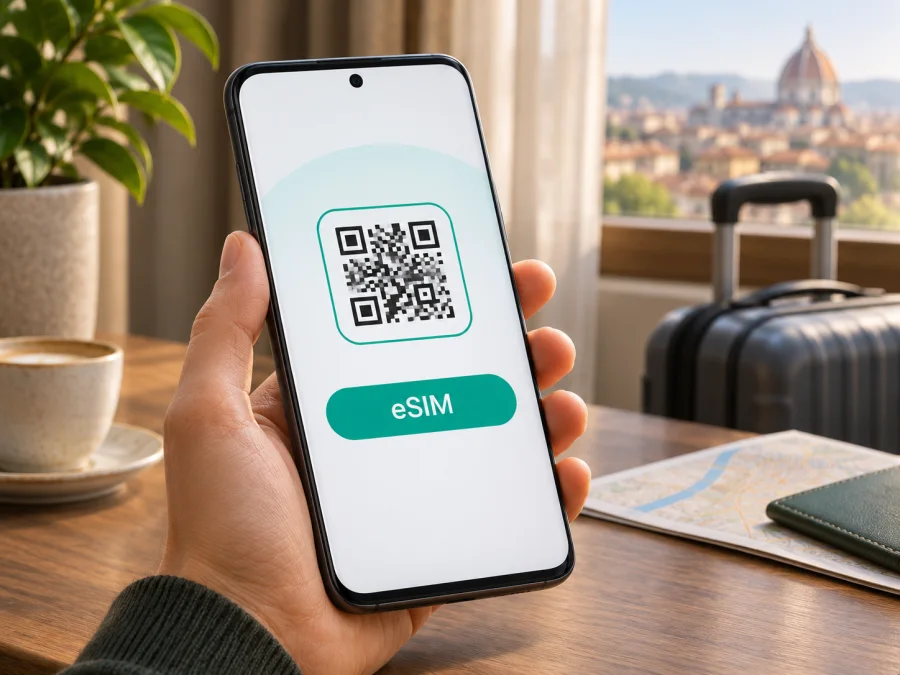
Xiaomi Redmi Note 14 Pro+ 128GB eSIM: compatibility and setup
Short answer: Xiaomi Redmi Note 14 Pro+ 128GB is not enough information to confirm eSIM support. Xiaomi’s official India specifications list an 8GB + 128GB version with a dual nano-SIM tray; that page does not list eSIM. Xiaomi’s global specifications describe eSIM for the international Redmi Note 14 Pro+ 5G range, but show 256GB and 512GB storage configurations instead. So do not assume that a 128GB phone supports eSIM just because a similarly named regional version does. Check the phone itself and its exact model and sales market before choosing a travel plan.
A phone can have two SIM slots and 5G but lack eSIM. Product-family names do not identify radio hardware or regional configuration, so verify the handset itself before installing a profile.
Does Xiaomi Redmi Note 14 Pro+ 128GB support eSIM?
The exact 128GB variant cannot be confirmed as eSIM-compatible from the product name alone. The official Xiaomi India page identifies an 8GB + 128GB configuration and specifies a dual nano-SIM slot. It does not advertise eSIM on that specification page. Xiaomi’s global page for the Redmi Note 14 Pro+ 5G lists dual SIM as either nano-SIM + nano-SIM or nano-SIM + eSIM, while the listed global storage options begin at 256GB. Xiaomi also cautions that eSIM availability can depend on country or region and carrier.
For the India-market 8GB + 128GB configuration, treat the official “Dual Nano” specification as a sign that eSIM is not supported unless the actual handset’s settings or Xiaomi support confirm otherwise for its exact model code and software. For a phone bought in another market, do not transfer that conclusion automatically: check its model code, original sales country, and the eSIM menu on the phone. The listing name supplied here does not include those details.
| Detail | What can be confirmed | What it means for eSIM |
|---|---|---|
| Exact name supplied | Xiaomi Redmi Note 14 Pro+ 128GB | Keep this exact storage variant in mind; it is not interchangeable with another storage configuration. |
| India-market 128GB configuration | Xiaomi lists an 8GB + 128GB option | The official India specification identifies its SIM slot as dual nano-SIM. eSIM is not listed there. |
| International Redmi Note 14 Pro+ 5G pages | Xiaomi lists nano-SIM + nano-SIM or nano-SIM + eSIM | Support is documented for versions covered by those regional specifications, subject to local availability and carrier support. |
| SIM flexibility | A dual nano-SIM slot can take two physical cards | Two physical SIM slots do not demonstrate that the handset has an eSIM. |
| Software and operator | Xiaomi notes regional and carrier variation | A locked phone, local service restrictions, or a different firmware build may affect setup and use. |
The verdict is conditional: buy or install a travel eSIM for Xiaomi Redmi Note 14 Pro+ 128GB only after verifying that handset. If Settings has no EID or add-eSIM option, confirm the model code with Xiaomi or the seller. A generic list for “Redmi Note 14 Pro+” may not cover your market or SIM variant.
Why Xiaomi versions can differ
Manufacturers sometimes sell phones with different radio features and SIM arrangements under closely related names. Product pages can also cover a family of regional variants rather than every single SKU. Xiaomi’s global product page is evidence that eSIM exists in some Redmi Note 14 Pro+ 5G configurations; the India page’s “Dual Nano” specification is evidence about the India-market model shown there. These statements describe different regional product specifications and should not be blended into a universal claim.
The operator market is another separate check. Even a handset with eSIM hardware must be allowed to use it: the carrier or seller may have installed a network lock, and the chosen eSIM provider must support the destination and device. Xiaomi notes that eSIM availability varies by country/region and carrier. If the phone was imported, refurbished, bought under a contract, or configured for a different market, ask the seller for the full model number and sales region. Ask whether the handset is unlocked and whether its eSIM function is enabled for your intended use.
The “128GB” label, 5G branding, SIM entries, or tray shape cannot settle compatibility. Check the phone’s eSIM controls and retain the box or listing so you can confirm the full model code.
Check your phone before buying a plan
Run these checks on the actual Xiaomi Redmi Note 14 Pro+ 128GB you intend to use. Menu wording can vary by HyperOS version and language. If a setting is missing, use Settings search for “eSIM”, “EID”, or “Add mobile plan” and then verify the model code with Xiaomi or the seller.
- Find the EID. Open Settings and search for EID. Depending on software, it may also appear under About phone, Status, or SIM status. An EID is an identifier associated with an embedded SIM. If the phone displays one, that is a useful sign that eSIM hardware is present, but confirm that the add-eSIM control is also available.
- Look for an eSIM control. Open Settings → SIM cards & mobile networks (or the closest equivalent). Look for Use eSIM, Manage eSIM, Add eSIM, or Add mobile plan. Xiaomi’s general eSIM instructions use the SIM and mobile-network settings and then an Add mobile plan action. Labels can differ by software release.
- Check the exact model code. In Settings → About phone, record the model number and software region. Compare it with the original box, invoice, and seller’s listing. Ask Xiaomi support or the seller whether that exact code supports eSIM; do not ask about the product family alone.
- Check for a carrier lock. Ask the original carrier or seller to confirm that the phone is unlocked for other providers. A visible eSIM menu does not remove a network lock or guarantee a particular plan will work.
- Confirm the destination plan. Check that the eSIM plan covers the country or region you will visit, the data allowance and validity suit your trip, and its activation rules work with your arrival date.
Use this device compatibility check before purchasing. If the seller cannot confirm the exact variant and the EID/add-eSIM controls are absent, treat eSIM support as unverified and do not buy a profile expecting it to work. You can ask the seller to demonstrate the eSIM menu on the phone before purchase, or choose a compatible device or a physical SIM option instead.
A quick decision rule: EID present and an add-eSIM option visible is encouraging; then confirm the exact model, unlocked status, and destination plan. No EID and no add-eSIM option means stop and ask Xiaomi or the seller before proceeding. A dual nano-SIM tray by itself is not proof either way, and a general product-family web page cannot override what the individual phone exposes.
Preparing a travel eSIM
A travel eSIM can provide mobile data after arrival without removing your home SIM. Before choosing a plan, connect to Wi-Fi, confirm compatibility and unlocked status, and read the destination, data allowance, validity, activation rules, and any fair-use limits. Network availability and speeds still depend on local coverage, signal, device bands, and plan terms.
Kaspersky eSIM Store is an app and website where you can choose, arrange, and activate an eSIM with a plan for mobile internet on an international trip. The plans are for data; they do not include a conventional phone number, calls, or SMS unless an offer explicitly says otherwise. Messaging and internet calls can use the data connection.
After compatibility is confirmed, browse plans for your travel destination. This is the general English store homepage, not a country-specific tariff page, so check the selected destination and current plan terms before checkout. If your phone cannot add eSIM, consider a physical SIM, your carrier’s roaming option, or another compatible unlocked device.
Before installation
- Confirm this exact phone supports eSIM and is unlocked.
- Use stable Wi-Fi while downloading the profile.
- Check whether validity starts at purchase, installation, first connection, or a scheduled time.
- Keep the QR code and support details available, and manage home-SIM roaming to avoid unexpected charges.
An activation code may be single-use. If a profile is already installed or an error says the code was used, check SIM settings and ask support before deleting the profile or scanning again.
How to install and activate eSIM on Xiaomi Redmi Note 14 Pro+ 128GB
The exact labels on Xiaomi phones can change by HyperOS version and region. The sequence below applies only if your phone has an eSIM option. If you cannot find Use eSIM, Manage eSIM, or Add mobile plan, return to the compatibility checks instead of trying to force installation. Xiaomi’s general instructions describe enabling eSIM under SIM card and mobile network settings, then adding a mobile plan with its QR code. Enabling the eSIM feature may disable the second physical SIM option, so review the on-screen notice before confirming.
- Connect to Wi-Fi. Keep the phone online throughout profile download and activation. A working connection is normally needed to fetch the eSIM profile.
- Open SIM settings. Go to Settings → SIM cards & mobile networks. The section name may differ slightly in your HyperOS build.
- Enable eSIM if shown. Tap Use eSIM or the equivalent. Read any notice about the second SIM slot before continuing; some supported Xiaomi configurations disable SIM 2 while eSIM is active.
- Choose the add-profile control. Tap Manage eSIM → Add mobile plan, Add eSIM, or the available equivalent.
- Scan or install the profile. Scan the QR code supplied for the plan, or use the installation method shown in the Kaspersky eSIM Store app. If the QR code is on this phone, display it on another device or use manual details only if the provider supplies them.
- Confirm the profile. Follow the phone’s prompts to download and install the plan. Keep the device connected and do not delete the profile if activation takes a few minutes.
- Name the line. Label it clearly, for example “Travel data”, so it is easy to distinguish from your home SIM.
- Choose when to use it. You can leave the travel eSIM switched off until you are ready to use it, if the plan’s activation terms allow. Check the terms because some plans begin validity at purchase or installation.
- Select the data line after arrival. In SIM settings, choose the travel eSIM as the mobile-data SIM. Keep the home line selected for calls or SMS only if you need it and understand its roaming charges.
- Set roaming and APN as required. Turn on data roaming for the travel eSIM only if the plan’s instructions require it. Enter an APN only when the provider lists one and follow its exact spelling. Do not copy APN values from an unrelated plan.
For screen-by-screen references, see the Android eSIM installation instructions and the iOS installation instructions. The iOS page is included as the requested cross-platform reference; its menu names apply to iPhone, not Xiaomi. On Android, the published walkthrough is illustrated for Samsung, so use the Xiaomi menu equivalents above and follow the prompts on your own phone.
After installation, allow a few minutes for the phone to register on an available local network. To use data later, leave the profile installed but select your usual data SIM until you are ready to travel. Switching the data line does not necessarily activate every plan in the same way; check the plan’s validity start conditions. Avoid deleting the eSIM as a troubleshooting shortcut because you may not be able to scan the same activation code again.
Using the eSIM on a trip
If the plan allows, install the profile over Wi-Fi before departure and enable it when ready. On arrival, turn on the travel line, select it for data, and confirm the destination is covered. Installing after landing requires internet access. Check when validity begins.
If you want to keep your home number active, use the travel eSIM for data and keep the home SIM for calls or messages only if needed. Turn off automatic data switching if available. Data roaming may be required on the travel eSIM, while roaming on the home SIM can incur charges; set each line separately and follow the plan and home operator instructions.
For a multi-country itinerary, verify that every stop is included in the plan. Hotspot use depends on the device and plan terms and draws from the same allowance. Messaging, maps, and browsing use data, so downloading maps or updates over Wi-Fi can help manage the allowance. A data-only eSIM does not replace a regular phone number for standard calls or SMS.
Troubleshooting: eSIM will not install or connect
There is no EID or add-eSIM menu. Search Settings for EID and eSIM, restart once, and verify the exact model code with Xiaomi or the seller. If the phone’s regional specification says “Dual Nano” and no eSIM option appears, do not assume an update will add eSIM hardware. Consider a physical SIM or another compatible device if Xiaomi confirms this SKU lacks eSIM.
The QR code is not recognised or the download fails. Use stable Wi-Fi, increase the brightness of the screen showing the code, and ensure the full code is visible. Confirm the profile has not already been installed. Some codes cannot be reused; ask support before deleting a downloaded profile or trying repeated scans.
The profile installs but there is no service. Make sure the travel line is enabled and selected for mobile data. Check the destination, validity, and network selection, then restart or briefly toggle airplane mode and wait several minutes. Enter an APN only if the plan instructions provide one.
Mobile data does not work. Turn on mobile data for the travel eSIM and data roaming if its instructions require it. Turn off automatic switching to the home SIM, confirm the plan has started and has remaining data, and check the APN against the plan details. Test with Wi-Fi disabled.
The home SIM disappears or a provider rejects the profile. Recheck which lines are enabled; Xiaomi notes eSIM activation may disable SIM 2 on supported configurations. Also confirm the phone is unlocked and the plan supports the destination and device. An eSIM menu alone does not guarantee every provider will accept the handset.
When contacting support, note the model code, software version, location, and exact error. Do not share passwords or one-time codes. Ask Xiaomi or the seller about handset compatibility and carrier locks; ask the plan’s support about profile, destination, APN, or account status.
Frequently asked questions
Does Xiaomi Redmi Note 14 Pro+ 128GB support eSIM?
It depends on the market version. Xiaomi’s India page lists an 8GB + 128GB version with a dual nano-SIM slot and does not list eSIM. Xiaomi’s global Redmi Note 14 Pro+ 5G page describes eSIM for its covered versions, with different storage options. Check the model code, EID, and add-eSIM control on your phone.
Does 128GB determine eSIM support?
No. Storage capacity does not determine eSIM by itself. Here it helps identify the India-market listing, which specifies dual nano-SIM. Confirm the full model code and regional specifications.
Does a dual-SIM phone automatically support eSIM?
No. Dual SIM may mean two physical nano-SIM cards. Check for an EID and an eSIM or add-mobile-plan option.
Can I install before travel, and will the eSIM replace my number?
You can install before departure if the handset supports eSIM and the plan allows it; check when validity begins. A data-only travel eSIM normally has no conventional phone number, calls, or SMS unless its terms explicitly include them.
Should data roaming be on?
Some travel eSIMs require roaming on that line. Follow the plan’s instructions, select the travel line for data, and manage roaming on your home SIM separately.
What if eSIM is missing from Settings?
Search for EID and eSIM, then verify the exact model with Xiaomi or the seller. If there is no EID or add-eSIM control, treat support as unconfirmed and use a physical SIM or another compatible unlocked device unless Xiaomi confirms otherwise.
Final check before your trip
For Xiaomi Redmi Note 14 Pro+ 128GB, the practical answer is: verify the individual phone before buying an eSIM plan. Xiaomi’s India specification documents a 128GB configuration with two nano-SIM slots; international specifications document eSIM for other Redmi Note 14 Pro+ 5G variants and warn that availability depends on region and carrier. This is why the exact market, model code, software, and handset settings matter more than the shared family name.
Check for an EID and an available add-eSIM option, confirm the phone is unlocked, and make sure the plan covers your destination and travel dates. If any of those points are uncertain, ask Xiaomi or the seller before purchasing. Once compatibility is confirmed, Kaspersky eSIM Store can help you choose, arrange, and activate an eSIM plan for mobile data on your international trip. Review the plan terms and installation guidance, then keep your home SIM’s data and roaming settings under control.
Before you go, check the current destination options, compare plan allowance and validity, and complete the compatibility check on the phone you will actually carry. If eSIM support is not confirmed, choose a physical SIM or another device rather than relying on a regional specification for a different variant.


