Travel connectivity guide
Xiaomi Redmi Note 15 Pro 256GB 5G eSIM
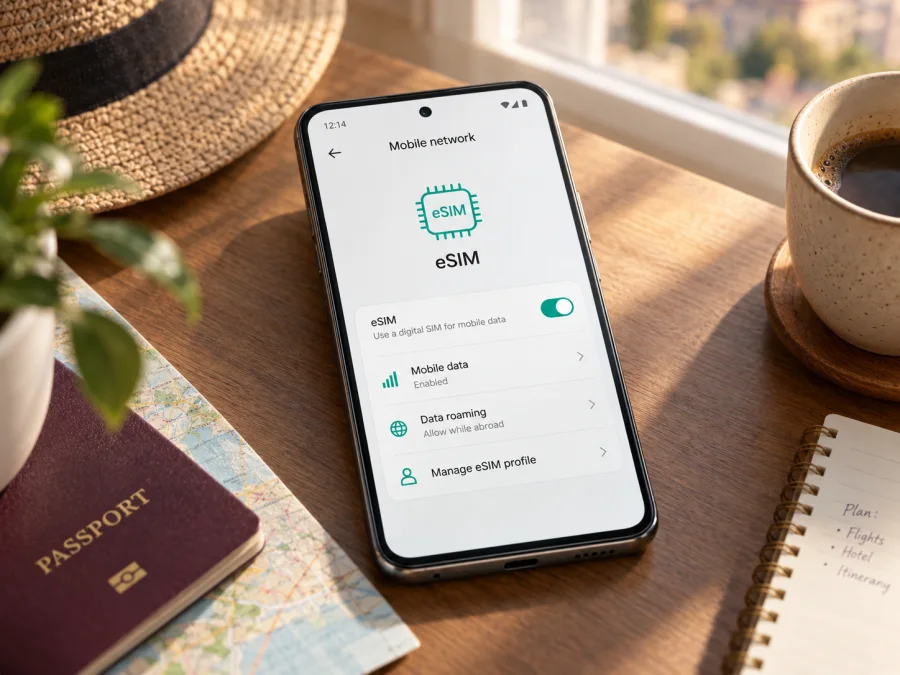
Xiaomi Redmi Note 15 Pro 256GB 5G eSIM: compatibility and setup guide
The Xiaomi Redmi Note 15 Pro 256GB 5G supports eSIM according to Xiaomi’s official specifications for the REDMI Note 15 Pro 5G. Xiaomi also confirms that the 5G model supports one eSIM and an EID. That is a useful starting point, but it does not guarantee that every phone sold under a similar name can add an eSIM: the exact regional model, software, carrier restrictions and country of purchase still matter. Check the handset itself before choosing a travel plan.
This guide focuses on the exact 256GB 5G configuration named above. The storage figure does not identify a single RAM configuration: Xiaomi lists 256GB options with different RAM amounts in some markets. The RAM specification was not included in the device name supplied here, so it is intentionally not inferred. Do not use instructions or claims for the 4G Redmi Note 15 Pro, another Redmi generation or a similarly named model as confirmation for this 5G phone.
Xiaomi Redmi Note 15 Pro 256GB 5G at a glance
| Item | What to know |
|---|---|
| Device variant | Xiaomi Redmi Note 15 Pro 256GB 5G |
| Network generation | 5G; the eSIM statement here applies to the 5G model |
| Storage | 256GB; available RAM pairings vary by market |
| eSIM support | Xiaomi lists nano-SIM + eSIM as a supported dual-SIM arrangement for the REDMI Note 15 Pro 5G |
| eSIM capacity | Xiaomi’s product FAQ specifies one eSIM for the 5G model |
| EID | Xiaomi’s FAQ confirms EID support for the 5G model |
| Regional conditions | eSIM and network options may vary by country, region and carrier |
| Best check before purchase | Look for an EID and an Add eSIM option on your own handset, then confirm the plan’s device and country requirements |
“Supports eSIM” refers to the phone’s ability to store a carrier eSIM profile. It does not mean an eSIM profile is included with the phone, that every carrier can provision it, or that a travel plan will work in every destination. A plan also needs a suitable local network, compatible frequency bands and service in the country where it will be used.
<a id="kesim-device-compatibility"></a>
Does this exact 256GB 5G model support eSIM?
Yes. Xiaomi’s official global specifications for REDMI Note 15 Pro 5G list dual SIM as “nano SIM + nano SIM or nano SIM + eSIM.” Xiaomi’s official FAQ for the 5G model confirms eSIM support, one eSIM and EID support. The manufacturer also notes that eSIM availability may vary by country or region and carrier. This is the evidence for the 5G model named in this guide; it does not establish support for every phone with a similar retail name.
The 5G suffix is essential. Xiaomi’s separate support information for REDMI Note 15 Pro without “5G” describes a different device and says that model does not support eSIM. Do not apply 5G-model guidance to a 4G phone, another Redmi generation or another regional SKU. Confirm the model code in Settings or on the box, particularly if the phone is imported, refurbished or carrier-supplied.
The input specifies 256GB storage but no RAM. Xiaomi lists more than one RAM pairing with 256GB on some markets’ 5G product pages, so this article does not assume a RAM amount. Storage capacity alone is not enough to identify a full regional SKU.
Country, software and carrier conditions matter. A local version can have different network bands, eSIM availability or carrier approval. A carrier may require the handset to be unlocked or restrict third-party profiles. 5G branding does not guarantee 5G service abroad: the plan, partner network, supported bands and local coverage determine the available connection. Before purchase, ask the seller or carrier to confirm eSIM for the exact model code and check the phone’s own EID and add-eSIM controls.
Check EID and eSIM settings on the phone
Use the handset itself for the final check. Labels can vary across HyperOS versions, regions and languages.
- Confirm the model. Open Settings → About phone and make sure the name or model code identifies the 5G version. Record the full code for a seller or carrier check.
- Look for EID. In the phone app, enter *#06#. The information panel may show an EID alongside IMEI numbers. It may also appear under Settings → About phone → Detailed info and specs → Status, or a similarly named status page. Do not share EID or IMEI publicly.
- Find the eSIM control. Open Settings → SIM cards & mobile networks or Mobile networks. Look for Add eSIM, Set up eSIM, Download a SIM or a QR-code option. Menu wording may differ.
- Check carrier lock and updates. Ask the carrier whether the phone can accept another provider’s eSIM. Install available stable system updates, restart and check again if the eSIM control is missing.
An EID is an identifier for eSIM hardware; it is not an IMEI, phone number or activation code. A visible EID together with an add-eSIM option is a practical confirmation. A missing EID alone is inconclusive because menus and dialer displays differ. If both the EID and every add-eSIM control are absent, stop before buying a plan and ask Xiaomi or the seller to verify the precise regional SKU. Two physical SIM positions do not settle the question: Xiaomi lists the 5G model’s dual-SIM choices as two nano-SIMs or one nano-SIM with eSIM.
For a quick self-check, check whether your device is compatible. Do this before paying, since many eSIM activation codes and profiles have installation or transfer limits.
Before installing a travel eSIM
Use stable Wi-Fi, charge the phone and set date and time automatically. Confirm the phone is unlocked and that the plan covers your destination. Read the data allowance, validity period, activation timing, supported networks and any hotspot or transfer restrictions. A profile may install before its plan validity begins, or installation may start the validity clock; follow the specific plan instructions.
Decide which SIM should handle data, calls and messages. A home SIM can sometimes remain enabled for your usual number while the travel eSIM handles data, but roaming calls, SMS and data may incur charges. Review your home carrier’s terms. A travel eSIM may be data-only and does not automatically include a regular number, calls or SMS.
Kaspersky eSIM Store is an app and website where you can choose, arrange and activate an eSIM with a mobile data plan for an international trip. Check the destination and plan conditions there, and verify your exact phone’s compatibility before checkout. Kaspersky eSIM Store is not a mobile network operator; service depends on the plan’s network partners and local coverage.
Install and activate an eSIM on Xiaomi Redmi Note 15 Pro 256GB 5G
Exact labels depend on software. Follow the plan’s activation instructions: installation, profile activation and the start of validity may be separate events.
Install with a QR code
- Connect to Wi-Fi and open Settings → SIM cards & mobile networks. Choose Add eSIM or its equivalent.
- Select the QR scanner. If the code is displayed on this phone, show it on another screen or use manual entry details if provided. Use only the code issued for your plan and device.
- Follow the prompts to download the profile. Keep Wi-Fi connected until setup completes. Label the profile “Travel” or with the destination.
- Check when the plan says to turn the profile on. If advance installation is allowed and validity begins on first connection, install at home and leave it disabled until needed.
- When ready, enable the travel profile and select it for Mobile data. Turn on data roaming for that eSIM only if the plan instructions require it. On arrival, allow it to register on a supported network.
- If it does not connect automatically, use manual network selection or enter APN details only when specified by the plan provider.
Enter activation details manually
If supplied with an SM-DP+ address, activation code or confirmation code, choose manual entry on the add-eSIM screen and enter the details exactly as shown. Fields vary by software. Do not add spaces or punctuation unless requested. If a one-time code is rejected or marked used, contact the provider rather than repeatedly retrying it.
For the Android process, see Kaspersky eSIM Store’s Android installation instructions. The iOS installation instructions are for iPhone users and do not apply to this Xiaomi Android phone.
Select the line for each use
In SIM settings, choose which profile handles mobile data. Keep calls and texts on your home SIM if desired, after checking roaming charges. When you arrive, confirm airplane mode is off, the travel eSIM is enabled, and mobile data is assigned to it. Some plans require roaming for the travel eSIM. Avoid deleting a profile as an initial troubleshooting step: its activation code may not be reusable.
Using the eSIM while travelling
Install before departure, connect after landing. If permitted, download the profile on Wi-Fi at home and leave it disabled until arrival. Check when validity starts so you do not activate the plan earlier than intended.
Keep a home number available. If the phone and carrier allow it, leave the home SIM enabled for calls or verification messages and route data through the travel eSIM. Check roaming fees; travel profiles are often data-only.
Cross borders and manage data. Verify that the plan covers every country on your route and check its validity conditions. Download maps and booking details in advance; video, photo backups and hotspots use data quickly. Check tethering terms and set a data warning.
The phone’s 5G capability does not guarantee 5G abroad. The plan, local partner network, supported bands and coverage determine whether 5G or 4G is available. Reception and speed vary by location.
Troubleshooting: when the eSIM will not connect
- No Add eSIM option: Confirm the 5G model code, search Settings, update and restart. If EID and the menu are both missing, ask Xiaomi or the seller to verify the regional SKU before buying.
- QR code will not scan: Increase display brightness, clean the camera lens and try another screen. Confirm the code belongs to this plan and has not been used. Keep activation codes private.
- Profile installed, no service: Check destination coverage, profile status, mobile-data selection and plan start time. Toggle airplane mode or restart. Enable roaming only if required; use manual network selection only as instructed.
- Connected, no data: Check the data allowance, mobile-data line and provider-specified APN. Do not guess APN values. Temporarily pause a VPN or data-saving feature to diagnose, then restore your settings.
- Activation rejected despite EID: EID does not prove the phone is unlocked or accepted by the provider. Ask the provider to check the model code and activation code; ask the original carrier about a lock.
- Home SIM or deleted profile issue: Review default lines and roaming fees. Some QR codes cannot be reused after deletion. Check the provider’s recovery process before removing profiles or resetting the phone.
If unresolved, record the model code, software version, destination, error and whether EID is visible. Share identifiers only through official support. The cause may be device settings, carrier restrictions, profile provisioning, plan validity or local coverage.
Frequently asked questions
Is eSIM supported on Xiaomi Redmi Note 15 Pro 256GB 5G?
Yes. Xiaomi lists nano-SIM + eSIM for REDMI Note 15 Pro 5G and confirms one eSIM and EID. Regional SKU and carrier conditions still apply.
Does 256GB specify the RAM?
No. Xiaomi lists multiple RAM pairings with 256GB in some markets. Check the phone or box for the actual configuration.
Can I use two physical SIMs and an eSIM at once?
Xiaomi lists dual-SIM options as two nano-SIMs or one nano-SIM plus eSIM. This does not promise all three profiles can be active together; check the phone and carriers.
Does this apply to Redmi Note 15 Pro 4G?
No. This guide is for the named 5G variant. Xiaomi distinguishes the non-5G model, which has different eSIM support. Check the exact model code.
Does a travel eSIM include a number, calls or SMS?
Not necessarily. Many travel plans are data-only. Check the plan details and follow its activation timing instructions.
Final device check and trip eSIM choice
Before choosing a plan for a trip, confirm these points on the Xiaomi Redmi Note 15 Pro 256GB 5G in your hand:
- The model code identifies the 5G regional version, not a similarly named 4G model.
- An EID is visible or the settings show an Add eSIM option.
- The phone is not restricted by a carrier lock that blocks the profile you intend to use.
- The plan covers every country on your itinerary and its activation timing fits your travel dates.
- The phone is assigned to use the travel eSIM for mobile data, with roaming enabled only when the plan requires it.
- You have checked whether the plan is data-only and reviewed the cost of keeping your home SIM active abroad.
If those checks are complete, choose a plan that fits the trip’s destination, expected data use and validity period. Kaspersky eSIM Store’s app and website let you choose, arrange and activate an eSIM with a mobile data plan for an international trip. Recheck compatibility before checkout and keep the installation details available until the profile is working. The phone’s eSIM capability is a good starting point; successful service still depends on the regional handset, carrier permissions, plan conditions and local network coverage.


