Travel connectivity guide
Xiaomi Redmi Note 15 Pro 512GB 5G eSIM
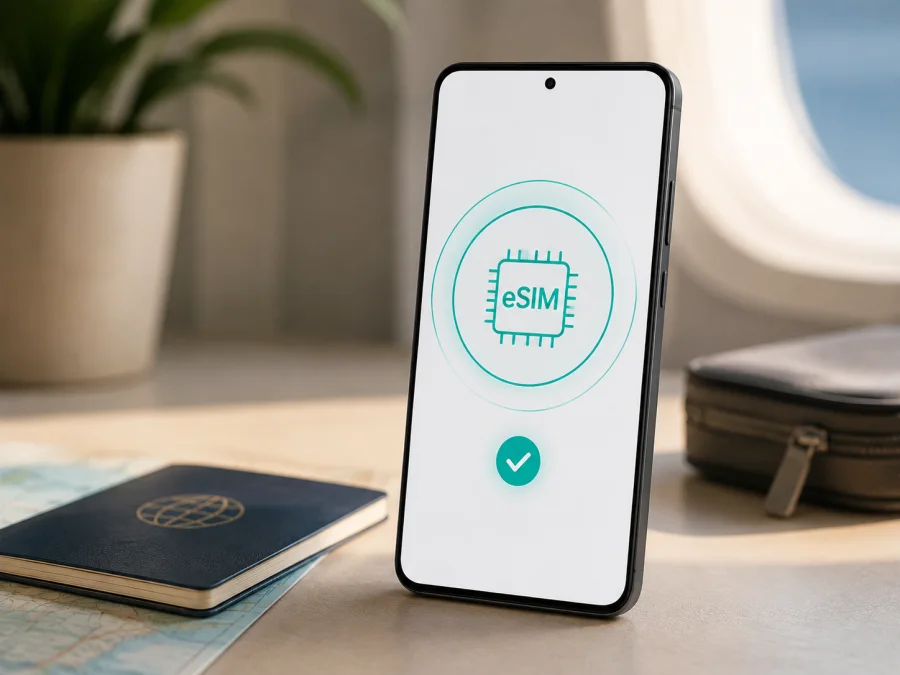
Xiaomi Redmi Note 15 Pro 512GB 5G eSIM: compatibility and setup
If you are checking whether Xiaomi Redmi Note 15 Pro 512GB 5G can use an eSIM for a trip, the short answer is yes for the corresponding REDMI Note 15 Pro 5G family. Xiaomi’s current global specifications list nano SIM + nano SIM or nano SIM + eSIM, while support information confirms one eSIM and an EID.
There is an important naming detail. Xiaomi also sells a separate REDMI Note 15 Pro without 5G, and its official support information says that model does not support eSIM or EID. “512GB” can appear in more than one configuration, so match the name on the box, receipt, About phone screen and settings. A regional version, imported handset or firmware can affect which controls are visible.
Quick answer
For Xiaomi Redmi Note 15 Pro 512GB 5G, eSIM compatibility is officially confirmed at the REDMI Note 15 Pro 5G model level. The manufacturer lists one eSIM, EID support and a nano SIM + eSIM arrangement. The phone can suit a travel eSIM for mobile data if your market version exposes the feature and the device is not carrier-locked.
Do not treat “Redmi Note 15 Pro 512GB” without the 5G suffix as the same device: the non-5G REDMI Note 15 Pro is listed by Xiaomi as eSIM-incompatible. Use the checks below on the handset you will take on the trip.
Key specifications relevant to eSIM
Xiaomi lists 8GB + 512GB and 12GB + 512GB versions of the REDMI Note 15 Pro 5G family. The input names storage and 5G but does not specify RAM, so this guide covers the named 512GB 5G variant without assigning it to one RAM configuration.
| Item | Xiaomi Redmi Note 15 Pro 512GB 5G | Travel eSIM relevance |
|---|---|---|
| Device variant | Xiaomi Redmi Note 15 Pro 512GB 5G | Keep the 5G suffix; it separates this family from the non-5G model. |
| 512GB versions | 8GB + 512GB or 12GB + 512GB are listed | Check the exact RAM and SKU on your handset and documents. |
| Network generation | 5G, 4G, 3G and 2G for the 5G family | A supported band and local network are still required after setup. |
| SIM arrangement | Nano SIM + nano SIM or nano SIM + eSIM | The eSIM is an alternative second-SIM arrangement. |
| eSIM count | One eSIM | Plan around one eSIM according to Xiaomi support information. |
| EID | Supported on the 5G model | An EID is a strong on-device sign that eSIM hardware exists. |
| Software | Xiaomi HyperOS 2 listed for the family | Menu names can differ by region and update. |
| Regional limits | Availability and bands can vary by country and carrier | Hardware support does not guarantee every plan or network. |
Storage is not the eSIM test: verify 5G, EID and Add eSIM. If they disagree with a listing, confirm the SKU before buying.
Check compatibility before you buy
Complete the following checks while you still have access to the seller, a return option and a reliable connection. A plan cannot add eSIM hardware to an incompatible phone, and changing a physical SIM to an eSIM does not bypass an operator lock.
On-device compatibility checklist
- Confirm that the name includes “REDMI Note 15 Pro 5G” or the equivalent 5G model identifier. Keep the full retail name Xiaomi Redmi Note 15 Pro 512GB 5G in your records.
- Check About phone for 512GB storage and the RAM shown for your exact SKU. Xiaomi lists both 8GB + 512GB and 12GB + 512GB for the 5G family.
- Open SIM or mobile-network settings and look for Add eSIM, Set up eSIM, Manage eSIM, Use eSIM or similar wording.
- Look for an EID in device status or SIM information. It is a long numeric identifier, not an IMEI.
- Confirm that the phone is unlocked for the operator or operators you plan to use.
- Install system updates, then repeat the settings check. An update can move a label, but is not proof of hardware support.
- Check the plan’s countries or regions, data allowance, validity, activation conditions and any roaming requirement.
Find the EID
Menu labels vary with Xiaomi HyperOS build and region. Start with Settings > About phone, then look for Detailed info and specs, Status, All specs or SIM status. Some builds show EID in SIM information or an eSIM page; you can also search Settings for “EID” or “eSIM.”
If an EID appears, copy it only into a trusted activation flow when requested; do not post it publicly. EID presence strongly suggests eSIM hardware, but does not prove that every carrier or plan will accept the handset. If EID and Add eSIM are both missing, treat compatibility as unconfirmed and ask the seller or carrier.
Finish this verification before choosing or paying for a travel eSIM plan: a similar model name is not proof of compatibility, especially across markets.
For a guided next step, use Check your device compatibility. Keep the exact model name in a support request rather than shortening it to “Redmi Note 15 Pro.” That distinction prevents the non-5G phone from being evaluated by mistake.
Prepare before installation
Connect to Wi-Fi or working physical-SIM data and have the QR code on another screen. Decide which line remains primary: a travel eSIM is generally for mobile internet and may not include a number, calls or SMS. Note data settings, check battery, date/time and airplane mode. Do not delete an existing profile unless you know it can be redownloaded.
Install an eSIM on Xiaomi Redmi Note 15 Pro 512GB 5G
The labels below reflect the usual Xiaomi HyperOS flow. Regional software may use slightly different wording, so follow the screen prompts and the activation conditions supplied with the selected plan.
1. Confirm the profile and connection
Open the destination profile in the Kaspersky eSIM Store app or website after completing the order. Check destination, allowance, validity and activation conditions. Connect Xiaomi Redmi Note 15 Pro 512GB 5G to stable Wi-Fi or working data.
2. Open mobile-network settings
Open Settings > SIM cards & mobile networks, Mobile network or the equivalent. Select SIM management or adding an eSIM. If missing, search Settings for “eSIM” and verify model identity and EID.
3. Add the mobile plan
Choose Add eSIM, Set up eSIM or the closest option. Point the camera at the QR code shown in your profile or supplied for activation. Keep the QR code private. Use manual activation details only when the plan provides them; do not invent an SM-DP+ address or code.
4. Download the profile
Approve the download and wait while the phone contacts the service system. Keep Wi-Fi connected and do not remove the physical SIM. A profile may take several minutes. If the code is already used, check the plan instructions before trying another device.
5. Name and enable the eSIM
Give the line a label such as Travel data or the destination. Enable it when ready, but keep the primary line selected for calls and messages if intended. Labels differ between HyperOS builds.
6. Select the data line
In SIM settings, choose the travel eSIM for data and turn off automatic switching. If required, enable roaming for the travel eSIM only. Do not enable primary-line roaming unless you understand its terms.
7. Allow activation to complete
Wait for a network name or signal. Activation may depend on the destination network and complete after arrival. No home signal is not decisive for a destination plan, but confirm that the profile is installed.
For extra guidance, see the Android installation instructions and iOS installation instructions.
Activate and use eSIM while travelling
Installation adds the profile; activation or first use may begin when it reaches a supported network or when the plan’s conditions say the validity period starts. Read those conditions before deciding when to install.
Scenario 1: prepare at home, use after landing
Install over home Wi-Fi if advance installation is allowed. After landing, disable airplane mode, enable the travel eSIM, select it for mobile data, and enable roaming for that profile when required. Keep primary-SIM data roaming off if you want to avoid an unexpected charge.
Scenario 2: keep your usual number available
Leave the physical SIM enabled for calls and SMS and select the travel eSIM for data, if the market version and carriers permit it. Turn off automatic data switching. Messaging apps can use the chosen data line, while ordinary calls and SMS remain subject to the primary carrier.
Scenario 3: cross borders or share data
Confirm that the plan covers every country on your route. At each border, check network name, data line and roaming. A regional plan may keep the same profile; a country-specific plan may require another flow. If tethering is allowed, a hotspot can share the travel connection, but laptops may consume data quickly.
Kaspersky eSIM Store is an app and website where you can choose, arrange and activate an eSIM with a suitable mobile-data plan for an overseas trip. It is not the network operator or owner of the local network. Coverage, speed, roaming behavior and the radio connection depend on the selected plan, local network, destination and device settings.
Common problems and checks
There is no Add eSIM option
Recheck the model name. A non-5G REDMI Note 15 Pro is not Xiaomi Redmi Note 15 Pro 512GB 5G and is listed without eSIM support. Search Settings for eSIM, inspect SIM information for EID, and check the regional SKU. If both menu and EID are absent, confirm the exact phone before buying.
The QR code will not scan or the profile will not download
Increase the code screen’s brightness, clean the camera lens, show the whole code and use another screen if necessary. Try reliable Wi-Fi, complete any captive-portal sign-in, and check date and time. If the code is already used or the error mentions a carrier restriction, follow the plan instructions and contact support rather than trying random codes.
The eSIM is installed but there is no signal
Enable the profile, select it for data, turn off airplane mode, verify destination coverage and enable roaming for the travel line when required. Restart and allow a few minutes. Keep automatic network selection on unless support says otherwise. A supported 4G connection may be expected even though the phone supports 5G.
The phone connects but data uses the wrong SIM
Set the travel eSIM as the default data line, disable automatic switching, and test with Wi-Fi off. Check country, validity, remaining data and any required APN values; use only settings supplied by the plan. Review background data for large apps.
The profile disappeared after reset or transfer
Do not factory-reset or remove it unless you know it can be redownloaded. Some profiles have limited downloads or are tied to one installation. Contact support first and explain whether the phone was reset, repaired or replaced.
FAQ
Does Xiaomi Redmi Note 15 Pro 512GB 5G support eSIM?
Yes, the corresponding REDMI Note 15 Pro 5G family is officially listed with nano SIM + nano SIM or nano SIM + eSIM. Xiaomi support information also lists one eSIM and EID. Confirm the 5G model and the eSIM controls on your own handset.
Does every Redmi Note 15 Pro support eSIM?
No. The non-5G REDMI Note 15 Pro is officially listed as not supporting eSIM or EID. The model suffix, regional SKU and settings matter more than the shared “Pro” name or 512GB storage.
Can I install two eSIMs?
Xiaomi lists one eSIM for the REDMI Note 15 Pro 5G. Do not assume that several profiles can be active at once. Check the eSIM manager on the exact phone and the plan conditions.
Can I keep my physical SIM active?
The documented arrangement allows a nano SIM and an eSIM as the two lines, subject to market version and carrier. Choose the travel eSIM for data and keep the primary line for calls or messages if its terms allow it. Turn off primary-SIM data roaming when appropriate.
Will an eSIM give me a regular phone number?
Not necessarily. Travel eSIM plans in this context are for mobile internet and do not include a regular number, voice calls or SMS unless the selected plan states otherwise. Internet calling and messaging apps can use the data connection.
Can Kaspersky eSIM Store guarantee coverage on this phone?
No. Kaspersky eSIM Store helps you choose, arrange and activate an eSIM with a suitable travel mobile-data plan through its app and website. Coverage and service are determined by the selected plan, local network, destination, carrier arrangements and device compatibility.
Final device check and trip eSIM choice
Before paying for a plan, complete this final review:
- The handset is the exact 5G model named Xiaomi Redmi Note 15 Pro 512GB 5G, not the similar non-5G REDMI Note 15 Pro.
- About phone and purchase documents show 512GB storage and the correct RAM configuration for your SKU.
- Settings show Add eSIM or equivalent, and the device exposes an EID.
- The phone is not locked to an incompatible operator and has updated software.
- The chosen plan covers every country or region on your route and fits your data and validity needs.
- You know whether to install at home or activate after arrival.
- You know which SIM handles data and whether roaming must be enabled for it.
When these checks are complete, Kaspersky eSIM Store can help you choose a destination and arrange a suitable eSIM plan for mobile internet during an overseas trip through the app or website. Test the travel line when the plan conditions say it should begin. If a check fails, confirm the regional version before purchasing.
Conclusion
Xiaomi’s official answer for Xiaomi Redmi Note 15 Pro 512GB 5G is positive: the 5G family supports eSIM, one eSIM and EID. Verify the model, EID and Add eSIM control, account for regional and carrier differences, and choose a plan that fits the journey.


