Travel connectivity guide
Xiaomi Redmi Note 15 Pro 512GB eSIM: compatibility
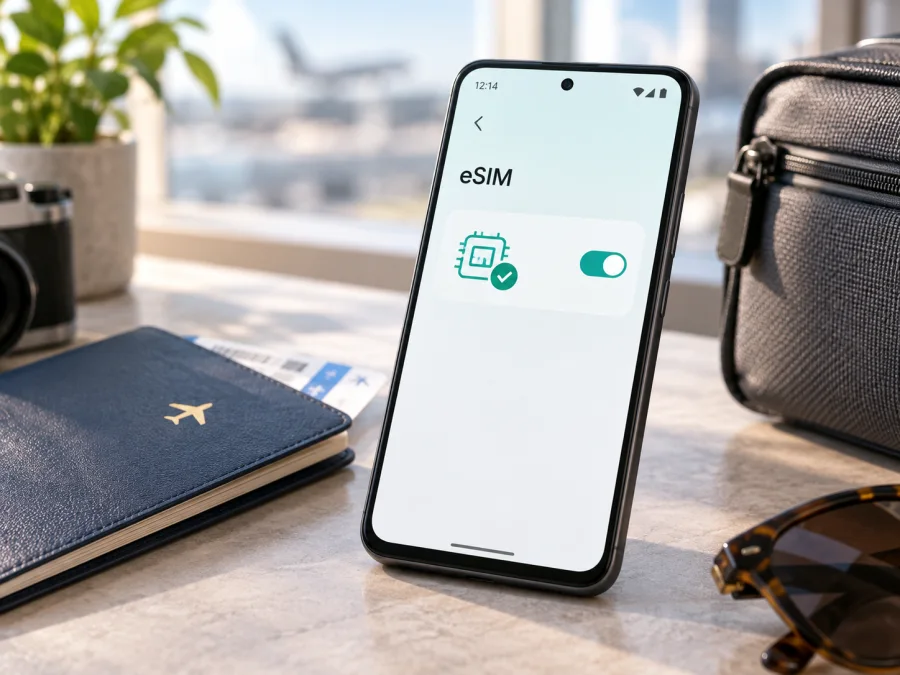
Xiaomi Redmi Note 15 Pro 512GB eSIM: compatibility and travel setup
If you are checking whether Xiaomi Redmi Note 15 Pro 512GB can use an eSIM for mobile data abroad, the short answer is no for the standard, non-5G model identified by that name. Xiaomi's current information for Redmi Note 15 Pro describes a physical SIM 1 plus a hybrid SIM or microSD slot, and the manufacturer's FAQ says that this model does not support eSIM or EID. The 512GB storage figure does not add eSIM capability, and the RAM configuration does not change that result.
There is, however, a separate Redmi Note 15 Pro 5G. Its official specifications list nano SIM plus nano SIM or nano SIM plus eSIM, and its FAQ lists one eSIM and EID support. It is not the same device as Xiaomi Redmi Note 15 Pro 512GB. A shop listing may shorten the name or mix 5G specifications with a storage variant, so check the phone itself before paying for a travel plan.
Quick answer for this exact model
For the exact name Xiaomi Redmi Note 15 Pro 512GB, treat eSIM as unsupported unless your device's own identification proves that it is actually the separate 5G variant. The standard model is a 4G phone with a physical SIM arrangement. Xiaomi's official description does not list an embedded SIM, an eSIM download menu or EID support.
That means a QR code for a travel eSIM cannot add a profile to the standard Xiaomi Redmi Note 15 Pro 512GB. A QR code is useful only when the phone has eSIM hardware and software controls for downloading a profile. If your phone has no EID and no Add eSIM option, a failed scan is a compatibility limit, not a temporary activation error.
Specifications that affect the decision
| Item | Xiaomi Redmi Note 15 Pro 512GB | eSIM meaning |
|---|---|---|
| Exact name supplied | Xiaomi Redmi Note 15 Pro 512GB | The name contains no 5G or RAM modifier. |
| Product version | Standard Redmi Note 15 Pro | Its SIM and network hardware differs from the 5G model. |
| Storage | 512GB | Storage capacity does not indicate eSIM support. |
| RAM | Not specified in the supplied name | Do not infer RAM or model generation from storage. |
| Network in the standard specification | 4G, 3G and 2G | The standard listing does not list 5G or eSIM. |
| Physical SIM arrangement | SIM 1 plus hybrid SIM or microSD | This is a physical-card configuration. |
| eSIM and EID | Not supported for the standard model | A QR-based profile cannot be installed on it. |
| Regional caution | Listings and features may differ by market | Verify the model number, seller region and settings. |
The storage number is not enough to identify the radio platform. A 512GB Redmi Note 15 Pro 5G may support eSIM, while a 512GB standard Redmi Note 15 Pro does not. Check the 5G designation, model number, SIM settings and EID together.
Why similarly named versions cause confusion
The standard model has a physical hybrid slot and 4G/3G/2G support, while the separate 5G model lists nano SIM plus eSIM. Retailers can copy the 5G details into a “Pro 512GB” listing. Xiaomi also warns that eSIM availability varies by country, region and operator, so resolve conflicting descriptions before purchase.
What to check before paying for an eSIM plan
Use this checklist when the product page is incomplete:
- Read the full name in Settings and on the box. Look specifically for the 5G designation.
- Record the model number and regional code; do not identify the phone by “512GB” alone.
- Search Settings for EID, eSIM or Add eSIM. Menu wording varies by Android version.
- Confirm that an EID is shown. It is a long device identifier and is different from the IMEI.
- Inspect the SIM tray. A physical SIM and microSD hybrid arrangement is consistent with the standard model.
- Ask whether the phone is imported, refurbished or carrier-restricted.
- Confirm that the handset is unlocked and can use another provider's profile.
- Check the plan's destination, validity, activation rule, data allowance and supported network.
- Make sure you will have Wi-Fi or another connection during installation.
For Xiaomi Redmi Note 15 Pro 512GB, the expected result is no EID and no command to add an eSIM. Do not buy a QR-based plan for this phone on the assumption that 512GB means eSIM-ready. If your handset unexpectedly shows an EID and an eSIM menu, pause and identify it again: it may be a different regional or 5G variant.
<a id="kesim-device-compatibility"></a>
Device compatibility check
Open Settings, search for “EID” or “eSIM”, and open any matching result. Confirm whether the phone can add a mobile plan. Then compare the displayed model name and number with the box. A menu that only manages physical SIMs, or a search that returns no EID, is consistent with the standard model and does not permit eSIM installation. You can Check your device again after confirming the model and region.
If the phone is supposed to be a Redmi Note 15 Pro 5G, check both an EID and an add-eSIM control. Their presence suggests hardware readiness, but regional and carrier rules still apply. If one is missing, ask the seller or carrier to reconcile the mismatch.
How to install and activate an eSIM
There is no eSIM installation path on the standard Xiaomi Redmi Note 15 Pro 512GB. The conditional steps below apply to a verified eSIM-capable Android phone, including the separate 5G model. They help distinguish an incompatible phone from an incorrectly issued QR code.
Before starting, connect the compatible phone to Wi-Fi, charge it and keep the QR code or manual activation details ready. If there is no EID or add-eSIM control, stop at the compatibility check.
Android installation steps
- Confirm the model. Check the full name, model number, EID and regional version.
- Open mobile-network settings. Go to Settings and then SIMs, Mobile network or the equivalent section.
- Choose the add-profile command. Select Add eSIM, Download a SIM or a similar option.
- Scan the QR code. Display it on another screen or enter the manual details if supplied.
- Wait for the profile to download. Keep the internet connection active until setup finishes.
- Name the line. Use a label such as “Travel data” so it is not confused with the home SIM.
- Select the data line. Choose the travel profile for mobile data after installation completes.
- Set activation timing. Follow the plan's rule if validity starts on installation or first network connection.
- Enable data roaming if required. Some travel profiles use a partner network abroad.
- Test after arrival. Turn off Wi-Fi briefly and confirm that the travel profile obtains data.
For Android-specific examples, see the Android eSIM installation instructions. HyperOS wording can differ by region and software version. The guide cannot add eSIM hardware to the standard Xiaomi Redmi Note 15 Pro 512GB.
iOS instructions for another compatible device
If the plan will be installed on an iPhone, verify that the iPhone is unlocked, open cellular settings, choose the add-eSIM option, scan the QR code and select the line for cellular data. Do not assume that a profile can be transferred between devices; reissue and transfer rules depend on the plan.
See the iOS eSIM installation instructions for that device flow. These instructions do not change the answer for Xiaomi Redmi Note 15 Pro 512GB, whose standard model lacks eSIM and EID support.
Using eSIM for mobile data on a trip
On a verified compatible phone, installing a profile and using it for data are separate actions. Enable the travel profile, choose it as the mobile-data line and review the home SIM's data setting so the phone does not silently use the home line. Turn off automatic data switching when you want predictable usage.
Travel eSIM plans in this context are generally for mobile internet, not an ordinary number, voice calls or SMS unless the plan says otherwise. Messaging, maps, translation and ride-hailing can work through data. Keep the primary SIM for calls or messages only if needed, and prevent it from being selected for data.
After arrival, check that the travel eSIM is enabled, selected for mobile data and allowed to use data roaming when the plan requires it. Check airplane mode, network selection and the destination coverage. The standard Xiaomi Redmi Note 15 Pro 512GB cannot use this eSIM scenario; it needs a physical travel SIM or a separate verified compatible phone.
Practical travel scenarios
Holiday with the exact standard model
You have Xiaomi Redmi Note 15 Pro 512GB, a physical hybrid tray and no EID. Do not purchase a QR-based travel plan for this phone. Arrange a physical SIM that fits the tray and covers the destination, or plan to use another compatible phone. Wi-Fi can help with preparation, but it is not a dependable replacement for mobile data while moving around.
A shop advertises “512GB 5G”
Ask for the complete model number and the box label. If the phone is actually the Redmi Note 15 Pro 5G, check EID and Add eSIM in Settings, then confirm regional and carrier conditions. The shared words “Pro” and “512GB” are not enough to decide compatibility.
Work trip with two lines
On a verified eSIM-capable device, retain the home SIM for calls and messages and select the travel eSIM for data. Disable automatic data switching and monitor the travel allowance. The standard Xiaomi Redmi Note 15 Pro 512GB cannot use this dual-line eSIM arrangement; use a physical travel SIM or another device.
Troubleshooting guide
There is no EID or add-eSIM option
For Xiaomi Redmi Note 15 Pro 512GB, this is expected for the standard non-5G model. Recheck the box and model number. If the phone was sold as 5G, ask the seller or carrier to resolve the mismatch before purchasing a plan. Do not use unofficial firmware to force an eSIM menu.
The QR code will not scan
On a supported phone, increase screen brightness, show the entire code on another screen, confirm internet access and try manual activation details if supplied. If no add-eSIM command exists, scanning cannot overcome missing hardware.
The profile downloads but there is no data
Confirm that the travel profile is enabled and selected for mobile data. Check destination coverage, validity and data roaming requirements. Toggle airplane mode briefly or restart the phone. If the profile works on another compatible phone, investigate the device or carrier restriction rather than buying a second plan.
The phone shows “No service” after arrival
Check the plan's destination, network mode and carrier selection. Return carrier selection to automatic unless the plan says otherwise. Confirm that the travel profile is selected for data and the phone is unlocked. The standard Xiaomi Redmi Note 15 Pro 512GB cannot be fixed by eSIM settings because it does not support eSIM.
The home line is using data
Open SIM settings and make the travel profile the mobile-data line. Turn off data roaming on the home SIM if you do not need it, disable automatic switching and review each line's usage counter.
FAQ
Does Xiaomi Redmi Note 15 Pro 512GB support eSIM?
No for the standard, non-5G model identified by that exact name. Xiaomi's official standard-model FAQ says that Redmi Note 15 Pro does not support eSIM or EID. The separate Redmi Note 15 Pro 5G may support one eSIM, subject to region and carrier availability.
Does 512GB mean that the phone is eSIM-ready?
No. Storage and eSIM hardware are independent. Check the 5G designation, model number, EID and add-eSIM menu together.
Can a software update add eSIM?
Do not rely on that. An update can change menus but cannot add an eSIM secure element to hardware that does not have one. The standard-model information does not list eSIM or EID support.
Can I use a QR code on the physical SIM tray?
No. A QR code downloads a digital profile only on an eSIM-capable device. It does not turn a physical SIM slot into an eSIM slot.
Is the travel eSIM a replacement for my phone number?
Usually no. These plans are for mobile internet and do not include a regular number, calls or SMS unless the selected plan says otherwise. Use messaging apps over data when appropriate.
What does Kaspersky eSIM Store do?
Kaspersky eSIM Store is an app and website where you can choose, arrange and activate an eSIM with a suitable mobile-data plan for an overseas trip. It is not a mobile operator, network owner or mobile-internet provider. Compatibility still has to be checked on your device before payment.
Final device check before a trip
Follow this decision path before selecting a travel eSIM:
- Read the full name and model number. Keep Xiaomi Redmi Note 15 Pro 512GB distinct from the separate 5G model.
- Search Settings for EID and an eSIM-add option. If both are absent, do not buy an eSIM for this phone.
- Confirm that the device is unlocked and that the plan covers every destination.
- Check the plan's data allowance, validity, activation timing and roaming requirement.
- Install and test only on a verified compatible device while reliable internet is available.
- Before departure, choose the correct data line and disable automatic switching if needed.
The practical conclusion is clear: the standard Xiaomi Redmi Note 15 Pro 512GB is not the right device for a QR-based mobile-data profile. Choose a physical travel SIM for this phone, or verify a different eSIM-capable device, including the correct regional Redmi Note 15 Pro 5G, before selecting a plan. Kaspersky eSIM Store can help you choose, arrange and activate the travel eSIM on that compatible device through its app or website. Always complete the device check before payment.


