Travel connectivity guide
Xiaomi Redmi Note 15 Pro 5G eSIM Guide
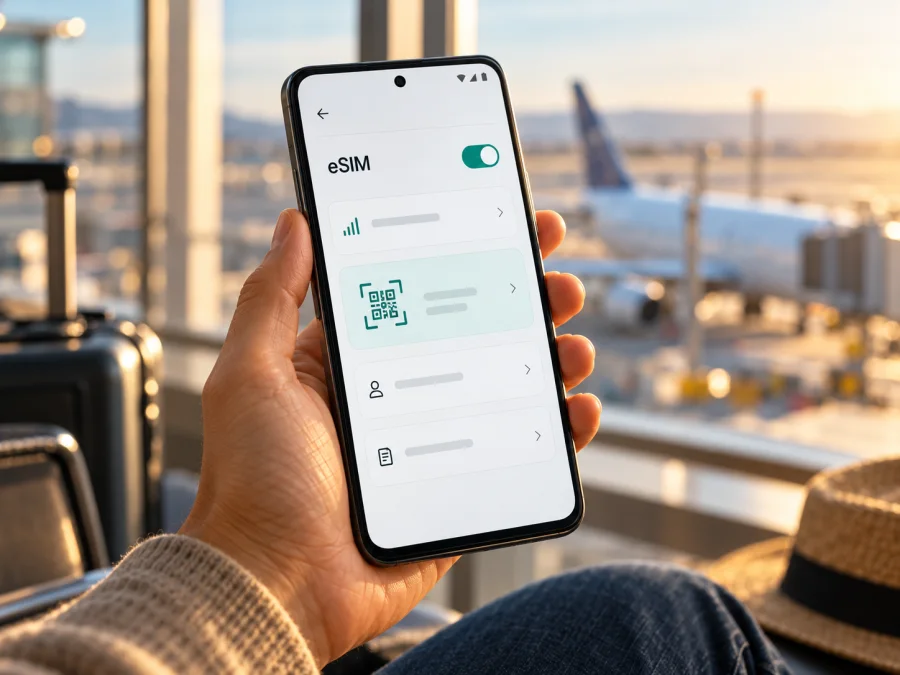
Xiaomi Redmi Note 15 Pro 5G eSIM: compatibility and setup guide
The Xiaomi Redmi Note 15 Pro 5G can use an eSIM, according to Xiaomi’s official support information for this model. The UK support FAQ says it supports one eSIM, reports an EID, and lists dual-SIM configurations as nano-SIM + nano-SIM or nano-SIM + eSIM. There is an important qualification: Xiaomi says eSIM availability can vary by country or region and carrier. A model name alone therefore cannot confirm that every retail variant, firmware build, or operator-market configuration will expose the same eSIM functions.
Before buying a travel plan, check the phone in your hands. Look for an EID and an option such as “Add eSIM” in Settings, confirm that the device is not carrier-locked, and check that the plan is valid in your destination. If the menu is missing, ask Xiaomi support or the seller to verify the exact regional model number and firmware. Do not rely only on a shop listing that says “dual SIM” or “5G”: neither phrase by itself proves that eSIM is enabled on your particular handset.
Xiaomi Redmi Note 15 Pro 5G eSIM compatibility at a glance
| Check | What is confirmed | What you should verify |
|---|---|---|
| eSIM support | Xiaomi’s UK FAQ says Xiaomi Redmi Note 15 Pro 5G supports eSIM. | Confirm the feature appears on your own regional version. |
| Number of eSIMs | Xiaomi lists support for one eSIM. | Do not assume you can keep multiple eSIM profiles active at once. |
| EID | Xiaomi’s FAQ says the model supports an EID. | Check that your phone displays an EID; its absence can indicate a regional or software difference. |
| SIM combinations | The FAQ lists nano-SIM + nano-SIM or nano-SIM + eSIM. | Check how your SIM tray and software behave together; the eSIM replaces one nano-SIM position in the supported combination. |
| Carrier and region | Xiaomi warns that eSIM availability may vary by country/region and carrier. | Confirm local operator support and any activation restrictions before purchase. |
| Travel data | A compatible eSIM can be used for mobile data if the plan and destination network are suitable. | Check the plan’s country coverage, validity, data allowance, supported bands, and roaming settings. |
Direct answer
Yes, Xiaomi’s official UK support FAQ identifies the Xiaomi Redmi Note 15 Pro 5G as eSIM-compatible, with one eSIM and EID support. That is a positive model-level confirmation, not a guarantee for every phone sold under the same commercial name worldwide. Xiaomi’s own regional disclaimer makes the exact market version and carrier relevant. For a handset bought in a different country, treat the phone’s EID and Add eSIM menu as the decisive practical checks.
The word “5G” describes a mobile-network capability; it does not establish eSIM support. Likewise, dual SIM can mean two physical SIM cards in one market and a physical SIM plus eSIM in another. Verify the actual eSIM controls, rather than inferring them from the model name, SIM-tray description, or a seller’s generic specification table.
Why the exact region and operator market matter
A phone sold under one model name can have region-specific hardware, software, certification, or cellular settings. Xiaomi confirms eSIM for the model in its UK FAQ, while warning that availability depends on country/region and carrier. It also lists different SIM combinations and connectivity details by market. Do not automatically apply the UK answer to an imported handset or a phone configured for another operator market.
Two checks are separate: the phone needs to expose eSIM capability, and the operator needs to accept that device and activation in the relevant market. A carrier-locked device may reject a travel profile even if it has an EID. Ask the seller or carrier whether the exact model number is unlocked and whether third-party eSIM profiles are allowed.
Xiaomi’s India product page describes dual SIM without the same explicit eSIM confirmation as the UK FAQ. That omission does not prove the Indian version lacks eSIM, but it is not confirmation either. Check the region-specific support page and the phone’s own EID and Add eSIM menu. An official update may change menu wording, but it cannot guarantee eSIM on a variant that does not support it.
Check the EID and eSIM menu on your phone
An EID is the identifier associated with an eSIM-capable device. Finding it is a useful compatibility check, though it does not confirm that a particular carrier or travel plan will accept the handset. Menu labels can vary by HyperOS version, region, and language, so try both the Settings search field and the SIM-management screens.
Check for an EID
- Open Settings.
- Tap the search field and enter EID. If a result appears, open it and check whether the phone displays an EID number.
- If search finds nothing, open About phone or Status and inspect the device identifiers. The exact location may vary by software version.
- Do not post or share the full EID publicly. Provide it only to Xiaomi or the provider when they need it to check compatibility.
Check for an eSIM installation control
- Open Settings and search for SIM, eSIM, or Mobile networks.
- Open the SIM-management or mobile-network screen.
- Look for Add eSIM, Download a SIM, Add mobile plan, or a similarly named control.
- If the control appears, open it only when you are ready to install a profile and have a stable internet connection. You may be asked to scan a QR code or enter activation details.
- If the EID is present but Add eSIM is missing, install available official updates and restart. If it remains missing, ask Xiaomi support to check the regional software and model number.
Compatibility checklist before you choose a plan
- [ ] The phone is exactly Xiaomi Redmi Note 15 Pro 5G, not another Redmi Note 15 variant.
- [ ] An EID is displayed in Settings or Xiaomi has confirmed eSIM capability for this specific regional model.
- [ ] An Add eSIM or equivalent option appears in SIM settings.
- [ ] The phone is unlocked, or its carrier confirms that the eSIM you plan to use is permitted.
- [ ] The operator or eSIM plan supports this phone and the destination market.
- [ ] Your destination, data allowance, validity period, and activation conditions match your itinerary.
- [ ] You have another reliable internet connection available for downloading the profile.
Check your device before choosing an eSIM. Model-level compatibility is only one part of setup; the exact handset, software, carrier restrictions, and travel destination all matter.
Use an eSIM for mobile data while travelling
A travel eSIM is a digital mobile profile that can provide data in destinations included in its plan. It avoids finding a physical SIM after landing, but does not guarantee a particular signal or speed: local network availability, plan terms, supported bands, and roaming arrangements all matter.
If you need your usual number for calls or verification messages, you may be able to keep the physical SIM active and use the eSIM for data. Xiaomi lists nano-SIM + eSIM for this model in its UK FAQ, though regional configuration and carrier restrictions still apply. A travel eSIM may be data-only; check whether calls, SMS, or a phone number are explicitly included. Internet calling and messaging apps can use data when their services are available.
Choose the data line deliberately. Disable data roaming on your home SIM if you want to avoid unexpected charges, after checking your carrier’s terms. Follow the travel plan’s instructions for the eSIM line: some plans require data roaming to connect to a partner network. This setting does not override the plan’s conditions.
Choose a plan around the itinerary
Check every country and territory on your route, including layovers where you expect to use data. Compare the listed destinations, allowance, validity, activation conditions, and any speed or fair-use terms. Estimate usage based on maps, messaging, browsing, video, and backups. Validity may begin at purchase, installation, or first connection, depending on the plan, so read the terms before installing early. Keep the QR code or activation details somewhere secure, and do not assume a deleted profile can be installed again.
Kaspersky eSIM Store is an app and website where you can choose, arrange, and activate an eSIM with a suitable mobile-data plan for an international trip. Review current destination and plan conditions at Kaspersky eSIM Store. Availability and network service depend on the selected plan and local provider.
Install and activate the eSIM
First confirm compatibility. Connect the Xiaomi Redmi Note 15 Pro 5G to reliable Wi-Fi, and have the QR code or activation details ready. The code should be displayed on another screen or printed; use the provider’s manual entry option if available when a second screen is not possible.
Add the eSIM profile
- Open Settings.
- Select SIM cards & mobile networks, Mobile networks, or the closest menu label.
- Tap Add eSIM, Add mobile plan, or Download a SIM.
- Choose the QR-code option.
- Scan the code supplied with your plan, or choose manual entry and enter the provider’s details.
- Review the plan and confirm the download.
- Keep the phone online until installation finishes.
- Label the profile Travel data or another clear name.
- Select the eSIM for mobile data when you are ready to use it.
- Follow the plan’s instructions for turning the line on and enabling data roaming.
- At the destination, allow a few minutes for the profile to register on a supported network.
Menu wording can vary with region, language, and HyperOS version. Do not repeatedly scan a one-time code if a profile may already be installed. The Android guide uses Samsung menu examples, so Xiaomi labels may differ; see the Android eSIM installation instructions for the general flow. For an iPhone, use the iOS eSIM installation instructions.
Set the data line
In SIM settings, confirm both line names are visible and select the travel eSIM under Mobile data. Choose the preferred line for calls or messages separately if those controls are available. If the phone offers automatic data switching, disable it when you want to prevent data use on the home SIM. Check roaming terms before keeping that line active. Do not delete the eSIM just to stop using it temporarily; reinstalling may require provider approval.
Common problems and what to check
“Add eSIM” is missing
Search Settings for EID, eSIM, and SIM, then restart and install official updates. Confirm the exact model number with the seller or Xiaomi support. A missing control may reflect the regional model, carrier configuration, or software; do not buy a plan until Xiaomi verifies the variant.
No EID appears
Check device status and make sure you are not confusing the EID with an IMEI. If it is still absent, ask Xiaomi to confirm eSIM availability for the phone’s region and model code. Do not share the full identifier publicly.
The QR code will not scan
Increase the brightness of the screen displaying the code, clean the camera, and hold the phone steady. Confirm the code is for the plan you ordered and has not expired or already been used. Ask the provider whether manual activation is possible. Do not delete a partially installed profile before support advises you.
The eSIM is installed but has no service
Check that the plan covers your current destination and that its activation period has begun. Turn the eSIM on, select it for data, and enable roaming on that line if the plan requires it. Toggle airplane mode once, wait, then restart if needed. Return network selection to automatic unless the provider says otherwise. A plan cannot connect where its supported network is unavailable.
Data uses the wrong SIM or is slow
Check the mobile-data default and disable automatic switching if you do not want the home line to be used. For slow or interrupted service, confirm the destination and data validity, try automatic network selection, and move to an area with better reception. Indoor coverage, congestion, and local network conditions affect speed; an eSIM cannot remove those limits.
Activation remains pending
Read when the plan starts and whether activation must happen at the destination. Confirm the eSIM line is on, the phone has internet access, and date and time are automatic. Follow the provider’s activation procedure instead of deleting or reinstalling the profile. Keep the order reference and error message for support.
Practical travel scenarios
Short city break: Choose a plan for the destination and dates. Install before departure if its terms allow it, keep the home SIM’s data off, and test maps or messaging after landing. Save an offline map as a backup.
Several countries: Check the coverage list for every country and territory, including a layover. A regional plan title is not a substitute for reading its included destinations and activation terms.
Work trip: Keep the usual number available if needed, while assigning mobile data to the travel eSIM. Check home-carrier roaming charges and do not expect a data-only plan to receive ordinary calls or texts.
Limited Wi-Fi on arrival: Install and test the profile before leaving when the plan permits. Save instructions offline and follow the stated activation step at the destination. Do not assume a deleted profile can be downloaded again.
Frequently asked questions
Does Xiaomi Redmi Note 15 Pro 5G support eSIM?
Yes. Xiaomi’s UK FAQ confirms one eSIM and EID support, but Xiaomi says availability can vary by country/region and carrier. Check your individual handset.
Can I use a physical SIM and eSIM together?
Xiaomi lists nano-SIM + eSIM for this model in its UK FAQ. Check the regional variant and SIM settings before travel.
Does an eSIM provide a phone number?
Not necessarily. Many travel plans are data-only. Check the plan terms for ordinary calls, SMS, and a local number.
Should data roaming be on?
Follow the plan’s instructions. Some eSIMs need roaming enabled on that line. Keep it off on your home SIM if you want to avoid charges and have checked your carrier’s terms.
Can I reuse a QR code after deleting the profile?
Do not assume so. Some codes allow one installation only. Contact the provider before deleting or reinstalling an eSIM.
Does 5G support prove eSIM compatibility everywhere?
No. 5G capability does not establish eSIM availability, plan eligibility, or coverage. Check each separately.
Before your next trip
For Xiaomi Redmi Note 15 Pro 5G, the model-level answer is yes: Xiaomi’s UK FAQ confirms one eSIM and EID support. Before you rely on that answer, verify that your own regional phone displays an EID and an Add eSIM control, confirm that it is unlocked, and check that the plan can be activated for your destination and operator market. Xiaomi’s regional caveat matters, and a generic dual-SIM or 5G listing is not enough to settle the question for an imported handset.
Once compatibility is clear, choose a plan by destination, data allowance, validity, and activation conditions. Install it over a reliable connection, label the profile, select it for mobile data when you travel, and follow its roaming instructions. Kaspersky eSIM Store can help you review current options and arrange an eSIM for mobile internet on an international trip. A few checks before purchase make it easier to travel with a setup that matches your phone and itinerary.


