Travel connectivity guide
Xiaomi Redmi Note 15 Pro+ 128GB eSIM Guide
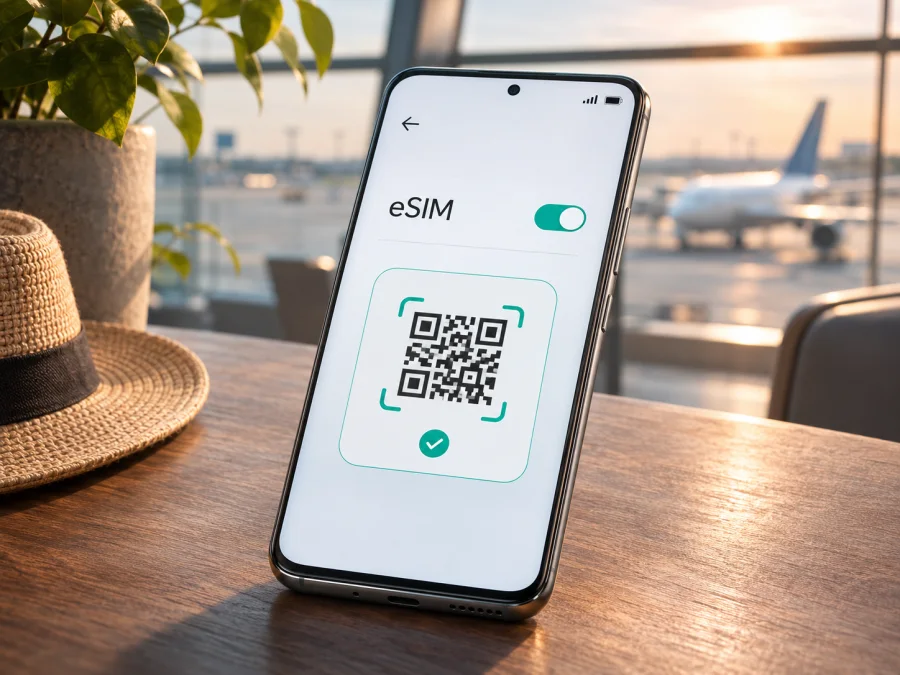
Xiaomi Redmi Note 15 Pro+ 128GB eSIM: compatibility and setup guide
Xiaomi’s current global support information for the REDMI Note 15 Pro+ 5G says that the model supports eSIM, one eSIM, and an EID. The global FAQ does not identify a 128GB SKU in its eSIM answer, so check the exact handset in Settings before buying a travel plan, especially if it was imported or carrier-branded.
“128GB” identifies storage capacity; it does not by itself confirm the phone’s market, firmware, SIM configuration, or eSIM provisioning. The plan must also cover your destination, and the handset must be unlocked for the intended service.
Xiaomi Redmi Note 15 Pro+ 128GB eSIM at a glance
| Item | What to know |
|---|---|
| Device in this guide | Xiaomi Redmi Note 15 Pro+ 128GB |
| Xiaomi model-family eSIM statement | Xiaomi’s global REDMI Note 15 Pro+ 5G FAQ confirms eSIM and EID support |
| Number of eSIMs | Xiaomi lists one eSIM for the model family; do not assume several profiles can be active together |
| SIM combination | The global FAQ lists nano-SIM + nano-SIM or nano-SIM + eSIM |
| Exact 128GB market SKU | Not specified in the FAQ’s eSIM answer; verify the individual handset and its region |
| What you need to check | EID, an Add eSIM/Manage eSIM control, firmware, carrier lock, and destination coverage in the selected plan |
| Typical use | Keep a primary SIM for calls and texts, and select a compatible travel eSIM for mobile data |
An imported device can have a different system build or carrier configuration, so a seller’s listing or matching name on the box is not a substitute for checking the handset.
Does the Xiaomi Redmi Note 15 Pro+ 128GB support eSIM?
The best current answer is: the REDMI Note 15 Pro+ 5G model family is officially listed by Xiaomi as supporting eSIM, but confirm the specific Xiaomi Redmi Note 15 Pro+ 128GB unit before purchase or travel. Xiaomi’s global support FAQ says this family supports a single eSIM, supports EID, and can use either two nano-SIM cards or a nano-SIM together with eSIM. This is direct manufacturer confirmation for the named family rather than an inference based only on a third-party compatibility list.
The “128GB” label is a storage modifier, not an eSIM designation. Xiaomi’s FAQ does not tie its statement to that sales configuration. Ask for the regional model code and check the device after setup. If eSIM controls and EID are absent, treat the unit as not ready for eSIM unless Xiaomi or the seller confirms otherwise.
Why market and carrier versions matter
A single family name may cover phones intended for different countries. Hardware support, radio bands, available SIM combinations, firmware features, and carrier restrictions may vary between those releases. The official FAQ itself notes that network connectivity and bands may vary by region and local operator support. That warning is separate from eSIM support: having a compatible embedded SIM does not guarantee that every operator, travel plan, or radio network will work in every country.
Carrier-sold phones can also be locked to a particular operator. A locked phone may reject a profile from another provider even when the eSIM hardware is present. Regional firmware can change where the controls appear, and an imported phone may receive updates on a different schedule. A change of system language or region can sometimes alter menu labels, but it cannot create eSIM hardware or remove a carrier lock.
When buying online, ask for the precise regional model code, unlocked status, and confirmation that the exact unit has an EID and eSIM menu. “Dual SIM” may mean two physical nano-SIMs, while an eSIM listing may describe another generation or market release. Confirm that the 128GB configuration is intended for your market.
Check the phone before buying a plan
Use the handset itself as the final check. Xiaomi’s menu labels can vary a little between software versions, but the current support instructions place eSIM settings under the SIM or mobile network controls.
Compatibility checklist
- [ ] Open Settings and look for Mobile networks, SIM cards & mobile networks, or a similarly named SIM menu.
- [ ] Find Use eSIM, enable it if the control is present, and open Manage eSIM.
- [ ] Look for Add eSIM, Add mobile plan, Discover eSIMs, or an equivalent option.
- [ ] In eSIM management, open the menu for View device EID. An EID is the identifier for the phone’s embedded SIM; it is different from an IMEI.
- [ ] Check that the phone is not carrier-locked and that the system software is current.
- [ ] Confirm that the travel plan is intended for your destination and that its activation conditions suit your travel dates.
If the settings search does not find the menu, navigate manually through the SIM settings. Search results can miss a control that is nested in a submenu. If the menu is still absent, restart the phone, install available official system updates, and check again. Do not buy a plan on the assumption that the phone will gain eSIM functionality after an update.
After enabling eSIM, Xiaomi’s support path is Settings → SIM cards & mobile networks → Use eSIM → Manage eSIM → View device EID. Some builds show identifiers under About phone or a status screen. You can also try *#06#; some Android builds include the EID there. A missing code from one screen is not conclusive, so check Settings and ask Xiaomi or the seller if needed. An EID supports compatibility but does not prove that a particular plan will accept the phone. Keep EID, IMEI, QR codes, and activation details private. Also note the model code and software version while you have the settings open; these details help support staff distinguish a regional configuration from a carrier restriction. Check that the device is unlocked before comparing travel options.
Check whether your device is compatible before selecting a plan. Compatibility depends on the exact handset, its software and lock status, and the plan’s network and destination conditions.
What eSIM does on this phone
An eSIM is a digital SIM profile stored in the phone’s embedded SIM component. You add it with a QR code, an in-app flow, or activation details supplied for the plan. Xiaomi says the REDMI Note 15 Pro+ 5G supports one eSIM and lists nano-SIM + eSIM as a supported combination. The local unit’s settings remain the practical check.
A profile and a tariff are different: the profile connects the phone to a network, while the plan defines destinations, data allowance, validity, and activation conditions. Do not assume a data-only travel plan includes an ordinary phone number, calls, or SMS unless its terms say so. Internet calling and messaging apps can work over data.
Install and activate a travel eSIM
Before starting, connect the phone to reliable Wi-Fi, keep the QR code or activation details available on another screen or printed page, and review the plan’s installation and activation terms. Some profiles can only be installed once, so do not scan a QR code as a test or delete a profile simply to start over. If the seller or plan instructions give a specific activation window, follow it.
Add the profile in HyperOS or Android settings
- Open Settings and go to Mobile networks or SIM cards & mobile networks.
- Turn on Use eSIM if prompted. Read the confirmation: on some Xiaomi configurations, enabling eSIM changes whether the second physical SIM slot is available.
- Tap Manage eSIM, then choose Add eSIM, Add mobile plan, or the closest equivalent.
- Scan the QR code supplied for your plan. If the QR code is on the phone itself, use the system option to select a saved image when available, or display it on another device.
- If scanning is unavailable, choose manual entry and enter the activation details exactly as supplied. Do not guess a server address or activation code.
- Keep the phone online while it downloads and installs the profile. Approve any confirmation prompt and wait for the eSIM to appear in the SIM list.
- Give the profile a clear label such as “Travel data” so you can distinguish it from your home SIM.
- Select the eSIM as the mobile-data SIM when you are ready to use it. Keep calls and SMS on your usual line if you need them and the phone permits that arrangement.
- Enable data roaming for the travel eSIM only if the plan’s instructions require it. Roaming settings are sometimes needed for a travel profile to connect to its partner network.
- Once you reach a covered destination and the plan is active, switch mobile data to the eSIM and allow the phone time to register on a supported network.
For a step-by-step Android walkthrough, see Kaspersky eSIM Store’s Android instructions. The iOS instructions are for an iPhone or iPad; they are not the installation path for this Xiaomi phone, but may help if you are setting up a second device for the same trip.
Installation and activation are not always the same event. The profile may be installed before departure, while the plan’s validity may start at first network connection, at a scheduled time, or at another point defined in its terms. Read the specific plan conditions before scanning or switching on the eSIM. Avoid deleting a profile to troubleshoot unless the plan provider confirms that it can be reinstalled.
Use the Xiaomi Redmi Note 15 Pro+ 128GB for data abroad
A travel eSIM is most useful when you prepare the phone before leaving and decide in advance which SIM should handle data. Kaspersky eSIM Store is an app and website where you can choose, arrange, and activate an eSIM with a mobile-data plan for an overseas trip. The destination and plan conditions determine whether a particular option is suitable; the store itself is not the mobile operator or the owner of the network.
You might keep a home physical SIM available for calls and account messages and select the travel eSIM for data after landing. Check possible roaming charges with your home operator. For multi-country travel, verify every destination in the plan’s stated coverage; do not assume a country plan includes neighboring countries.
To prepare:
- choose the country or region you will visit and compare the included data, validity period, and price shown for the plan;
- confirm that the profile can be installed in your location and when the plan’s validity begins;
- install the eSIM while you have dependable Wi-Fi if the plan permits pre-installation;
- label the eSIM and select it for mobile data when appropriate;
- turn off data roaming on the home SIM if you want to avoid accidental use, while keeping any essential calls or messages in mind;
- monitor data use and use Wi-Fi for large downloads or app updates when convenient.
You can browse the current options for travel eSIM plans on the Kaspersky eSIM Store website. Check the destination, terms, supported network access, data allowance, and validity for the plan you select. Availability and conditions can change, so use the details shown for your intended trip rather than relying on an old screenshot or a plan described for another country.
If the eSIM is installed before the trip, leave it turned off or avoid selecting it for mobile data until you need it, unless the plan says activation begins earlier. On arrival, turn it on, select it as the data SIM, and enable roaming for that profile only when its instructions call for it. A signal indicator does not necessarily mean data is configured: verify the selected line, mobile-data toggle, and APN instructions if the plan includes them.
Common problems and checks
There is no eSIM option. Check the exact model code, software region, and carrier branding. Restart, install official updates, and search Settings for “eSIM.” If Use eSIM, Manage eSIM, and EID are all absent, contact the seller or Xiaomi before buying a plan.
The EID is missing. Enable eSIM and inspect Manage eSIM for View device EID. If it remains unavailable, record the model code and software version for support. An IMEI is not a substitute for an EID; do not post either identifier publicly.
The QR code will not scan. Increase its brightness on the other screen, keep the full code in view, or use a saved image/manual activation option if available. Codes can expire or be single-use. Do not guess activation details.
The profile installs but has no service. Check that you are in a covered destination, the plan is valid, and the travel eSIM is selected for mobile data. Enable data roaming for that profile if required by its instructions. Then toggle airplane mode once or restart. Follow the plan’s network selection or APN steps if provided.
Signal appears but apps cannot connect. Verify mobile data is enabled for the eSIM and temporarily turn off Wi-Fi to test. Check data balance, validity, and any APN details. Restore automatic network selection after troubleshooting.
The home SIM or second slot behaves differently. Recheck default SIM choices and the local unit’s SIM manager. Xiaomi lists one eSIM for the family, while physical slot behavior can vary by market. Ask Xiaomi or the seller about the exact regional version.
A profile was deleted or the phone reset. Deleting a profile may not cancel the plan, but it may remove the eSIM from the device. Contact the plan provider before reinstalling; some QR codes cannot be reused.
Practical travel scenarios
One-country holiday. Check the plan’s country coverage and validity, install on Wi-Fi if allowed, and select the eSIM for data after arrival. Keep the home SIM’s data roaming off if you do not intend to use it.
Several stops in one region. Match every country on your route against the plan’s stated coverage. A regional option may simplify profile management, but compare its allowance, duration, and conditions with country plans. After a border crossing, allow the phone to register again.
Short stopover. Check whether the plan suits a brief visit and when its validity begins. Save essential tickets and travel details offline as a backup.
Work trip. Keep the home line available for calls or account messages if appropriate, and select the travel eSIM for data. Check default SIM and roaming settings before departure. A data-only plan does not supply a voice number unless its terms say otherwise.
Frequently asked questions
Can the Xiaomi Redmi Note 15 Pro+ 128GB use an eSIM and a physical SIM together?
Xiaomi’s global FAQ for the REDMI Note 15 Pro+ 5G lists nano-SIM + eSIM as a supported configuration. The exact physical slot behavior can still depend on regional firmware and market version. Check the SIM manager on your handset before relying on a particular combination.
Does 128GB mean that this unit supports eSIM?
No. Storage capacity does not establish eSIM compatibility. Xiaomi confirms eSIM for the REDMI Note 15 Pro+ 5G family, but the global eSIM answer does not identify a 128GB market SKU. Check the unit’s EID and eSIM menu and confirm its region and model code with the seller.
Will an eSIM work in every country?
The embedded SIM feature is part of the phone, while service depends on the chosen plan, destination coverage, local networks, and device radio compatibility. Check the plan’s named countries and conditions before purchase. No single eSIM profile should be assumed to work everywhere.
Does a travel eSIM include calls and text messages?
Not necessarily. Travel eSIM plans may be data-only. Check the specific plan description for voice and SMS; if these are not included, messaging and calls may still be possible through internet-based apps while data is available.
Should I enable data roaming?
Only for the line that needs it and when the plan’s instructions require it. Some travel eSIM profiles need roaming enabled to use a partner network. Check that the home SIM is not selected for mobile data if you want to avoid unintended roaming use.
What should I do if my settings do not match these steps?
Menu names vary by software build. Search Settings for “eSIM,” “SIM,” or “mobile networks,” then check the model code and official update status. If the EID and eSIM controls remain unavailable, ask Xiaomi or the seller to confirm the market version rather than buying a plan first.
Before you travel: verify, then choose
For the Xiaomi Redmi Note 15 Pro+ 128GB, Xiaomi’s current global support FAQ gives a clear model-family answer: the REDMI Note 15 Pro+ 5G supports eSIM, one eSIM, and EID. The available global eSIM statement does not specifically identify the 128GB sales configuration, so the safest final check is on the exact phone. Confirm that it has an EID, an eSIM menu, current official software, and no carrier lock that would prevent the intended plan from registering.
Then choose an eSIM plan for the actual destination or route. Review coverage, data amount, validity, activation timing, roaming requirements, and whether calls or SMS are included. Kaspersky eSIM Store’s app and website let you choose, arrange, and activate an eSIM with a mobile-data plan for an overseas trip; the selected plan’s terms determine how it works on local networks. A quick compatibility check before purchase can prevent a last-minute setup problem and help you prepare the right data line before you leave.


