Travel connectivity guide
XLSMART eSIM in Indonesia: Setup and Travel Tips
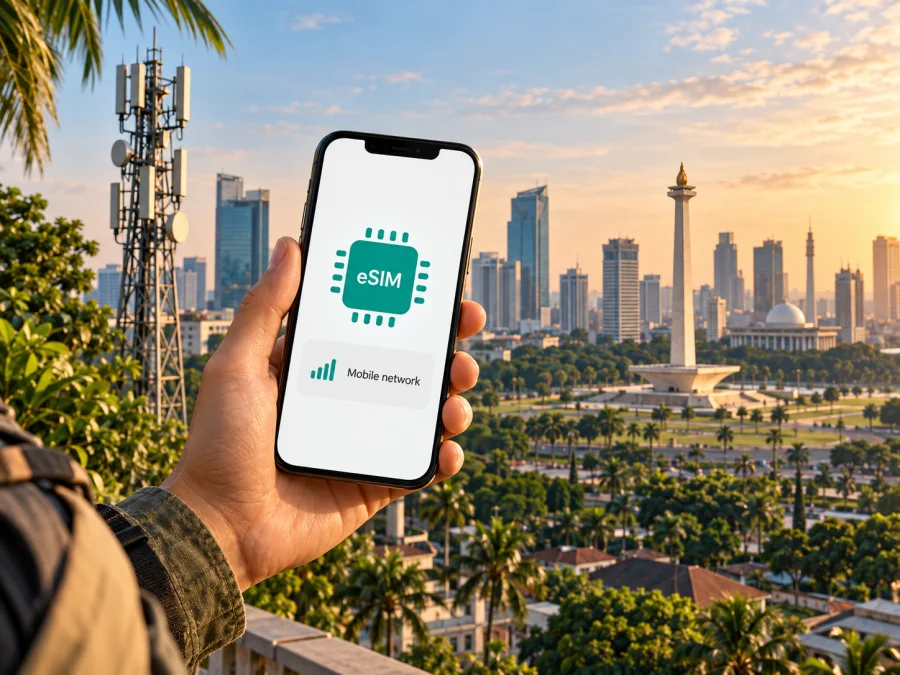
XLSMART eSIM in Indonesia: what travelers should know
Planning an Indonesia trip and searching for an XLSMART eSIM? XLSMART is the company behind several consumer mobile services, while eSIM details are published on the relevant service pages. XL confirms eSIM availability and has a traveler-facing online application route. The issuing service name matters because eligibility, registration and support can differ.
This guide summarizes current official information and practical checks without listing individual plans. XLSMART, XL and Smartfren pages referenced below were checked on 2 November 2026; confirm current terms before travel.
Where XLSMART fits in Indonesia’s mobile market
PT XLSMART Telecom Sejahtera Tbk presents services under customer-facing names. Its official website lists XL, XL Prioritas, Smartfren and AXIS as services. XL’s eSIM guide, XL’s traveler page and Smartfren’s tourist eSIM FAQ describe options through individual service channels. For travelers, this means there is no single set of eSIM conditions to assume across XLSMART: confirm the issuing service, its visitor eligibility, device list and support route.
Is an XLSMART eSIM available to visitors?
Yes, eSIM support is publicly documented for services associated with XLSMART. XL’s official eSIM page explains that customers can use an eSIM instead of a physical SIM and describes obtaining an eSIM through its online service or an XL Center, then scanning a QR code on a compatible device. XL’s traveler-focused page is more specific to visitors: it describes an online application process and asks for a passport, email address and device identifier (IMEI), with the page noting that the traveler route excludes Indonesian passports. The official Smartfren support FAQ also describes a tourist eSIM route that can be purchased and activated online after completing registration.
These official pages support the availability of eSIM through XL and Smartfren service channels, but they should not be read as confirmation that every visitor, phone or travel itinerary is eligible. Current enrollment can depend on the service, the phone’s model and regional version, the device identifier, identity checks and the destination of purchase. Some steps may be handled online, while a problem with submitted information can require contact with customer support or a service location. Confirm eligibility before relying on the connection for arrival or onward travel.
Device compatibility: check the exact version
An eSIM-ready product family does not guarantee that every phone sold under the same model name supports eSIM. Support can differ by model number, sales region, carrier configuration and software version. A device bought abroad may be technically capable but still have a regional variant that lacks eSIM hardware or does not pass the local service’s eligibility checks. Imported or refurbished phones can also have a carrier lock or device-identifier issue. The XL guide specifically advises users to check that a device is an official release and to ask XL customer service to check the IMEI for the eSIM slot.
Before purchasing, look up the exact model number in the manufacturer’s settings or original documentation. Then compare that full identifier with the current compatibility information shown by the service, not just a broad marketing name such as a phone family. Check that the phone is unlocked for another service, has current system software, and can add an eSIM profile. If a service offers an IMEI check, use it before checkout. For a tablet or wearable, verify that the particular cellular version is supported; Wi-Fi-only versions do not become cellular devices through eSIM.
If compatibility is uncertain, pause before buying. A QR code cannot add eSIM capability to unsupported hardware, and a profile may have restrictions on reinstalling or moving it. Review the device compatibility check and contact the service provider if the exact regional version is not listed. Keep the device’s full model identifier available when you ask; a retail name alone may not be enough to resolve a variant question.
Registration and documents for an Indonesia trip
Indonesia has registration requirements for mobile devices and prepaid service. XL’s visitor eSIM page says international visitors should prepare a passport, email address and device IMEI and provide information requested by the Indonesian government. Smartfren’s official FAQ likewise says foreign prepaid registration requires a valid identity document and refers to IMEI registration requirements for phones, handheld computers and tablets. Treat this as a preparation checklist, not legal advice: the provider’s current instructions and applicable government rules should determine exactly what you need to submit.
Use the official enrollment form for the service you select and enter information exactly as it appears on the relevant documents. Make sure the email address can receive the activation information and that the phone’s IMEI is entered from the correct device. Do not assume that a form used for one XLSMART-associated service will work for another, or that a previous registration remains valid for a different handset or service. If your phone was bought outside Indonesia, ask the provider whether its IMEI can be registered for the service before depending on it.
Coverage and mobile technologies
XLSMART’s official 5G information page provides a coverage map and device-checking function and says that its 5G service is available through its XL, Smartfren, AXIS and XL Prioritas services. This confirms that 5G is part of the company’s published network information; it does not mean every location or every eSIM customer will have 5G access. The map is the right starting point for checking a particular town or route, and the selected service’s terms should clarify which technology is available to that customer.
A coverage map is an estimate for planning, not a promise of an uninterrupted signal at every address. Service can vary indoors, between buildings, along roads, on islands, and in remote or mountainous areas. Indonesian journeys can involve ferries, rural areas and long transfers between population centers, so assess each overnight stop and travel segment rather than checking only the arrival city. If staying on an island or travelling outside a major town, ask the provider about the locations that matter to your itinerary.
If you plan to use navigation, ride-hailing, translation or messaging, download essential maps and travel details before leaving reliable Wi-Fi. Keep your accommodation address and booking information available offline. This is useful regardless of the chosen provider and protects your itinerary from a temporary signal gap, congestion or a phone setting that needs attention.
How to get and activate a local eSIM
XL’s official instructions describe a straightforward sequence: verify that the device supports eSIM, choose an eSIM option and number online or at an XL Center, then scan the issued QR code on the phone. The traveler page describes selecting a suitable product, submitting the required visitor and device information, completing payment, and activating the profile. Smartfren’s official tourist FAQ describes online purchase and registration followed by online activation through a link sent by email. The exact screens and order can change, so use the current instructions provided by the service you choose.
A useful preparation sequence is:
- Check the handset. Confirm eSIM support for the exact regional model, that the phone is unlocked, and that its IMEI is eligible.
- Read the visitor conditions. Confirm which identity document is accepted, what device information is required and whether the selected service is open to your type of visitor.
- Choose the service route. Decide whether you need a local number and local account, or primarily a data connection for the trip.
- Submit accurate details. Complete the official application and keep the confirmation email or activation instructions.
- Install with a stable connection. Use reliable Wi-Fi when adding a profile, and keep the QR code available on another screen or printed copy if the phone cannot scan its own display.
- Select the correct line. In cellular settings, choose the intended eSIM for mobile data and decide whether the home line should remain enabled for calls or verification messages.
- Test before relying on it. Confirm that the profile is installed, data is assigned to the intended line, and the connection works before leaving an area with dependable Wi-Fi.
On an iPhone, eSIM installation is managed from Settings under Cellular or Mobile Service, with labels varying by iOS release and region. On Android, the path is usually under Settings and Network or SIM management; menu wording differs among manufacturers and versions. Follow the relevant iPhone eSIM installation instructions or Android eSIM installation instructions and the issuer’s activation steps. Do not delete a profile to troubleshoot unless the provider tells you to: deleting it may prevent you from reinstalling the same eSIM.
Some eSIM profiles require data roaming; follow the issuer’s instructions and check which line handles data. A roaming toggle does not establish whether your home SIM will incur charges, so review your home-carrier settings and turn off data switching if needed.
Local XLSMART service or a travel eSIM?
A local eSIM can make sense if you want a service associated with an Indonesian provider, need a local number where the chosen product includes one, or prefer the provider’s own account and customer-care process. Its setup may involve visitor registration and device checks. Eligibility and procedures can vary among services, so a traveler should confirm the local product’s conditions before setting off.
A travel eSIM can be convenient if your priority is mobile data during a trip and you want to arrange the connection online before arrival. It is usually kept separate from the home SIM, which can help you continue using a familiar number while assigning mobile data to the travel profile. The actual data network, supported locations, validity, and features depend on the selected travel product and its terms. Check those details before purchase and avoid assuming that all travel eSIMs use the same local network or include calls and SMS.
| What to check | Local eSIM through an XLSMART service | Travel eSIM |
|---|---|---|
| Product page | The specific XL or Smartfren service page | The travel eSIM provider’s Indonesia page |
| Registration | May require visitor identity and device information | Depends on the selected travel product and local rules |
| Phone number | Confirm whether the product includes a local number | Often data-focused; confirm voice and SMS explicitly |
| Setup | Follow the issuing service’s QR or online activation steps | Install using the provider’s app, QR code or supported flow |
| Network and area | Check the selected service’s current map and terms | Check stated destinations and network arrangements |
| Support | Contact the service that issued the profile | Contact the travel eSIM provider for that profile |
The table describes general differences. Check the exact product’s coverage, activation timing, number availability and support process before choosing.
If a travel data profile better matches your plans, Kaspersky eSIM Store is an app and website that helps you choose, arrange and activate an eSIM with a plan for mobile internet while abroad. It is not a mobile operator, network owner or internet provider. You can check the eSIM options for Indonesia and review the destination and product conditions before choosing. The available options and terms can change, so rely on the information displayed for the specific selection at the time you arrange it.
Frequently asked questions
Does XLSMART offer eSIM in Indonesia?
Official eSIM information is published by XLSMART-associated services. XL explains eSIM setup, and XL and Smartfren publish visitor or tourist eSIM information. Confirm eligibility with the service that will issue your profile.
Can a foreign visitor register an eSIM?
XL’s traveler page describes an online route for international visitors and asks for a passport, email and device IMEI. Smartfren’s FAQ also discusses tourist registration. These routes do not guarantee that every visitor or phone will qualify; check current requirements before purchase.
Will an XLSMART eSIM work throughout Indonesia?
Coverage depends on the selected service and location. XLSMART publishes a 5G map and device checker, and Smartfren points travelers to its coverage information. Check the route and local conditions rather than assuming nationwide availability.
Plan your connection around your itinerary
For an XLSMART eSIM in Indonesia, begin with the service that will issue the profile. Confirm the traveler route, accepted identity documents, IMEI eligibility, exact device variant and installation process. Then check the current coverage information for your cities and transfers, choose which SIM handles data, and keep maps or essential trip details offline.
If you prefer to prepare a separate travel data eSIM, review the Indonesia destination options and check the exact conditions before arranging one. Kaspersky eSIM Store is an app and website for choosing, arranging and activating a travel eSIM plan; it is not affiliated with XLSMART, XL or Smartfren, and does not own or operate their networks. Product availability, registration rules, device compatibility and coverage can change, so confirm current details with the service provider before travel.


