Travel connectivity guide
Xomobile eSIM in Latvia: what to check
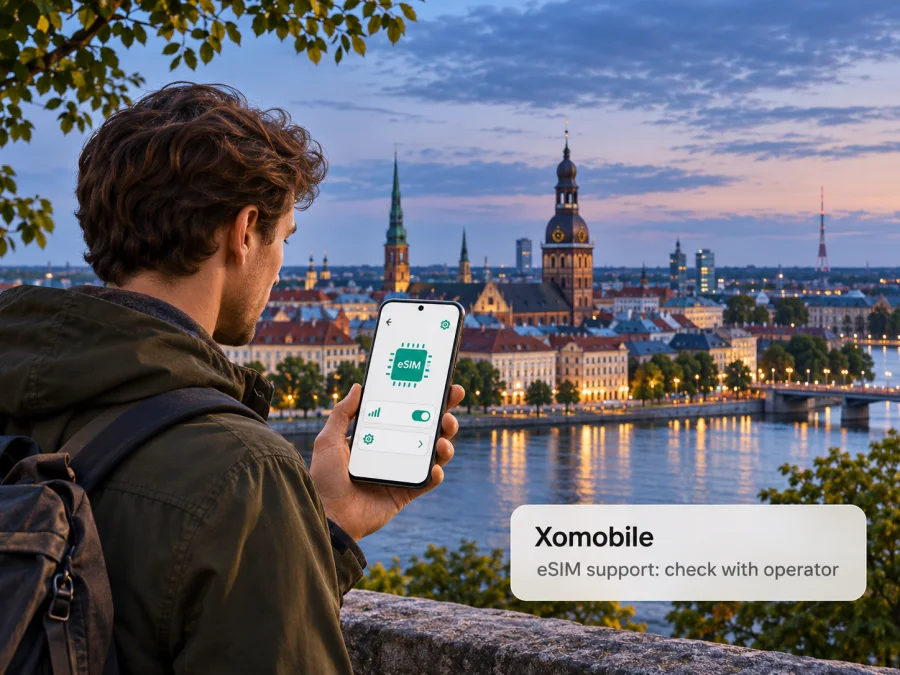
Xomobile eSIM in Latvia: what travellers should check
If you are looking for a Xomobile eSIM in Latvia, verify the product with the company before planning to install one. Current public information confirms that XOmobile is a Riga-registered international mobile communications service, but it does not confirm that its customer service offers an eSIM or a Latvia-specific travel eSIM. Its customer site says service information is being updated, and the published user guide describes a SIM-card and GPRS setup. An eSIM listing, a modern corporate eSIM platform, or eSIM support from another Latvian provider does not by itself prove that Xomobile’s own subscriber service supports eSIM.
This distinction matters because “operator in Latvia” can describe several different things. A company can be registered in Latvia, sell or manage an international communications service, use partner networks abroad, or operate radio access infrastructure in a defined market. These roles are not interchangeable. XOmobile’s public customer pages describe an international mobile communications service and give a Riga business address; they do not establish that XOmobile is a Latvian terrestrial network operator with its own nationwide radio network. This guide therefore treats Latvia as the company’s country of registration and the destination you asked about, while advising you to confirm the exact service and network arrangement for your use case.
On 2 November 2026, XOmobile’s Latvian customer homepage carried a notice that information about its services was being updated. The company’s English User Guide, in its “How to Start?” and “Data transmission/GPRS” sections, describes a physical SIM and manual data settings; it is not an eSIM installation guide. The current XOmobile corporate Contact page presents eSIM as a platform for businesses launching eSIM products under their own brands and invites potential partners to discuss a launch. This is a business-facing capability, not confirmation that a retail Xomobile subscriber can buy or activate an XOmobile eSIM in Latvia.
eSIM, a local SIM, or your existing roaming service?
These options solve overlapping but different travel needs. A locally issued eSIM or SIM may provide a local subscriber relationship, depending on the provider and its rules. An international service may be designed around roaming or partner arrangements. A travel eSIM is often intended to provide mobile data in one or more destinations, and may not provide a regular phone number, voice service, or SMS. The names used in a product listing do not tell you which model applies: check the issuer, the service description, and its terms.
Before comparing options, decide what you need in Latvia. If mobile data for maps, messaging, email, and browsing is enough, a data-focused travel eSIM may be practical. If you need a Latvian phone number, standard cellular calls, or SMS verification, confirm those features explicitly; do not assume that an eSIM includes them. If keeping your usual number is important, your home SIM may remain active for calls and texts while another line handles data, provided your handset supports dual SIM and your home operator’s roaming settings and charges are understood.
A travel eSIM can be prepared before departure, which may reduce the number of setup steps after arrival. Its coverage still depends on its own service terms, supported partner network, compatible device, local signal, and any roaming or network-selection conditions. It is not automatically a replacement for a domestic line. A local physical SIM can be an option where a confirmed eSIM is unavailable, but buying and registering it may involve different steps. A visitor’s existing roaming service can be simplest to keep a familiar number, though its cost and data rules need to be checked with the home provider.
For Latvia, compare services by function rather than brand label. Check whether the offer is data-only or includes voice and SMS, whether it gives you a local number, how the service is activated, which countries it covers, and what happens when the device connects outside the intended area. If the provider does not name the network or explain how a roaming service works in Latvia, ask before purchase. Availability of 4G or 5G in Latvia generally does not establish that a particular Xomobile product can use those technologies.
How to verify an eSIM offer before you buy
Use this short checklist with XOmobile or any provider whose offer you are considering:
- Confirm the product name and issuer. Ask who supplies the eSIM profile and who provides customer support. A business platform provider, retail brand, and underlying mobile network can be different companies.
- Confirm it is an eSIM for your destination. Ask whether the profile can be installed and used in Latvia, rather than merely being an eSIM that can be sold by a Latvian business or used in some other country.
- Check the service type. Establish whether it is data-only, a full mobile service, or an international roaming service. Confirm any phone number, voice calls, SMS, messaging, and tethering features in the current terms.
- Ask about eligibility. Check whether the offer is available to visitors, residents, or existing subscribers, and whether identity verification, an account, or a local billing method is required.
- Identify the network and technology. Ask which Latvian partner network is used, whether selection is automatic, and which access technologies the product supports. Availability can depend on the location and partner arrangements.
- Read activation instructions. Confirm whether you receive a QR code, install through an app, or use another method; whether internet access is needed during installation; and when the plan or service begins.
- Check device restrictions. Make sure the exact phone variant supports eSIM, is not carrier-locked, and can add another line. Check the manufacturer’s instructions for your model and market.
- Understand support and recovery. Ask how to contact support if installation fails, whether a profile can be reissued, and whether it can be moved to a replacement phone. Do not delete an installed profile until the provider tells you what recovery options exist.
The XOmobile English User Guide currently available online is useful only as background for its documented SIM-based service. In “How to Start?” and “Data transmission/GPRS,” it describes physical SIM insertion and GPRS configuration, while the Latvian customer homepage says service information is being updated. Do not copy those settings into a new travel eSIM or assume that they apply to a current Xomobile product. Network names, access points, activation codes, and device menus are service-specific. Ask for current instructions for the exact profile being offered.
Device compatibility: check the exact phone
An eSIM-capable device is a prerequisite, but a model family name alone may not settle compatibility. Manufacturers sometimes release regional variants with different SIM hardware. A handset may support eSIM in one market and lack it in another; a carrier lock can also prevent activation even when the hardware supports eSIM. Used, refurbished, imported, and enterprise-managed phones deserve particular care.
Before choosing a service, check the phone’s settings for an option such as “Add eSIM” or “Add mobile plan,” then confirm the precise model number against the manufacturer’s current support information. Ask the operator whether that specific model and software version are accepted. Confirm that the phone is unlocked and that you can use dual SIM in the way you intend. If the eSIM will be your data line and your home SIM will remain enabled for calls or SMS, check that your handset supports this combination.
Do not install a profile on a phone you may return, replace, or reset until you understand the provider’s rules. Some eSIM activation codes are single-use, and moving a profile between phones may require reissue or may not be supported. Keep the QR code or installation details secure, follow the provider’s stated process, and avoid sharing the activation code. If the phone is managed by an employer, its administrator may restrict adding cellular plans.
For general setup guidance, see the eSIM installation instructions for iPhone or Android. Steps and labels vary by manufacturer and OS version. These guides explain device-side installation; they do not establish Xomobile compatibility or replace the exact instructions from the provider issuing the profile. You can also check device compatibility before selecting a travel eSIM.
If you are preparing a trip and want to browse a travel data option for Latvia, view the current Latvia destination in Kaspersky eSIM Store. This is a destination page for browsing current travel eSIM options; it is not a Xomobile tariff page and does not confirm any Xomobile offer. Check the terms displayed for the product you choose, including the data allowance, validity, supported network information, activation timing, and whether voice or SMS is included. These details can vary by product and may change.
Installing a travel eSIM for a Latvia trip
The exact flow depends on the company that issues the profile. A common sequence is to confirm compatibility, purchase or receive the eSIM, install it while you have a reliable internet connection, and then select the correct line for mobile data when you are ready to use it. Follow the provider’s instructions if they differ from this general sequence.
Before departure
- Confirm the product covers Latvia and check any regional conditions that matter for your itinerary.
- Confirm your phone is unlocked, eSIM-capable, and running software supported by the provider.
- Read when service activation and data use begin. Installing a profile and starting its service are not necessarily the same event.
- Save the provider’s installation and support instructions somewhere you can reach without mobile data.
- If using a QR code, open it on a second screen or print it if your phone cannot scan a code displayed on itself. Some providers offer installation through their app instead.
- Keep your regular number available if you need it, but review your home operator’s roaming settings and potential charges. Select the intended line for data.
On arrival
Enable the travel line when you are ready to use it, choose it for mobile data, and allow the phone to register according to the provider’s instructions. Some travel eSIMs require data roaming to be enabled on that eSIM line. Follow the product-specific instructions and make sure you have not enabled roaming on your home SIM by mistake if you want to avoid unintended home-network charges. A switch may take time to register; restarting the device or selecting the line again can help, but contact the provider before changing advanced settings or deleting the profile.
If mobile data does not work
Start with basic checks: confirm that the eSIM profile is installed and switched on, verify that it is selected for mobile data, check the provider’s stated roaming setting, and make sure airplane mode is off. Restart the phone after checking the line settings. If service still does not connect, check whether the product requires a particular activation location or network selection and contact the profile issuer over Wi-Fi. Do not enter an APN or dial an activation code from an unrelated guide. Do not remove and reinstall the profile unless support confirms that the activation code can be reused.
If your phone shows signal but apps cannot reach the internet, confirm that mobile data is assigned to the travel line and that the service is active in the provider account. If only one application fails, check its data access and VPN settings. If the line cannot register on a network, verify destination coverage and account eligibility with the issuer. An eSIM installation can succeed while the service itself remains unavailable, so a successful scan is not proof that the plan is active or usable.
Coverage and network technology in Latvia
Latvia has mobile connectivity infrastructure, but country-level coverage statements should not be treated as a guarantee for an individual product. Local availability can differ between cities, roads, buildings, and rural areas; indoor signal can also differ from outdoor service. A map from a domestic operator describes that operator’s network and may not describe the roaming access available to an international service.
No current public Xomobile customer page reviewed for this article names the Latvian access network for the service or confirms a specific 4G/LTE or 5G capability. It would therefore be misleading to attribute a Latvian network footprint or a generation of mobile technology to Xomobile on that basis. Ask the company which partner network the product uses in Latvia and whether your exact device and service are permitted to access the relevant technology. If the network name is not disclosed, treat availability as unverified and plan a backup for essential communication.
The same caution applies to speed and reliability. A general statement that a country has 4G or 5G infrastructure does not demonstrate performance at your hotel, workplace, border crossing, or route. Do not rely on an unsupported “best coverage” claim. For important navigation or travel documents, download what you need in advance and retain access to Wi-Fi or another connectivity option where practical.
Frequently asked questions
Does Xomobile offer eSIM in Latvia?
I could not verify a current public consumer offer or eSIM activation instructions for Xomobile in Latvia. The customer guide reviewed describes a SIM-based setup, and the current corporate eSIM page is aimed at business partners launching branded services. Ask XOmobile directly whether a consumer eSIM is available for your account and destination.
Is XOmobile a Latvian mobile network operator?
The official customer page identifies SIA XOmobile in Riga and describes an international mobile communications service. The public pages reviewed do not establish that XOmobile operates a nationwide Latvian radio access network. Ask which local network is used by the specific service you are considering.
Will an eSIM give me a Latvian phone number?
That depends on the product. Some travel eSIMs provide data only; others may have different features. Check the written terms for a number, voice calls, and SMS before purchase. The word “eSIM” describes the digital SIM format, not the included services.
Can I keep my current SIM while using a travel eSIM?
Many phones support dual SIM, but the exact combination depends on the device variant and settings. Confirm that your phone can keep the existing line active while using the eSIM for data. Select the correct data line and review roaming settings for both profiles.
What if the Xomobile information online changes?
Check the current official XOmobile customer site and contact its support team before acting on older instructions. The customer homepage reviewed for this guide said that information was under development, so technical details and consumer availability should be reconfirmed.
A practical decision before departure
At present, the clearest answer to “Xomobile eSIM in Latvia?” is to verify first: current public customer information does not confirm an eSIM for individual Xomobile customers. It does identify the company’s Latvia connection and describes an international communications service with SIM-based guidance. The newer business-facing eSIM material addresses partner launches, which is a separate use case.
If XOmobile confirms a retail eSIM, check its issuer, destination coverage, local network, activation process, device requirements, and included services in the current terms. If it does not offer one for your situation, compare a confirmed local SIM, your home provider’s roaming, or a travel data eSIM according to whether you need data, a local number, voice, SMS, or multi-country coverage. Save installation instructions and essential travel information offline, and retain a backup way to contact support.
You can browse the current Latvia destination in Kaspersky eSIM Store for travel eSIM options and their current terms. This is a general destination page, not a Xomobile tariff or endorsement of XOmobile. Verify the listed coverage and product details at the time you choose. Kaspersky eSIM Store is not affiliated with XOmobile, does not operate its network, and does not provide the mobile service described by XOmobile. Names and marks belong to their respective owners.
Information checked on 2 November 2026 against XOmobile’s Latvian customer homepage, English user guide and current corporate contact page, plus the Kaspersky eSIM Store Latvia destination page. Product availability and technical conditions may change; confirm them with the provider before purchase.


