Travel connectivity guide
XOX eSIM in Malaysia: what to check before you connect
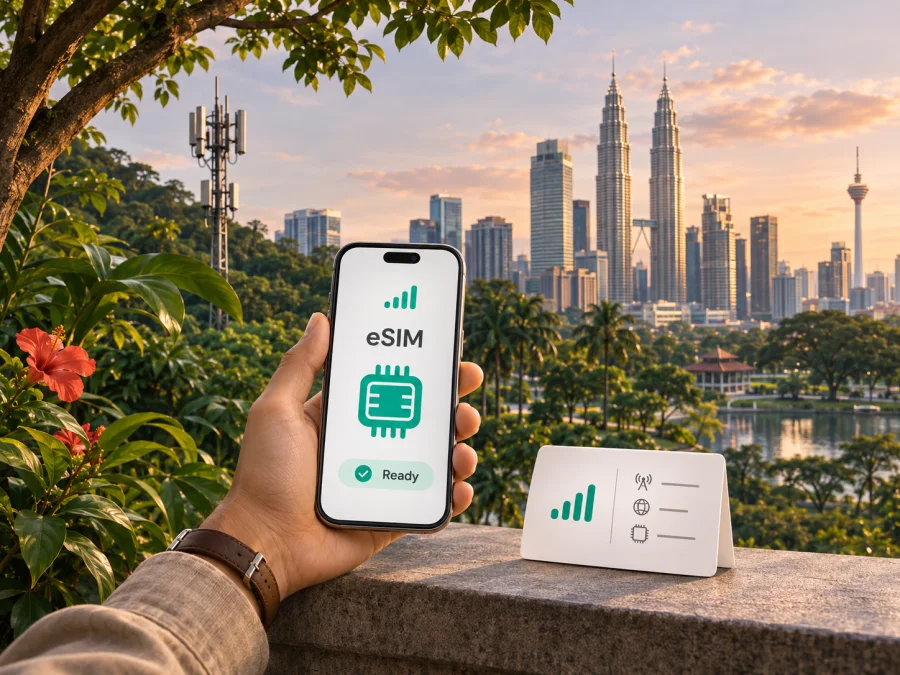
XOX eSIM in Malaysia: availability, activation and travel checks
Considering an XOX eSIM in Malaysia? Check device and regional-variant support, eligibility for the service you want and the activation steps. XOX describes eSIM signup on its official site. A local Malaysian subscription is different from a travel eSIM for data on a trip.
Details can change, so confirm eligibility and current terms with XOX before applying. This guide was checked on 2 November 2026 against XOX’s eSIM page and FAQ, general FAQ, postpaid FAQ and 5G terms.
What XOX is in Malaysia
XOX is a Malaysian mobile virtual network operator (MVNO), rather than the owner of a separate nationwide radio network. In its current general FAQ, XOX describes itself as an independent company and says it uses CelcomDigi’s network infrastructure under a commercial partnership to provide mobile services across Malaysia. That identifies the network relationship; it does not mean that XOX and CelcomDigi are the same company, nor does it guarantee identical service in every location, device or plan.
For a visitor, the useful distinction is between the service provider shown on the subscription and the underlying network infrastructure used to carry the connection. Account registration, support, billing, service rules and eSIM replacement are handled under XOX’s terms. Actual mobile access still depends on the relevant coverage area, the subscription’s eligibility and provisioning, the handset and local network conditions.
XOX’s current public pages present eSIM as an option for mobile subscriptions, including prepaid and postpaid categories. They also describe buying a new line and, where eligible, moving an existing number to XOX. This confirms that XOX eSIM is a real local product offering; it does not establish that every plan, customer type or device can use it. Avoid assuming that an eSIM option shown for a local customer is automatically a visitor or tourist product.
Is XOX eSIM suitable for a trip to Malaysia?
An XOX eSIM may suit you if you want a Malaysian mobile subscription and meet XOX’s registration requirements. The embedded profile replaces a removable SIM for that line. Service conditions, including data, calls, validity and account requirements, depend on the selected service; this article does not list or compare plan parameters.
A travel eSIM has a different purpose: it is typically selected for data in a destination or route. Its coverage, voice capability and activation conditions follow its own terms. Do not assume it includes a Malaysian phone number, or that an XOX domestic subscription works abroad as a local service.
XOX has a separate Travel eSIM section on its official site. Check its current destinations, purchase rules and activation steps directly with XOX; the section does not make a local Malaysian eSIM a universal travel profile.
| Situation | What to verify |
|---|---|
| Short visit to Malaysia | Whether XOX accepts your passport and account type for a new local eSIM. |
| Existing XOX subscriber | Whether your line can be converted or replaced and your device is eligible. |
| Keeping another number | Current mobile number portability requirements and approval. |
| Trip data only | Destination, data-only status, activation timing and support for a travel eSIM. |
| Travel onward | Whether service applies outside Malaysia; domestic coverage is not international access. |
XOX eSIM availability and signup
XOX’s official eSIM page describes an online flow: choose an eligible service, complete signup or number transfer, receive a QR code by email and add the profile in phone settings. Its eSIM FAQ separates line activation from profile installation and explains that the steps depend on the application route. Follow the latest instructions sent with your order.
The FAQ also covers existing customers switching a physical SIM or replacing an eSIM, including when moving to another device. XOX says the QR code is for one scan and directs customers to its replacement process if a profile is deleted or a device changes. Keep the activation email and confirm recovery steps before removing a working profile.
Visitor eligibility needs a separate check
XOX’s postpaid FAQ says non-Malaysian postpaid applicants need a valid passport with at least six months remaining and a bank account at a Malaysian-registered bank. This is a postpaid requirement; it should not be applied to every prepaid product or eSIM signup. The public information reviewed does not establish that every short-term visitor can register.
Before relying on an XOX line for arrival, ask which service categories accept foreign passport holders, what identity and payment details are required, whether signup can be completed online, and whether activation is possible before arrival. XOX describes both online/app-based steps and authorized outlet routes in different contexts, so confirm which applies to you. Do not assume a passport alone is sufficient.
Coverage and mobile technologies
XOX’s general FAQ describes nationwide service through its partnership with CelcomDigi infrastructure. “Nationwide” is a description of the operator’s footprint, not a promise of uninterrupted signal in every town, building, road, island or rural area. Reception can vary with terrain, indoor construction, congestion, maintenance, handset bands and other local conditions. Before a trip that depends on connectivity in a specific place, check current coverage information with XOX and plan for periods without a usable signal.
XOX’s public materials refer to 4G LTE and 5G service. Its 5G terms say a compatible device and an area with 5G coverage are required, and that service is limited to certain regions in Malaysia. The terms also point customers to the national 5G coverage map. A 5G-capable phone alone does not guarantee a 5G connection: the line must be eligible and provisioned, the device configuration must be suitable, and the location must have coverage. Where those conditions are not met, the phone may use another available network technology.
When reviewing technical information, keep three separate questions in view: whether the phone supports eSIM, whether its radio hardware supports the network bands and technology used in Malaysia, and whether XOX provisions the requested service for that device and account. These are related but not interchangeable. A device can support eSIM but lack the right carrier configuration, and 5G support does not prove that eSIM registration is available in every regional version.
Do not use a nationwide coverage label or a map as a guarantee of indoor reception at a hotel, basement, airport terminal or remote route. For a multi-stop itinerary, identify the places where you need data most—arrival transport, accommodation, navigation or work—and verify the operator’s current coverage information for those locations. If you will cross into another country, check international roaming separately; Malaysian domestic coverage does not describe service abroad.
Check your phone and its regional variant
eSIM support depends on the exact phone model and sometimes on where that model was sold. Product names can cover variants with different SIM hardware or software restrictions. A model name alone is not enough to confirm compatibility, and a phone that supports eSIM in one market may differ from another regional version. XOX’s published eSIM FAQ has device-related guidance, but support lists and handset software change over time.
Before signup, check the exact model number printed in the device settings or on its packaging, not just the marketing name. On many phones, you can look in the mobile network or SIM settings for an option such as “Add eSIM” or “Add mobile plan.” The menu name differs by operating-system version and manufacturer. If the option is absent, confirm with the device maker or seller whether the regional variant supports eSIM; do not infer support from a similar model sold elsewhere.
Also check that the phone is not locked to another carrier and that it can connect to a Wi-Fi network or other internet source during profile installation. An eSIM-capable handset may still be unable to use a subscription if it is carrier-locked, has a disabled eSIM feature, or cannot complete the operator’s activation checks. Check device compatibility before committing to a signup: review the eSIM device compatibility guide.
Before you begin
- Confirm the manufacturer’s eSIM support for the exact regional model and operating-system version.
- Check that the device is unlocked and can use a Malaysian mobile service.
- Ask XOX whether the chosen service category supports eSIM for your account type.
- Confirm what identity and payment details are needed for your application.
- Make sure you can access the email account used for signup and activation.
- Keep a stable internet connection available while adding the eSIM profile.
- Read the current terms for activation, replacement, number transfer and use outside Malaysia.
- Keep access to your existing SIM until the new profile is confirmed working.
How XOX eSIM setup works
XOX’s eSIM page describes QR-code delivery, while its FAQ describes line activation followed by profile installation. Follow the current messages for your order; the exact sequence may depend on the service and signup route.
- Check eligibility and compatibility. Confirm that your account can use eSIM and that the exact phone variant supports it.
- Complete signup or replacement. For a number transfer, wait for XOX’s approval before expecting service.
- Read the activation instructions. Complete any line activation step before installing the profile.
- Connect to the internet. Keep Wi-Fi available while adding the eSIM.
- Open mobile network settings. Choose the option to add an eSIM or mobile plan; labels vary by device.
- Scan the QR code once. XOX says its code is available for one scan. Use it only on the intended phone.
- Wait for provisioning and test service. An installed profile does not by itself confirm that activation or number transfer is complete.
On iPhone, look in Settings under the cellular or mobile data section for adding an eSIM. On Android, the option may be under Network & Internet, Connections or SIM manager. Menu paths vary by software version and manufacturer; use the phone maker’s instructions if the labels differ.
XOX’s FAQ says manual SM-DP+ and activation details may be used if a QR scan fails. Use only the details issued for your account. If installation fails, check the email and internet connection, then contact XOX before deleting the profile or requesting a replacement.
XOX local eSIM or a travel eSIM?
The right format depends on the service you need, your eligibility and how long you will use it. A local XOX eSIM connects you to an XOX account and its applicable Malaysian service conditions. It may be relevant if you need a local subscription or want to manage an existing XOX number digitally. A travel eSIM is commonly chosen for a particular journey and can be set up separately from the home SIM, but the available destinations and data conditions vary by provider.
Compare the service structure rather than relying on the word “eSIM.” Check whether you need a Malaysian number, whether voice and SMS are important, whether data is sufficient, how long the service is intended to be used, and whether you can meet local signup requirements. For a route beyond Malaysia, verify the actual included destinations. Do not infer that domestic XOX coverage or a Malaysia travel listing includes neighboring countries.
Kaspersky eSIM Store is an app and website that helps travelers choose, purchase and activate an eSIM with a plan for mobile internet abroad. It is not a mobile operator, does not own a network and does not provide mobile internet coverage. A traveler who does not need a local Malaysian phone number can browse current eSIM options for Malaysia and check the destination and conditions shown there. This is a destination page for browsing current travel eSIM options, not a statement about XOX’s local service or a specific XOX tariff.
If you use a data-only travel eSIM, keep your usual number available for calls or messages only if your home service and device allow it, and check roaming charges with your home operator. The travel eSIM’s terms determine supported destinations, data access and any need to enable data roaming. Check those details before purchase; a local operator’s service conditions cannot be applied to a separate travel eSIM.
Troubleshooting before and during the trip
If the profile installs but service does not work, first confirm that the XOX line or number transfer is active; installation and account activation are separate steps. Then check that the eSIM is switched on, selected for mobile data, and in a location with service. Restart the phone and review the current XOX network or APN instructions if needed. Enable data roaming for the XOX line only if XOX requires it.
If the QR code has already been scanned or the profile was deleted, do not keep trying to reuse it. XOX’s FAQ says the code is for one scan and directs customers to its eSIM replacement process for recovery or a device change. Contact XOX through its current support channels before requesting a new profile.
If 5G is unavailable, check device support, line provisioning, network settings and local coverage. XOX’s terms describe 5G availability as limited to certain regions and dependent on coverage. A 5G-capable phone does not guarantee a 5G connection at a particular address.
Questions travellers often ask
Does XOX offer eSIM in Malaysia?
Yes. XOX’s official eSIM page and FAQ describe eSIM signup, installation and replacement for eligible services. Confirm availability for your account type and exact device variant.
Can a tourist register for XOX eSIM?
The public information reviewed does not establish a universal tourist eSIM route. XOX’s postpaid FAQ lists passport and Malaysian bank-account requirements for non-Malaysian postpaid applicants; it does not establish the requirements for every prepaid service. Ask XOX what applies to your intended signup.
Can I install the profile before arriving?
XOX describes online signup and QR-code delivery, but remote registration and activation depend on the service and verification process. Confirm timing with XOX and keep another way to get online during arrival.
Will XOX eSIM work with every eSIM phone or guarantee 5G?
No. Regional variants, carrier locks, device compatibility, service provisioning and local coverage matter. XOX’s terms make 5G conditional on a compatible device and coverage area, and say availability is limited to certain regions.
Is XOX eSIM the same as a travel eSIM?
No. XOX eSIM is a profile for an eligible XOX service. A travel eSIM is selected for data in a destination or route under a separate provider’s terms. Check whether you need a local number, data-only access or service beyond Malaysia.
Before you choose
XOX confirms that it offers eSIM for eligible mobile services in Malaysia and publishes steps for signup, activation and profile installation. Its general FAQ identifies its network arrangement with CelcomDigi, while its 5G terms make technology access dependent on coverage, device compatibility and provisioning. These facts help describe the service but do not settle the eligibility of every visitor or every regional handset version.
Before you travel, verify your signup category, identity requirements, exact device model, activation timing and intended coverage with XOX. If you need only trip data and do not require a Malaysian number, compare the conditions of a travel eSIM for Malaysia. Kaspersky eSIM Store can help you browse current eSIM options for Malaysia for a trip; check the destination and current terms shown before choosing.
XOX and related names are trademarks of their respective owners. Kaspersky eSIM Store is not affiliated with, endorsed by or an official partner of XOX. Operator eligibility, activation procedures, network technologies and coverage information may change; confirm current details with XOX before applying.


