Travel connectivity guide
Yaren eSIM: Mobile Internet in Nauru
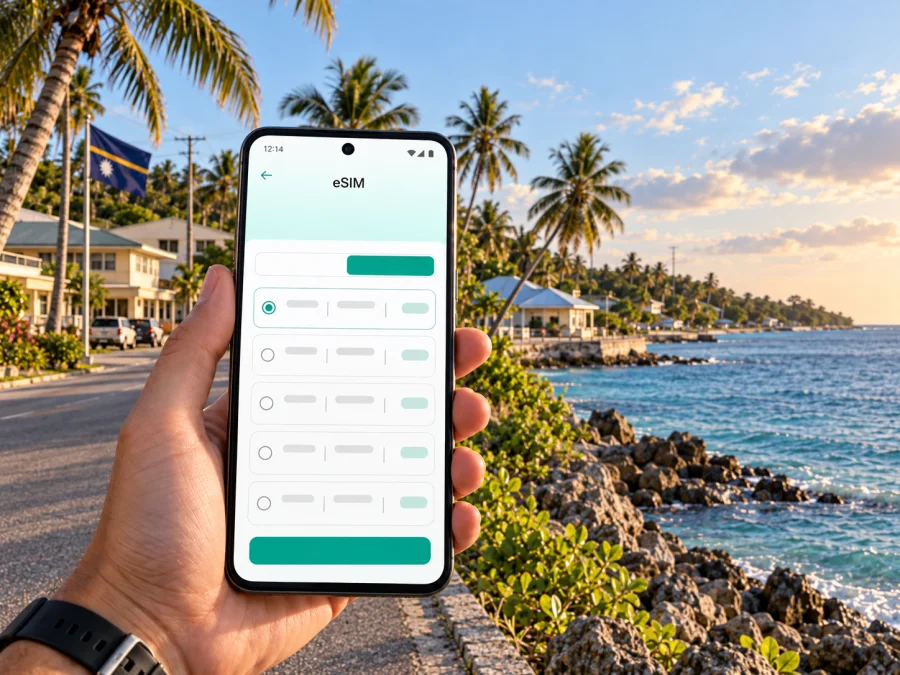
Yaren eSIM: mobile connection and internet for your visit
Yaren is the administrative heart of Nauru, where arriving travellers get their first bearings and many practical errands begin. It is a district on a compact island, not a sprawling city with a metro map or a grid of neighbourhoods. That changes the way you plan a connected visit: you may need mobile data for an airport pickup, a hotel address, a meeting, a message to your host, or directions along the coastal road, while the places you want to reach can be spread around the island.
An eSIM can help you prepare for those first steps without handling a physical SIM card after landing. Kaspersky eSIM Store is an app and website where you can choose, arrange and activate an eSIM with a suitable data plan for an international trip. Before you travel, check that the plan covers Nauru, the validity matches your dates, and your phone supports eSIM. Coverage and service depend on the plan and its partner network; check the plan details for the conditions that apply to your stay.
What makes staying connected in Yaren different
Yaren is often described as Nauru’s capital, but the more precise description is that it is the country’s de facto administrative centre. Nauru has no officially designated capital city; parliament and government offices are located in Yaren District. Nauru International Airport is also in Yaren, so the district is a natural starting point for a visit even if your accommodation or appointments are elsewhere on the island.
The scale is different from a typical capital-city trip. Rather than planning around several transit lines, you will want to know the address of each stop, how you will travel between them, and who to contact if plans change. Save the airport, accommodation, meeting place and any pickup point before departure. A mobile connection can help you check a route, share your arrival time and reach a local contact, but it does not replace confirming arrangements with your host or transport provider.
Yaren sits on Nauru’s southern coast. Its airport and administrative role make the district a useful reference point, but your itinerary may also take you to other coastal districts or inland sights. Think of connectivity as support for a small-island itinerary: finding the right turn, confirming a transfer, checking a booking, or letting someone know that you have arrived. A large bundle of data is not automatically necessary; your likely use matters more than the size of the destination on a map.
The first hour after landing
On arrival at Nauru International Airport, the most useful information is usually simple: who is meeting you, where you are staying, and how to reach them. Keep those details available offline as well as in your messages. If your plan is to meet a driver or host, agree on a meeting point before the flight and save the contact number in the format you normally use. A working data connection can make it easier to send an update if a flight is delayed or a meeting point changes, subject to the service available for your eSIM plan.
Before leaving the terminal area, check that you can open the accommodation address and see the name as your host wrote it. Map labels, local directions and booking descriptions do not always use the same wording. If the location pin looks unclear, ask your host to confirm the nearest recognizable landmark or the best way to describe the entrance. For a short stay, one accurate address and a reachable local contact are often more useful than a long list of saved points.
Use this arrival checklist:
- Save your accommodation address, booking reference and host or reception contact.
- Agree in advance whether someone will meet you or whether you should arrange transport after landing.
- Keep essential details accessible without mobile data, such as a screenshot or a note.
- Check which SIM profile is selected for mobile data once you are ready to use the eSIM.
- Send a short arrival message when you have a connection, rather than assuming that another person can see your flight status.
Moving around Yaren and the island
Yaren does not work like a large urban centre where visitors can rely on frequent trains or a dense network of marked stops. Arrange transport around the specific trip you need to make. Your accommodation or meeting contact can advise on local options and timing; confirm a ride before setting off, especially if you have a fixed appointment. Keep the destination name and contact details available so you can clarify the drop-off point if needed.
Nauru has a coastal road linking the island’s districts, and visitors often plan journeys as a sequence of stops around that loop. Yaren is one anchor for those plans because the airport and government offices are there. For a drive that begins in the district, add each intended stop to your notes, check how you will return, and agree whether a driver will wait or come back at a set time. Do not rely on a map estimate alone: conditions, stops and local arrangements can affect the actual journey.
Mobile data can be useful while navigating, but preparation makes it more dependable. Before departure, save a map area if your map app supports offline access. Keep a written list of stop names and addresses, and share the day’s plan with your driver or host. If mobile data drops, an offline map and a clear destination note give you something to work with until you can reconnect. Follow local directions when they differ from a map pin, and ask before entering private or restricted property.
| Before the trip | What to prepare |
|---|---|
| Airport pickup | A confirmed meeting point, contact name and phone number |
| Hotel or guesthouse | The written address, booking details and check-in instructions |
| Government or business visit | The office name, appointment time and a contact who can confirm the entrance |
| Island outing | A stop list, return arrangement, water and offline directions |
| Change of plan | Enough data for a message or call through an internet-based app, if available |
Choosing an eSIM plan for Yaren
Choose a plan for the whole Nauru itinerary, not just the hours you expect to spend in Yaren. Consider how long you will stay, how often you need maps and messages, whether you will upload photos, and whether your accommodation offers another way to connect. Check the plan’s country coverage, data allowance, validity period and any activation or data-roaming instructions before purchase. The available options and terms can change, so use the current plan details for your dates.
A simple estimate helps avoid choosing by guesswork. List the activities for which you expect to use mobile data, then choose an allowance that suits your habits and leave room for changes. Messaging and basic map checks generally use less data than frequent video calls or uploading large files. If you intend to work online, decide whether you can send large documents over a hotel connection and reserve mobile data for navigation, messages and urgent tasks. These are planning guidelines, not a promise of speed or coverage.
To review options for the destination, choose an eSIM plan for Nauru and read the terms shown for each plan. Confirm that the validity begins at a time that suits your trip, and understand whether installation and activation are separate steps. If you are visiting other countries before or after Nauru, check that the selected plan’s coverage matches the complete route; a Nauru plan should not be assumed to cover a different destination.
A data eSIM is designed for mobile internet. Unless the specific plan says otherwise, it does not include a regular phone number, standard voice calls or SMS. You can use internet-based messaging or calling apps when you have a suitable connection and the people you need to reach use compatible services. Keep another way to make essential local calls in mind, and confirm how your hotel, driver or business contact prefers to communicate.
Prepare your phone before travel
Check your device before you buy or install an eSIM. Make sure it supports eSIM and is not locked to a mobile operator in a way that prevents adding another profile. Device models and regional versions can differ, so use the manufacturer’s information or your operator’s account settings if you are unsure. Check whether your device supports eSIM before completing your selection.
Install the profile while you have a reliable internet connection and enough time to follow the on-screen steps. Keep access to the email or account containing the installation details, and do not delete an eSIM profile unless you understand the consequences and the plan’s instructions. Some profiles are intended for one installation or have specific reinstallation rules. Read the information provided with your plan and save it somewhere you can reach while travelling.
If you want to set up the profile before departure, follow the steps for your device: eSIM installation instructions for Android or eSIM installation instructions for iOS. The exact menu labels can vary with the operating system version and manufacturer. Use the instructions supplied for your phone and the plan rather than relying on a generic screenshot from another device.
A practical preparation sequence is:
- Check compatibility. Confirm that your phone supports eSIM and can accept another profile.
- Review the plan. Verify Nauru coverage, validity, allowance and any activation conditions.
- Install the profile. Use a stable connection and follow the instructions for your operating system.
- Label the line. Give the travel eSIM a clear name so it is easy to identify in mobile settings.
- Choose data settings. Select the intended eSIM for mobile data when you are ready to use it; keep your usual line’s voice settings as needed.
- Check roaming guidance. Enable data roaming for the travel eSIM only if the plan’s instructions say it is required.
- Keep the details. Save the plan instructions and support information where you can access them offline.
Installing an eSIM does not always mean that its data service should start immediately. Plan rules vary, so check when validity begins and when you should enable the profile or data roaming. If you install before the trip, you can leave the travel line turned off until you are ready, provided the plan instructions allow this. At arrival, select the eSIM for mobile data and allow time for registration. If service does not appear, review the plan’s troubleshooting steps and device settings before repeatedly changing profiles.
Frequently asked questions
Is Yaren the capital of Nauru?
Yaren is Nauru’s de facto administrative centre, although the country has no officially designated capital city.
Is an eSIM useful if I am staying in Yaren only briefly?
It can be useful if you need mobile data for arrival messages, a pickup, directions or schedule changes. Consider the length of your visit and your expected use, then check the plan’s coverage, validity and data allowance. Keep essential addresses and contacts offline as a backup.
Will I have service everywhere in Yaren or around Nauru?
No plan should be treated as a guarantee of service at every spot. Availability depends on the plan and its partner network, the local network, your device and your exact location. Review the plan terms and keep offline directions and contact details.
Does the eSIM include a phone number for calls and SMS?
Usually, a travel data eSIM is for mobile internet and does not include a standard phone number, calls or SMS unless the plan details explicitly say otherwise. Internet-based messaging and calling apps may work when you have an appropriate connection.
Should I install the eSIM before I arrive?
You can install it before the trip if the plan instructions allow it and you have a reliable internet connection. Check when validity begins and whether you should leave the profile off until arrival. Keep the installation details available and follow the instructions for your device.
What if my phone cannot connect after landing?
Check that the eSIM profile is enabled and selected for mobile data, then review the plan’s activation and roaming instructions. Give the phone time to register and follow the provided troubleshooting steps. Use Wi-Fi if available to contact support, and avoid deleting the profile unless instructed.
A simple Yaren connection checklist
Before you leave, confirm these essentials:
- Your eSIM-enabled device is not operator-locked.
- The selected plan covers Nauru and fits the dates of your stay.
- You understand when validity begins and whether data roaming is required.
- Your airport pickup, accommodation and appointment details are saved offline.
- You have checked how to reach a local contact if the plan is not connected.
- Important documents, routes and instructions are available without mobile data.
Yaren is a practical starting point for Nauru, with the airport and administrative services close to the centre of the visit. A little preparation turns mobile data into a useful travel tool: it can support navigation, communication and a change of plan while you move between the airport, your accommodation and the rest of the island. Kaspersky eSIM Store helps you choose, arrange and activate an eSIM with a suitable plan for an international trip.
Choose a plan for your trip
Review the current conditions for your dates, then choose an eSIM plan for Nauru before you travel. Check your device, keep your arrival details offline and follow the installation instructions so you can focus on the practical parts of your visit to Yaren.


