
Travel connectivity guide
eSIM for Yemen: mobile internet for travel
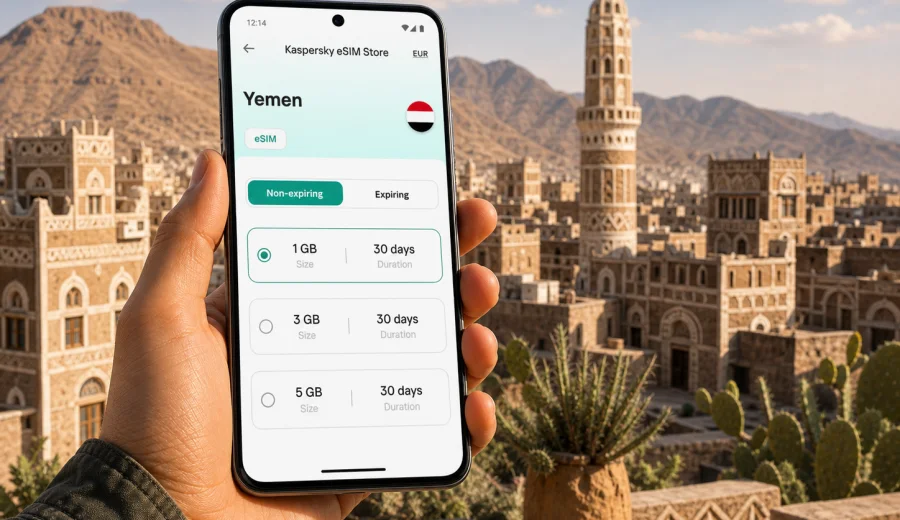
eSIM for Yemen: mobile connection and internet for your trip
Yemen is a destination where mobile internet planning deserves more attention than a last-minute decision at the airport. Whether you are travelling for family reasons, work, humanitarian coordination, journalism, research, or a route that includes several stops in the region, you need a realistic way to use maps, messages, bookings, email, and translation tools without depending only on public Wi-Fi or a physical SIM card.
An eSIM can help you prepare mobile internet for Yemen before you travel. It is a digital SIM profile installed on a compatible phone or tablet, so you do not need to remove your regular SIM card or look for a local SIM shop immediately after arrival. With Kaspersky eSIM Store, you can choose the destination, review the data allowance and validity period, then install and activate an eSIM plan for mobile data on a compatible device.
This guide focuses on Yemen as a country, not only on one city. It covers arrival scenarios, movement between places such as Sana'a, Aden, Taiz, Mukalla, and coastal or highland areas, plus the practical checks you should make before choosing an eSIM plan.
Why mobile internet planning matters in Yemen
In some countries, a traveller can arrive, open a rideshare app, connect to airport Wi-Fi, and solve connectivity later. Yemen requires a more careful approach. Local conditions, transport arrangements, hotel infrastructure, power availability, and network access can vary by area and by day. A prepared data option does not remove every risk, but it helps you start the trip with fewer unknowns.
For most visitors, mobile data is useful for:
- contacting hosts, colleagues, drivers, or local coordinators after arrival;
- checking maps and saved routes when moving between cities or districts;
- receiving flight, hotel, ferry, or ground transport updates;
- using messaging apps for voice calls and texts over the internet;
- translating short messages, addresses, and instructions;
- accessing email, cloud documents, and travel confirmations;
- sharing location with trusted contacts when appropriate.
The key point is control. When you prepare an eSIM before departure, you can see the plan conditions in advance: destination, data allowance, validity period, and price. You still need to check your device and the terms of the selected plan, but you avoid making the entire mobile internet decision under pressure after landing.
What an eSIM does and does not include
An eSIM for travel is mainly a mobile data tool. It is not the same as a full local mobile subscription, and it usually does not include a regular phone number, voice calls, or SMS unless the specific plan says otherwise. For many travellers, that is acceptable because maps, email, messaging apps, hotel chats, and work tools all run over mobile internet.
Use this quick comparison before deciding how you want to stay connected:
| Option | What it can be good for | What to check |
|---|---|---|
| Travel eSIM | Mobile internet without a physical SIM card, prepared before the trip | Device compatibility, data allowance, validity, activation rules |
| Standard roaming | Keeping your usual number active while abroad | Roaming prices, daily fees, data limits, operator conditions |
| Local physical SIM | Longer stays when local registration and shop access are practical | Availability, documents, language, opening hours, device SIM slots |
| Public Wi-Fi | Occasional use in hotels, offices, or cafes | Reliability, security, speed, login requirements |
For Yemen, the strongest practical reason to consider an eSIM is not only convenience. It is the ability to make the mobile internet part of your trip plan before you are dealing with baggage, transport, time differences, local arrangements, or limited Wi-Fi access.
Where an eSIM can help during a Yemen trip
Yemen travel is rarely a single simple path. A visitor might enter through an airport, move to a hotel or office, continue by road, or coordinate with local contacts before each transfer. Mobile internet can support these steps in different ways.
Arrival and first connection
The first hour after arrival is often when mobile data matters most. You may need to message a driver, confirm a pickup point, check a saved address, or tell someone you have landed. If you already installed an eSIM profile, you can switch mobile data to that line once the plan is ready to use and local network conditions allow connection.
City movement and local coordination
In Sana'a, Aden, Taiz, Mukalla, and other urban areas, you may use mobile internet for directions, location sharing, translation, messaging, and checking opening hours or meeting details. Coverage and performance can differ by area, so offline maps and saved documents are still worth preparing.
Regional routes
If your itinerary includes movement between governorates or along coastal and mountain routes, treat mobile data as part of your travel safety and coordination plan. Download key information in advance, keep essential phone numbers available offline, and avoid assuming that any one connection method will work continuously along the whole route.
Work and field tasks
Business travellers, media teams, aid workers, researchers, and consultants often need access to email, documents, authentication apps, and secure communication channels. An eSIM can be a useful data option, but it should be combined with realistic offline preparation and any security procedures required by your organisation.
How much data to choose for Yemen
There is no universal amount of data for every Yemen trip. The right plan depends on trip length, how often you use maps, whether you upload photos or files, and how much Wi-Fi you expect to use at your accommodation or workplace.
Use this practical estimate:
| Trip style | Typical mobile internet use | Plan approach |
|---|---|---|
| Short essential trip | Messaging, maps, email, transport coordination | Choose a modest data allowance with enough validity for the full stay |
| Business or coordination trip | Email, cloud files, calls through apps, maps | Choose more data and monitor usage daily |
| Longer visit | Frequent messaging, navigation, uploads, app updates | Consider a larger plan or a plan that can be topped up if available |
| Multi-country route | Yemen plus another country in the region | Compare country and regional options before buying |
To reduce data use, download offline maps, keep boarding passes and booking details saved on your phone, disable automatic app updates on mobile data, and send compressed media when possible. Video calls, cloud backups, and large file uploads can use data quickly, so reserve them for trusted Wi-Fi when available.
What to check before buying an eSIM plan
Before you choose any travel eSIM, make these checks. They are especially important when you are going to a destination where solving phone issues after arrival may take time.
- Confirm that your phone or tablet supports eSIM.
- Make sure the device is not locked to one mobile operator.
- Check that your operating system is up to date enough to install an eSIM profile.
- Review the plan destination, data allowance, validity period, and activation rules.
- Check whether the plan is data-only or includes any additional services.
- Keep a stable internet connection available for the installation step.
- Save the QR code or installation details where you can access them if needed.
- Keep your regular SIM active if you need to receive bank, airline, or account verification messages.
If you are not sure whether your phone supports eSIM, use the compatibility check before you choose a plan: check your device. Device support can differ by model, country of purchase, and operator lock status.
How to choose an eSIM plan for Yemen
Start with the actual task your phone must handle. A person who only needs messages and maps for a few days can choose differently from someone who needs daily video calls, file uploads, and work authentication.
Follow this order:
1. Choose Yemen as the destination.
2. Match the validity period to your full travel dates, including arrival and departure days.
3. Estimate data use based on maps, messages, calls through apps, email, and uploads.
4. Read the plan conditions before payment.
5. Install the eSIM while you still have a reliable internet connection.
6. Keep instructions and backup contact details available offline.
If you want to review available options before departure, you can choose an eSIM plan for a trip to Yemen in Kaspersky eSIM Store and compare the available data allowances and validity periods for your travel dates.
Installing and activating your eSIM
The exact installation flow depends on your device, but the general idea is simple: choose a plan, add the eSIM profile to your compatible phone, then select that profile for mobile data when you are ready to use it. Do not delete an eSIM profile after installation unless you are sure you no longer need it; in many cases, a deleted profile cannot simply be reinstalled on another device.
For step-by-step setup, use the relevant guide: Android installation guide or iOS installation guide. Keep your phone connected to Wi-Fi or another internet source during installation, because the device may need to download and register the eSIM profile.
A practical setup sequence looks like this:
1. Check that the phone supports eSIM and is not operator-locked.
2. Choose the Yemen plan with the data amount and validity period you need.
3. Install the eSIM using the instructions shown after purchase.
4. Name the line clearly, for example "Yemen data", so it is easy to identify.
5. Keep your usual SIM for calls or SMS if you need it.
6. Set the eSIM line as the mobile data line when you want to use the plan.
7. Turn on data roaming for the eSIM if the instructions or device settings require it.
8. Wait a few minutes for the device to register on an available local network.
If the eSIM does not connect immediately, check that mobile data is assigned to the eSIM profile, airplane mode is off, data roaming is set as required, and the plan has already reached its activation conditions. Network registration can take a few minutes and depends on the device and local network availability.
Yemen travel scenarios and data priorities
Different travellers need different mobile internet habits. Use these examples to choose more carefully.
Short visit with fixed contacts
If a local host or organisation handles transport and accommodation, your data needs may be moderate. Prioritise messaging apps, maps, email, and saved documents. Download addresses and key instructions before departure so you do not depend on live data for everything.
Work trip with changing plans
If your schedule may change during the day, choose a plan with enough data for email, cloud access, app-based calls, and document sharing. Avoid running system updates, high-resolution backups, or long video meetings on mobile data unless your plan comfortably supports that use.
Family or personal visit
If staying in touch is the main need, mobile data for messaging and voice calls through apps may be enough. Keep your primary SIM available for important SMS codes if your bank, airline, or account services still rely on your regular phone number.
Regional route
If Yemen is part of a wider route through the Middle East or nearby countries, compare whether a country plan or a regional option better matches your itinerary. The best choice depends on where you will actually use data and how long you stay in each destination.
Practical preparation checklist
Use this checklist a few days before departure:
- Install important app updates while still on home Wi-Fi.
- Download offline maps for cities and routes you expect to use.
- Save hotel, office, driver, and host details offline.
- Keep copies of tickets, permits, bookings, and insurance documents on the device.
- Check whether your phone supports dual SIM mode with your regular SIM and an eSIM.
- Decide which line will handle mobile data and which line will handle calls or SMS.
- Turn off automatic cloud backup on mobile data if your plan is limited.
- Share your itinerary with trusted contacts before you travel.
- Keep a power bank available, because mobile navigation and weak signal areas can use battery faster.
The goal is not to make your phone the only source of essential information. The goal is to make mobile internet useful while still having offline backups for the moments when coverage, battery, or Wi-Fi is not available.
Common mistakes to avoid
Many eSIM issues are avoidable. Watch for these before and during your trip:
- Buying a plan before checking device compatibility.
- Installing the eSIM on the wrong device.
- Deleting the eSIM profile after installation.
- Expecting a data-only eSIM to provide a local phone number.
- Forgetting to switch mobile data from the regular SIM to the eSIM.
- Leaving data roaming off when the eSIM instructions require it.
- Using video, cloud backup, or app updates without monitoring data use.
- Waiting until arrival to read installation instructions for the first time.
If you are travelling with a second phone, work device, or tablet, check each device separately. eSIM support on one model does not guarantee support on every device you carry.
Quick answers about eSIM in Yemen
Is an eSIM useful for Yemen?
It can be useful if you want mobile internet without searching for a physical SIM card immediately after arrival. You still need a compatible, unlocked device and a plan that matches Yemen and your travel dates.
Does an eSIM replace roaming?
It can be an alternative to standard roaming for mobile data, but it does not automatically replace every function of your home SIM. Keep your regular SIM active if you need calls, SMS, or verification codes.
Can I make calls with a travel eSIM?
Most travel eSIM plans are focused on mobile data. You can usually use internet-based calling and messaging apps, but standard voice calls and SMS are not included unless the selected plan explicitly says so.
When should I install the eSIM?
Install it before departure while you have reliable internet access, unless the plan instructions say to wait. Activation and validity rules depend on the selected plan, so read them before travelling.
What if I need help during setup?
Check the installation guide for your device first. If the eSIM still does not activate, contact support and include your device model, operating system, plan details, and the step where the issue appears.
Will mobile internet work the same in every part of Yemen?
No mobile data option should be treated as identical in every location. Coverage, speed, and availability can vary by area, local network conditions, device settings, and the selected plan.
Final preparation before you travel
For Yemen, a good mobile internet plan is practical and cautious: choose a suitable data allowance, install the eSIM while you have stable internet, save key details offline, and keep your regular SIM available for services that still need your usual number.
Kaspersky eSIM Store helps you choose, install, and activate an eSIM with a suitable data plan for an international trip. Before you depart, choose an eSIM plan for Yemen, check your device compatibility, and keep the setup instructions available so your phone is ready when you need mobile internet abroad.