Travel connectivity guide
Yes eSIM in Malaysia: what to check
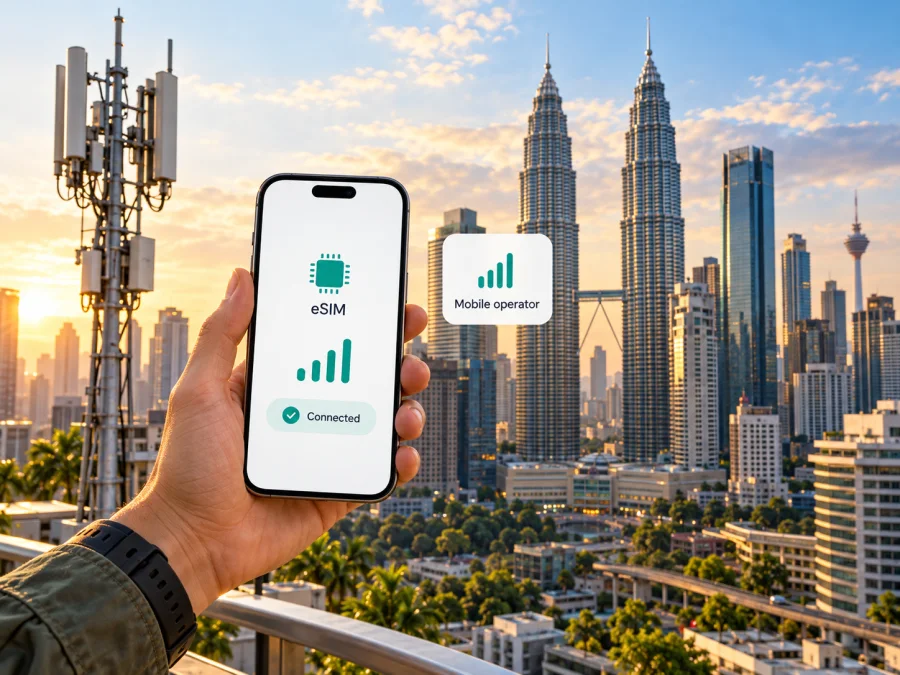
Yes eSIM in Malaysia: activation, coverage and travel options
If you are travelling to Malaysia or staying there temporarily, the question is not only whether a phone supports eSIM. You also need to know what Yes requires for a new line, where you can complete activation, whether the exact device variant is accepted, and how local service differs from an eSIM intended for travel data. Yes’s current website confirms that the operator offers eSIM for supported devices and describes app-based activation. Its prepaid page states that, effective 26 August 2026, non-Malaysian customers must visit a Yes Store to complete SIM activation. These details make it important to check the route that applies to your situation before relying on an online-only setup.
This guide summarizes the public information available on 1 November 2026. It explains how to assess Yes eSIM in Malaysia without assuming that every traveller, phone, or location has the same experience. Yes and its eSIM service are operated by YTL Communications Sdn Bhd. Kaspersky eSIM Store is not affiliated with Yes or YTL Communications.
What Yes eSIM means for a visitor
Yes is a mobile network brand in Malaysia operated by YTL Communications Sdn Bhd. The operator’s official eSIM page describes eSIM as a digital SIM profile and confirms that eligible users can select eSIM when signing up for Yes prepaid or postpaid mobile service. Yes also lists channels for obtaining an eSIM, including its online store, the MyYes app, Yes Stores and authorized dealers. These are local operator services: the eSIM profile is intended to connect a customer to Yes service under the operator’s applicable terms.
For a visitor, the practical point is that eSIM availability does not automatically mean that the whole signup can be completed remotely. Yes’s prepaid page states that, effective 26 August 2026, non-Malaysians must visit a Yes Store to complete SIM activation. The operator’s activation instructions also include identity selection, ID scanning and electronic identity verification. Requirements may depend on the customer type, product, transaction channel and current rules. Before travelling to a store, confirm which identity documents are accepted, whether the selected eSIM can be activated for your status, and whether the store can complete the process on the day.
Yes’s current material describes both prepaid and postpaid service on eSIM, but this article does not list or compare individual offers. Terms, eligibility and procedures can change. Confirm current information directly with Yes through its official site, MyYes app or customer support before purchase. If you need a local number or voice and text services, check the exact service conditions rather than assuming that every eSIM product includes them.
Choosing between a local Yes line and a travel eSIM
A local Yes eSIM and a travel eSIM solve related but different problems. A local line may suit someone who needs a domestic mobile service, wants to keep a Malaysian number, or expects to use the operator’s account and support channels. A travel eSIM is designed for mobile data during a trip and may be simpler for someone who wants to prepare connectivity before arrival, keep a home SIM active, or avoid visiting a retail location. The right choice depends on your destination, length and purpose of stay, need for a local number, device compatibility, identity requirements and the terms of the specific service.
A travel eSIM should not be described as a Yes subscription. It is a separate service with its own supported destinations, network arrangements and terms. Check the destination list and the selected eSIM’s conditions before ordering. If your trip includes several countries, confirm that the same travel profile applies to each part of the route. A country name on a product page alone does not establish where a particular profile will connect or which local network it will use.
A local Yes eSIM may suit someone who needs a Malaysian number or local operator account. A travel eSIM is a separate product designed for mobile data during a trip; confirm the selected service’s destination, features and terms. It does not automatically replace a local line.
Confirm the exact phone before signing up
The eSIM feature has to be supported by the particular device, and the network operator must support that device for its service. A model family name is not always enough. Phones sold under the same commercial name can have different hardware, software, carrier settings or eSIM capabilities depending on the market where they were sold. A device can also be restricted by its original carrier even when its hardware supports eSIM.
Yes maintains a supported-device list on its eSIM page. Check the current list against the complete model designation in your phone settings or on the original packaging. Pay attention to punctuation, suffixes, regional codes and whether the item is a phone or tablet. Do not infer Yes compatibility from a generic eSIM-capable-device list or from another country’s operator page. If the exact regional variant is missing or unclear, ask Yes support to confirm it before completing a purchase. This is especially useful for imported phones and devices bought second-hand.
Also check that the phone is unlocked and that you can add an eSIM profile. On many phones, an “Add eSIM” option appears in the cellular or mobile network settings, but the menu name varies by manufacturer and software version. Its presence is a useful first check, not a guarantee that a specific Yes profile will activate. Keep the operating system and carrier settings current, and make sure the phone can connect to Wi-Fi during setup if mobile service is not yet active.
Check whether your device supports eSIM before selecting a travel eSIM. The compatibility check should use the exact device and regional variant rather than a broad product family. For a Yes line, use the operator’s own supported-device information as well, because device compatibility and network approval are related but separate checks.
Where Yes eSIM can be obtained and activated
Yes describes several official channels for obtaining an eSIM: its online store, the MyYes app, Yes Stores and authorized dealers. The activation flow depends on how the customer signs up. In the online route described by Yes, a new customer selects eSIM during the order process, receives a barcode, uses MyYes to activate the SIM and then installs the profile. In the app route, the customer starts registration in MyYes, selects eSIM as part of the purchase and follows the in-app installation step. A store or authorized dealer may provide a separate assisted process.
These published routes may not all be available to every visitor. Yes’s prepaid information, effective 26 August 2026, says non-Malaysians must complete activation at a Yes Store. Confirm this before relying on online registration or an eSIM barcode, and ask whether the store can verify your document type for the service you want.
Yes’s activation guidance describes selecting and scanning an identity document, completing electronic verification, and installing the profile through MyYes. Carry an accepted document and follow the current instructions. If you are unsure what a visitor can use, confirm with Yes before going to a store.
A practical activation checklist
Before starting, prepare the following:
- A phone whose exact model variant is confirmed on Yes’s current eSIM support information.
- An unlocked device with the latest available system and carrier settings.
- A stable internet connection, preferably Wi-Fi, while downloading and installing the profile.
- The identity document and account information requested through the official activation flow.
- Access to MyYes and to the email address or phone number used during registration.
- Enough time to complete any in-person identity check required for your customer category.
Follow the instructions for your chosen Yes channel. Keep any barcode accessible from another screen if needed, and do not share it. If installation fails, avoid repeatedly deleting or scanning the profile; contact Yes support with the error message.
Installing an eSIM on iPhone
The general iPhone flow is to open Settings, select Mobile Service or Cellular, choose Add eSIM, and follow the on-screen instructions. Depending on the operator’s process, you may scan a QR code, use an app-based installation option, or enter details manually. The exact menu labels depend on the iOS version and region. Yes’s own page gives additional iPhone network-setting guidance and recommends keeping iOS and carrier settings updated for its service. Follow the instructions supplied for your specific Yes activation rather than assuming that every iPhone model uses the same method.
After installation, label the line so it is easy to identify. If you use multiple SIMs, choose which handles data, calls and messages. Change roaming settings only as instructed for that profile.
Installing an eSIM on Android
Android settings vary more across device makers. A common route is Settings, Network & Internet or Connections, then SIMs or SIM manager, followed by Add eSIM or Download a SIM. Use the prompt to scan a QR code or complete the app-based installation. The exact names and availability depend on the Android version, manufacturer, market variant and carrier configuration. Keep MyYes or the relevant eSIM app open only as directed, and do not remove a working profile while troubleshooting unless support tells you to do so.
Once installed, select the correct data line in SIM settings. If calls, texts and data have separate controls, set them deliberately. Follow the provider’s roaming and network-selection instructions, and confirm that the profile has registered before relying on it.
Coverage and technology: check the places you will visit
Yes presents its service as a 5G network in Malaysia and provides an official coverage map. The map page states that its mobile broadband coverage display is based on outdoor street-level computer simulations. It also cautions that device surroundings, obstructions and distance from base stations can affect actual coverage and customer experience. The map is therefore a planning reference, not a promise that service will be available indoors, on every road, or at every point in a destination.
Before choosing a local line, search the Yes map for the specific places on your itinerary: accommodation, work or study locations, transport interchanges and rural stops. A broad view of a city or state may hide differences between neighborhoods and buildings. If consistent access matters, consider asking your host or accommodation about indoor connectivity and identify a backup option for essential tasks. Coverage can change over time, so repeat the check close to departure and consult Yes’s current network notices if you are troubleshooting an outage.
The phone also affects the network experience. Confirm that it supports the frequency bands and technologies used by the service in its sales market, and that the operator accepts the model. Keep in mind that an eSIM-capable phone is not automatically compatible with every 5G network. Software updates and carrier settings can affect registration and calling features. Yes’s eSIM information specifically advises iPhone users to update iOS and carrier settings; for older iPhone configurations it also gives separate VoLTE guidance. Follow the latest advice on Yes’s official device and eSIM pages rather than applying old instructions to a different handset.
A map cannot predict reception in a particular room. Buildings, underground areas, terrain and network load may affect service. Save critical information offline and keep a backup way to get online for time-sensitive tasks.
Plan the connection before arrival
Check the exact device variant, account eligibility and coverage separately: successful installation does not guarantee that a line is eligible or that service will be available at every address. If you need a local number, review Yes’s signup requirements. If you mainly need data for a trip, compare travel eSIM options for your route and read the current conditions. For dual-SIM use, verify how your handset handles multiple lines and choose the data line deliberately.
Kaspersky eSIM Store is an app and website that helps travellers choose, arrange and activate an eSIM with a suitable travel data plan. It is not a mobile operator, does not own a network and does not itself provide mobile internet coverage. Its travel eSIM is not a replacement for a local Yes line when you need a Malaysian number or local operator account. To review a travel option, see eSIM options for Malaysia and read the conditions shown for the particular selection. This country page is a starting point for browsing, not a Yes tariff page.
Frequently asked questions
Does Yes support eSIM in Malaysia?
Yes. Its current eSIM page describes supported devices, ways to obtain the profile and installation through MyYes. Yes also states that prepaid and postpaid mobile service can use eSIM on a supported device. Check the current eligibility and device information with Yes before signing up.
Can a tourist activate a Yes prepaid eSIM online?
Do not assume that online registration completes the whole process. Yes’s published prepaid information says non-Malaysians must visit a Yes Store to complete SIM activation. The operator’s general instructions also include identity verification. Confirm current requirements for your situation and the exact service before relying on remote activation.
Which phones work with Yes eSIM?
Yes publishes a supported-device list on its eSIM page, and the list can change. Match the exact model and regional variant, not just the marketing family name. Also check that the phone is unlocked and has current software and carrier settings. Ask Yes support when your variant is not clearly listed.
Does a Yes eSIM work throughout Malaysia?
No single map can guarantee coverage at every point. Yes provides a coverage map based on outdoor street-level simulations and warns that surroundings and distance from base stations can affect actual service. Check each location on your route and account for indoor or remote areas.
Is a travel eSIM the same as Yes eSIM?
No. Yes eSIM is a local Yes mobile service. A travel eSIM is a separate travel connectivity product with its own provider, coverage arrangements and conditions. It may suit data use during a trip, but it should not be treated as a Yes account or as a source of a Malaysian number unless the product explicitly says so.
Can I keep my home SIM while using an eSIM?
Often, a compatible dual-SIM phone can keep more than one line available, but the number of active lines and their behavior vary by model and regional version. Check the handset instructions. Choose which line handles mobile data and review your home operator’s roaming terms before travel.
Should I install the eSIM before flying?
Follow the instructions for the service you selected. If installation requires an internet connection, download the profile while you have reliable Wi-Fi and keep the QR code or activation details accessible. Do not enable data use earlier than the provider’s stated activation point if timing matters. For a local Yes prepaid service, first confirm whether your customer category must complete activation in a store.
Key points to remember
Yes offers eSIM in Malaysia, but a visitor should check more than the eSIM toggle on a phone. Confirm the exact device variant, unlock status, identity steps and activation channel. For non-Malaysians seeking prepaid service, Yes’s published guidance currently directs them to complete activation at a Yes Store, a rule effective 26 August 2026. Review the operator’s coverage map for the places you will visit, remembering that it is a simulation and not a guarantee of indoor reception.
A local Yes line and a travel eSIM are different options. Choose a local line when you need a local operator account or number and meet its signup conditions. Consider a travel eSIM when your main need is data for a defined trip, after checking the actual destination and product terms. Kaspersky eSIM Store helps with choosing, arranging and activating a travel eSIM; it is not affiliated with Yes and does not operate the mobile network. To review the travel option for your trip, browse eSIM options for Malaysia.
Public information checked on 1 November 2026: Yes, “eSIM” page and its eSIM FAQ; Yes, “Selfcare” activation instructions; Yes, “Yes Prepaid Plans” visitor activation note (effective 26 August 2026); and Yes, “Coverage” map and explanatory notice. Procedures, eligibility and coverage information may change. Confirm current details with Yes before signing up.


