Travel connectivity guide
Yettel eSIM in Serbia: setup and travel checks
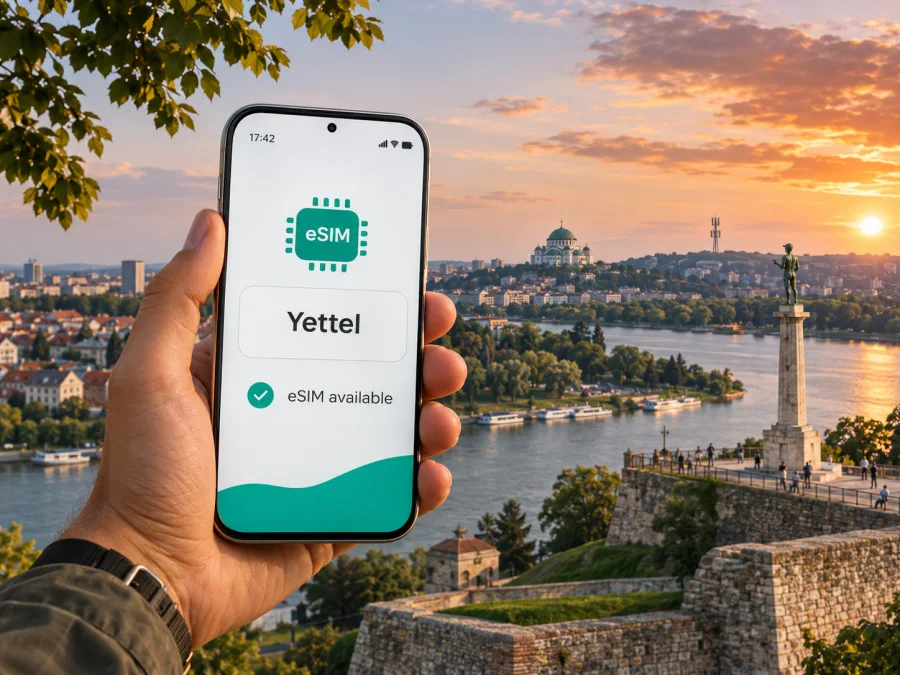
Yettel eSIM in Serbia: what travelers should know
If you are planning a trip to Serbia and searching for a Yettel eSIM, the operator currently offers prepaid eSIM activation online. Before you rely on it, check whether your phone supports eSIM, understand the prepaid registration step, and confirm how the service fits your trip. This guide covers the practical points without reproducing Yettel’s changing plan catalogue.
Yettel is a mobile communications provider operating in Serbia. Its current English website presents prepaid eSIM as an option that can be activated online, while its customer support pages explain eSIM replacement and device compatibility. This makes Yettel a local option to consider if you want a Serbian operator profile. The exact purchase flow, registration requirements and service conditions should still be checked directly with Yettel before departure.
Serbia is a country in Southeast Europe and the Balkans; this guide concerns Yettel’s Serbian service. Coverage or roaming in a neighboring country is a separate question, so check each destination on your route rather than treating the whole region as one market.
Does Yettel offer eSIM in Serbia?
Yes. At the time of checking on 2 November 2026, Yettel’s English prepaid eSIM page described online activation of a prepaid eSIM and directed customers to check their phone’s eSIM compatibility before purchase. The same page explains that prepaid-number registration is mandatory. Yettel’s Serbian-language customer FAQ also says an eligible customer can replace a physical SIM with an eSIM and describes retrieving an eSIM QR code through the account or app. These are distinct use cases: buying a new prepaid eSIM online and changing an existing Yettel number to eSIM may follow different steps.
For a traveler, the most important qualification is that “available online” does not mean every visitor can skip identification or that every phone and document will pass the process. Yettel’s English prepaid-registration information describes an electronic identification route for Serbian citizens and foreign nationals. It says a valid identity card or travel document is used, and that the process includes document and identity checks. In practice, the result depends on the submitted document and successful verification. Review the current instructions on Yettel’s official channels and allow time to complete them before you need mobile data.
The material cited here was checked on 2 November 2026: Yettel’s English prepaid eSIM page, its English prepaid-registration and identification information, its support FAQ, and its network information. Yettel’s registration announcement, dated 14 November 2024, states that registration of prepaid numbers is required under Serbian law. This article summarizes those public pages; it is not a guarantee that an individual application will be accepted or that a purchase flow will remain unchanged.
Yettel as a local Serbian option
A local operator eSIM and a travel eSIM solve related but different problems. A Yettel profile is a Serbian prepaid service subject to the operator’s registration and use conditions. A travel eSIM is intended for mobile data abroad and may sit alongside the physical SIM already in your phone. The right fit depends on whether you need a local number and calls, data for navigation and messaging, or access across several countries.
Yettel’s online eSIM route avoids a physical SIM, but still requires a compatible, unlocked device and completion of its registration process. If you need a Serbian number or ongoing local service, ask Yettel what the chosen service supports and how to maintain it. A travel eSIM may be more convenient when your priority is data for an itinerary; check the countries, activation point, usage conditions and whether voice or SMS are included. Do not infer these details from the term “eSIM.”
Prepaid registration: what visitors should plan for
Yettel’s prepaid eSIM page says registration of prepaid users is mandatory and points to an online process. Its identification information expressly includes foreign nationals among the people who may request the Yettel eID credential used in prepaid registration. The procedure requires a valid identity document or travel document, verification steps and the user’s consent to the applicable conditions. The official description refers to identity-document images and verification; it should not be read as a promise that every document type, nationality or application will be approved automatically.
Before ordering, read the live registration instructions in English where available, and verify that your travel document is accepted for the specific route you intend to use. Make sure the personal details you enter match your document, that you can receive a verification code at the contact method requested, and that your phone has a reliable internet connection during the process. If an online check fails or you are unsure how your document is treated, contact Yettel or visit an official Yettel store for guidance. The public information reviewed for this article does not establish that every visitor must use the same registration channel, so confirm the current option rather than relying on assumptions.
Registration is separate from the technical installation of the eSIM. A successful purchase or profile download does not necessarily mean that prepaid service is ready for use if the required registration remains incomplete. Complete each step shown by Yettel and wait for confirmation that the number is registered and active. Keep the confirmation and the eSIM installation instructions accessible, especially if you will arrive late or travel onward from the airport.
Device compatibility and preparation
An eSIM is a digital SIM profile stored by a compatible device. Support depends on the exact model and regional variant, the operating system, and sometimes the device’s sales market. A phone that looks identical to a supported model may not have the same eSIM feature in every country. A carrier lock can also prevent another operator’s profile from being used. Do not rely only on a family member’s experience with a similar-looking device.
Before you buy, check all of the following:
- The exact model number and regional version appear on the manufacturer’s current eSIM support information.
- The phone is not locked in a way that blocks another operator’s eSIM.
- The software is up to date and the device has room for another mobile profile.
- You can connect to Wi-Fi or another working internet connection while downloading the eSIM.
- You understand how your phone selects the line for mobile data, calls and messages.
- You know whether removing or transferring a profile requires operator support or a new activation process.
You can also use the device compatibility checker before selecting a travel eSIM. A compatibility checker is a useful starting point; compare its result with the manufacturer’s information and the operator’s instructions for the exact device. If the phone does not support eSIM, a physical SIM from an operator or another suitable travel connectivity option may be necessary.
If you plan to keep your usual number active, check whether your phone supports dual SIM in the exact configuration you need. Some devices let you keep one physical SIM and one or more eSIM profiles available, but the number of active lines and the way data switching works vary. Decide in advance which line will use mobile data in Serbia. Turn off data roaming on your home SIM if you do not want it to incur roaming charges, and confirm that your preferred line is selected before opening data-intensive apps.
If you want to review a travel-data option for Serbia, browse the current Serbia eSIM options in Kaspersky eSIM Store. This destination page is for checking current travel options, not a Yettel tariff page. Kaspersky eSIM Store is an app and website that helps users choose, arrange and activate an eSIM plan for mobile internet while travelling. It is not a mobile operator, network owner or internet provider.
How to arrange and activate a Yettel eSIM
Yettel presents an online prepaid eSIM route. The purchase flow can change, so follow the live instructions and messages from the operator rather than old screenshots. In general, prepare the phone, complete purchase and registration, install the profile and confirm it connects.
- Check your phone. Confirm eSIM support for its exact model and regional variant, and verify that it is unlocked. Update the operating system before travel.
- Read Yettel’s current instructions. Review its official eSIM and registration pages, including identity checks and any conditions relevant to your visit.
- Complete purchase and registration. Use a valid document accepted by the current verification process. Wait for confirmation; downloading a profile alone may not complete prepaid registration.
- Install and label the profile. Follow the phone prompts or Yettel’s QR instructions while connected to Wi-Fi. Label the profile “Yettel” or “Serbia” for your own reference.
- Select and test the data line. Choose Yettel for mobile data and enable roaming only on that profile if the operator instructs you to. Once registered and in coverage, test a basic connection. If there is a problem, consult support before deleting the profile.
For an existing customer converting a physical SIM, Yettel’s Serbian-language FAQ says the account holder can request replacement at a Yettel shop with valid identification. It also describes using the QR code held in the account or app when setting up the same eSIM on a new device. This is distinct from buying a new prepaid eSIM online. Confirm the correct route and do not erase an active profile until you understand the replacement steps.
Coverage and mobile technologies in Serbia
Yettel’s network information describes 4G/LTE service across Serbia and notes that available technology depends on location. Its English network page lists GSM, UMTS and LTE bands and links to a coverage map. A map is useful for planning, but cannot guarantee reception inside a building, on every road or at a particular time; terrain, device bands, walls and network load can affect service.
Yettel announced the launch of 5G on 2 December 2025, saying it was available in major cities and popular tourist areas. A compatible phone and a 5G coverage area are required; outside one, the device may use 4G or another available technology. Check the current coverage map for each city or route. For travel through smaller towns or rural areas, download maps and essential details for offline access as a backup.
These details come from Yettel’s English network information and 5G launch notice, checked on 2 November 2026. Coverage can change, and this guide does not rank operators or promise a particular speed or indoor signal. Use the live map for location-specific planning.
Choosing between a local eSIM and a travel eSIM
Start with the purpose of the connection. A local Yettel eSIM may suit you if you specifically want a Serbian prepaid line and are comfortable completing the local identification process. A travel eSIM may suit you if your main need is mobile data for a journey and you prefer to prepare the connection before arrival. If you need calls to local numbers, SMS for account verification, or a lasting Serbian number, ask the provider whether those functions are available before purchase.
For a travel eSIM, confirm the destination and any regional coverage against your route. A plan that names Serbia may not necessarily cover neighboring countries, and a regional plan may have different country rules. If you cross a border, check the terms for each country you will enter. Consider how much data your routine is likely to use, whether you can connect to hotel Wi-Fi when appropriate, and which tasks you can prepare offline. Choose only after comparing the current conditions shown for the intended destination; this article intentionally does not reproduce plan names, prices, quotas or validity periods.
Also check when the travel eSIM begins to count as active. Depending on the product, installation, first connection or another event may start its validity. If you install it at home, follow the instructions so it does not start earlier than you intend. Some travel profiles require data roaming to be enabled on the eSIM line. This setting is separate from roaming on your home SIM; check the selected line in the device settings before enabling it.
Kaspersky eSIM Store provides a site and app to choose, arrange and activate eSIM plans intended for mobile internet during international travel. The country page lets you review currently shown options for Serbia, but availability and terms can change. A Kaspersky travel eSIM is not a Yettel product and does not provide a Serbian local phone number by default. Confirm whether the selected plan includes any functions beyond data in its own current terms. Kaspersky is not affiliated with Yettel, and Yettel does not endorse this article or the travel eSIM service described here.
Troubleshooting before and during the trip
If the profile does not appear, check that download completed and that you are viewing the correct mobile-network settings. If it appears without service, confirm registration is complete, the Yettel line is switched on and it is selected for data. Restart once and allow the phone to reconnect. Check APN settings only against current Yettel instructions. Do not repeatedly scan codes or delete a profile as a test; ask Yettel support whether a replacement is needed.
If identity verification fails, check the accepted document type and capture instructions, then contact Yettel rather than submitting unclear images repeatedly. If you change phones, follow the operator’s transfer or reissue process; an eSIM profile is not always moved as freely as a physical SIM. A staffed store may help if online steps cannot be completed, subject to current rules and opening hours.
Practical checklist for Serbia
Before departure, confirm your exact phone variant supports eSIM and is unlocked; read Yettel’s current registration instructions if choosing its service; ensure your identity document is suitable; save setup details offline; and decide which line will use mobile data. Check coverage for your route.
After arrival, enable the intended eSIM line, select it for data, verify that your home SIM is not using data if you want to avoid roaming, and keep essential travel details available offline. Contact the provider before removing or reinstalling a profile.
Frequently asked questions
Can a tourist buy a Yettel eSIM in Serbia?
Yettel describes online prepaid eSIM and its registration information includes foreign nationals with a valid identity or travel document in the electronic identification process. Eligibility depends on document acceptance and successful verification; confirm the live steps with Yettel.
Is prepaid registration required?
Yes. Yettel says registration of prepaid users is mandatory. Complete the required steps and wait for confirmation before relying on service.
Can I convert an existing Yettel SIM to eSIM?
Yettel’s support FAQ says an existing customer can request replacement at a Yettel shop with valid identification. This may differ from buying a new prepaid eSIM online.
Does Yettel eSIM work on every phone?
No. The exact model and regional variant must support eSIM, and a carrier lock may prevent activation. Check the manufacturer’s current documentation and Yettel’s compatibility guidance.
Is 5G available throughout Serbia?
Yettel says its 5G network is available in major cities and popular tourist areas, where a compatible device is also required. Check the current coverage map; elsewhere the phone may use 4G or another available technology.
Does a travel eSIM replace my usual number?
A travel-data eSIM is generally an additional trip connection. Voice, SMS and number features depend on the selected service. Keep your usual line active if needed and choose the data line carefully.
Final guidance
Yettel offers prepaid eSIM online in Serbia, and its published registration process includes a route for foreign nationals with a valid identity or travel document. The practical steps are to verify your exact phone variant, read the current registration rules, complete identity checks, install the profile and confirm the data line is selected. Yettel’s own network pages describe 4G service and 5G availability in major cities and tourist areas; check the live map for the places you will visit.
If you prefer to arrange mobile data for your itinerary through a travel eSIM, review the current Serbia options in Kaspersky eSIM Store and check the selected offer’s conditions before purchase. Kaspersky eSIM Store is an app and website for choosing, arranging and activating eSIM plans for mobile internet while travelling; it is not a mobile network operator or internet provider. This article is independent and is not affiliated with or endorsed by Yettel. Operator terms, registration procedures and network coverage may change, so verify them directly with Yettel before travel.


