Travel connectivity guide
Yigo eSIM: Mobile Internet for Guam Travel
Yigo eSIM: Mobile Connection and Internet for Your Guam Trip
Yigo sits at the northern end of Guam, where the island’s built-up areas give way to open land, forest and a more spread-out travel day. If you are staying in Yigo, visiting the northern coast or using it as one stop on a wider Guam itinerary, mobile data can help with directions, pickup arrangements, bookings and messages while you are on the move. An eSIM is a digital SIM profile that can connect a compatible, unlocked phone to a mobile data plan without replacing your physical SIM.
A useful plan for Yigo is not simply the one with the largest data allowance. First check that its coverage terms explicitly include Guam, then match its validity period and data amount to your itinerary. Coverage and performance depend on the local network used by the plan, the exact place you are visiting, your device and current conditions. No plan should be assumed to work at every beach, road or building.
Why mobile data matters for a Yigo itinerary
Yigo is Guam’s largest and northernmost village. The Guam Visitors Bureau describes it as a broad area of open spaces, forest and residential subdivisions; its northern reach includes the Ritidian coast. This is a different travel pattern from a compact resort stay: you may drive between accommodation, a grocery stop, a trail or the coast, then head back toward Tumon, Dededo or the airport. Saving directions and key details before leaving is sensible, but mobile data can make it easier to adjust when plans change.
A phone connection can be useful for several small tasks that add up over a day:
- checking a route before you set out and confirming the next turn when roads branch;
- contacting a driver, rental desk, host or travel companion about a pickup point;
- opening a reservation, checking a change to a booking or translating a short message;
- looking up fuel, food or supplies before a longer drive;
- sharing your location or letting someone know that your arrival time has shifted;
- checking current visitor information before heading to a nature area.
These are convenience uses rather than a promise of continuous service. A map downloaded for offline use, a saved accommodation address and screenshots of confirmations remain useful if you temporarily have no signal or data.
Reaching Yigo after landing
A.B. Won Pat International Airport is in central Guam, in the villages of Tamuning and Barrigada, rather than in Yigo. The airport authority lists a taxi counter outside the West Arrival terminal and car-rental reservation counters near baggage claim. For a Yigo-bound trip, decide in advance whether you will collect a rental car, use a prearranged transfer or take another available ride. Mobile data can help you check a pickup message or share your location, but do not rely on it as the only record of a reservation: keep the provider’s details and address saved offline as well.
Before travel, save the full name and street address of your first stop, including any building or subdivision details supplied by your host. “Yigo” alone may not be precise enough for a driver or a map route in a large village. If you are meeting a vehicle at the airport, confirm the agreed terminal exit and pickup instructions while you still have access to airport Wi-Fi or your home connection.
Getting around a more spread-out village
Yigo is not best approached as a short pedestrian loop. Residential areas, points of interest and northern coastal destinations are separated by roads and distance, so check travel time and transport arrangements for each leg rather than assuming a nearby-looking place is within walking distance. If you will drive, download an offline map before leaving a connected area, keep the phone charged and use navigation only when it is safe to do so. A passenger can handle route changes while the driver focuses on the road.
For a day that includes Ritidian, treat connectivity as one part of preparation. The Guam National Wildlife Refuge’s Ritidian Unit is in Yigo on the northern coast. Visitor access, opening days and conditions can change; check current official visitor information before setting out. The refuge’s visitor guidance reports cellular reception for Docomo and I-Connect customers there. Separately, the current Guam plan listing in Kaspersky eSIM Store names Docomo Pacific as the local provider for its listed offers. These details describe specific services and a specific place; they do not guarantee reception for every eSIM profile or every point along the route. Check the selected plan’s Guam coverage terms, and keep directions and essential details offline.
Plan around Guam, not an assumption about the United States
Guam is a U.S. territory, but that political status does not tell you which destinations a particular mobile plan includes. For travel connectivity, the plan’s named coverage area and service terms are what matter. Do not assume that a plan labelled “United States” automatically includes Guam, and do not assume that a plan with Guam in its title has identical terms to a mainland U.S. offer. Check the actual destination list and any notes about network access, activation, tethering, validity and data use before purchase.
This is especially important if you are travelling onward. A Guam-only plan may not cover another island or country on your route, while a regional plan may have its own list of included destinations and conditions. Compare the list against every stop, including a long layover, rather than relying on a broad regional name.
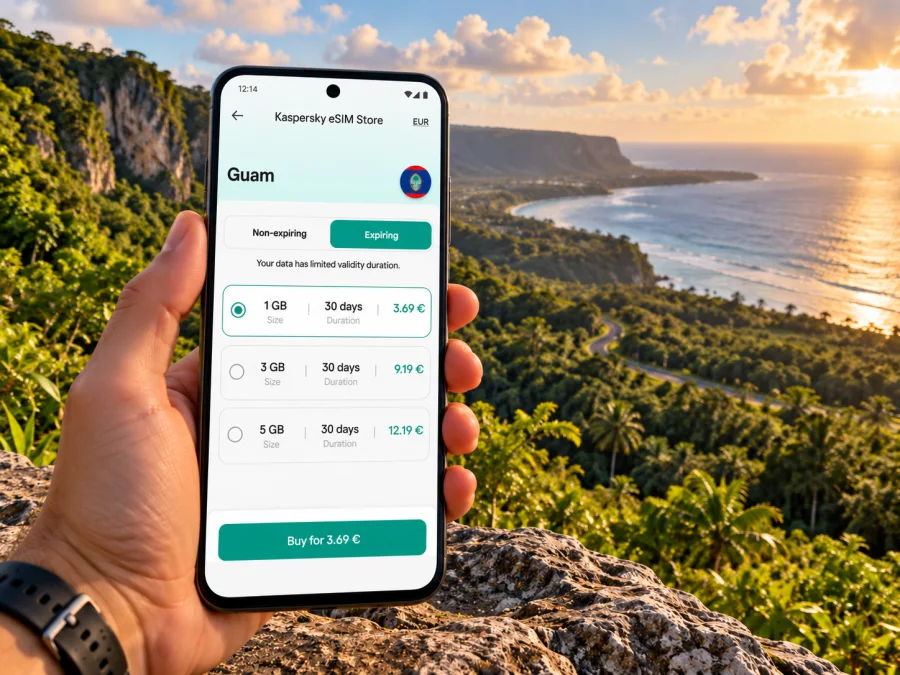
When you are ready to review current destination options, you can browse eSIM plans for a trip to Guam. The page is a starting point for checking what is currently offered for Guam; it is not a statement that a particular plan will work at a specific Yigo address. Read the selected plan’s coverage and usage terms before completing your choice.
Choosing a data allowance for Yigo
Estimate usage by what you expect to do, not by the length of the destination name or a generic “travel” label. A short stay with maps, messaging and occasional web searches differs from a longer visit with frequent video calls, hotspot use or cloud uploads. The right allowance depends on your habits, the places you expect to be online and whether accommodation or cafés provide Wi-Fi you can use.
| Trip pattern | Likely data use | What to check |
|---|---|---|
| Overnight stop or short visit | Messages, directions, booking details | Validity begins when you expect it to; enough time for arrival and departure |
| Several days based in Yigo | Navigation, search, photos, regular messages | Total allowance and whether top-up or renewal is available under the plan terms |
| Work trip | Email, maps, document access, possible calls | Hotspot rules, video-call use, fair-use limits and backup Wi-Fi |
| Island road trip | Navigation and updates across multiple places | Every destination is included, and the route is saved offline as a backup |
The table is a planning aid, not a consumption guarantee. Video, automatic photo backup, app updates and hotspot use can consume data faster than text messages or basic navigation. Before departure, consider turning off automatic updates over mobile data and pausing large cloud uploads. Keep the option to use Wi-Fi for heavy downloads where appropriate.
Check these details on the plan you select:
- Destination: Guam is explicitly listed in the plan’s coverage information.
- Allowance: the included data suits your expected maps, browsing and communications.
- Validity: the duration covers the dates when you intend to use the eSIM; check when the validity clock begins.
- Network conditions: any local-network, roaming or service notes are clear to you. Coverage can vary by location.
- Data sharing: confirm whether personal hotspot use is allowed if you need it for a laptop or another device.
- Voice and text: a data eSIM may not include a regular phone number, voice minutes or SMS. Use messaging apps over data where suitable, and retain another way to make essential calls.
- Support and top-ups: review how to get help and whether the plan permits additional data or a renewal.
Kaspersky eSIM Store is an app and website where travellers can choose, order and activate an eSIM with a suitable plan for mobile internet abroad. The available plan, coverage terms and supported features belong to the selected offer; check them directly rather than treating the store name as a network or a guarantee of signal.
Before you buy: phone and regional-variant checks
An eSIM-capable product name does not guarantee that every version of that device supports eSIM. Capabilities can differ by model number, country or regional variant, carrier configuration and software. Some phones are sold with eSIM support in one market and a different SIM configuration in another. If your phone was purchased for a particular operator or region, verify its exact model identifier and settings with the device maker or seller. Do not infer compatibility from a similar-looking device name or from another country’s specification sheet.
Also check that the phone is not locked in a way that prevents adding a third-party eSIM. A device may support eSIM hardware but still reject a profile because of a carrier restriction. If you are unsure, ask your current carrier or consult the manufacturer’s instructions before buying. You can check whether your device supports eSIM and compare that result with the plan’s device and activation requirements.
Compatibility is only one part of the decision. Confirm that the phone can store the new profile alongside your existing SIM, and check how it handles mobile data selection and data roaming for that profile. Menu labels differ between operating systems and versions. Keep your home number active for calls or verification codes if needed, but choose deliberately which line uses mobile data so you avoid accidental roaming charges on your regular SIM.
Installing and activating an eSIM
Install the profile while you have a reliable internet connection, ideally before travelling if the plan’s instructions allow it. Some plans start their validity at installation or first connection; others use a different trigger. Read the selected plan’s activation terms before adding it. Have your account or QR code ready, and do not delete a profile that has already been installed unless the plan instructions or support team tell you to do so.
A practical setup sequence is:
- Check compatibility and confirm that the phone is unlocked.
- Connect to stable Wi-Fi and open the eSIM details in your account or purchase confirmation.
- Follow the on-screen steps to add the mobile plan, either by scanning its QR code or using the supported manual method.
- Give the new line a clear label, such as “Guam data,” so it is easy to identify beside your home SIM.
- Set the travel eSIM as the mobile-data line when you intend to use it. Keep calls and messages assigned to your preferred line.
- Enable data roaming for the travel eSIM only if the plan instructions require it. Check the selected line again after changing this setting.
- Once in Guam, allow the phone time to register and follow the plan’s troubleshooting steps if mobile data does not start.
Use the relevant setup guide for your operating system: Android eSIM installation instructions and iOS eSIM installation instructions. Exact menu names depend on your device and software version, so follow the instructions shown on your phone as well as the plan’s activation guidance.
A short arrival checklist
Before leaving the airport or your accommodation, check that the travel eSIM line is enabled, the correct line is selected for mobile data and airplane mode is off. If there is no connection, confirm that the plan is active, the destination is included and the device is not using the home SIM for data. Restarting the phone may help it register again, but avoid repeatedly deleting and reinstalling the eSIM profile. Keep the support channel and order details accessible over Wi-Fi.
Use cases: match the setup to your day
You are staying in Yigo and renting a car. Save the accommodation address and the route from the airport in advance. Keep the eSIM ready for live directions and messages, but download an offline map before driving north. If the route changes, pull over safely before handling the phone.
You are visiting Ritidian for part of the day. Check the refuge’s current visitor access information before departure. The area is not a place to assume that a familiar carrier name or a Guam-wide plan label guarantees reception. Make sure someone in your group has the return route, meeting details and emergency information offline; mobile service is a convenience, not the safety plan.
You are working remotely from a Yigo accommodation. Confirm Wi-Fi availability and reliability with the property, and treat mobile data as a backup unless the plan’s data amount and hotspot rules suit your work. Video meetings, file synchronization and laptop tethering can use substantially more data than messaging. Test your setup before an important call.
Common questions about eSIM in Yigo
Does an eSIM for the United States automatically cover Yigo?
Not necessarily. Guam is a U.S. territory, but a travel plan’s coverage is determined by its own destination list and conditions. Look for Guam specifically in the offer details before purchasing.
Will a Guam eSIM work throughout Yigo and at Ritidian?
No provider or plan should be treated as a guarantee of coverage at every address. The refuge’s visitor information has reported reception there for Docomo and I-Connect customers, but that does not confirm which local network a travel eSIM uses or whether that eSIM will connect at a particular point. Check the selected plan’s network notes and prepare offline directions.
Can I keep my regular SIM active?
Many phones can use a physical SIM and an eSIM together, but the exact capability depends on the device and its regional variant. You can keep your usual line available for calls or messages while setting the travel eSIM for data, if your phone supports that arrangement. Confirm the settings and charges with your carrier before travel.
Does a data eSIM include a local phone number?
Not by default. Check the plan description for calling and SMS. If it is data-only, messaging and internet calls through apps may work when you have a data connection, but they are not the same as a regular mobile number or guaranteed emergency calling service.
Should I install the eSIM before I arrive?
That can be convenient if the plan permits advance installation and you have stable Wi-Fi. First check when validity starts: some plans begin on installation, while others start on first connection or another event. Follow the specific instructions for the offer you choose.
What if mobile data does not connect after arrival?
Check the plan’s activation status, destination coverage, selected data line and any required roaming setting. Confirm that airplane mode is off and the phone has had time to register. Use Wi-Fi to consult the plan instructions or contact support, and avoid deleting the installed profile unless instructed.
Get ready for your Guam trip
A little preparation makes the Yigo part of a Guam itinerary easier to manage: check the exact coverage area, match data and validity to your travel dates, verify the device’s regional model and unlock status, install according to the plan’s instructions, and save important routes offline. For coastal and more remote outings, confirm current access details and carry the information you would need if mobile data is unavailable.
When you have confirmed that the offer fits your phone and route, review eSIM options for Guam and choose a plan whose destination, validity and data terms suit your stay. Kaspersky eSIM Store helps you complete the selection and activation flow for an eSIM intended for mobile internet on an international trip.


